Search is shifting fast. People ask full questions now, and answer engines respond without sending users to a results page. That change makes Answer Engine Optimization a core part of staying visible because these systems choose one source, not ten.
SEO still counts, but it doesn’t guarantee you’ll be featured in an AI-generated answer. That’s where smart AEO search optimization comes in. You’re aiming to become the safest, clearest, and most useful response.
The move from SEO to AEO isn’t a trend. It’s a new stage in search behavior. If your content isn’t structured well or doesn’t offer reliable information, answer engines skip it. When people compare AEO and SEO, the distinction is simple: ranking is no longer required, but accuracy and clarity are.
Marketers who treat this shift seriously focus on giving answer engines what they need. That includes obvious facts, clean formatting, and context that removes guesswork. This is the true foundation of AEO: no noise, no tricks.
What Is Answer Engine Optimization?
Answer Engine Optimization is the process of shaping your content so AI systems can read it clearly and use it as a final answer. It focuses on facts, structure, and context instead of keyword repetition. If an answer engine can extract your information without uncertainty, you’re more likely to be selected.
AEO isn’t about writing for machines. It’s about removing confusion. Short explanations, clean headings, and verified details help the system trust your page. When you build content this way, you earn the recommendation instead of hoping for a click.
Shift From SEO to AEO
Search engines used to reward pages that were simply well-optimized. Now the priority is accuracy, clarity, and how fast an AI system can verify your information. This shift from SEO to AEO isn’t cosmetic. It decides whether your brand appears in the answer at all.
SEO still helps people find you. AEO decides if you get featured when users never even see a results page. That’s the real turning point. If your content doesn’t provide direct answers, answer engines move on instantly.
Here’s the straightforward comparison:
AEO vs SEO
Point of Difference
SEO
AEO
Goal
Rank on search pages
Become the chosen answer
User Intent
Short queries
Full questions
Content Focus
Keywords + links
Facts + structure
Metrics
Clicks, impressions
Answer selection, accuracy
Output
List of results
One recommended answer
Strength
Helps with visibility
Helps with authority
Weakness
Depends on ranking competition
Depends on clarity and trust
What is AEO optimization?
AEO search optimization is the practical, hands-on process of making your content easy for answer engines to understand, verify, and use. Think of it as removing every point of friction that could make an AI skip your page.
It starts with clear answers. If a user asks a question, your content should deliver the response in one or two direct lines before adding any context. That gives the system a clean piece of information to pull from.
Next is structure. Headings, subheadings, lists, and short segments help search engines identify what matters. When content is scattered or written in long, unfocused paragraphs, extraction becomes harder and confidence drops.
Reliable facts also matter. Dates, sources, numbers, and definitions are all anchors that help the model validate your page. Without them, the system may downgrade the content because the information feels uncertain.
In simple terms, AEO search optimization turns your content into something answer engines trust quickly. The cleaner the signal, the stronger your chances of becoming the recommended source.
How Does AEO Work?
AEO works by helping search engines understand your content without guessing. These systems scan pages, break them into small pieces, and look for signals that confirm whether the information is accurate, current, and easy to use.
Answer engines don’t guess blindly. They follow a clear sequence to decide whether your content is safe to use as an answer. Here’s the actual process, step by step.
Step 1: Understand the User’s Full Question
The system breaks the query into intent and context. If the question is vague, it predicts the most likely meaning. If it’s specific, it matches the exact requirement.
Step 2: Scan Content Sources
The engine searches across web pages, data sets, and trusted references. It’s not looking for keywords; it’s looking for clear, factual statements that match the question.
Step 3: Extract Relevant Information
Once a page looks useful, the system isolates the exact part that answers the question. Short, direct lines are favored because they’re easier to pull cleanly.
Step 4: Check Accuracy and Consistency
This is where many pages fail. The model cross-checks your statement against multiple sources. If your content conflicts with others or feels incomplete, it gets pushed aside.
Step 5: Evaluate Confidence Score
The system assigns a confidence rating based on clarity, structure, and factual reliability. High-confidence segments move forward. Low-confidence ones get discarded.
Step 6: Build the Final Answer
The model forms a response using the content it trusts most. It may quote directly, rephrase, or combine pieces from multiple pages, but only if the pages are consistent.
Step 7: Decide the Recommendation
This is the crucial moment. If your content is the clearest, most reliable, and easiest to verify, you become the recommended source. If not, the engine picks another page.
Step 8: Store Signals for Future Queries
Answer engines remember patterns. If your site consistently gives clear answers, your content gets reused more often. If it confuses the model, your chances drop over time.
This is the real inner workflow behind AEO.
Want your content chosen as the answer? Start optimizing for AEO today.
Most teams overcomplicate AEO. Here are important strategies that actually work.
1. Give the Direct Answer First
Start with a straight, one-to-two sentence answer before adding context. Answer engines grab the cleanest line they can find. If your main point sits buried in a long paragraph, you lose the opportunity to be selected.
2. Use Question-Based Headings
Write headings the same way users phrase their queries. This helps models match your content to a question instantly. It also removes guesswork for extraction.
Example: Instead of “Benefits of AEO,” use “Why Does AEO Matter for Marketers?”
3. Structure Every Topic for Easy Extraction
Short sections, clear bullet points, and clean formatting are not for decoration; they are used to break up content into chunks by answer engines. The simpler the structure, the easier it is for the system to identify the right piece.
4. Support Claims With Facts or Clear Logic
AI tools don’t trust vague statements. Dates, stats, definitions, and straightforward explanations increase confidence scores. Even a single verified fact can push your content ahead of a competitor.
5. Keep Language Simple and Exact
Avoid dramatic claims or generic filler. Answer engines prefer grounded, plain-language explanations because they reduce misinterpretation.
6. Maintain Consistency Across Pages
If one page says X and another says Y, confidence drops. Internal contradictions can push your entire domain lower in answer selection priority.
7. Strengthen Topical Authority
Publish related topics around the same theme. When models see a strong cluster, your credibility rises and extraction becomes more likely.
8. Update High-Value Pages Regularly
Outdated information reduces trust. Freshness signals matter because answer engines re-check facts often.
How Is AEO Different Than SEO?
The difference is narrower than most people think but far more impactful. SEO helps pages rank. AEO helps content get selected as the answer.
SEO focuses on keywords, links, and engagement signals. AEO focuses on directness, factual clarity, and how confidently an AI can use your content without rewriting the meaning.
If your content sounds clean and verified, answer engines prefer it. If it feels vague or messy, SEO strength won’t save it.
What Are AI Hallucinations And How Can You Avoid Them?
To avoid being misrepresented:
Give exact statements
Add context for topics that usually confuse readers
Keep facts consistent across your site
Avoid ambiguous language or open-ended claims
When your content removes uncertainty, the model stops guessing.
Struggles for Appearing in Answer Engines
Many brands struggle because:
Their content is too broad
The main answer is buried or unclear
Pages lack factual anchors
Headings don’t match real questions
Paragraphs are long and unfocused
Information conflicts across the site
Updates are rare
When answer engines sense confusion, they skip the page entirely.
Factors That Matters The Most for ChatGPT Recommendations?
ChatGPT doesn’t guess which source to recommend. It follows a set of signals that determine trust, clarity, and usefulness. These are the factors that decide whether your content gets selected.
1. Clear, Direct Answers
If your content delivers the main answer in one clean line, ChatGPT can pull it instantly. Anything buried or vague lowers your chances.
2. Strong Factual Signals
Dates, numbers, definitions, and verified claims help the system confirm accuracy. Pages with weak or unsupported statements rarely get highlighted.
3. Consistent Information Across Your Site
Conflicting pages create doubt. ChatGPT checks for alignment. When everything matches, your credibility score rises.
4. Clean Structure
Short sections, logical flow, scannable formatting. The model relies on structure to understand meaning. If the layout is chaotic, extraction becomes harder.
5. High Topical Authority
If you publish multiple pieces around the same topic, ChatGPT sees your site as more reliable. Isolated content doesn’t build enough trust.
6. Fresh Updates
Outdated content loses confidence quickly. Regular updates help ChatGPT treat your page as the safer choice.
7. Unique Insight
The system prefers content that adds clarity or perspective instead of repeating generic advice. If your page sounds like everything else online, it blends in and rarely gets selected.
8. Low Ambiguity
ChatGPT avoids recommending pages that can be misinterpreted. Clear wording, straightforward logic, and tight explanations reduce confusion.
9. No Over-Optimization
Content that feels stuffed with keywords or forced signals gets downgraded. Natural language wins because it’s easier for the system to interpret accurately.
10. Stable Context
If you explain a topic without drifting or expanding unnecessarily, ChatGPT trusts your content more. Focused pages outperform scattered ones.
Conclusion
AEO isn’t here to replace SEO. It sits above it and decides whether your content earns the answer spot when users never reach a search results page.
The brands winning this shift aren’t producing more content. They’re producing cleaner, more reliable pages that answer real questions directly. That’s the core of Answer Engine Optimization: becoming the source these systems trust.
Look, social media isn’t just about posts or filters. It’s where people talk, argue, and buy. Miss that, and you’re invisible. Simple as that.
From what I’ve seen, brands that just sell don’t last. The ones that listen and sound real do. Sound familiar?
Here’s the thing: people don’t want ads. They want connection. Want to know why? Because trust drives clicks.
In this guide, you’ll learn how to shape a social media marketing strategy that actually works. Not random tips, but a full approach to connect, convert, and grow.
What is Social Media Marketing?
Social media marketing is the procedure of crafting content for social media platforms to market your products and services, create a community comprising your audiences, and steer traffic to your company. With innovative features and new platforms coming up each day, social media marketing is continuously advancing.
Social media marketing is all about assembling with your prospects and clients where they are and as they socially engage with each other and your business brand.
While social media marketing as a whole is extremely valued and advantageous to your business growth, your strategy and tactics will diverge based on which social networks your audience spends most of their time on.
A Brief History of Social Media Marketing
Let’s rewind for a second. Back in 1997, Andrew Weinreich launched Six Degrees. It let people create profiles and connect with others. Crazy idea, right? But it changed how we communicate online. No exceptions. Then came Facebook in 2004, born inside Harvard dorms. It didn’t take long before it dropped the “The” and took over the world. By 2006, Facebook was open to everyone. Ads followed soon after. That’s when social media turned into a playground for marketers. Real talk: it changed the rules forever.
A year earlier, some ex-PayPal folks rolled out YouTube. Google bought it in 2006, and suddenly video marketing blew up. Did you see that coming?
Then came Twitter. 140 characters to speak your mind. Instagram arrived in 2010, where visuals said everything. Marketers? They didn’t wait. Can you blame them?
LinkedIn was already paving its own lane. Launched in 2002, it wasn’t about selfies or status updates. It was about business. Pure networking, real opportunities. From what I’ve seen, LinkedIn’s still the go-to space for B2B growth, and it’s showing no signs of slowing down.
The story of social media marketing is basically a timeline of bold ideas meeting global audiences.
Why Social Media Marketing Matters for Businesses
Social media isn’t optional anymore. It’s where audiences expect you to show up, share value, and sound human. Want to know why? People don’t buy from brands they don’t trust. Simple.
1. Create Brand Awareness
Across diverse social platforms, organizations can tell their story, explain why they offer the services they currently deliver, and present audiences with the latest trends and client and employee stories.
If B2B leaders can use the voice of their stakeholders and employees, they can outspread their brand reach even more. Each employee has an individual network, and every network has possibly thousands of contacts. Also, each of those contacts is linked to thousands of other people.
2. Generate Leads
You can create expressive conversations within your target industries by promoting videos, news, insights, and thought-provoking trends on social media sites. Not only do you build integrity with your clients, but these social media tactics can result in gaining leads.
3. Nurture Leads
Social selling empowers sales staff to build and shape relationships with leads. By using thought leadership content, social proofing, and other conversant content, they can assist potential clients in resolving challenges. In turn, this enables your sales team to create confidence and authority.
4. Enable Social Listening
Listen to clients and what people are saying about your organization. This gives you an opportunity to get open feedback about how others view your business and brand. It opens a window into refining the weaker parts of your business while strengthening facets that already exist with people.
5. Link Social Posts to Business Openings
With the precise enterprise solution, social media marketing leaders can steer social posts to the CRM to comprehend clients better.
6. Measure Efforts.
Social media tools track KPIs. Know what works. Adjust fast. You can even allocate a fiscal value to organic social media interactions. Earned media value (EMV) provides details of your organic social engagement and reach that would have cost if you had used ads.
7. Steer Thought Leadership
Being on social media platforms offers business brands a chance to steer thought leadership by resolving issues and challenges. Craft how-to guides, webinars, and other useful content to assist people, and, in reply, people could better trust your brand for business guidance.
8. Build and Shape a Community
With proper planning, you can create an active community around your business on social media. You can use employees and clients alike to produce instant Likes and Shares for your promoted content so that it reaches fresh audiences.
9. Build User-generated Content
User-generated content (UGC) can speak to brands in more dependable approaches, and it keeps your content publishing channels full of fresh content.
10. Connect with Key People
Distributing thought leadership posts through social media is a preferred methodology for meriting the consideration of topmost stakeholders. Use webinars, eBooks, videos, podcasts, and other content to resolve the challenges of people in your social networks.
11. Use AI Insights Smartly
Using AI-driven insights in social media helps spot what your audience responds to most. Tools like predictive analytics or sentiment tracking highlight which formats and topics perform best. From what I’ve seen, pairing these insights with real human judgment creates stronger campaigns that actually convert.
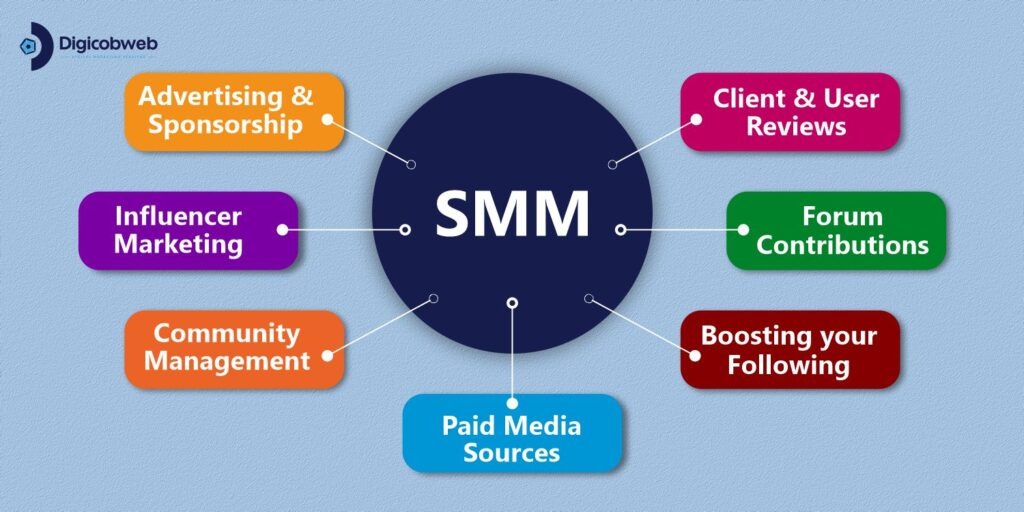
What are the Categories of Social Media Marketing?
Sideways from the likes of Facebook, LinkedIn, Twitter, and Instagram promotions, social media marketing takes many diverse categories and approaches, such as
Advertising and sponsorship
Community Management
Paid Media Sources
Boosting your Following
Forum Contributions
Client and User Reviews
Social Media Strategy Framework (Step-by-Step)
Look, every solid social plan starts with knowing your audience and goals. From what I’ve seen, the best brands keep it simple. Track results. Adjust fast.
Step 1: Research your target audiences.
You can’t make content that clicks unless you know their habits. Sounds basic? It’s not.
Think: who are they, and what do they care about?
For example, millennials who love stylish headphones. Now you know what content grabs attention.
Step 2: Decide on which precise platforms you will market on
No point shouting into the void. Instagram for lifestyle millennials. LinkedIn for professionals. Clear?
Say you’re targeting lifestyle-loving millennials, then Instagram’s your playground. They dominate that space, so meet them where they scroll.
Step 3: Determine substantial metrics and KPIs
No matter what business you’re in, your strategy has to be driven by data. No exceptions.
The important social media metrics include
Reachability analytics of your feeds
Clicks on content or account
Analysis of impressions and interactions
Breakdown of hashtag performance
Comparison of organic and paid likes
Sentiment Analysis of the brand
Step 4: Explore your competition.
Explore competitors. Quick scan. See what works and where they fail. Copy smartly. From what I’ve seen, this simple step often shapes better goals than guessing ever could.
For instance, if your competitor is leading on Facebook but has placed lesser efforts into Twitter or LinkedIn. You might want to concentrate on the networks where your audience is less catered to rather than attempting to win fans away from a leading player.
Step 5: Create unique and pleasing content.
Let’s be honest, your audience has already seen your competitors’ posts. So give them something different. Something real.
That’s why your content must stand out. Simple moves build connection fast. Go live for a product drop or Q&A. Ask customers to share experiences with your brand hashtag. Works every time.
Ask your customers or partners to share their experiences using your brand hashtag. Repost them. It’s effortless social proof.
Step 6: Set a schedule for your posts.
Keep it consistent. Schedule posts ahead with tools that handle images and captions. Life’s easier. Trust me.
How Marketing Strategy Varies Across Platforms (and What Stays the Same)
Each platform runs on its own rhythm. Facebook rewards engagement. Instagram loves visuals. LinkedIn wants lessons, not jokes.
Core idea stays: build trust, share value, and talk to people.
a. Facebook
Look, Facebook is huge. Perfect for B2C brands. Ads, groups, organic posts—mix them right. Since launch, it’s grown into a tool that mixes ads, groups, and organic posts perfectly.
From what I’ve seen, a good Facebook strategy combines paid campaigns with strong community interaction. Do this right, and you gain loyalty, not just traffic.
b.Instagram
Visuals rule here. Stories feel real. People shop and explore in-app. Every post can drive sales. Blend posts, reels, and influencer content.
People can now discover, explore, and shop without leaving the app. That means every post can drive discovery or conversion. A strong Instagram plan blends organic posts, shoppable tags, reels, and influencer tie-ins.
c. Twitter (X)
Twitter’s the heartbeat of quick conversations. It’s where news breaks, thoughts spread, and brands show personality.
Real talk: tweet’s impact depends on clarity and timing. The platform’s tools, like Spaces, Communities, and Moments, help brands to connect, not just post.
d.YouTube
YouTube ranks second globally in traffic. It’s where people go to learn, binge, and belong.
From my experience, long-form educational videos perform best. Tutorials, product walk-throughs, and behind-the-scenes insight. That’s what keeps audiences hooked. It’s not about going viral; it’s about staying useful.
d.LinkedIn
Not just resumes anymore. Real conversations happen here. Share lessons, insights, stories. From my experience, it’s the top place for thought leadership.
Posts that share genuine insights, stories, or lessons perform far better than cold promotions. From what I’ve seen, it’s the go-to place for thought leadership. Want to reach decision-makers? Post content that helps them think differently, not just buy faster.
d.Threads
Threads is Meta’s latest push toward short, open conversations think Twitter, but with a friendlier vibe. It’s built around community, not chaos.
In my experience, brands using Threads well don’t overthink it. They share quick thoughts, tips, and real-time updates that show the human side of their brand. That’s what engagement really means.
Don’t copy-paste tweets here. Instead, talk like you would to your peers. Ask questions. Start conversations. That’s how visibility grows naturally.
Concluding:
Each platform has its role: storytelling on Instagram, conversation on Threads, credibility on LinkedIn, community on Facebook or YouTube. Post smarter, not everywhere. Real results follow.
Real-Life Case Studies of Social Media Campaigns
Here are some social media campaigns that nailed creativity and impact. See what happens when brands actually listen instead of just talking. Real results follow.
1) Starbucks India – “From Chaiwala to Cappuccino”
Starbucks India’s 2025 campaign celebrated small local business owners who transitioned into baristas and entrepreneurs. Real stories, raw visuals, heartfelt captions. Big impact online.
75 million organic views. 250k shares. Starbucks India grew Instagram following 33% in two months. Impressive, right? Simple moves, big wins.
2) Spotify Wrapped
Spotify’s annual “Wrapped” campaign isn’t just fun; it’s built for share-power. In 2022, the campaign engaged 156 million users, and in its first 3 days that year, it generated 425 million social mentions.
From what I’ve observed, it works because you become the promotion when you share your stats, your friends see you, you see them, and the brand fades into the background.
3)Nike’s AI-Powered Personalisation Push
Used AI to deliver personalized ads: workout plans, sneaker drops, and recovery tips. Engagement tripled. Conversions are up 27%. Proof that creativity and automation can work together.
How to shape a social strategy It’s all about clarity, consistency, and tracking results. Nike’s 2025 campaign used AI to deliver personalized ads—workout plans, sneaker drops, recovery tips. Want proof?
3x higher engagement rate than traditional social ads and boosted conversions by 27% across its fitness ecosystem. Automation and creativity can coexist.
How to Create and Shape a Social Media Marketing Strategy
Initiating on the ground floor and building up, here is our outline of how to produce a social media marketing plan from scratch.
Step 1: Select your social networks
Choosing social networks depends on the targeted audience, time, and accessible resources.
Audience: Where do your probable clients hang out? Which network has the right demographics?
Time: How much time can you dedicate?
Resources: What skill sets and professionals do you have to work with? Facebook stresses higher quality content. Pinterest and Instagram need images and videos. Do you have the resources to craft what’s required?
Step 2: Fill out your profiles entirely
Profiles will need two integral parts
1. Visuals
For text, your main area to adapt is the bio and info section. A professional social media bio must be informational and friendly.
2. Text
For visuals, you must aim for constancy and acquaintance with the visuals on social media. Your profile photo should match on Instagram and Facebook. Your cover picture on Twitter must be similar to that on LinkedIn.
Step 3: Identify your voice and tone
Work on questions like these:
If your brand were an individual, what personality would it have?
How would it connect with your audience?
Are there any organizations that have a similar personality to your brand?
How do you want your clients to think about your organization?
Step 4: Pick your posting strategy
Find responses to what the precise number of posts per day is. How frequently should you post? At what time should you post? What content should you post?
Step 5: Analyze and test
Analyze and test. The more you post, the more you’ll learn which content, timing, and frequency work.
Step 6: Automate and engage
Automate and engage. Set a system to stay on top of updates and interact with your community. Real talk: start automating posts.
Social Media Marketing Tips
Here are some ways to up your game and market your brand effectively.
1. Craft a Strategy
Every platform requires its strategy. Each platform is diverse in some approach, and it is vital to comprehend what works best to generate targeted content and engagements.
Some questions to anticipate are
Why am I using this social media platform?
Who are my targeted prospects or customers?
What business message am I trying to communicate?
What content fits best on this particular platform?
How can I make my content exceptional and helpful?
2. Be Steady
Irrespective of your business size and what platform you are using, be mindful of keeping these facets steady and consistent:
Brand Image
Business Message
Posting Regularity
Use of Hashtags
3. Create and Shape Engagements
Engaging with your followers is significant in building a community and feeling more friendly. Conducts to do this comprise:
Liking and responding to user comments
Enable live streaming
Crafting polls and quizzes
Post content that attracts
Monitor and analyze key metrics
Best Social Media Marketing Tools
1. Buffer
Buffer’s still a favorite. It’s simple, reliable, and perfect for scheduling and analyzing posts across Instagram, LinkedIn, and Facebook. Makes life easier. From what I’ve seen, small brands love its clean layout and affordable pricing.
2. Hootsuite
If you manage multiple accounts, Hootsuite saves your sanity. It pulls every message, post, and comment into one dashboard. You won’t need ten tabs open ever again.
3. Sprout Social
This one’s built for pros.Deep analytics, collaboration tools, CRM integration.
Real talk: not cheap, but worth it if you’re serious about strategy.
4. Canva
Visual content drives attention, right? Canva helps you design fast, without needing a designer. Want a tip? Use its “Brand Kit” feature to keep your color palette and fonts consistent.
5. Notion
Social teams now plan entire campaigns inside Notion. From calendars to approval workflows, it keeps everything visible, editable, and connected. Sound familiar? That’s because chaos kills consistency.
6. Later
Later isn’t just a scheduler anymore. It’s got TikTok analytics (where active) and smart link features that help turn posts into conversions. In my experience, eCommerce brands swear by it.
7. Brandwatch
Want to know what people really think of your brand? Brandwatch tracks mentions, emotions, and viral trends in real time. Insight at scale.
8. Bitly
This one’s gaining traction fast. It combines scheduling, analytics, and ad tracking across all networks. If you’ve ever felt your reporting’s scattered, Metricool fixes that.
10. ChatGPT for Social Copy & Insights
Look, AI’s here to stay, and used right, it saves hours. Many marketers use ChatGPT for hooks, captions, or competitor research. But remember: it assists, doesn’t replace human creativity.
Best Social Media Resources
Learning never stops in marketing. From what I’ve seen, the people who stay ahead keep upskilling. Managing pages or building strategies? A good course sharpens instincts fast.
Not every course is worth your time. But these? They’ve earned trust across the industry.
HubSpot’s free course covers everything from social strategy to ROI tracking. It’s updated often, making it a solid pick if you want practical, actionable training.
HubSpot’s free course covers everything from social strategy to ROI tracking. It’s updated often, making it a solid pick if you want practical, actionable training.
Beginner-friendly, but not basic. Real value,You’ll learn search, content, and social, all tied to analytics. Real talk: every marketer should take this at least once.
Focuses on brand storytelling and analytics. From my experience, excellent for deeper skills. Want to understand how campaigns scale? This course breaks that down clearly.
Later has evolved into a go-to resource library: templates, guides, and trend reports all in one place. Want to stay relevant? Bookmark it.
Look, the goal isn’t to collect certificates. It’s to learn, test, and adapt what works for you. No exceptions.
Moving forward: build a social media presence that lasts.
Look, social media isn’t just trends anymore; it’s where real business happens. From what I’ve seen, the brands that win aren’t posting the most—they’re posting with purpose.
There are billions of active users scrolling right now. That’s billions of chances to connect, inspire, and convert. Sound overwhelming? It doesn’t have to be. Start small. Stay consistent.
Keep content aligned with what your audience cares about. Strategy beats speed. Track, adapt, and use insights smartly.
Real talk: don’t chase every trend. Stay authentic. Ready to turn your pages into growth engines?
Don’t wait. Our team at Digicobweb can help you create a social media strategy that actually delivers, from community building to conversions. Let’s make your brand stand out where it matters most.
In this blog, you will learn what is digital marketing, the history of digital marketing, and the types of digital marketing strategies.
We will also explore the difference between traditional marketing and digital marketing, digital marketing’s importance for businesses, the duties of a digital marketer, and how we can do digital marketing with result-oriented outcomes.
Our Digital Marketing Guide will help you reach more people online as a professional and also assist your company in marketing to groups and subgroups within your larger range of audiences.
What Digital Marketing Actually Means Today
Let us discover what digital marketing is in the current scenario. Digital marketing, also known as online marketing, denotes all online marketing activities used to enable company businesses.
Businesses use online channels like social media, search engines, email, and other web portals to connect with existing and potential client bases. This scenario even comprises interactions through text and multimedia communication mediums.
Sometimes, even an experienced inbound marketer might say that inbound marketing and digital marketing are the same. However, there are slight variances.
So, what is digital marketing? By having discussions with marketers across the globe, I have learned a lot about how digital marketing activities are practically comprehended across the world.
The most proficient digital marketers understand how every digital marketing campaign backs its all-encompassing objectives. And relying on the milestones of their marketing strategy, digital marketers can support a comprehensive campaign through accessible free and paid channels. Let us explore the history of internet marketing.
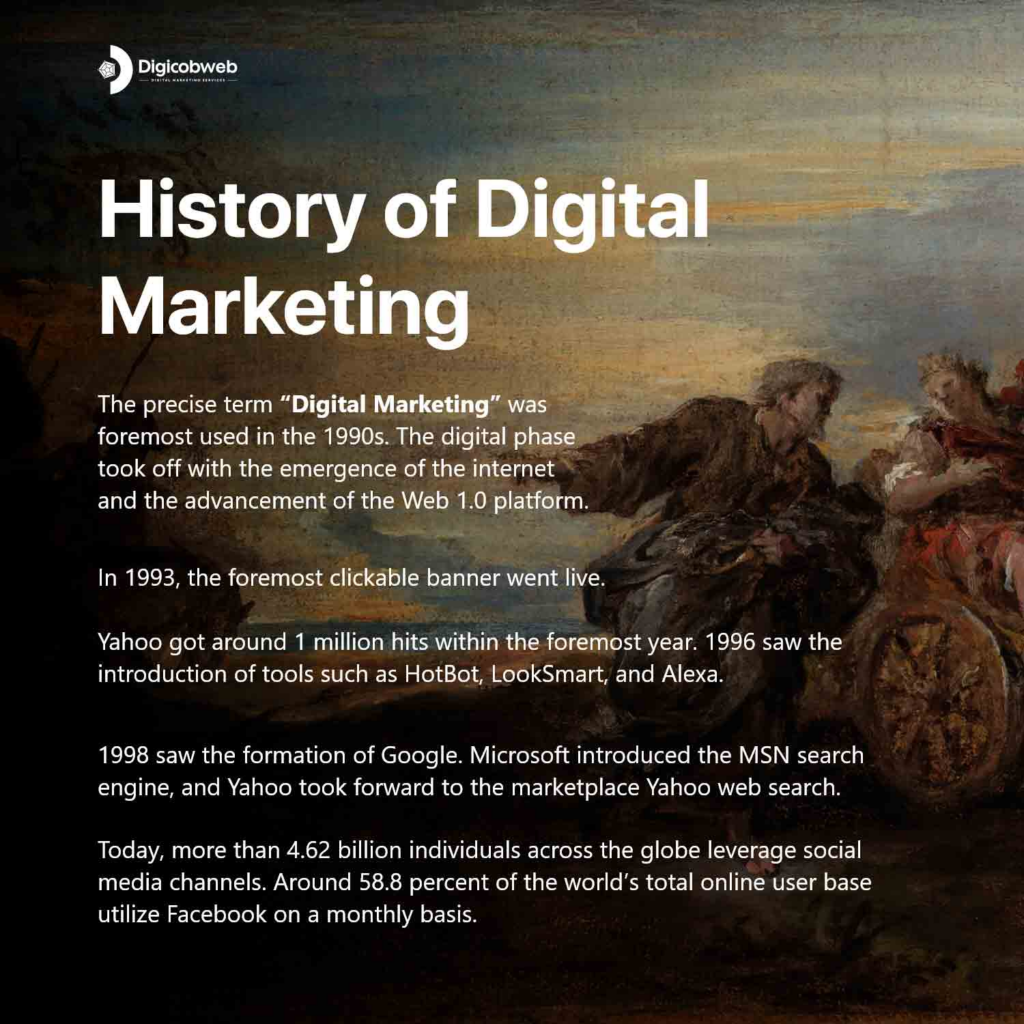
How Digital Marketing Evolved
Look, the early internet wasn’t built for marketing at all. From what I’ve seen, things only shifted once people stopped treating the web like a library and started using it to interact, search, and share. Search engines grew, social platforms took off, and brands realized they couldn’t depend solely on old methods. Still, the idea is simple: digital marketing evolved because people moved online and expected businesses to meet them there.
Traditional vs Digital Marketing
Digital marketing assists you in reaching a greater audience than you could through traditional marketing channels and targeting the precise prospects who are most likely to purchase your product or service.
In addition, when we consider traditional marketing vs. digital marketing, digital marketing is often more cost-efficient than traditional promotions and allows you to track success on a daily basis.
The major difference between traditional marketing and digital marketing is the intermediate process by which an audience engages with a marketing message.
While traditional marketing has traditional media such as magazines and newspapers, digital marketing gets digital channels, like social media sites or web portals.
Core Types of Digital Marketing
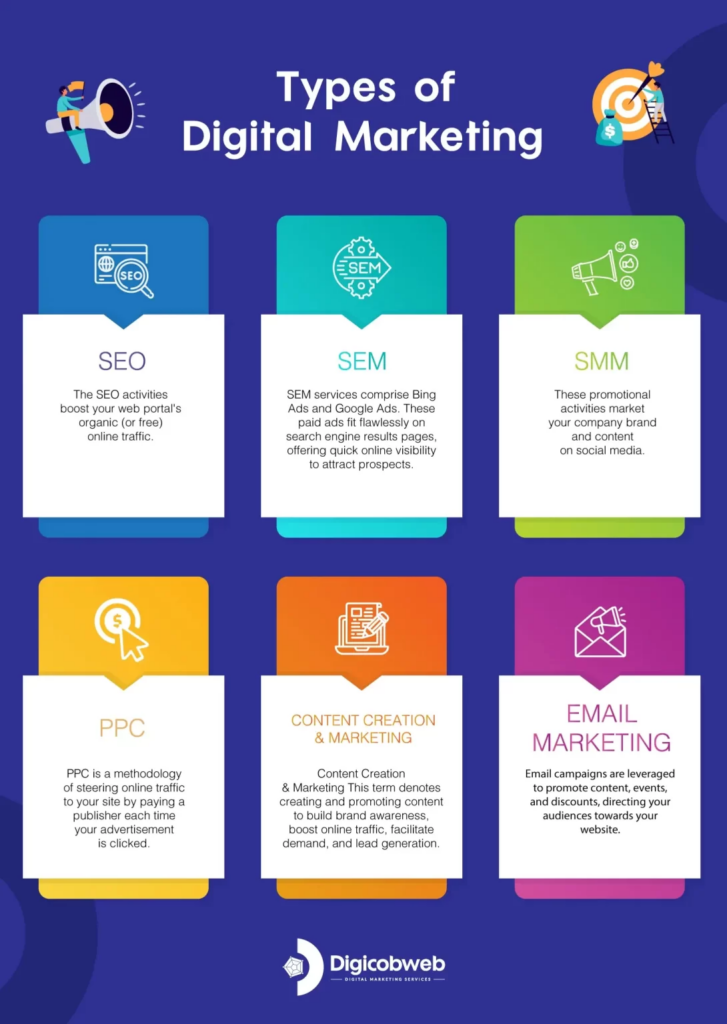
1. Search Engine Optimization (SEO)
The SEO activities increase your web portal’s organic (or free) online traffic. This is the procedure of optimizing and enhancing your site to “rank” higher on search engine results pages (SERPs).
The channels that aid SEO comprise websites, blogs, articles, e-books, white papers, case studies, and infographics.
There are several approaches that enable SEO and bring qualified internet traffic to your site.
On-page SEO
This SEO category focuses on the content that exists “on the page” of a website. By researching and spotting keywords for their search volume, you can answer queries for readers and rank superior on SERPs for those queries.
Off-page SEO
This SEO category focuses on all activities executed “off the page” when optimizing your web portal. These activities generate inbound links, also called backlinks. More online publishers that connect to you and their higher “authority” impact your keyword rankings. By writing original guest posts or republishing your content with tweaks on these publishing sites, you can receive the backlinks you require to rank your website on search engines.
Technical SEO
This SEO category focuses on the backend of your site and how you have coded your web pages. Image compression, structured data, and CSS file enhancements are all significant aspects of technical SEO that can increase your site’s loading speed, an essential ranking factor considered by search engines.
These promotional activities market your company brand and content on social media channels to increase awareness, steer digital traffic, and generate qualified business leads.
You can connect multiple social media channels in one place through tools such as HubSpot. With this approach, you can effortlessly schedule content for numerous channels and track analytics.
Along with linking social media accounts for posting, you can blend your social media inboxes to get your messages in a single place.
When a probable lead is searching for a product or service related to yours, it is an excellent opportunity for your business to enable digital promotions.
Paid ads and SEO are effective strategies for marketing your company to capitalize on those futuristic leads.
Nevertheless, search engine marketing is another approach to increase web traffic by placing paid advertisements on search engines.
SEM services comprise Bing Ads and Google Ads. These paid ads fit flawlessly on search engine results pages, offering quick online visibility to attract prospects.
4. Content Writing and Content Marketing
This term denotes creating and promoting content to build brand awareness, increase online traffic, facilitate demand, and lead generation.
Writing and publishing blogs on a company blog and guest blogging assists you in crafting industry expertise and generating search traffic for your business.
Whitepapers and eBooks:
Whitepapers and eBooks assist in educating your online visitors. It enables you to exchange content for a reader’s contact details, yielding leads for your business and moving prospects via the set buyer’s journey.
Infographics:
Your audience often wants you to showcase, not tell. Infographics are a category of visual content that assists online visitors in visualizing an idea or concept you wish to help them explore and learn.
Audio or visual content:
As a business or professional, you can easily create and share content digitally as a video or audio to broaden your potential audience.
5. Pay Per Click (PPC)
PPC is a methodology of steering online traffic to your site by paying a publisher each time your advertisement is clicked.
One of the most used digital marketing categories of PPC is Google Ads, which enables you to pay for top slots on Google. Other paid channels where you can have PPC comprise
Paid advertisements on Facebook
Twitter Ads and promotional campaigns
LinkedIn’s sponsored messaging
6. Email Marketing
Email campaigns are made to promote content, events, and discounts, directing your audiences towards your website. Look, email isn’t about sending something every seven days anymore. In my experience, the brands that get results send fewer messages but make every one count. People want helpful content, not inbox noise.
The categories of emails you can send in email marketing campaigns comprise
Content subscription newsletters.
Services introductory and follow-up emails
Emails to visitors who downloaded your content.
Client and partner onboarding emails.
Running promotional and loyalty program campaigns.
Emails for demand generation and client nurturing.
Why Digital Marketing Matters for Businesses
What is digital marketing, and why is it important? Digital marketing involves crafting client personas to spot your audience’s requirements and creating applicable online content. You can apply digital marketing to any business, sector, or industry.
However, that does not mean all companies should use a similar digital marketing strategy. The importance of digital marketing for small businesses may differ from that for enterprise companies.
B2B Digital Marketing
Suppose you are business-to-business (B2B). Here, the function of your digital marketing strategy is to entice and convert your qualified leads for your sales professionals through your web portal and to back digital channels.
So, you can center all your digital marketing activities around online lead generation in this scenario.
Beyond your corporate website, you will preferably concentrate on business-focused digital channels such as LinkedIn, where your audiences are spending their time online.
B2C Digital Marketing
Now, suppose you are a company that is business-to-consumer (B2C). In that scenario, your digital marketing activities should draw people to your web portal and make them turn into customers without ever requiring speaking to a sales professional.
Here, you are less likely to concentrate on ‘leads’ in their conventional sense and more likely to create an accelerated consumer’s journey, from when someone lands on your site to when they make a buying decision.
For B2C organizations, digital marketing channels such as Instagram and Pinterest are more valued than business-focused online platforms.
Real-life Example of Successfully Implementing Digital Marketing Strategy
Picture this: a brand spots how people prefer to order food and moves fast instead of waiting. From what I’ve seen, that’s exactly why Domino’s made an impact. They focused on making the ordering process simple, quick, and almost effortless. Real talk: when a brand listens to real customer behavior instead of chasing shiny trends, the payoff is bigger than any tech feature.
Common Digital Marketing Roles
The digital marketer concentrates on various key performance indicators (KPI) for every channel so they can suitably measure the company’s performance across everyone.
Here are some instances of these professionals and their digital marketing duties:
1) SEO Manager & Executives
KPIs: Free and Organic traffic
SEO executives and managers get the business to rank higher on search engines to generate leads. They closely work with content generators to ensure their content performs well on search engines like Google, even if the organization posts this content on social media channels.
2) Content Marketing Experts
KPIs: Time spent on web pages, content-based online traffic, digital subscribers
Content marketing experts are digital content generators. They continually monitor the company’s blogging calendar and build a content strategy that comprises video and audio content.
These executives work with professionals in other divisions to ensure the success of digital campaigns on diverse channels.
3) Social Media Manager & Executives
KPIs: Impressions, follows, and shares
The role of a social media manager and executives is to create a posting schedule for the company’s written, audio, and visual content.
These professionals work with content marketing experts to craft a strategy for posting content on different social channels.
So, one of the reasons a digital marketing career is so thrilling is that the domain is continuously maturing as diverse platforms are launched. A digital marketing professional is at all times scoping out trends, exploring different industries, and discovering market impacts.
How Digital Marketing Works for Businesses
What is digital marketing, and let’s explore how it is executed.
1. Define and state marketing goals.
The foremost step to digital marketing success is identifying and defining your goals, as you will craft your strategy differently, relying on those goals.
2. Identify and spot target audiences.
You might consider reaching new audiences through social media channels to increase brand awareness. One of the prime advantages of digital marketing is the opening to target precise audiences; however, you must first identify your right target audiences.
3. Craft a budget for every digital channel.
You will need to determine a budget depending on the elements you want to include in your digital marketing strategy.
You do not need much budget to focus on inbound methodologies such as SEO, social media, and content generation.
As part of inbound marketing, you will create high-quality content that will draw your target audience in, and the only investment you will require is your timely efforts.
4. Balance paid and free digital tactics.
A digital marketing strategy likely requires both free and paid facets to truly be efficient. Initially, even if you spend minimally, you’re likely to see substantial outcomes if you build inclusive buyer personas to identify your audience’s needs and create superior quality digital content to convert them.
Nevertheless, if paid ads are part of your digital tactics, then the positive outcomes might come even more rapidly. PPC can deliver strong results, but the numbers aren’t one-size-fits-all. Some brands see big wins, while others struggle depending on competition and budget. Still, search ads remain one of the quickest ways to get in front of ready-to-buy customers.
Eventually, it is suggested to emphasize structuring both your organic reach and paid marketing campaigns, leveraging sustainable success.
When in hesitation, try both, and reiterate your procedure as you explore which channels, paid or free, bring the best results for your business.
5. Generate engaging and interactive content.
Once you know your targeted audiences and have a fixed budget, it is the right time to create personalized content for the diverse digital marketing channels.
This content includes articles, blogs, social media posts, PPC ads, sponsored content, emails, newsletters, and more.
Your content should be thought-provoking for your audiences, as the reason to generate marketing content is to build brand awareness and enhance lead generation.
6. Enhance digital assets for mobile.
Mobile marketing is now an integral and significant part of digital marketing. With an increase in smartphone usage, time invested across digital media channels is also increasing worldwide.
People spend a massive amount of time on their phones, and that pattern isn’t slowing down. From what I’ve seen, if your site feels clunky on mobile, users back out instantly. Smooth and quick wins here every time. This means it is crucial to enhance your digital ads, website pages, social media pictures, and other digital resources for mobile devices.
If your business has a mobile application that facilitates users interacting with your company brand or shopping your products, your application too falls under the digital marketing umbrella.
Those prospects interacting with your organization online through mobile devices require having the same optimistic experience as they would have on the desktop.
This means enabling a mobile-friendly or responsive website design for your audiences is highly needed to make browsing approachable for those on mobile devices.
7. Perform keyword research.
Digital marketing is all about reaching your audiences by adapted content, all of which can’t materialize without precise keyword research.
Performing keyword research is significant for enhancing your website and content for SEO and making sure prospects can find your company via search engines.
Moreover, even social media keyword research can be supportive for marketing your products or services on numerous social media channels.
8. Reiterate based on the data and analytics.
Lastly, to produce an efficient digital marketing strategy for the long term, it is essential your team explores and learns how to pivot based on data analytics.
For instance, it might be the scenario that your Instagram audience isn’t interested in your content anymore, while your Twitter audience loves what you are posting. You may want to reapply your Instagram strategy in light of this scenario. However, it might indicate that your audience prefers a different channel for consuming branded content.
Alternatively, possibly you find an older website page isn’t getting the online traffic it used to in the past. You might consider updating the page or withdrawing it completely to assure visitors find the newest, most applicable content for their business requirements.
Recommended Digital Marketing Resources
You can also prefer to get digital marketing knowledge from industry experts and their content resources. Here are ten of the best digital marketing resources everyone should explore for their business to know what digital marketing is and to learn digital marketing in depth:
A strong digital marketing guide isn’t just a list of tactics; it’s a mindset about how people discover and trust brands online.
Any business opportunity where you can get in touch with your audience is an opportunity to convert a qualified lead or acquire a client.
Digital marketing generates numerous opportunities by enabling you to reach your prospects via an extensive range of channels. Whether it is social media channels, your corporate website, email messages, or any online source, digital marketing is a priceless approach to endorsing your business services and products.
So, if you are seriously looking for a leading digital marketing service provider company to make a significant digital presence for your company, Digicobweb can help you.
If you keep testing, stay curious, and listen to what your audience responds to, you’ll always stay ahead. From what I’ve seen, that approach beats any single trend or tool.
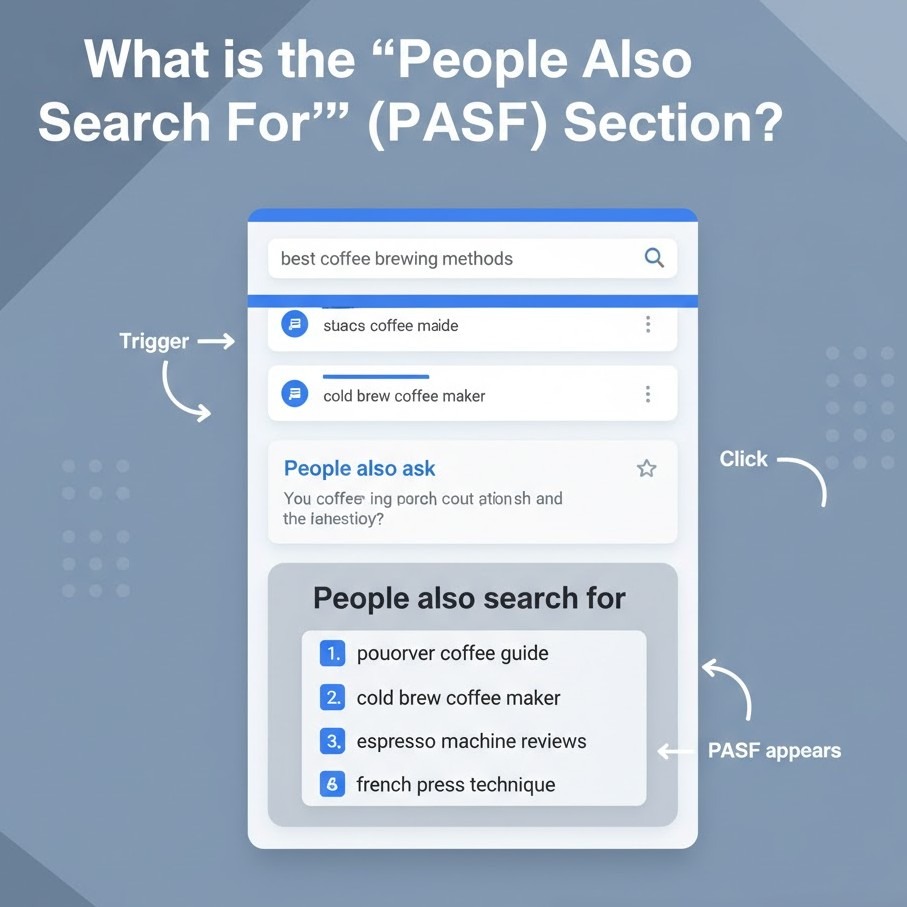
If you’ve ever clicked a search result, returned to Google, and noticed a small box appear below that link with other related queries, that’s the People Also Search For section.
It appears straightforward, but the thing is this: that box contains valuable information about what your audience really wants next. Marketers pursue “People Also Ask” results, but People Also Search For (PASF) can silently reveal intent gaps to you to create better keyword clusters and pull more relevant traffic.
In this post, we’re going to deconstruct what Google’s People Also Search For section really is, how it functions, and how you can optimize your content to show up there. When you’re done reading, you’ll have learned how to convert those related search queries into an actual SEO benefit through intent-based PASF keywords that Google already relates to your subject matter.
What is the “People Also Search For” (PASF) Section?
The “People Also Search For” is a Google SERP attribute that displays to the user a set of connected queries the moment they click on one and go back to the search page. It is activated when Google assumes the user didn’t discover exactly what they were looking for the first time, so they display new searches that might possibly better meet their intent.
It is Google’s take on, “Maybe you were looking for one of these instead?”
They typically pop up in a tiny box below the accessed result and point to alternative search results on the same subjects. Say someone is searching for “local SEO strategy” and immediately bounces away. Google may display:
what is local SEO
how to do local SEO for multiple locations
Google My Business optimization tips
All of these are People Also Search For recommendations, and each is a PASF keyword opportunity you can leverage to grow your content and address connected intents.
As opposed to typical keyword research instruments, PASF results originate directly from Google’s behavior data; that is, they’re derived from actual user behavior, rather than keyword correlations. And that is why they are so valuable for content planning and optimization.
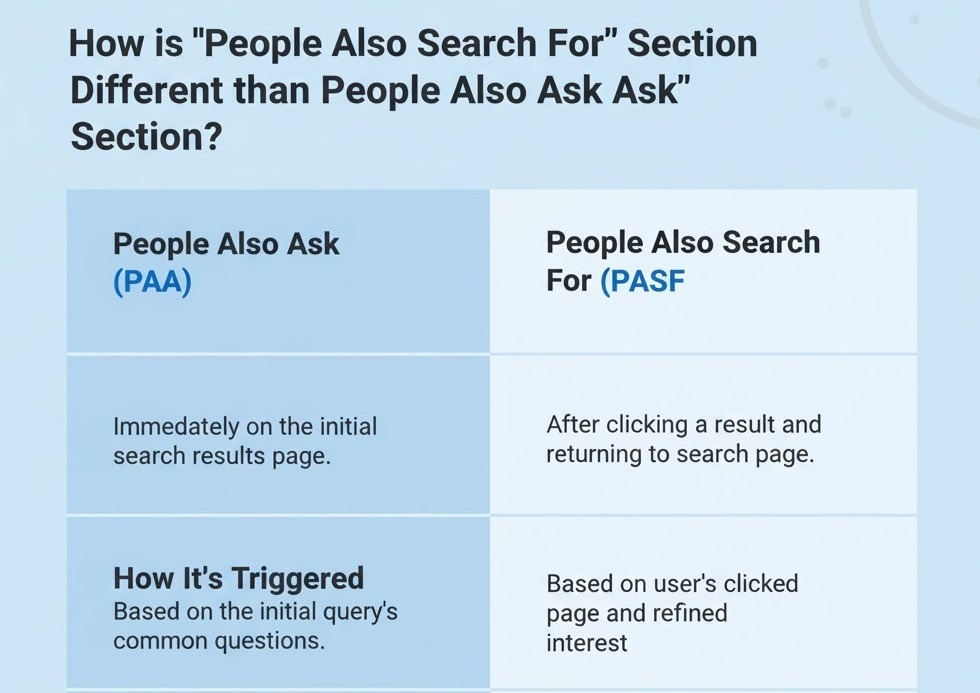
How is the “People Also Search For” Section different from the “People Also Ask” Section?
At first, People Also Search For (PASF) and People Also Ask (PAA) will look the same; they both appear with similar questions, they both exist on Google’s search engine results page, and they both satisfy user curiosity. But their role and the meaning of what they reveal about user intent are entirely different.
Let’s break it down.
Feature
People Also Search For (PASF)
People Also Ask (PAA)
When It Appears
After a user clicks a result and returns to the SERP
Directly within the SERP, before a click happens
User Intent Type
Reflects refined intent what users search next after dissatisfaction
Reflects exploratory intent: what users want to learn about a topic
Data Source
Based on real behavioral patterns and bounce activity
Based on question-based searches and entity relationships
Content Opportunity
Helps you fill knowledge gaps and create follow-up or supporting content
Helps you capture featured snippets and answer-driven visibility
Here’s what this really means: PAA is concerned with questions, while PASF is concerned with next searches.
If you are optimizing content, you employ PAA to make your post more informative and worthy of featured snippets and PASF to make your website more visible along related search journeys.
That is, PAA aids you to answer what users query; PASF aids you to appear for what they will search next.
That is why SEOs that use both question-driven content for PAA and topic growth via PASF keywords tend to get better rankings and deeper session lengths.
How Does “People Also Search For” Work?
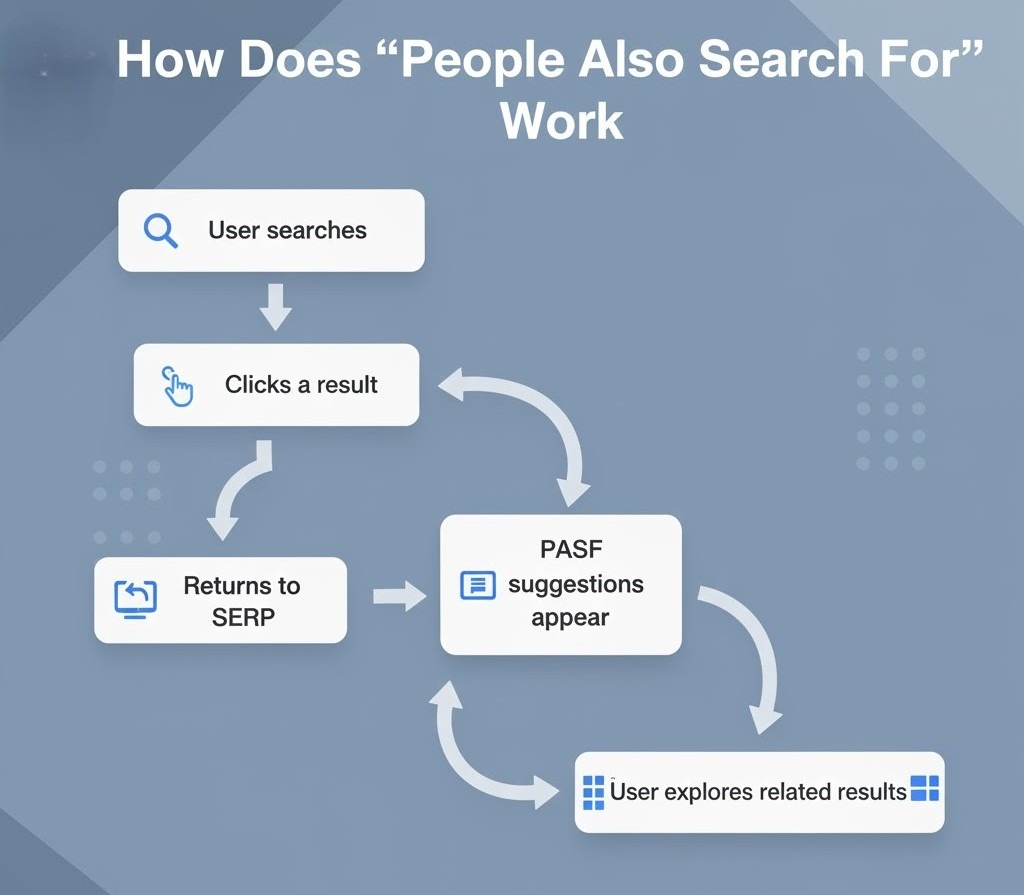
Google’s People Also Search For (PASF) feature is not random; it’s founded on real user behavior signals. When a user clicks on a result, spends a few seconds on it, and comes back to the SERP, Google counts that as a “return action.” Google assumes that the user didn’t find what they searched for and attempts to fulfill that requirement by making other extremely similar searches available.
Here’s the summary of how it actually is:
1. Trigger: User Returns to Search Results
When you click on a result and then press the back button, Google reevaluates your intention. That’s when the People Also Search For box pops up just below the link you just went to.
This implies that PASF results are aware of context. They do not appear for every query but only when Google finds a potential misalignment between the query and clicked content.
2. Data Source: Behavioral Search Patterns
PASF relies on aggregate user behavior rather than fixed keyword lists.
Google monitors billions of interactions, which pages are opened next by users, which results receive more clicks, and what associated searches come after a bounce.
So, if thousands of users click on “local SEO strategy,” then go back and type in “how to optimize Google Business Profile,” Google makes the connection. The following time someone types in “local SEO strategy,” “how to optimize Google Business Profile” may appear in the PASF box.
That is, PASF keywords are behavior-based, not tool-based. That makes them two of the most precise signals of what your audience is craving next.
3. Personalization: Based on Context and Device
The PASF section is location, device, and search history-based.
For example:
On mobile, the results of PASF tend to be fewer in number but more intent-oriented.
Logged-in users may be shown somewhat personalized PASF searches based on their recent searches.
Localized searches (such as “SEO agency near me”) tend to prompt region-specific PASF recommendations.
4. Dynamic Updates
Unlike PAA, PASF recommendations can shift very frequently. Because they’re derived from continuous user data, the lists reflect new trends or associated searches as they take off. This renders Google People Also Search For one of the most real-time places to see shifting search intent.
In short:
PASF is effective because Google is continuously learning from user behavior. It takes into account how individuals navigate through subjects, rather than what they first type. If your content is aligned with those subsequent intentions, you can show up for numerous related searches even if you weren’t the first choice for the original query.
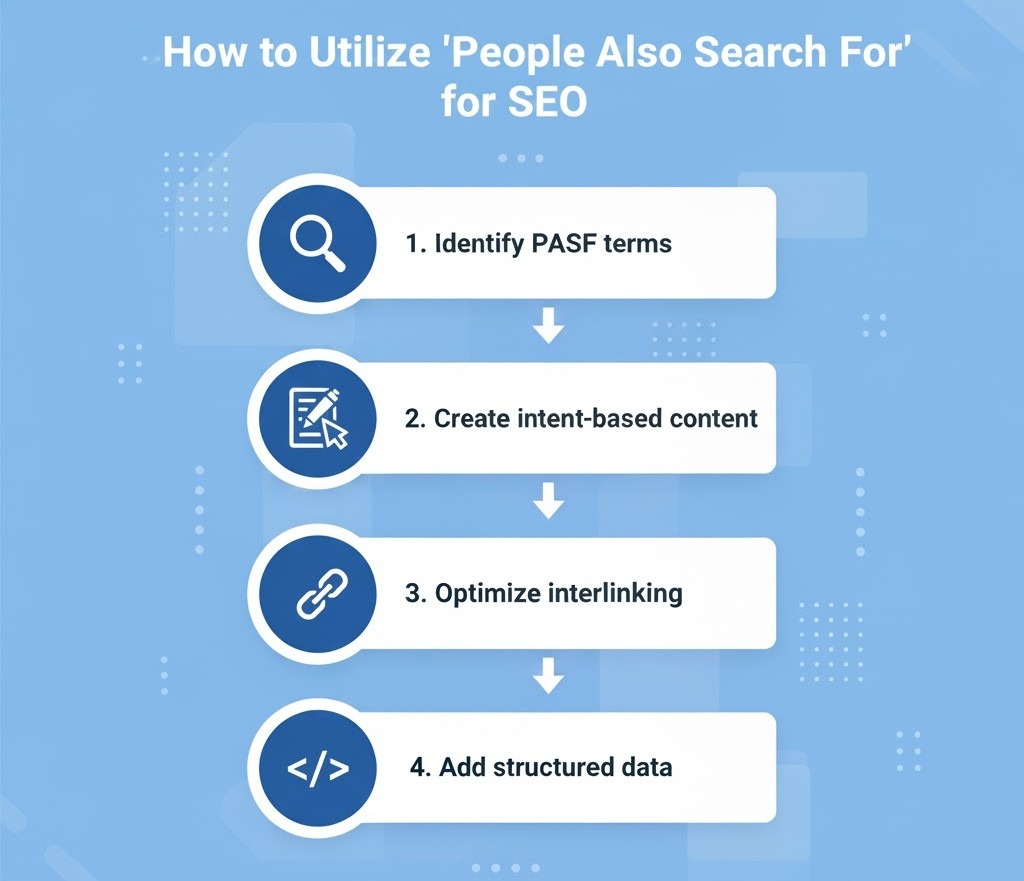
How to Utilize “People Also Search For” for SEO
Here’s the thing: PASF is not a curiosity box on Google. It’s a data-driven map of what your audience really wants to learn next. If you can get that map right, you can increase topical coverage, dwell time, and earned visibility along multiple paths of search.
Let’s see how to actually use People Also Search For data to get stronger SEO.
1. Identify PASF Keywords Using Real SERP Data
Most keyword tools still don’t fully capture Google People Also Search For results. So the best place to start is Google itself.
Here’s a quick method:
Search your target keyword on Google.
Click on some top results, wait a few seconds, and hit the back button.
You’ll have the People Also Search For box below those links; copy those suggestions.
Do the same on related topics to create a list of PASF keywords.
You can also use tools like AlsoAsked, KeywordTool.io, or browser extensions like Keywords Everywhere, which pull PASF data directly from SERPs.
Expert Suggestion: Never use PASF keywords alone. Bucket them under parent topics; they most often expose related user journeys rather than individual search terms.
2. Build Content Around “Next-Step Intent”
Every PASF suggestion captures what users will likely search next.
So, rather than targeting only broad keywords, make follow-up or supporting content that targets those next-step intentions.
For example:
Main keyword: Local SEO strategy
PASF suggestions: Google Business Profile optimization, on-page SEO checklist, local link building
Now, make internal content that bridges between these topics.
That architecture informs Google that your site covers the whole intent journey, not just one query, which helps your topical authority.
3. Use PASF to Expand Internal Linking Opportunities
Every PASF keyword is a connection between related subjects.
Add contextual internal links with anchor text matching those phrases.
This benefits:
Enhance Google crawl paths
Deepen user session depth
Secure semantic relevance between connected pages
For example, if your “Technical SEO” blog contains a PASF keyword such as “on-page SEO,” hyperlink that term to your on-page SEO tutorial.
That single hyperlink connects both subjects in a manner Google already anticipates users to click through.
4. Refresh Existing Blogs Using PASF Insights
Don’t limit the use of PASF to new content alone; utilize it to refresh existing blogs.
If you go through your existing articles and realize that there are some lacking PASF-related phrases, incorporate them organically within your subheads or FAQs.
Example:
Original blog: “Best SEO Strategies for 2026“
PASF reveals “AI in SEO,” “Google ranking factors update,” and “content clustering for SEO.”
Add those as new subsections or FAQs. You’ll keep up with existing search behavior without rewriting the whole piece.
5. Optimize for Featured Follow-Up Searches
Google frequently returns PASF terms in subsequent searches, sometimes displaying the same domains repeatedly in related results.
When you strategically include PASF keywords:
Your pages can rank on consecutive queries
You gain visibility in long-tail, intentional searches
You get users who did not click your result initially
The secret is matching your content depth to user curiosity. Match the why, not just the what, of the next search.
6. Monitor PASF Shifts Regularly
PASF suggestions are not fixed. They adapt as search behavior shifts.
Watch which PASF queries appear for your top pages
Can update blog subtopics
Keep your content in sync with live user trends
That’s how cutting-edge SEOs keep search flexibility; their content never expires because they stay aligned with Google’s intent signals.
In short: Using People Also Search For is all about looking beyond keywords and into intent chains. Every PASF term is a part of a conversation that your audience is already having with Google. You simply need to show up at every turn in that conversation.
Want your content to start appearing in Google’s People Also Search For results? Our SEO experts can help you identify intent gaps, optimize your clusters, and turn PASF insights into real search visibility. Talk to Our SEO Team
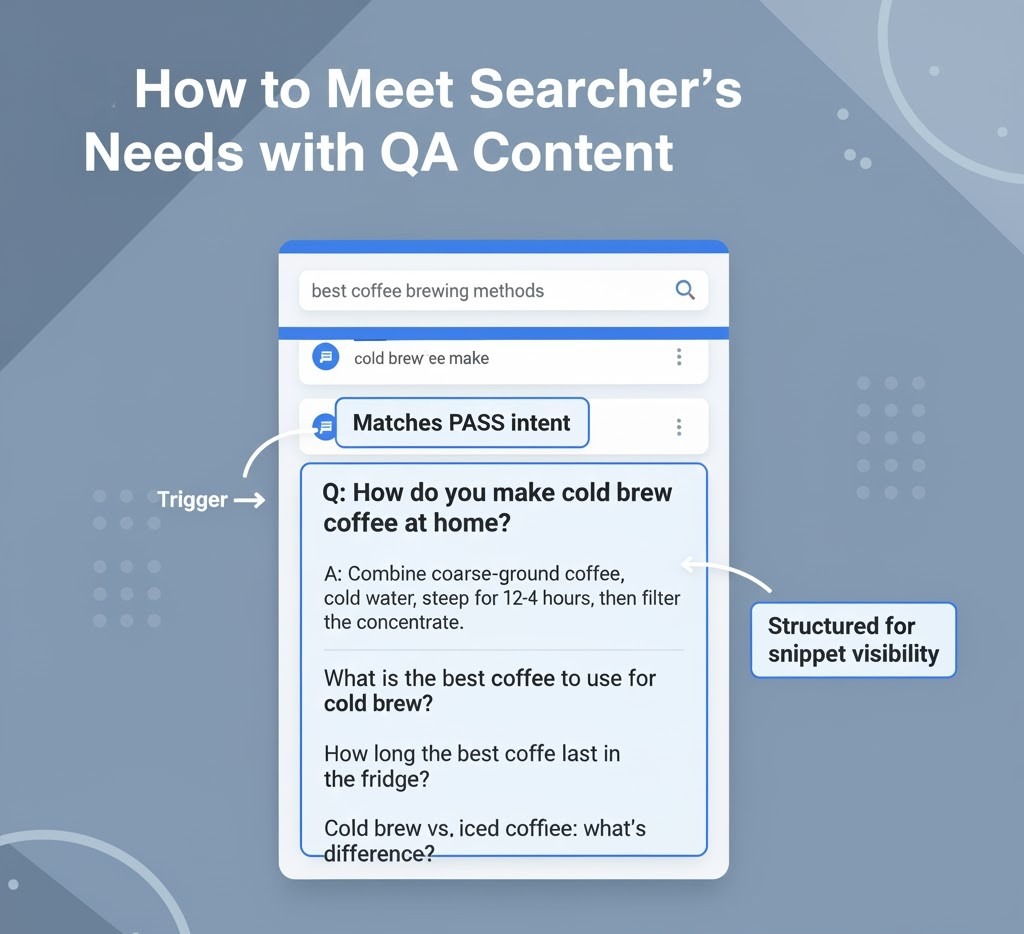
How to Meet Searcher’s Needs with Q&A Content
Here’s the thing: People Also Search For does not reveal keywords to you. It reveals questions that went unanswered. When a user keeps coming back to Google, they’re indicating confusion, curiosity, or frustration. That’s your signal to fill in the gap with content.
Let’s break down how to do that using Q&A content, one of the best ways to align with PASF intent.
1. Identify “Follow-up Intent” Questions
Start by listing the most common PASF queries around your topic. You’ll notice many of them are phrased like
“How does…”
“What’s the difference between…”
“Why is…”
“How to fix…”
These aren’t random; they reveal what users still want to know after clicking something else.
Example: If your subject is Google People Also Search For, you may get follow-ups such as
“How to rank in People Also Search For results?”
“How is PASF different from People Also Ask?”
“Can I optimize for PASF keywords?
These all can be turned into a Q&A block or a standalone paragraph in your content.
2. Structure Content with Clear Questions as Subheadings
Utilize PASF-led questions as H2s or H3s.
This structure:
Indicates relevance to Google
Enhances readability
Matches real users’ query style
For example, H2: How to Get Your Website in People Also Search For?
Next, answer it briefly in the first 1–2 sentences like Google does in snippets. Make it brief, direct, and factual. Then insert examples or context.
3. Write “Snippet-Ready” Answers
If you want Google to pull your content in on related searches, your answers have to be short and contextually full.
Follow this rule:
The first sentence is a direct answer
The next few lines are a brief explanation or supporting example
Example:
“You can appear in the People Also Search For section by targeting related keywords that users search after visiting similar topics. Consistently optimizing your content for intent-driven phrases increases your visibility in Google’s behavioral results.”
That’s short, focused, and ready for snippet extraction.
4. Add Context Around the Question
Don’t stop at brief answers. Following your brief response, add substance:
Explain why it is important
Provide a practical example
Link internally to richer resources
This dual approach makes your content appealing both to Google (for structured data) and readers (for interest).
5. Use PASF Questions to Build Topical Authority
Every PASF question can also serve as a subtopic in your overall SEO strategy.
If a number of PASF keywords fall under a parent topic, make each one:
A separate blog page
A cluster article on a parent pillar page
A Q&A section within your current content
This strategy improves your topical authority, making your site appear for many related queries even outside PASF.
6. Optimize FAQs for PASF Synonyms
PASF searches usually arrive with slight modifications: “People Also Search For,” “PASF Google,” “People Also Search Box,” etc.
You can organically include those synonyms in your FAQ content. It enhances semantic reach without keyword stuffing.
In short: PASF and Q&A are complementary. PASF informs you about what users did not find, and Q&A enables you to communicate it effectively. That’s how you convert skipped clicks into engaged readers and readers into ranking signals.
Why Is “People Also Search For” Important for SEO?
Most marketers know what they searched after leaving your page.
That’s a goldmine for anyone who wants to know user intent and tighten their SEO approach. Here’s why.
1. It Reveals Real Intent Paths
Search isn’t linear anymore. Users bounce between questions, compare alternatives, and tweak their wording.
PASF captures that very behavior.
By analyzing People Also Search For results, you have a direct insight into:
What people search prior to and following your keyword
How they tweak or alter their intent
Which are the associated topics or questions that they’re investigating next
This enables you to plot the search journey and produce content that naturally fits in at each stage.
2. It Strengthens Topical Authority
Google now indexes topics, rather than pages. When your content addresses several PASF-related terms, it instructs Google that your site is an authoritative source on the topic.
For instance, if you have one blog on “technical SEO,” one on “on-page SEO,” and one on “content optimization,” all internally connected with PASF keywords, Google sees a semantic cluster.
That group of linked pages will get you ranked on all related searches, not only one keyword.
3. It Improves Click-Through and Engagement
Being listed under the People Also Search For section can provide you with a second chance at exposure.
Even if users skip your page the first time, they might see it again in a related search via PASF results.
This repetition increases:
CTR (Click-Through Rate): since your domain keeps reappearing
Dwell time: users engage longer when content aligns with refined intent
Brand recall: consistent presence across related searches builds familiarity
4. It Helps Identify Content Gaps
Every PASF keyword represents a content gap, something users wanted but didn’t find.
By reviewing PASF terms on your current pages, you can identify missing subtopics, outdated content, or open questions.
Example: If your “SEO ranking factors” post causes PASF terms such as E-E-A-T guidelines or AI and SEO, it’s an indication your article needs them to remain competitive.
5. It Supports Smarter Keyword Clustering
Old-school keyword research is about volume and difficulty.
PASF allows you to cluster keywords based on actual user paths, not speculation.
Rather than two different keywords, “optimize Google Business Profile” and “local SEO checklist,” PASF indicates that they’re part of the same user flow.
This information allows you to build topic clusters that perform incredibly well with the way humans search.
6. It Future-Proofs Your SEO Strategy
With Google moving towards intent-driven searching and AI-powered results, knowing how individuals toggle between searches is important.
PASF data keeps you ahead of that shift because it’s developed from behavior intent rather than fixed data points.
So, as algorithms change, your content is still referring to the way individuals actually search.
In short: People Also Search For is not another SERP feature; it’s a glimpse into your user’s mental process. If you utilize it smartly, you’re not merely search engine optimizing; you’re following how actual people research issues.
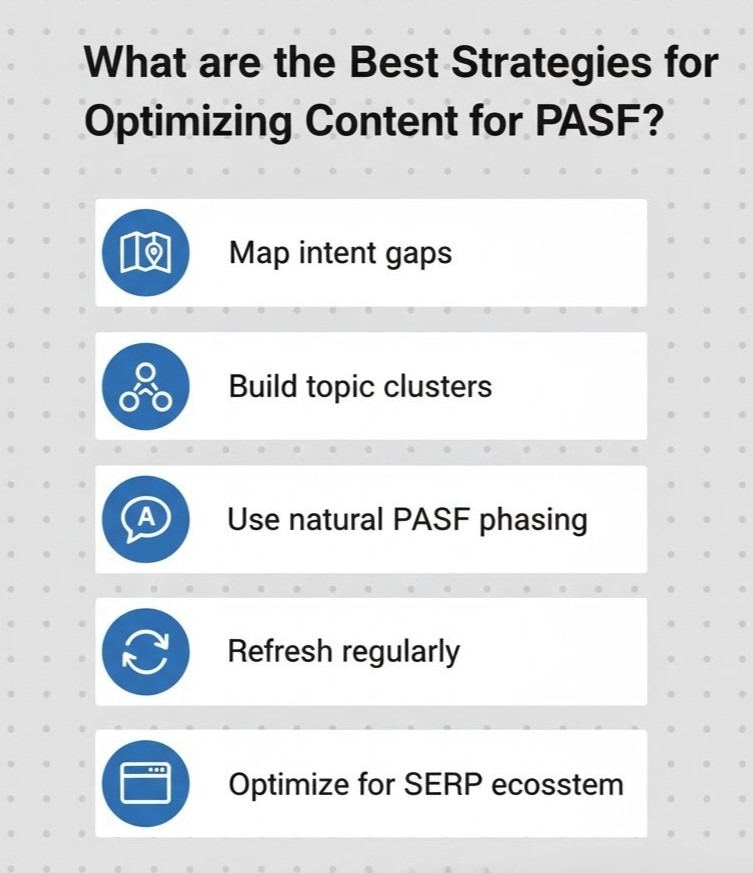
What Are the Best Strategies for Optimizing Content for PASF?
People Also Search For rankings isn’t all about trickery. It’s observing how people act when they’re searching and having your content so precisely aligned with intent that Google naturally has a tendency to associate it with other connected queries.
This is the step-by-step how-to.
1. Start with Intent-Based Keyword Mapping
Don’t draw anything until you map your #1 keyword and your PASF keyword network.
Google search your primary keyword, turn on the People Also Search For box, and gather those related queries.
For example:
Primary keyword: “People Also Search For”
PASF keywords: “Google People Also Search For,” “People Also Ask vs People Also Search For,” “how to get into People Also Search For,” and “PASF Google.”
Now, put each of those in a role:
Informational (how/why)
Comparison (vs)
Navigational (brand/product-related)
Action-oriented (how to do/implement)
This framework allows you to address each intention angle, not a single variation.
2. Create Topic Clusters Instead of Standalone Posts
PASF loves context.
If your standalone post stands on its own, Google will not connect it to similar queries. But if it’s part of a cluster, you’ll have a better chance of showing up in scores of PASF boxes.
Example:
Pillar: “Ultimate Guide to SEO Optimization”
Cluster 1: “On-Page SEO Checklist”
Cluster 2: “Technical SEO Best Practices”
Cluster 3: “Google People Also Search For Optimization”
Interlink them within with PASF keywords as anchor text (for example, “learn more about Google People Also Search For optimization”). This creates high topical relevance.
3. Use PASF Queries in Subheadings (H2/H3)
Google detects PASF terms quicker when they are visible structurally. Insert them naturally inside your subheads, not packed, but contextually placed.
Example:
Good: How to Rank in Google’s “People Also Search For” Page
Bad: PASF Keywords People Also Search For Google Tips
Clean, semantically correct, and readable always works.
4. Optimize for Engagement Signals
Don’t forget that PASF is activated by user engagement.
If people instantly bounce from your site, Google will likely conclude you didn’t meet their purpose. Therefore, to rank in PASF, your content has to engage.
Focus on:
Short, clean introductions that respond to the question
The objective: lowered bounce rate + longer dwell time = higher PASF eligibility.
5. Include PASF Keywords in Meta Elements
Subtly add your PASF terms to:
Title tag: e.g., “How to Get into Google’s People Also Search For (PASF) Section”
Meta description: add secondary terms organically (“Learn how to use PASF keywords to increase rankings and attract new audiences”).
Image alt text: e.g., “PASF keyword flow example”
This establishes keyword relevance throughout your page.
6. Build “Next Query” Internal Links
PASF optimization calls for thinking about what users might search for after they read your content.
Insert one or two links at the bottom of each blog section that point to probable next searches.
Example:
That link placement simulates what Google’s users would do, keeping your site’s continuity of search journeys.
7. Regularly Audit PASF Data
Periodically, Google refreshes PASF suggestions.
Review your target searches regularly to:
Monitor new related searches
Refresh stale blog subsections
Insert new internal links or FAQs
Keep your PASF optimization current
Staying current with recent user behavior is what keeps your content fresh months after publishing.
In summary:
People Also Search For Optimization isn’t keyword insertion, but aligning content with user activity.
Once you comprehend how users search, think, and narrow their searches, your content organically deserves a spot in Google’s People Also Search For section.
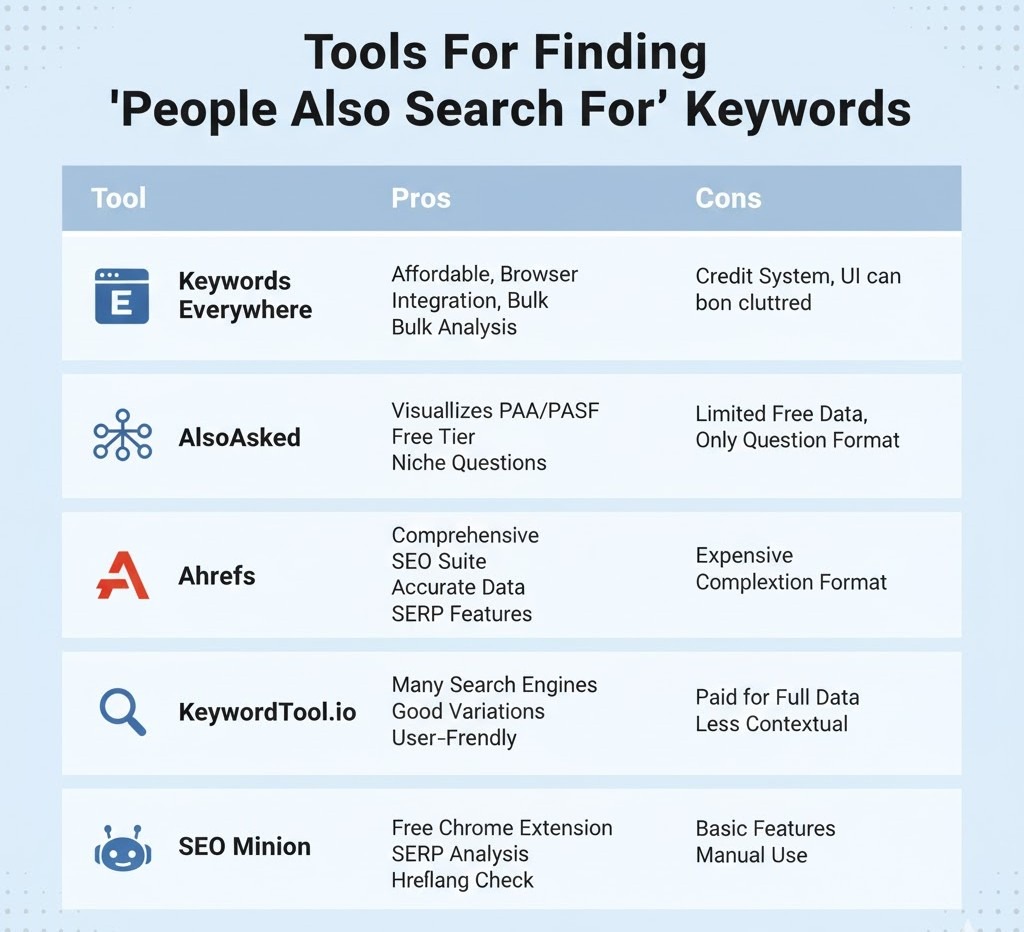
Tools for Finding “People Also Search For” Keywords
Manual Google checking of People Also Search For results, it is possible but time-consuming. When you have several clients or sets of content to process, you need to better find and sort out PASF keywords in bulk.
Here are some of the best tools (and simple tips) to allow you to do so.
1. Keywords Everywhere (Browser Extension)
This Firefox/Chrome plugin is an SEO favorite, and for a good reason.
When you Google search, it will automatically present to you related keywords, People Also Ask, and People Also Search For information on the SERP.
How to use it:
Google search your target keyword.
Scroll down the result, and the “People Also Search For” keywords will be listed in the sidebar.
Export them directly to a CSV to analyze.
Best for: Quick, on-page PASF insight and trend discovery.
2. AlsoAsked.com
AlsoAsked shows equivalent search queries, drawing on both People Also Ask and People Also Search For information.
It’s very helpful to create content clusters and FAQ hierarchies based on actual user behavior.
How to use it:
Type your key phrase (e.g., PASF Google).
The tool creates a graphical map of how individuals broaden their searches.
Take each node as a possible subhead or FAQ.
Best for: Tracing search journeys and content planning.
3. KeywordTool.io
Despite being known to produce long-tail keywords, KeywordTool.io also provides PASF-type keywords based on Google Autocomplete and related search information.
How to use it:
Select the “Google” tab within the tool.
Type in your seed keyword (i.e., the People Also Search For section).
Remove duplicates and by intent (how, what, vs., near, etc.).
Best for: Mass exportation of keywords and PASF clumping.
4. Ahrefs & SEMrush
These are not PASF tools, but both have SERP feature tracking and related query reporting.
PASF triggers can be gained from observing SERP movement trends and click-return patterns.
How to use it:
Examine the “Also Rank For” or “Related Keywords” areas.
Compare with what we observe in Google’s real PASF boxes.
Merge both data sources for legitimacy.
Best for: Professionals monitoring keyword intent shifts over time.
5. Free Manual + Sheet Workflow
If you want a free setup, follow these steps:
Google search your keyword.
Click 2–3 results and come back to the SERP to activate the PASF box.
Paste the suggestions.
Copy and paste into Google Sheets.
Use columns to group by query type (informational, comparison, how-to).
Eventually, you’ll develop your own PASF keyword database specific to your niche, which is far more reliable than generic keyword tools.
6. SEO Minion
This browser extension makes it easy to analyze SERP components such as PASF boxes, PAA questions, and metadata all at once. It’s perfect for a quick audit or competitive comparison.
Best for: On-page research and PASF opportunity identification.
In short: There is not any single “PASF tool.” Your best approach is manual inspection combined with tool-aided insights.
Why? People Also Search For results tend to shift very frequently, and only Google’s live data shows the actual picture.
In order to do serious SEO work, utilize these tools as secondary assistants, not replacements for human judgments.
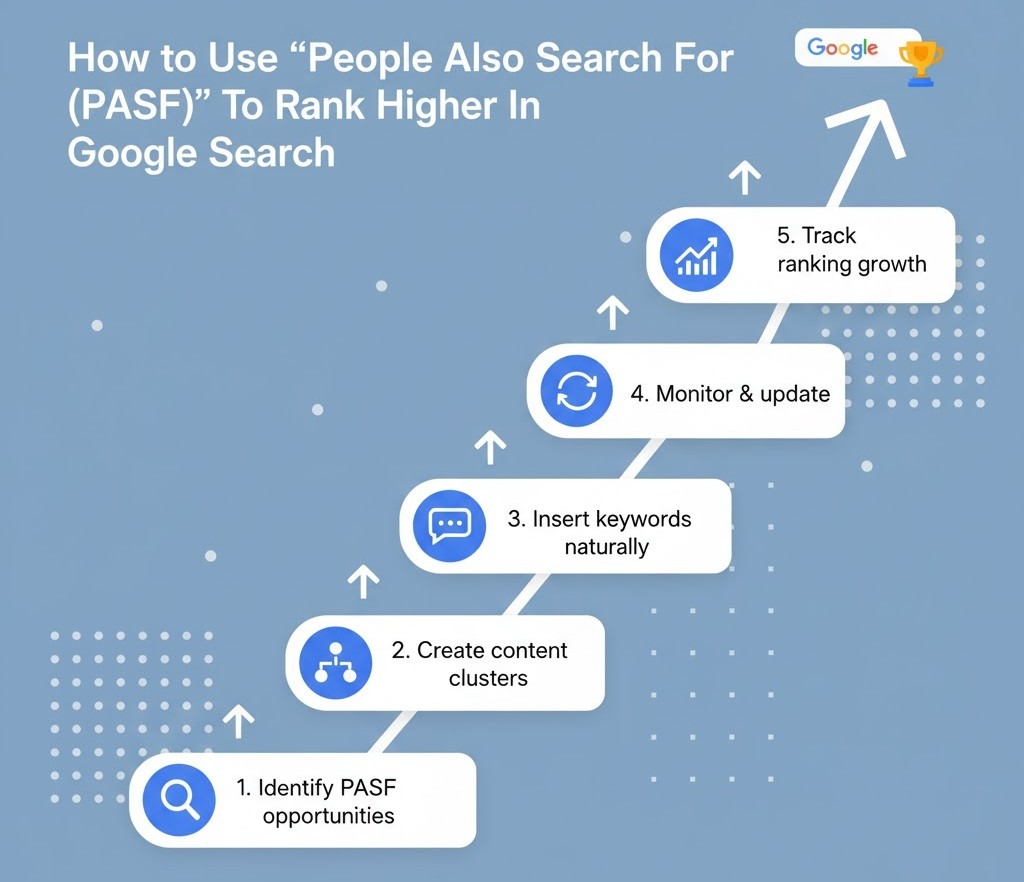
How To Use “People Also Search For (PASF)” To Rank Higher In Google Search
Getting into the People Also Search For (PASF) box is not a matter of deceiving Google. It is a matter of demonstrating your content is worthy of being displayed again if users bounce back to the SERP.
Here’s the thing: Google triggers PASF results when someone clicks on a listing, returns to the results page, and looks for something similar or more relevant. So, if your content answers those “next step” searches better than others, you’ll start appearing in that space.
Let’s break it down into actionable steps.
1. Identify Intent Gaps in Your Current Content
Start by mapping out what users might search after reading your content.
For example:
If your content is within Local SEO Basics, then users may proceed to find Local SEO tools or the Local citations checklist.
Strategies:
Looking into PASF keywords for the pieces of content you are creating at the moment.
Utilize keyword research tools such as Keywords Everywhere or AlsoAsked.com and see what people browse next.
Looking into your Search Console traffic for low-CTR high-impression search terms, these are usually PASF opportunities.
As soon as you detect intent gaps, revise your content to fill them.
2. Create Multi-Intent Content Clusters
PASF is extremely topic-focused.
Rather than writing a single general blog, produce a brief series of articles that cover every facet of the search process.
For example:
Main blog: How to Get into Google’s People Also Search For Section
Supporting blogs:
People Also Search For vs People Also Ask
Why PASF Matters for SEO
Best Tools for PASF Keyword Research
Then, strategically link them with anchor links that match PASF phrases (e.g., see how PASF differs from PAA).
This helps Google tag your content ecosystem and increase your exposure in a number of PASF boxes.
3. Match the “Return to SERP” Searcher Mindset
PASF displays when users click and return. Thus, your content must:
Engage early: answer their underlying question promptly.
Guide on further: have links, images, or calls-to-action that lead to the “next” issue.
Remain extremely relevant: don’t be irrelevant to add keywords.
Google tracks what is done by users after a click. If your entry answered their question, they won’t bounce back, and if they do, your entry can show in the PASF of what they next search.
4. Use PASF Keywords Naturally in Your Content
Put PASF sentences naturally within your writing stream, not as additions.
Optimal locations are:
Subheadings (H2s/H3s): to make it easier for Google to decide semantic relevance.
Introduction and conclusion: to exert topical context.
Alt text of images: if you are adding comparison charts or examples.
Internal link anchor texts: this exerts inter-page relations.
Just maintain density balance. 2–3 well-placed PASF sentences for each 1000 words is sufficient.
5. Refresh and Recheck Regularly
The PASF box is dynamic; it is refreshed according to trending behavior and search.
Set a reminder every few months to:
Review your PASF suggestions for your blog once more.
Update examples, stats, or FAQs accordingly.
Insert new PASF-derived links wherever relevant.
Do this as regular SEO maintenance, not as a one-off.
6. Optimize for the Broader SERP Ecosystem
Lastly, keep in mind that PASF visibility can benefit from your overall SERP presence.
So optimize your content for:
High CTR title and meta descriptions
Structured data (FAQ, HowTo, etc.)
Core Web Vitals and mobile performance
Well-formed internal linking signals
When your pages are positioned in the top 10 and share PASF intent, you’ll likely show up in those respective boxes organically.
In short: Keyword stuffing isn’t about PASF ranking but rather conforming to user behavior.
When your content provides answers for what users will next search for, Google provides you with visibility in both PASF and regular SERPs.
Conclusion
Appearing in Google’s People Also Search For section isn’t magic; it’s knowing what someone’s going to need next and sharing it with them in plain terms. Because you’re going to gap map, create multi-way content clusters, and target semantic relevance; you’re not just hoping for a SERP feature; you’re creating content that actually helps your audience.
Key takeaways:
PASF relies on true user activity, and thus your content should respond to questions and offer information for next steps.
High-quality, succinct, and semantically dense content offers you a higher chance to rank in both PASF and natural results.
Regular new content and tracking of PASF keywords aid long-term visibility.
What it actually means is that your content and proper SEO can turn into a destination point for users and not another link. And the very moment Google identifies your content fulfilling searcher intent again and again and again, it rewards you by providing you with more visibility and more chances to drive organic traffic.
Google Business Profile (GBP) optimization is the process of increasing your local business listing on Google to improve visibility on local search results and Google Maps. In 2025, it’s no longer optional—it’s a major pillar of local SEO strategy.
If your business does not appear on the Google 3-Pack or Map, then you are missing the real-world customers, website traffic, and calls. This fixed guide is how to adapt your GBP step-by-step, including setups, media, reviews, services, and postings, including better visibility, trust, and conversion.
Google Business Profile Fundamentals in 2025
Why Optimize Google Business Profile?
In 2025, GBP is no longer just a listing—it’s your first impression on Google. Whether a user searches for “salon near me” or “top dentist in Mumbai,” Google often shows a local pack or map results before traditional websites. If your profile isn’t optimized, you’re invisible.
Does GBP matter?
Appears in the Google 3-Pack for local results
Increases click-through rate, calls, direction requests, and website visits
Enhances brand trust with real reviews and recent photos
Supports your local SEO strategy by signaling relevance and authority
Major GBP Updates in 2025 You Must Know
Google has introduced AI-driven features and structural changes that impact how your business appears in local results:
AI Overviews in Search Google AI summarizes your GBP into snapshot answers. Info like reviews, hours, and services must be accurate to rank.
Mobile-First Layout & CTAs Over 70% of local intent searches are mobile. Google highlights fast-loading profiles with strong mobile CTAs (like tap-to-call and get directions).
Enhanced Messaging Features Messaging now influences GBP rankings. Use auto-replies and answer within 24 hours.
Entity SEO Integration GBP is now an “entity signal” connected to your schema markup, citations, reviews, and brand mentions—boosting trust and ranking.
How to Verify and Set Up a Google Business Profile:
Search your business name to see if it already exists
If yes, claim it
If not, click “Add your business to Google.”
Step 2: Enter Core Business Information
Fill in key details accurately:
Business Name (no keywords or promotional terms)
Business Category (choose the primary and up to 9 secondary categories)
Address (or service areas if you’re a service-based business)
Phone Number
Website
Business Hours
Step 3: Choose Verification Method
Depending on your business type and location, Google offers different methods:
Verification Method
When Available
Notes
Phone
For most businesses
Instant, code via call or SMS
Email
Limited availability
Code sent to business email
Video Call
Service-area or high-risk businesses
Google rep may request to show storefront, tools, or vehicle
Postcard
Common fallback
Arrives in 5–12 days with a unique code
Step 4: Add Business Logo, Cover Image, and Primary Category
Upload your business logo and high-quality cover photo
Primary Category: This defines the core of what your business does. Be specific. Case Study: One of our clients was Aalayam Rehab Care; we added the correct primary category for them, which is “Best Medical Care Service.”
Secondary Categories: These help expand your visibility for related searches. For example, For Aalayam Rehab Care, we added “Nursing Agency” or “Non-Surgical Service” as secondary categories to cover all services provided.
→ You can choose up to 9 additional categories—make sure they are relevant and reflect all service areas.
Pro Tip:Primary category is the most impressive ranking factor—buy wisely based on your target keyword.
4. Set Service Areas (For Service-Based Businesses Only)
Hide your address if you do not serve customers in your physical place.
List the cities/regions you serve (maximum 20).
Stay within the radius of 2 hours.
Overstated areas may suppress your local business listing in Google Maps.
5. Write a Compelling “From the Business” Description
Use this to explain who you serve, what makes you unique, and your core services.
Checklist:
Max 750 characters (only 250 show upfront)
Add 2–3 keywords naturally
No promo language (like discounts)
Example:
Existing Description
Updated Description
“Digicobweb is a fascinating journey of a Digital Marketing Consultant transforming himself into an entity! The brand, as it says, “Digicobweb,” is home to Digital Marketing Aspirants. Our company’s goal is clear: to grow businesses with our excellent knowledge and 15 years of experience. Our Digital Marketing Services will always plan your Brand Strategy following ethical practices with complete transparency.”
Digicobweb offers ethical digital marketing solutions for small and medium businesses, specializing in SEO, content marketing, and social media optimization. We focus on continuous learning and ethical practices to ensure sustainable results and long-term success for our clients. We are committed to guiding businesses through the complexities of digital marketing while providing transparency with expertise.
“DigiCobweb helps small businesses and franchises increase Google Maps ranking with customized Local SEO and GBP strategies.”
6. Add Structured Data to Match Your GBP
Use LocalBusiness schema on your homepage and contact page
Ensure NAP, categories, and business name match your GBP exactly
Use Google’s Structured Data Markup Helper or a plugin
The Google Business Profile optimization goes beyond the NAP, and keyword-thescape material is a local SEO driver in 2025. The high-quality, relevant media builds trust, enhances engagement, and directly affects your visibility in Google 3-Pack and Maps.
Add seasonal pictures to holidays, promotions or campaigns
Reorder photos to feature your most relevant media upfront
Google Business Profile—Publishing Calendar
To stay competitive, you should regularly optimize your Google Business Profile on a regular basis. Google considers frequent updates as a strong indicator of business validity, activity, and local relevance. GBP posts appear directly in Google Search and Maps results, making them a powerful tool for driving engagement and conversions.
Types of GBP Posts You Should Be Using
There are four main types of GBP posts—each designed to engage customers at different stages of the local buyer journey:
Post Type
Purpose
Example
What’s New
Announce updates, business news, or services
Now offering AI-driven Local SEO audits
Offers
Promote time-sensitive deals or discounts
Get 20% off our Local SEO Package this month
Events
Share webinars, workshops, or in-store events
Join our Local SEO Masterclass—June 25
Product Highlights
Feature services or solutions
Our GBP Optimization Package is now live!
Pro Tip: Use geo-specific phrasing.
Example: “Need better Google Maps visibility in Ahmedabad? Here’s how we can help.”
Q&A and Messaging Management: Turn Queries Into Conversions
The Q&A and messaging features are often ignored during Google Business Profile optimization, but in 2025, they are important levers to create conversion, trust, and improved visibility.
Enable & Moderate the Q&A Section
Anyone can ask—and answer—questions on your GBP profile. If left unmanaged, it opens the door to inaccurate or misleading information.
Steps to manage Q&A:
Open your Google Business Profile dashboard
Navigate to Questions & Answers
Monitor new questions weekly
Answer as the business owner account (so it shows “Owner”)
Upvote accurate answers—including your own
Pro Tip: Your answers carry more weight when labeled as “Owner response.” It builds credibility and helps Google AI attribute the right authority.
Use Keywords Naturally in Q&A Answers
Optimized Q&A responses help with:
Voice search queries
Featured snippets
Local AI search results
Tips for keyword-friendly answers:
Mention your business name, core service, and location
Keep answers helpful and concise (no keyword stuffing)
Use bullets or short sentences for easier voice parsing
Multi-Location Management Strategies
Google Business Profile Analytics (GBPS) for 5 or 500 locations is not only about recurrence—it is about scalable structure, automation, and stability. For franchises, chains, and agencies, an effective multi-launch GBP strategy enhances local ranking, while brand-wide SEO in areas strengthens performance.
Create Location Groups in GBP Manager
Location Groups let you manage multiple business listings under a single dashboard—essential for franchises, regional brands, or agencies.
Supports sections on multi-location consistency and user actions
Provides tangible statistics that reinforce your blog’s claims
What Are the Benefits of Google My Business?
An optimized Google Business Profile (GBP)—formerly Google My Business—is no longer optional for local success. It’s your most powerful local SEO asset for connecting with high-intent customers in real time.
Whether you’re a local shop, multi-location brand, or growing franchise, GBP enhances your visibility, credibility, and customer engagement—all within search results.
1. Higher Google Maps Ranking & Local Pack Visibility
Your chances of appearing in a completely customized profile increase:
Google’s Local 3-Pack (the top 3 business listings above organic results)
Google Maps results for “near me” and location-based queries
2. More Direct Customer Actions
GBP listings drive immediate engagement—often without users visiting your website.
Common actions from search results:
Click-to-call
Request directions
Visit website
Book an appointment
Send messages
Explore how Local SEO Services help drive store visits and high-intent leads.
3. Builds Credibility and Social Proof
The trust is created where your customers search—and GBP is the first impression.
Respond to positive and negative comments to show active participation
Post team photos, behind-the-scenes, or customer spotlights
Maintain a verified, frequently updated profile for stronger trust signals
Pro Tip: Use “People Also Ask” on Google to add FAQs directly into your GBP content.
4. Performance Insights to Guide Strategy
GBP includes built-in analytics that help refine your local SEO efforts.
You can track:
Profile views (Google Search vs. Maps)
Phone calls, direction requests, and website visits
5. Seamless Integration with Google Ads & Website Tracking
A connected GBP unlocks full-funnel tracking and advertising benefits:
Google Ads: Launch Local Campaigns and use location extensions
Google Analytics: Add UTM tag to track profile-driven traffic
Third-party solutions: Feature booking tools or AI-driven chat
GBP Messaging: Engage leads instantly with in-SERP messaging
Conclusion
The key to greater local visibility, trust, and conversion-ready customer attraction in 2025 is an optimized Google Business Profile. From updated business information to compelling photos and timely posts, all contribute to your local SEO success metrics.
Start small—but stay consistent. Even weekly posting and shooting can make a measurable difference.
Being at the top of search results nowadays is particularly important for businesses that serve local clients. Establishing local links, a powerful but frequently overlooked element, is usually what determines local search dominance, even though technical SEO and on-page optimization form the basis.
Those days are gone when any backlink was good enough. Now, Google’s algorithms are becoming more advanced, relying on authority, relevance, and trust. For local businesses, the implication is creating a map of geo-relevant backlinks—links that inform search engines that your business is an authoritative, trustworthy entity in its particular geographical region. It is not about getting a few additional clicks; it is about communicating authenticity and expertise that really fuels top listings in local search results.
This in-depth guide will go in-depth into practical link-building strategies meant to make your business shine. We’ll cover how community engagement link building can organically draw in quality connections, good local sponsorship deals, the use of local PR links for increased exposure, and more. At the end of it, you’ll have a step-by-step guide to obtain local SEO links Google approves of, eventually making your business more visible and attracting more customers through your front door.
1. The Value of Local Links in 2025
With the ever-changing dynamics of search engine optimization, what was effective before may no longer be so in the present. For local businesses, though, there is one factor that remains an influential ranking signal: quality local link building. In 2025, only the importance of geo-relevant backlinks has grown more, thanks in large part to the modifications in Google’s algorithms and the increasing power of AI in search.
Local links are strong recommendations from other quality websites in or around your community. Consider them as online testimonials. Search engines like Google are alerted that your company is a legitimate, helpful, and authoritative member of the community when a local news website, organization, or other respectable local business links to your website. Because Google wants to show the most reliable and pertinent companies in the user’s area, this is particularly important for local searches.
How Is This So Important in 2025?
a. Increased E-E-A-T Signal Strength
Experience, expertise, authoritativeness, and trustworthiness (E-E-A-T) are even more important to Google. Local links are a definite sign of your company’s authority and reliability in your niche and region, especially if they come from very reputable local websites.
b. Dominance in Local Search Packs
The highly desirable “local pack” (or “3-pack”) on the page of Google search results is where the majority of local search traffic is received. A strong profile of local SEO links hinges hugely on your opportunity to be shown within these prominent positions, making your company instantly discoverable by potential clients.
c. AI Search Relevance
As AI search engines head towards synthesizing in-depth answers, they favor content from credible, cited sources. A solid local link-building effort makes your site an extremely credible one, more likely to see your content (or “chunks” thereof) included and referenced in AI-generated summaries. This changes the target of optimization from solely page-level relevance to also encompass passage-level and citation-worthiness.
d. Direct Referral Traffic & Brand Visibility
In addition to SEO, such links direct quality referral traffic from local engaged audiences. A local chamber of commerce link or a community blog link can introduce your business to new customers who are already immersed in local content, raising your brand’s visibility and recognition at the local level.
2. Community Involvement Link Building
Outside of standard outreach, possibly the most sincere and powerful method for creating local SEO links is through real community engagement. When your company takes part in local events, sponsors neighborhood programs, or joins community organizations, you’re not only generating goodwill; you’re developing organic opportunities for valuable community backlinks. Such links tend to be strongly trusted by search engines since they are representative of real-life relationships and devotion to the area.
This is how you work with your community to create a solid backlink profile:
a. Local Non-Profit Organisations or Volunteer Programs
Contribute your time, money, or skills to local nonprofits, homeless shelters, or cleanup initiatives. The “Our Supporters” or “Partners” sections of the majority of nonprofit organizations websites probably contain links to participating or contributing companies.
Action Tip:
Find neighborhood organizations whose values mirror those of your brand. Contact their marketing or development departments and ask about volunteer possibilities and the likelihood of being listed there.
b. Local Event Participation
Join in local clubs, business networking groups, or even specialized hobby clubs.
Action Tip:
Look at local city event calendars for future events and try participating in them.
c. Host Local Workshops or Free Classes
If your company has know-how (e.g., a bakery providing a complimentary bread-making course, a computer store with a “smartphone essentials” seminar), invite people to free instructional events. Community centers, libraries, or event calendar sites tend to link to these teaching aids.
Action Tip:
Promote these sessions on local online community noticeboards and neighborhood community noticeboards, which also offer linking options.
d. Join and Take Part in Local Clubs and Associations
Join local clubs, business networking groups, or even specialized hobby clubs. Most of them maintain online member directories where your business can obtain a link. Participating actively tends to result in more visible mentions.
Action Tip:
Don’t just become a member; attend meetings and projects actively in order to forge real relationships.
e. Provide Testimonials for Local Businesses
If you are utilizing services from other local companies (graphic designers, suppliers, etc.), be willing to provide a testimonial for their site. They may be willing to add your company name and a link back to your site.
Action Tip:
Opt for businesses that complement, not compete directly.
By emphasizing real-world engagement, your company organically becomes a part of the local digital landscape, earning high-quality, geo-related backlinks that create trust and credibility in both local customers’ and search engines’ eyes.
3. Local Sponsorship and Donation Strategies
Aside from hands-on volunteerism, sponsorships and donations are also a strong way to promote local link building. These methods not only support local causes, which are much needed, but also project your brand strongly and enable you to gain highly sought-after community sponsorship links. These tend to originate from event pages, third-party “sponsor” pages of nonprofit organizations, or news coverage by local media, all of which possess authoritative value.
Here’s how to effectively use sponsorships and donations for geo-relevant backlinks:
a. Support Neighbourhood Sports Teams or Youth Leagues
On team websites, league lists, and event programs, local sports organizations—from adult leagues to school teams—frequently showcase their sponsors. This is an excellent means of reaching local families and gaining a direct link.
Action Tip:
Look for local teams or leagues that require sponsoring. Oftentimes, sponsorship levels have various levels of website recognition.
b. Support Local School Programs or PTAs
Schools are focal points in most communities. Sponsorship of school events, yearbooks, newsletters, or even specific academic programs may lead to name mention and affiliation on the school website or PTA websites.
Action Tip:
Meet with the school administrator or PTA to find out about sponsorship and recognition opportunities.
c. Donate to Local Charity Auctions or Fundraisers
Donating goods, gift certificates, or services to regional charity auctions, galas, or fundraisers can get your business a shout-out and a link on the event’s specially created webpage, usually with other solid local donors.
Action Tip:
Discover charities that are proactively engaged online and transparent about displaying their donors.
d. Sponsor Community Events and Festivals
Major local events such as music festivals, art festivals, holiday parades, or town clean-ups just about always feature a “Sponsors” page on their main website. More advanced sponsorships often give more prominent links and exposure.
Action Tip:
Working early with event organizers will earn you a better position and more time for your brand to shine.
e. Provide Scholarships or Education Grants
For companies that want to get established deep within the community and as experts, providing a local educational grant or small local scholarship can create local PR connections from the educational institution and local media announcing the award.
Action Tip:
Collaborate with a local high school or community college to set up the scholarship criteria and promotion.
Strategic local sponsorships and donations are an investment in your local community that pay back in twofold rewards: real goodwill and high-quality, geo-relevant backlinks that dramatically increase your local SEO links profile.
4. Local Resource Page Opportunities
One of the frequently unused goldmines for local SEO links is found in existing online local resource pages. These are hand-crafted lists, directories, or guides put together by local governments, community organizations, schools, or even enthusiastic local bloggers. They want to offer useful information to local residents and visitors, so they are extremely trusted sources for geo-specific backlinks. Getting on these pages not only offers an invaluable link, but it also puts your company directly in front of a very relevant local audience as well.
Here’s how to spot and discover local resource page opportunities:
a. Government & Chamber of Commerce Websites
Numerous city sites, county sites, and local Chambers of Commerce have large directories of local businesses, services, or attractions. These are authoritative sites that can offer strong local link-building possibilities.
Action Tip:
Look at sections such as “Business Directory,” “Local Resources,” “Visitor Information,” or “Community Links.” If your business meets a category, this is a good place to contact and ask about listing requirements.
b. Local University & College Resource Pages
Universities frequently have sections on local businesses, student discounts, alumni services, or community resources. If your business provides a service for students or faculty, or you have alumni working for you, this is a good path to pursue.
Action Tip:
Check for pages named “Local Partners,” “Student Resources,” or “Community Services” on university websites.
c. Local Non-Profit & Community Organization Directories
Like Chambers, local charities, associations, and community centers often publish businesses that fund their cause, provide relevant services, or are members of the organization.
Action Tip:
List your business in any online directories they have and attend their events (as mentioned in earlier sections)
d. Niche Sites & Local Bloggers
There are also standalone towns and cities with standalone bloggers or small niche blogs that write about local food, entertainment, services, or events. These can prove to be good sources for local SEO links if your business has something genuinely useful for their readers.
Action Tip:
Search for “[Your Industry] association [Your City]” or “[Your Service] directory [Your City].” Read their content and propose your business as a worthwhile addition.
e. Specialized Local Directories & Associations
In addition to the general directories, search for special-purpose local directories specializing in your sector (e.g., local legal directories, health directories, artisan collectives). Sector-specific local associations may also provide member listings.
Action Tip:
Look up “[Your Industry] association [Your City]” or “[Your Service] directory [Your City].”
By tactfully acquiring and gaining listings on these true local resource websites, your company can significantly enhance its local link-building profile through high-quality, geo-specific backlinks that enhance search visibility and referral traffic.
5. Local PR and Media Outreach
Good PR isn’t something for global brands only; it’s a great weapon for local link building, particularly in the era of digital marketing. Building relationships with local media, journalists, and industry bloggers can create effective local PR links from very high-authority sources. Such links not only bring referral traffic but also convey strong signals of trust and prestige to search engines, which is vital for both traditional and AI-based search.
Following is the step-by-step procedure for creating an effective local PR campaign for backlinks:
Step 1: Discover Local Media Outlets
Investigate local print and online dailies, neighborhood news sites, local broadcast stations and radio, and the best local blogs. Look for sections dedicated to local business news, community events, or expert views.
Action Tip:
Create a media list with editor, reporter, or blogger contacts who cover topics of interest to your company. Tools like Google News alerts for local keywords can help you monitor opportunities.
Step 2: Develop Newsworthy Stories
Local media constantly seek stories that would appeal to their audience. Think more than just a product launch.
Consider:
a. Special Business Achievements
Anniversaries, substantial growth, and new recruits with local connections.
b. Community Impact
Your participation in local causes (as described in Sections 2 & 3), giving back through donations, or creating jobs in your community.
c. Expert Commentary
Portray yourself or your staff as local trend specialists within your profession. Provide quotes or comment on local economic changes, consumer trends, or industry information.
Action Tip:
Find a “local angle” in all that you do. A national trend can be localized by applying the right data or local twist.
Step 3: Publish Compelling Press Releases At Appropriate Time
While not all announcements need to go out as a press release, significant news can be formally announced.
Action Tip:
Release to your local targeted media list and use local online press release services with a priority on those that provide do-follow links.
Step 4: Monitor HARO (Help a Reporter Out) for Local Requests
Join HARO alerts. React quickly and professionally if your knowledge complements a local query. If your input is utilized, you’ll frequently receive a useful local PR link.
Action Tip:
Sort through HARO questions by keywords about your location or industry to find matching opportunities in a snap.
Step 5: Provide Guest Content or Expert Op-Eds
Certain local news websites or top blogs could publish guest posts or opinion columns by local business owners. This allows you to share your credibility and earn an expert backlink in the author bio.
Action Tip:
Introduce a topic that is genuinely useful or insightful for the local audience… Don’t use promotional language
Step 6: Relationship Building
Engage with local journalists on social media, share their articles, and genuinely connect with them. By actively reaching out to local media and sharing your business’s compelling story, you can initiate a potent chain of local PR links that increase your brand’s authority and strongly influence your local SEO links profile.
6. Industry and Local Business Partnerships
When local companies within the same niche support one another, it sends strong trust signals to search engines and can significantly improve your local SEO links profile.
This is how to develop strategic collaborations for link building:
a. Complementary Business Collaborations
Find nearby companies that provide complementary goods or services but have the same clientele.
Action Tip:
Take into account companies that your clients might need either before or after your service. Make a clear, mutually beneficial proposal to them.
b. Joint Content Creation
Content writing can be done in partnerships. Create content with a partner business.
It may be:
Guest Blogging Exchange:
You write a guest post for their site, and they do the same for yours. This is an easy, contextual link.
Guides or e-books:
Create a useful resource that is hosted on one or two websites and has two-way linking.
Webinars or Workshops:
When appropriate for your specialty, co-host an online or offline presentation and mention one another on event pages and related materials.
Action Tip:
Write about subjects that actually benefit both of your audiences and have natural opportunities for linking.
c. Customer Referral Programs
Create official referral programs through which partners refer clients to one another. These programs are often a special page on their website that lists valued partners, including a direct local SEO link.
Action Tip:
Make the terms of the referral clear and be transparent with your customers.
d. Cross-Promotional Initiatives
Seek opportunities to cross-promote one another online. This could include:
Shared Landing Pages: For a co-promotion or discount.
Suggested Vendor Lists: Put each other on the “Partners” or “Recommended Vendors” pages.
Event Sponsorship: Ensure that both companies are mentioned and connected on the event’s official page if they are supporting the same local event.
Event Sponsorship: If both businesses are sponsoring the same local event, make sure both are listed and linked on the official page of the event.
Action Tip:
Make all cross-promotion activities include obvious, natural, and useful links.
e. Industry Association Engagements
Through broad discussion, building closer relationships with certain local industry associations may bring the creation of specialized business profiles or “featured member” pages with links. Active involvement can position your business as a go-to resource.
Action Tip:
Join a committee or volunteer to give a speech at an association event in order to expand your visibility and link-building opportunities.
Constructing these geo-relevant links in collaboration with partners builds a sturdy, well-connected web of local credibility, which serves to inform Google that your business is a highly respected and integral component of the local economic life.
7. Local Event-Based Link Building
Local events, if you’re planning, sponsoring, or merely attending, offer a rich and underutilized means of local link building. They’re extremely targeted, time-limited chances to accumulate community backlinks from event websites, local press articles, attendee lists, and surrounding promotions. The trick is to organically place your business within the event’s online ecosystem, turning physical interactions into digital signals of authority and strongly contextual local SEO links.
Here’s how to discover local events for maximum link-building effect:
Step 1: Host Your Own Local Event
From grand opening and anniversary events to product launches or free workshops (as touched on in Section 2), staging your own event generates many link opportunities.
Action Tip:
Market your event on local event calendars, community websites, and local news sites. Get attendees and local partners to link to and share your event page. Follow with post-event roundup pieces that can also generate links.
Step 2: Participate as an Exhibitor or Vendor
On their official websites, a number of regional fairs, expos, trade shows, and festivals list their exhibitors or vendors. Gaining a strong, geo-relevant backlink is simple with this technique.
Action Tip:
Make sure your website is clearly linked from their participant page, and ask about their online listing procedure when you apply.
Step 3: Attend Local Gatherings or Conferences
Offer to present at community conferences, Chamber of Commerce events, or local industry meetups if you or someone on your team has knowledge to share. A bio and a link to your company website are typically included in speaker bios and event schedules.
Action Tip:
Pitch good topics to event organizers far enough in advance. Promote your speaking engagement actively, linking back to the event page, which can then reciprocate.
Step 4: Support a Particular Award or Event Segment
Consider sponsoring a specific component of a larger event, such as a stage, a competition, an award, or a particular activity, as opposed to just the event itself (discussed in Section 3).
Action Tip:
Search for smaller, very relevant opportunities in major events that have distinct, dedicated recognition and linking.
Team up with event administrators to provide a special offer or discount exclusively for their participants. Your business could then be showcased as a participating local offer on the event’s website or marketing materials, resulting in a link.
Action Tip:
Make sure the promotion is enticing and well-communicated to both event organizers and potential consumers.
Step 6: Participate in Post-Event Content
After an event, attendees, local media, or event organizers may post written accounts, video recaps, or photo galleries. Interact with content that features your business (such as comments or social media shares), and, if one isn’t already there, kindly ask for a link to your website.
Local events are rich contact points within a neighborhood. By thoughtfully engaging and having your digital presence connected, you can efficiently utilize them for strong local link building, building your local SEO links and driving real local rankings.
Conclusion
Amidst the ever-changing scene of search engine optimization, local link building is still a mainstay for companies that want to own local search rankings. It’s not just a technical task; it’s building actual relationships in your local community, building credibility, and informing Google that your company is a valuable, trusted, and integral part of its local community. Through skillful utilization of community involvement, savvy sponsorships, local resource page usage, active local PR links, and the creation of influential partnerships, you can constantly gain geo-suited backlinks that actually increase rankings.
The insight of this guide, combined with careful assessment of link quality and influence, will enable your business to survive and flourish in local search. Don’t forget, in 2025 and beyond, the relevance and quality of your local SEO links will be the key to achieving greater visibility, drawing in more local customers, and ultimately, securing your number one position for local search.
Local content marketing is about matching your message with local needs, search habits, and cultural context and when done right, it earns visibility, trust, and conversions. Companies need a geographic relevance content marketing approach instead of keyword optimization if they wish to compete with local search listings, drive more foot traffic, and build local trust.
An effective local content strategy starts with understanding the people who are behind your target places. It’s not a question of throwing the name of a city into a headline and voila, you’re local; it’s about developing content that resonates with the local’s daily habits, tastes, and search behaviors. When your content actually does talk to the local context, it talks to the users but also clearly signals geographic relevance to search engines.
This blog will teach you how to produce hyperlocal, high-impact content that ranks, connects, and converts.
1. Local Content Strategy Basics
What Is Local Content Marketing?
Local content marketing is the process of creating and optimizing content according to a specific location or community.
It has two main functions:
To get more visibility within local search results (through Google Maps, Local Pack, and organic SERPs)
To gain the trust and relevance of local people by referring to their specific needs, interests, and context
Why Local Content Strategy Matters
When working on SEO for a local business or expanding location pages for a multilocation brand, the proper geospecific content will:
Enhance rankings on “near me” and city-based queries
Increase click-through rates by appearing more relevant
Support conversion rates by speaking directly to a community’s context
Help build local topical authority, which Google rewards with better placement
Local SEO Content:
Generic SEO copy won’t cut it for hyperlocal rankings particularly in competitive service areas.
Locally optimized headings, alt text, and internal linkings
The closer your content seems to fit in that spot, the more both Google and local people will trust it.
Bonus Tip: Align Content with Local Intent Types
Different regions may have different search behaviors; in some places, people may look for “emergency AC repair,” while in others, it’s “budget AC installation.” Understand this intent gap early through localized keyword research.
2. Creating Effective Location Pages
Location pages are the foundation of an effective local content marketing strategy. They are SEO-optimized landing pages that indicate relevance to users and search engines about particular geographies, if you’re going after one city or hundreds.
What Are Location Pages?
A location page is a dedicated webpage for a specific area (city, town, or neighborhood) that provides all relevant business information custom to that location.
For example, → highlights services, hours, testimonials, and events for Dallas customers.
These pages serve both discovery and conversion purposes.
Why Location Pages Matter
Well-optimized location pages directly support your visibility in:
Google’s Local Pack
Map results
Localized organic rankings
“Near me” mobile queries
They also provide a consistent, conversion-friendly landing space for:
Local PPC campaigns
Directory citations
Social and email links
Without these pages, you’re likely cannibalizing your own visibility or sending users to a generic homepage that doesn’t address their local needs.
Key Elements of a High-Performing Location Page
Element
Why It Matters
Unique Page URL
Signals specificity (e.g., /locations/pune)
City + Service in Title Tag
Increases keyword targeting and CTR
Localized H1 and Intro
Reinforces geographic relevance
Embedded Map + Directions
Helps mobile users and supports Google Maps SEO
NAP (Name, Address, Phone)
Consistency is critical for local SEO rankings
Testimonials from That City
Increases trust and relevance
Local Team or Office Images
Improves E-E-A-T and UX
Service-Specific FAQs
Captures long-tail search intent
Google rewards location pages that look, feel, and sound like they were written for that city, not copy-pasted with just the place name swapped.
Pro Tip: Don’t Keyword Stuff (Geo-Contextualize)
It’s not enough to repeat “plumber in Chicago” ten times. Instead, build in geo-specific content like
References to local events or regulations
Mentions of nearby landmarks
FAQs or testimonials unique to that market
Do you want to raise your local rankings in more than one city ?
In competitive local markets, having basic city-level pages isn’t enough. Hyperlocal content goes a step further, zooming in on specific neighborhoods, communities, or even street-level landmarks to create deeply relevant content that resonates with nearby users.
What Is Hyperlocal Content?
Hyperlocal content refers to content created for an extremely specific geographic area like a suburb, district, or neighborhood rather than a broad city or state.
Examples include:
“Top 5 Coffee Shops in Bandra East”
“How Our Cleaning Service Helps Families in Juhu”
“Upcoming Events in Chicago’s Lincoln Park This Weekend”
This approach is especially powerful for:
Multi-location brands
Franchise SEO strategies
Service businesses targeting city sectors (e.g., South Delhi vs North Delhi)
Why Hyperlocal Content Works
Hyperlocal content helps you:
Rank for long-tail local search queries (“best pizza near Shivaji Park”)
Build trust with readers by showing real local knowledge
Outrank national competitors by being more locally relevant
Earn local backlinks from blogs, news sites, and community organizations
Google favors businesses that show “real-world” proximity and engagement, and this is exactly what hyperlocal content signals.
Pro Tip: According to Google, “near me” searches that include qualifiers like “tonight,” “open now,” or “near [neighborhood]” have increased significantly in the past few years.
How to Build It Without Burning Out
Hyperlocal content can seem overwhelming, especially for brands with dozens of locations. Here’s how to properly scale it:
Create reusable content templates, such as “Neighborhood Spotlight: [Area].”
Use internal teams or franchisees to provide location insights
Start with high-priority neighborhoods based on volume or strategic value
SEO Tip: Don’t Forget Schema Markup
Use the LocalBusiness and PostalAddress schema to reinforce relevance and location targeting, especially when embedding Google Maps or referencing neighborhoods.
4. Community News and Events Coverage
Building content that is community-focused is one of the best methods of establishing trust, relevance, and engagement, particularly when fighting for top spots in local SERPs. By providing local news and covering local events, your company is a part of community discussion and not merely another search engine listing.
Why Community Content Matters for Local SEO
Search engines favor new, location-based content that shows topical relevance and authority. Reporting on local news, parades, fundraising campaigns, and school events assists:
Signal geographic relevance to search engines
Attract backlinks from local media and organizations
Earn engagement from users who care about the local area
Differentiate your brand from generic, corporate competitors
Think like a local publisher: Google’s helpful content update rewards businesses that demonstrate a genuine connection to their audience’s environment and there’s nothing more authentic than local coverage.
Types of Community Content You Can Create
Format
Example
Event Spotlights
“5 Events to Attend This Weekend in Koramangala, Bangalore”
Business Collaborations
“We Sponsored the Thane Street Food Fest: Here’s What Happened”
Volunteer or CSR Highlights
“Our Team Cleaned Up Powai Lake: A Day in Photos”
Local Customer Features
“Meet Ramesh: Our 5-Year Customer from Andheri East”
Staff Member Spotlights
“Say Hello to Priya Our Location Manager in Gurugram”
Where to Source Local Stories
Hyperlocal news websites and city-focused cyber-newspapers
School or college event calendars
City event websites like BookMyShow or Eventbrite
Your own team’s participation in community activities
Pro Tip: Partner with local influencers or microbloggers to co-create event coverage or community interviews; you’ll not only improve reach but also attract backlinks and mentions.
SEO Tip: Use Location Modifiers in Your Titles
Add neighborhood names, event types, and local dates in your blog titles and headers. For example, “Top Things to Do in Bandra This Weekend [July 2025]” is more optimized than “Weekend Events in Mumbai.”
5. Local Keyword Research Techniques
It is only once you know the words your audience is actually searching for non generic industry jargon, but geo-translated words that reflect local intent—that you can do effective local content marketing. Thoughtfully researching keywords is essential in such a situation.
Why Local Keyword Research Is Essential
Local SEO content, as opposed to national SEO, thrives on search intent associated with a particular region. You’re losing out on high-converting traffic if your content doesn’t use the search terms that people in that area use to find services.
Targeting local keywords effectively benefits you:
Align content with real-world search behavior
Drive qualified traffic with purchase or visit intent
Create relevance signals for Google to rank your content in “near me” or map-pack queries
Prioritize hyperlocal content opportunities at the neighborhood level
Tactics to Find Geo-Specific Keywords
Research Method
What to Look For
Google Search Console
Queries already bringing local impressions or clicks
Google Autocomplete + “Near Me” Queries
Variants like “best bakeries in Powai” and “lawyer near me”
Google Trends (with regional filters)
Interest by city or region for services/events
People Also Ask / Related Searches
Intent-rich long-tail keywords (e.g., “Is Jayanagar safe at night?”)
GMB Questions & Reviews
Common phrases or pain points your audience repeats
Competitor Location Pages
Scan headings and content structure for recurring geo-modified terms
AnswerThePublic / AlsoAsked
Search behavior insights based on location and service intent
Keyword Types to Target in Local SEO Content
Keyword Type
Example
Where to Use
Service + Location
“chiropractor in Ahmedabad”
Core location/service pages, H1s
Long-Tail Local Intent
“best family dentist in Whitefield Bangalore”
Blog content, FAQs, featured snippets
Local Modifiers
“open now,” “near metro,” “24/7,” “in [ZIP code]”
Meta titles, CTA buttons, local landing pages
Event/Seasonal Terms
“summer camps in Chennai 2025,” “Christmas markets Mumbai”
Event blogs, promotional content
Don’t just insert location names that reflect local language, culture, and context. For example, use “Sobo” instead of “South Mumbai” if that’s how locals search.
6. User-Generated Local Content Strategies
User-generated content (UGC) isn’t just for social proof, it’s one of the most powerful tools in a local content marketing strategy. When locals contribute stories, reviews, or media, they signal authenticity, relevance, and trust all of which Google’s local ranking systems favor.
Why UGC Matters for Local SEO Content
In both search engine (and human) pleasing ways, active community-based feedback reinforces brand authority and improves your geo-specific content:
With real voices and in-market presence, E-E-A-T is Experience, Expertise, Authority, and Trust.
Helps brands differentiate themselves in local packs, map listings, and community-based search
Encourages engagement and shares especially for hyperlocal content
Google prioritizes local relevance. UGC that includes local language, landmarks, and cultural touchpoints makes your content stand out algorithmically and emotionally.
Types of User-Generated Local Content You Can Leverage
UGC Type
Example
Where to Use
Customer Testimonials
“This salon in Kothrud fixed my hair for a wedding in under 30 mins!”
Location pages, review widgets, service pages
Local Photos/Videos
Customer pictures of meals, storefronts, or events
Google Business Profile, social feeds, blog embeds
Community Stories
Local volunteers talking about a cleanup your brand sponsored
Blog posts, landing pages, “In the Community” sections
Q&A Content
Real users asking about parking, timings, pet policies, etc.
FAQ pages, GMB, social highlights
Branded Hashtags/Challenges
#ShopLocalMumbai photos or contests with regional prizes
Instagram, Facebook, blog roundups
How to Encourage High-Quality UGC
Create a prompt or story hook: Ask questions locals can respond to (“What’s your favorite dish at our Mumbai branch?”)
Feature contributors on your site or social media to motivate participation
To conveniently collect content at physical locations, use QR codes or in-store signage.
Offer rewards like shoutouts, discounts, or contest participation.
Content Guidelines for UGC
To ensure the content aligns with your local SEO content goals:
Moderate for accuracy, brand safety, and relevance
Prioritize content that includes location mentions, landmarks, or community terms
Optimize images with ALT text including geo-modifiers
Add internal links to relevant location pages or blog content
Tip:For agencies and multi-location brands: Build repeatable UGC playbooks per city. What works in Indore may not resonate in Kochi local context is everything.
7. Local Content Distribution Channels
Producing local content is half the work; the distribution is what makes it visible, engaging, and SEO-effective. Even the most locally targeted content can flounder if it doesn’t get in front of the right eyeballs on the right platforms.
A local content marketing strategy involves a multi-channel distribution strategy aimed at reaching and supporting your hyperlocal community, increasing relevance in the community, and ranking support through off-page indications.
Why Distribution Matters in Local SEO Content
Increase brand awareness on search, social, and local platforms
Enhances engagement signals such as clicks, shares, and comments
Builds backlink opportunities through local mentions and syndication
Supports geo-specific authority by reinforcing your presence in a location
How to Build a Local Distribution Plan
Map Each Content Type to a Channel
Location page? → Google Business Profile, local directories
Event recap blog? → Community forums, Instagram, email list
Geo-Target Everything
Add UTM parameters by city, state, or store ID
Tag posts with location hashtags like #DelhiEats or #PuneTech
Repurpose Smartly
Turn community blog posts into carousels, reels, or infographics
Break down long-form guides into bite-sized posts for stories or local press releases
Track Performance per Channel & Region
Use GA4’s traffic acquisition report to segment by source and location
Monitor referral traffic from directories and local partnerships
Pro Tip: Set up location-specific GA4 views or filters to isolate performance and optimize future campaigns.
8. Measuring Local Content Performance
Once your local content marketing campaigns are live, tracking performance is critical. Without clear metrics, it’s impossible to know what’s working, where to scale, or what needs improvement especially when managing multiple location pages or regional campaigns.
Most Important Measurements for Estimating Local SEO Content
Directly reflects SEO efforts on local intent keywords
Conversion Rate
Form fills, calls, store visits from local pages
Links content performance to business outcomes
Google Business Insights
Clicks, calls, and direction requests from GBP posts
Tracks how local content drives real-world engagement
Example: If your blog on “Top Fitness Spots in Mumbai” ranks #1 and drives traffic that converts into local gym memberships, it’s high-ROI local content.
Tools to Measure Local Content Impact
GA4 Traffic Acquisition Report
→ Use dimensions like Session Source/Medium and filters by city or landing page to isolate traffic from local campaigns.
Google Search Console (GSC)
→ Track impressions and clicks for geo-specific keywords like “dentist in Nagpur” or “best cafés in Bandra.”
GBP Performance Dashboard
→ Check visibility, call clicks, and post engagement for your location profiles.
Rank Tracking Software
→ Tools like Semrush, BrightLocal, or Local Falcon can monitor local keyword rankings and map pack appearances.
CRM/Lead Tracking Tools
→ Measure content-driven inquiries by source, location, or UTM code to calculate ROI.
Setting KPIs for Local Content
Here’s how to set realistic, performance-focused KPIs for local SEO content:
Content Type
KPI Examples
Location Page
10% MoM growth in organic sessions, 3% conversion rate
Hyperlocal Blog
Top 10 keyword rankings, 5 min avg. session duration
Event Recap / Community Post
200+ clicks from social or GBP, 2 backlinks from local sites
Local Guide or Listicle
30% traffic from mobile users in target city
Pro Tip: Slice performance reporting by city, service area, or language to reveal secret trends and opportunities.
Conclusion: Make Local Content A Growth Driver
The future of content marketing isn’t just about being found, it’s about being locally relevant.
Whether you’re developing pages for 50 service areas, creating hyperlocal content that appeals to neighborhood interests, or publishing news from community events, your content strategy has a direct impact on visibility, trust, and conversions.
Following an organized process based on local keyword research, community signals, and performance monitoring, your brand can reliably get in front of the right local audience at the right time.
Local SEO copy isn’t only search engine optimized. It’s designed for people and the neighbors, customers, and local allies that make your business tick every day.
Visibility is not about content but about clarity. And that clarity begins with the way your site communicates business information to search engines.
Schema tells Google (and AI-based tools like Search Generative Experience) about your company, its address, its services, and how much people trust it.
But most of these businesses are missing out on this through using only NAP consistency or citations—without structured data, search engines lack a standardized way of authenticating and pushing your local presence.
This blog is your hands-on guide to implementing local schema the right way. Even if you are managing a single location or dozens of them,
You’ll learn:
How to use LocalBusiness structured data with Google’s preferred format: JSON-LD
How to scale schema for multi-location brands
How to add Review, Offer, and Event schema for deeper visibility
How to validate, monitor, and measure the impact of schema markup on your search performance
By the end, you’ll have a full understanding of how to structure your business data for maximum trust, visibility, and conversion potential in local SERPs.
1. Local Schema Fundamentals
Schema markup is a type of structured data that helps search engines understand content meaning on your website. Schema is important locally when doing local SEO for verifying your business location, services offered, phone numbers, and trust indicators.
What is Local Schema Markup?
Local schema markup is code that you implement on your site—often in JSON-LD format—declaring your business a brick-and-mortar, local company. It tells Google things like
Your business name, type, and services
Physical address and contact details
Opening hours and areas served
Customer reviews and ratings
Events, offers, or promotions
This is implemented using the LocalBusiness schema, a subtype of schema.org/Organization for businesses with a physical presence.
Why It Matters for Local SEO
Without schema, Google may struggle to confirm and connect all your local signals—especially if your listings, website, and GMB (Google Business Profile) use slightly different formats.
With local schema markup:
Your business can appear in rich results like knowledge panels, FAQ dropdowns, and review stars
Google can confidently associate your website with your Google Business Profile and local citations
AI systems like SGE (Search Generative Experience) can extract structured facts for overviews and summaries
Google’s Recommendation: Use JSON-LD
Google has now officially endorsed JSON-LD (JavaScript Object Notation for Linked Data) as the schema format of choice because it has a more polished syntax and fewer maintenance requirements. It’s also more AI-friendly and easier to update across pages and templates.
2. Local Business Schema Implementation
The Local Business schema is the backbone of structured data for local SEO. It helps search engines recognize your business as a verified, geo-relevant entity with essential details tied to a physical location.
What Is Local Business Schema?
Local Business is a specific subtype of the broader Organization schema found within schema.org. It includes all basic organizational details but adds geo-specific attributes that allow your business to be eligible for local search features like Maps, local pack, and rich results.
Using the right subtype gives Google additional topical relevance, which supports rankings in both traditional and AI-generated local results.
Key Properties to Include
Here’s a checklist of recommended fields when implementing LocalBusiness schema:
Property
Required
Description
type
yes
Must be @LocalBusiness@ or a Relevant Subtype
name
yes
Your Business Name
address
yes
Include street, locality, region, postal code, and country.
telephone
yes
Public Business Number
opening hours
yes
Weekly schedule in ISO 8601 format
url
yes
Your business website URL
image
yes
Business logo or feature image
same as
optional
Links to social media or other listings
price range
optional
General price category (e.g., “$$”, “$$$”)
geo
optional
Latitude and longitude
aggregate rating
optional
Combined rating score from multiple reviews
review
optional
Individual customer reviews
Sample JSON-LD Code example (For Website)
Implementation Tips
Use the correct schema subtype based on your business category.
Ensure your NAP (Name, Address, Phone) in the schema exactly matches your Google Business Profile and directory listings.
Enhance your homepage and key local landing pages with schema.
Place it in the <head> or at the bottom of <body>—both are crawlable by Google.
3. Multiple Location Schema Strategies
If your business serves more than one geographic area, implementing schema markup for multiple locations can be tricky—but when done right, it significantly increases visibility across local packs and map results.
Can You Use One Page for Multiple Locations?
Technically, yes—but it’s not recommended.
Google and other search engines prefer one schema entity per location page. Combining several LocalBusiness entries on a single URL can confuse crawlers and weaken location relevance.
Best Practice: Create a different landing page for each location with a different Local Business schema markup with that address, phone number, and hours.
Implementation Options for Multi-Location Schema
Option 1: One Page per Location + One Schema Each
Each page must include:
Page-specific LocalBusiness schema
NAP info matching that location
Reviews and offers relevant to the branch
Use When:
You have 3+ branches or operate in different cities with unique services.
In some cases, you can use an Organization schema at the root domain level and add references to different LocalBusiness locations via structured URLs or nested objects.
Use When:
You’re a national brand with a centralized website and dozens of locations managed through a store locator system.
Schema Nesting Strategy Example
On the homepage, include your organization schema:
Then, on each location page, include this:
Mistakes to Avoid
Using a single schema for multiple addresses on one page
Not matching NAP across schema, GBP, and page content
Forgetting to update structured data during location moves or rebrands
Reviews online are one of the most powerful signals of search engine and consumer trust. Through proper use of schema markup, you can make reviews work harder by creating rich snippets with customer reviews, ratings, and stars showing up right inside the results.
This increases clicks and conveys brand authority in an instant—particularly in local search packages and AI-generated abstracts.
What Is a Review Schema?
Review schema (Review or AggregateRating) is a structured data type used to highlight individual customer feedback or an overall rating for a product, service, or business.
Example: Aggregate Rating Schema
This tells Google that your business has 176 reviews with an average score of 4.8—which may qualify for rich snippets in organic and map-based results.
Where to Place Review Schema
On the location-specific landing page (not sitewide)
In the same content block that displays visible reviews on-page
AggregateRating is used only when you’re focusing on real customer reviews (as per Google guidelines)
Individual Review and Aggregate Rating
Not all review markups are created equal—and choosing the right schema type can determine whether your business earns rich result visibility in local search.
Here’s how the two compare:
Features
Individual Review
Aggregated Rating
Use Case
Highlight a single testimonial
Summarize multiple customer ratings
Rich Results Eligibility
No—does not trigger rating stars in SERPs
Yes—may trigger stars and ratings in SERPs
Placement Best Practice
Product/service pages with one visible review
Location, service, or homepage with visible average rating
Common Mistake
Using review markup without showing the content
Marking up ratings not visible on the page
Example JSON-LD
{ “@type”: “Review”, … }
{ “@type”: “Review”, … }
When to Use Each:
Use Review if you’re displaying an individual testimonial, case study, or review quote—but note it won’t show stars in search.
Use AggregateRating when you show an average rating based on multiple user reviews, with the review count and score visible on the same page.
Search Engine Tip: Google only displays rich results when the data is visible to users and structured properly. Invisible or fake reviews will result in disqualification from review snippets.
SEO Benefits of Review Schema
Enhanced SERP appearance with rating stars
Higher CTRs on local landing pages
Improved AI summarization for branded queries
Reinforced topical trust and user experience
5. Event and Offer Schema for Local Businesses
Local businesses often host events, offer promotions, or run time-bound services—and properly marking them up with schema can significantly enhance visibility in local search and AI-generated results. Event and offer schema types help Google extract specific details like dates, availability, and pricing directly into SERPs.
a. Event Schema
The Event schema is ideal for:
Workshops or seminars
Product launches
Seasonal or holiday events
In-store activations or community events
Example JSON-LD for an Event Schema:
SEO Practices:
Utilize event information (date, time, location) that can be read on the page.
Don’t mark up expired or past events.
Always match schema data with visible page content.
b. Offer Schema
Use the Offer schema to highlight:
Short-term Promotions
Discount codes
Bundled pricing (e.g., “2-for-1 deal”)
First-time customer specials
Example JSON-LD for a Local Offer:
SEO Impact of Offer Schema:
May generate rich snippets displaying price and availability
Increases click-through rates for competitive offers
Enhances Google Shopping and SGE card integration (if applicable)
6. Schema Validation and Testing
Local schema markup only works if it is machine-readable and free of errors. That is where validation and testing enter the picture—ensuring your structured data is in the proper format, tied to on-page content, and rich results pass in SERPs.
Why do schema validations?
Ensures your JSON-LD or microdata is technically correct
Helps avoid markup-related penalties or deindexing
Confirms your page is eligible for rich results, AI overviews, and knowledge panel support
Detects warnings that may affect Google’s ability to crawl or understand your schema
So, after adding LocalBusiness, Review, or Event schema… How do you know it works?
Google displays rich results or trusted structured data in AI Overviews only if it understands and accepts your markups. So validating your schema is very important.
This ensures that:
Your code is clean and correct
Search engines can actually read it
You don’t accidentally mislead Google (which could hurt visibility)
What Most People Get Wrong About Schema Validation
“No errors” does not mean it is correct: A technically correct schema can still be missing required or recommended fields (e.g., no opening hours, no price, no geo data).
Schema should match your on-page content: If you post a review rating without showing a review on the page, Google will probably disregard the markup.
You can have a schema but still not get rich results: Google decides what to show based on context, trust, and competition—not just the presence of markup.
Real-World Validation Scenarios
Here’s how real developers and SEOs spot and fix schema issues:
Scenario 1: No price in a local offer schema
Problem: Google says your schema is valid, but no rich results appear. Fix: Add “price”: “449.99” and “priceCurrency”: “INR” to your Offer block
Scenario 2: Review schema doesn’t show rich stars
Problem: You have AggregateRating, but it’s not visible in search. Fix: Confirm the review is displayed on the page (Google needs visible user-generated content)
Scenario 3: Schema breaks the page
Problem: Page loads blank after schema update. Fix: Use JSONLint or browser console to debug unclosed brackets, invalid characters, or copy-paste issues
What Google Really Wants to See
Clean and error-free JSON-LD (preferred by Google over Microdata)
Content that matches your markup (visible review, product, event, etc.)
Real-world, complete data: address, hours, rating, images, service area
No attempt to game results with fake ratings or hidden markup
Schema Validation Tips from the Field
Start small—test schema on a single URL before scaling site-wide
Use real data (not “example.com” or random names) or Google may ignore it
Revalidate every time you update your business hours, service area, or review widgets
Analyze Google Search Console for enhancement reports like “LocalBusiness enhancement.”
7. Schema Monitoring and Maintenance: Keeping Your Markup Healthy Over Time
Schema markup is not a one-time thing that you do and then just ignore—it’s a continual requirement. Similar to GBP optimization or NAP consistency, your structured data must stay up-to-date, current, and in view to keep serving local SEO and AI-driven search visibility.
Why Schema Maintenance Remains Applicable
Even if your JSON-LD was perfect when you added it, lots of things can go wrong over time:
A programmer accidentally deletes it while reengineering or refactoring the code
Business info changes (e.g., hours, location, services), but schema doesn’t get updated
Google’s schema requirements change, and old markup no longer qualifies for rich results
Third-party plugins or CMS changes disrupt your structured data output
Left unchecked, these issues can silently break your eligibility for rich snippets, confuse AI systems, and weaken your local authority.
What You Should Monitor Monthly
Item
What to Watch For
Tools to Use
Schema Errors/Warnings
New errors after updates or releases
Google Search Console → Enhancements tab
Markup Changes
Missing fields, outdated values
Browser extensions (Structured Data Viewer)
Business Info Updates
Hours, categories, contact info
Cross-check with live page & GBP
Rich Results Presence
Loss of review stars, event markup, etc.
Use the site search or Rich Results Test
Plugin/Theme Updates
Conflicts or overwritten schema blocks
Q/A test after any WordPress/CMS updates
Real Example: How a Small Change Breaks Schema
A salon added a new booking widget. It used inline JavaScript that interfered with the openingHoursSpecification block. Google started flagging the LocalBusiness schema as incomplete, and review stars stopped showing.
Fix: Move the widget script below the JSON-LD, revalidate with Google’s Rich Results Test, and recheck GSC within 7 days.
Tips for Schema Maintenance at Scale
Tag schema updates in dev sprints: Include it as a QA item during website releases
Centralize markup ownership: Make sure someone (SEO, dev, agency) is responsible
Use Uptime Monitoring + Change Tracking: Tools like Visualping or Hexowatch can alert you when schema disappears or changes
Automate alerts in GSC: Get notified of errors in “Enhancements” reports
Quarterly Schema Audit: Re-run structured data tests and compare them to the original markup
Alt Text: Dashboard view of a GSC enhancements tab showing structured data errors for LocalBusiness schema
8. Measuring Schema Impact on Search Visibility
Adding schema markup is a technical task—but measuring its real-world impact is a strategic advantage. To warrant implementation and win future buy-in from clients, developers, or stakeholders, you have to explain how structured data affects visibility, clicks, and user behavior in local search.
What Schema Can Impact (Even If It is Not a Direct Ranking Factor)
Rich snippets (stars, FAQs, reviews) that boost CTR
Enhanced visibility in Google Maps and local panels
Entity recognition in AI abstracts and Google SGE
Better content matching for voice and zero-click search
Higher trust via consistent business info across markup and content
Structured data makes it easier for search engines to understand your business. When they grasp your offerings, they’re more assured in displaying you.
Ways to Measure Schema Performance Effectively
1. Track Rich Results in Google Search Console
Go to Search Console → Enhancements tab.
You’ll see reports for:
LocalBusiness
Review snippets
FAQs
Events
Products
Watch for increases in “Valid” markup and any drops in impressions.
Tip: If impressions for LocalBusiness or Review snippets suddenly drop, it may mean the schema broke during a site update.
2. Use Site Search to Spot Rich Snippets
Use the format: site:yourdomain.com [service keyword]
Look at whether your pages show:
Star ratings
Review counts
Address and hours
Event dates or pricing
FAQ dropdowns
Document which pages are enhanced and which aren’t. Set benchmarks before/after schema updates.
3. Track Click-Through Rates (CTR) on Important Pages
Compare CTR before and after adding schema using GSC → Performance → Pages tab.
Identify pages where you added LocalBusiness or Review schema
Track any lift in clicks or impressions from branded and local-intent searches
Example: A local gym added Review schema to its homepage and saw a 27% CTR increase from “best gym near me” queries over 30 days.
4. Track Actions in Google Business Profile
If your schema and GBP info match consistently, you’ll often see lifts in:
Direction requests
Website clicks
Call button taps
Correlate schema deployment dates with changes in GBP insights or Map Pack performance.
Schema Impact Isn’t Always Instant—But It Compounds
Structured data doesn’t behave like a paid ad. The effects often take 2–4 weeks to reflect fully in SERPs or rich snippets. But over time, schema builds stronger connections between your:
Website
GBP
Local content
Industry context
It gives search engines the confidence to feature, surface, and recommend your business in more ways than one.
Conclusion: Schema Is the Local Search Signal You Can’t Ignore
In today’s AI-enhanced search environment, schema markup is more than a technical enhancement—it’s a trust signal.
Whether you’re managing one location or fifty, using LocalBusiness schema, Review schema, and other structured data types helps search engines understand your business at a deeper level. And when Google gets you, it’s more likely to display you.
By aligning your schema with your NAP, services, reviews, and local content, you:
Build authority and trust in local search
Increase click-through rates with rich results
Enhance visibility on Google Maps, SGE, and voice search
Strengthen your overall entity presence in AI-powered ecosystems
Enhance your overall entity presence in AI-driven ecosystems
Remember: Schema never functions alone. It works best when paired with consistent GBP info, quality location content, and regular monitoring.
Why You Need to Track Google Analytics 4 Traffic Sources
In 2025, knowing how users find your site is more than helpful—it’s mission-critical. Whether you’re scaling SEO, testing paid campaigns, or analyzing email performance, GA4’s traffic source data drives better decisions, faster.
Google Analytics 4 (GA4) offers a more event-based, user-focused method of measuring your website’s performance—but its true worth is in knowing your traffic sources.
GA4 traffic sources show which platforms and campaigns bring visitors to your site. These insights help digital marketers manage budgets, improve content, and focus on what works.
In this blog, we will explain GA4’s traffic channel metrics, how to read the GA4 acquisition report, and what each channel means for your marketing strategy.
What is GA4?
Universal Analytics has been replaced by Google Analytics 4. It monitors app and web activity as events, user behavior, and machine learning-driven insights.
It replaces Universal Analytics and introduces:
Event-based data model (no session reliance)
Cross device and cross platform user tracking.
Machine learning integration and predictive insights
Improved funnel and user journey analysis
In GA4, understanding traffic sources means going beyond just “where users came from”. It’s about how they entered your funnel and what influenced their visit
Key Shift: GA4 doesn’t just track pageviews—it tracks complete user journeys across devices and platforms
GA4 traffic channels organize your users based on how they reached your site. This way you can track what’s working and where to make changes.
Each visit is tagged with:
Source (e.g., Google, Facebook)
Medium (e.g., organic, cpc, referral)
Channel (automated grouping like “Organic Search”)
Google’s channel definitions are more standardized in GA4, improving cross-channel attribution and eliminating misclassified visits that often plagued Universal Analytics.
Key Traffic Channels Metrics in GA4:
Understanding how users reach your website is important for refining your marketing strategy — and GA4 traffic sources offer a structured way to do that. GA4 automatically categorizes incoming traffic into predefined channels, helping marketers to measure acquisition performance at glance.
Let us discuss some of the most significant traffic channels in GA4, how they are measured, why they are crucial, and how to leverage them in your favor.
1. GA4 Organic Traffic
Unpaid search engine listings are the source of organic traffic. When the medium is marked as organic, this SEO-driven traffic shows up in GA4.
Why does GA4 Organic Traffic matter?
This is your best measure of SEO performance. If organic sessions are increasing, it generally indicates your content is ranking well for good keywords, pulling in qualified users who are actively looking for your services or data.
How is it Useful for Marketers:
Identifies which landing pages and search intents drive the most qualified leads
Highlights SEO wins across geographies or service categories
Offers a scalable way to grow without increasing ad spend
Helps benchmark content effectiveness in non-branded searches
2. GA4 Direct Traffic
Users who use bookmarks, enter a website URL straight into their browser, or originate from channels that GA4 is unable to monitor, like untagged PDFs or encrypted apps, are all considered direct traffic.
Why does GA4 Direct Traffic matter?
It signals brand awareness, repeat visitation, or gaps in UTM tagging. An increase in direct traffic may reflect loyalty — or data tracking issues that mask true acquisition sources.
How is it Useful for Marketers:
Measures brand recall and offline marketing effectiveness
Flags misconfigured or missing campaign tracking
Helps segment loyal or high-intent repeat users
Useful for monitoring return visitors in email or social campaigns that lack UTM tracking
3. GA4 Referral Traffic
Aside from search engines and pay-per-click advertising, referral traffic tracks visitors to your website who arrive after clicking on a link on another website. Press releases, directories, partner websites, and blog mentions are examples of common sources.
Why does GA4 Referral Traffic matter?
It demonstrates how well your off-page SEO and brand reach are working. High referral traffic often correlates with strong backlinks and digital PR.
How is it Useful for Marketers:
Measures the performance of digital PR and affiliate campaigns
Identifies backlink opportunities from high-traffic sites
Supports reputation building and audience diversification
Informs partnership strategies through real user data
Example:A local chamber of commerce listing that sends 50+ monthly visitors to your homepage is a valuable partnership worth nurturing.
4. Google Analytics Paid
This traffic includes sessions from paid search campaigns such as Google Ads, Meta Ads, LinkedIn Ads, etc., provided UTMs are correctly implemented.
Why does Google Analytics Paid Traffic matter?
It allows you to measure the return on your ad spend, determine user behavior from campaigns, and compare the quality of paid visitors versus organic or social traffic.
How is it Useful for Marketers:
Associates campaign spend with on-site interaction and conversion
Compares different ad platforms and targeting strategies
Helps in improving funnel flow, CTAs, and UX according to engagement depth.
Supports attribution modeling and ROI reporting for stakeholders
5. GA4 Social Media Traffic
GA4 groups traffic from platforms like Facebook, Instagram, LinkedIn, X (formerly Twitter), Pinterest, and YouTube under the “Organic Social” or “Paid Social” channels, depending on tagging.
Why does GA4 Social Media Traffic matter?
Social traffic helps you evaluate content visibility, engagement, and conversion performance on various social channels.
How it’s useful for marketers:
Identifies which social platforms drive meaningful traffic
Helps customize social content for traffic-generating formats
Differentiates between viral reach and targeted engagement
Monitoring performance of social media campaigns over time
Scenario: If Instagram Stories generate more clicks but less engaged sessions than LinkedIn posts, adjust your content to that effect.
6. Google Analytics Email Traffic
This channel consists of visitors from email campaigns. It only works when emails are tagged properly with UTM parameters.
Why does Google Analytics Email Traffic matter?
It’s a vital metric for email marketing teams to assess open-click behavior, campaign success, and list engagement.
How it’s useful for marketers:
Measures newsletter effectiveness in driving web sessions
Informs segmentation strategy based on user behavior
Tracks how email traffic compares to other acquisition channels
Helps optimize email CTAs, subject lines, and send times
Monitors user paths from inbox to conversion
7. Sessions
A session is a user visiting your site from when they first arrive until they leave.
Why Sessions matter:
Sessions offer a high-level look at traffic volume and how well your pages attract clicks from each channel.
How it’s useful for marketers:
Evaluates campaign reach and frequency
Identifies top entry points and landing pages
Helps correlate spikes in activity with specific campaigns
8. Users & New Users
The number of different or unique visitors to a website is referred to as users metrics. New Users Metrics are the new users, first-time visitors to the site during a given date range.
Why User metrics matter:
They reveal audience composition and acquisition success. A high new user count often indicates successful outreach, while returning users suggest loyalty or funnel re-engagement.
How it’s useful for marketers:
Tracks success of acquisition channels (SEO, ads, email)
Helps segment behavior by user type (new vs. returning)
Supports lifetime value calculations and funnel analysis
9. Engagement Rate & Engaged Sessions
Engagement Rate is the percentage of 10+ second sessions with 1+ conversion event, or 2+ pageviews. Engaged Sessions is another related metric where the total number of sessions meets the engagement criteria.
Why Engagement Rate metrics matter:
Engagement Rate replaces bounce rate with more meaningful insights on actual interaction and content quality.
How it’s useful for marketers:
Indicates how compelling your landing pages and CTAs are
Evaluates session quality across acquisition channels
Helps optimize UX, CTAs, and funnel flow based on engagement depth
Tip: Use this to compare channels; if organic traffic is more engaging than sponsored, focus more on SEO.
10. Average Time Per Session
Average Time Per Session metrics tracks how long users spend during a single session — indicating content consumption depth and overall session stickiness.
Why it matters:
The longer users stay, the more value they’re extracting — often correlating with higher intent and conversion probability.
How it’s useful for marketers:
Evaluates long-form content and blog performance
Signals interest level from different traffic sources
Helps prioritize high-retention pages for lead-gen campaigns
The GA4 Traffic Acquisition Report is a built-in dashboard that shows how users discover your website — breaking down visits by source, medium, and campaign. It gives a bird’s-eye view of Google Analytics 4 traffic sources, helping marketers analyze how effective each channel is at driving quality engagement.
In contrast to older Universal Analytics reports, GA4’s acquisition view focuses on user-based metrics (like new users) and session-based metrics (like engaged sessions) — allowing for deeper behavioral insights across your funnel.
You can find it under: Reports > Acquisition > Traffic acquisition
Why the Traffic Acquisition Report in GA4 Important for Marketers
The traffic acquisition report in GA4 is your go-to for answering essential marketing questions like:
Where are my visitors coming from?
Which source/medium brings in the most engaged users?
Which campaigns are underperforming?
Are we acquiring new users or only engaging returning ones?
This report empowers marketers to:
Compare all traffic channel performance (organic, direct, social, etc.)
Segment data by dimensions such as country, platform, or device
Correlate behavior (like engagement or conversions) with traffic origin
Attribute ROI to specific acquisition efforts, especially paid campaigns
How to View GA4 Acquisition Report:
When you open the GA4 acquisition report, a table with columns for:
Sessions
New Users
Engaged Sessions
Engagement Rate
Conversions
Event Count
When you open the GA4 acquisition report, a table with columns for:
Each row represents a source/medium, such as:
google/ organic (SEO traffic)
direct/ (none) (direct visits)
facebook/ referral (social traffic)
newsletter/ email (email marketing)
To see how each Google Analytics 4 traffic source impacts engagement, retention, and conversion objectives, marketers can sort and filter this data.
How to Improve Marketing Strategies with Traffic Acquisition Data
This isn’t just a report; it’s your campaign command center. Marketers can use the GA4 acquisition report to obtain strategic insights in the following ways:
Give High-Performing Channels Priority Determine which traffic channels result in the most engagement, then allot funds and time appropriately.
Improve Underwhelming Campaign Outcomes To identify underperforming emails, ads, or referrals, use metrics such as engagement rate.
Align Paid Search and SEO Techniques To improve landing page experience, messaging, and keyword targeting, compare paid and organic search.
Build Funnel Insights Tie traffic source data to downstream behavior: Do social users sign up more? Does organic traffic convert faster?
Report with Confidence Deliver actionable reporting to stakeholders by showing which efforts drive real business outcomes — not just pageviews.
Conclusion: Why GA4 Traffic Source Analysis Should Be a Priority
In 2025, it won’t be enough to simply know how many visitors your website has.
You need to know:
Where they came from
What they did on your site
How valuable they are to your goals
That’s what GA4’s traffic acquisition report— whether you’re managing SEO for a franchise, running social ads, or scaling email outreach.
GA4’s traffic acquisition insights aren’t just numbers — they help you prioritize what works, cut what doesn’t, and maximize every click across your funnel.
Metrics like engagement rate, average session duration, and new users can help you make better marketing decisions rather than relying solely on intuition.
Introduction: Still Not Showing Up in ‘Near Me’ Searches? Here’s Why
You’ve done everything “right” — set up your Google Business Profile, added your hours, uploaded photos, maybe even got a few reviews. But when someone nearby searches for “dentist near me” or “best café near me,” your business is nowhere to be seen.
The truth? “Near Me” SEO in 2025 isn’t just about having a listing. It’s about sending the right proximity signals, having hyperlocal content, and aligning with how Google’s local algorithm actually works now.
In this guide, we’ll break down exactly:
What Google looks for in “near me” queries today
How your competitors are outranking you
And what fixes you can implement this month
Let’s dive into what’s changed — and how to catch up.
1. The Evolution of “Near Me” Searches in 2025
Search behavior isn’t what it used to be. Back in 2018, adding “near me” to your content title was enough to ride the local SEO wave. Today, Google’s local algorithm doesn’t need the words “near me” to understand proximity intent — it already knows based on:
Searcher’s device location
Google Maps behavior
Business proximity and credibility
Schema, page content, and mobile loading speed
In fact, with AI-powered summaries and real-time personalization, Google now customizes map results based on context, search history, and local engagement data.
Stat:83% of local “near me” searches result in a visit within 24 hours. If you’re not visible, you’re not considered.
2. What Are “Near Me” Searches? (And Why They Don’t Always Say ‘Near Me’)
What Are “Near Me” Searches?
“Near Me” searches are location-intent queries where users expect to discover businesses or services in close proximity to their current location. These searches are commonly performed on mobile devices and include terms like “restaurants near me,” “dentist nearby,” or “best gym near me.”
“Near Me” searches refer to location-intent queries — where the user is looking for a product, service, or business in close proximity.
But here’s the catch:
Users don’t always type “near me” anymore. They just expect results to be local.
For example:
Instead of “plumber near me,” users now type “emergency plumber”
Instead of “café near me,” they search “best latte open now”
Instead of “doctor near me,” it’s “orthopedic clinic”
Google interprets these as proximity-based searches by default. So your visibility doesn’t rely on exact-match keywords — it relies on:
Your Google Business Profile
Your website’s local signals
Your reputation and engagement signals
If your business doesn’t show up on these, you’re not “in the neighborhood” as far as Google’s AI is concerned.
Then vs Now: How ‘Near Me’ Search Phrases Have Evolved
Old ‘Near Me’ Search Phrase
Modern Proximity Search Phrase (2025)
What’s Changed
“Best salon near me”
“Haircut open now nearby”
Intent is more urgent,
“Restaurants near me”
“Healthy lunch spots open now”
Users seek niche services + real-time info
“Doctor near me”
“Pediatrician accepting patients in [area]”
Personalization + availability matter
“Bakery near me”
“Vegan cake shop near [location] open today”
Local + dietary preference + opening hours
“Gym near me”
“24×7 fitness center with parking near me”
Feature-based proximity searches
“Dentist near me”
“Emergency dental clinic near me now”
Urgency and service-type refined
“Cafe near me”
“Quiet cafe for work near [neighborhood]”
Contextual need influences phrase
“Plumber near me”
“Licensed plumber with reviews in [area]”
Trust signals (like reviews) matter more
3. How Google’s Proximity Algorithm Works in 2025
Google’s proximity algorithm determines how “close” a business is to a user—not just physically, but also contextually and behaviorally. In 2025, this algorithm is AI-enhanced, using real-time signals, user intent, and engagement history to deliver ultra-local results.
Key Ranking Signals for “Near Me” Searches:
Ranking Factors
Description
User Location (Geo-coordinates)
Google pinpoints the user’s exact GPS location (especially on mobile).
Proximity Radius
Typically 2–5 miles in cities, up to 20 miles in rural areas.
GBP Optimization
Fully filled-out profiles, business hours, categories, images, reviews.
Local Relevance
Does your content match local intent and include geo-modifiers?
Engagement Signals
Clicks, calls, direction requests, review responses, photo views.
Velocity of Updates
Frequent GBP updates (photos, posts, Q&A) are strong freshness signals.
Entity Recognition & Schema
How well your business is connected to local search entities (via schema, citations, backlinks).
How AI Has Changed Proximity Search
Google now groups user behavior, such as repeated visits or search choices, to determine what shows up first in “near me” results.
Voice search and contextual signal influences the map pack on a per-user base.
Businesses with stronger entity presence and structured data tend to rank more consistently across different locations.
Example: A user in Ahmedabad searches for “urgent doctor near me” at 11 PM. Google will prioritize businesses that:
Are marked “Open Now”
Have updated photos and services in their GBP
Have consistent NAP citations across local directories
Received recent reviews with keywords like “emergency” or “late night”
4. Technical Optimization for Proximity Searches
To appear in “near me” search results, your site and Google Business Profile (GBP) require more than keywords—precision, consistency, and crawlability.
Here’s the technical groundwork that allows search engines to connect your business with users in the area.
1. Maintain NAP Consistency
Your NAP data must be:
Exactly the same across your website, GBP, social media, and directories
Placed in schema markup (LocalBusiness) on your homepage and contact page
Verified on key local directories like Justdial, Sulekha, IndiaMART, and Bing Places
Pro Tip: Even minor differences like “St.” vs “Street” can hurt trust signals in Google’s local index.
2. Embed Google Maps & Location-Specific Schema
Use an embedded map of your business location to signal relevance.
we’ve helped brands crack the “near me” code with proven strategies and location-first SEO.
5: How to Create Content That Ranks in ‘Near Me’ Searches
“Near Me” content strategies involve creating location-aware, intent-matching, and experience-rich content that signals proximity to Google. It helps your business appear in local packs, AI snippets, and voice searches—even without explicitly using “near me” keywords.
A) Hyperlocal Landing Pages
Create pages targeting each specific service area (e.g., “Plumber in Bandra” instead of just “Mumbai”).
Mobile optimization for proximity search means ensuring that your site loads fast, functions seamlessly, and displays critical local information clearly on mobile devices—because most “near me” searches happen on the go.
Over 70% of local intent searches come from mobile devices. And Google prioritizes mobile-friendly, fast-loading pages with tappable CTAs in both traditional and AI-powered local results.
If your site isn’t mobile-first, you’re not just missing users—you’re missing the algorithm’s green flag for “near me” visibility.
Mobile Optimization Strategies That Boost “Near Me” Ranking:
A) Mobile-First Layout Design
Ensure your design reacts to all screen sizes—especially smaller phones.
Important features such as navigation, CTAs (like call, directions), and address details need to be above the fold.
B) Tappable Local CTAs
Use “Call Now,” “Get Directions,” “Book Appointment” buttons with a large, thumb-friendly design.
Add these directly in the header or sticky bottom bar for maximum conversions.
Optimize images, resources, and cut render-blocking JavaScript.
Pages under <2.5 seconds load time rank higher on mobile local results.
D) Click-to-Call Functionality
Make sure your phone number has a hyperlink with tel: tag.
<a href=”tel:+916353245259″> Call Now
</a>
Bonus: Google AI can pull for mobile snippets and voice search.
E) Sticky Location Info or Floating Map
Add a floating “View on Map” or “ Directions” button.
Helps mobile users instantly act on their location-based intent.
F) Structured Mobile Header for Local
Include:
Business name
City/service area
Primary CTA (Call/Book/Get Directions)
G) Voice Search Compatibility
Use conversational H2s like:
“Where can I find a salon open near me?”
“Top-rated cafes near Thaltej?”
Keep sentences short and scannable—think mobile and voice together.
7: Local Schema Markup Implementation
Local schema markup is code you add to the HTML on your site that tells search engines about your business’s local properties—such as name, address, phone, hours, and service area.
In 2025, search engines based on AI depend on structured data to understand and verify local entities. Without schema, Google may misinterpret your business’s relevance to proximity-based queries.
Proper implementation of LocalBusiness and GeoCoordinates schema amplifies your visibility in:
Google Maps
AI Overviews
Voice search results
“Near me” auto-suggestions
And when Google knows where you are and what you do—it’s more likely to rank you near users with intent.
Must-Have Schema Types for “Near Me” SEO
Schema Type
Purpose
Implementation Tips
LocalBusiness
Describes your business, address, phone, hours
Add to homepage and contact page
PostalAddress
NAP consistency across platforms
Match Google Business Profile EXACTLY
GeoCoordinates
Tells Google where your business is located
Use latitude and longitude from Maps
Service
Lists your offerings clearly
Helps match service-specific searches
Review
Displays star ratings in results
Mark up reviews from real customers
OpeningHoursSpecification
Shows your working hours in search
Update for holidays too
Measuring proximity search performance involves monitoring how well your business is performing and ranking for location-intent searches such as “near me” or “[service] nearby.” It encompasses visibility in Google Maps, local 3-Pack, and offline actions such as calls, directions, or website visits.
If you are ranking in the top 3 of “near me” keywords?
Tools like Local Falcon or BrightLocal
Search Radius
How far from your store users can find you
Use Local Viking’s geo-grid tracking
Google Business Profile Insights
Track calls, directions, photo views, and website clicks
Inside GBP Dashboard
UTM-tagged Website Clicks
Which location drove what traffic
Google Analytics with UTM parameters
Review Growth Rate
Engagement and trust signals
Monitor via GBP or tools like GatherUp
Post Engagement
Views and clicks on GBP posts
Available under “Posts” in GBP
Mobile vs Desktop Searches
Understand device behavior for local intent
GA4 + Search Console segmentation
Example KPI Goals (For 60 Days):
+15% direction requests from GBP
Rank within 3 miles for top “near me” queries
Post 2 updates/week to increase GBP engagement
10% growth in photo views with seasonal uploads
Improve Maps ranking from position #7 to #3
Final Takeaway: You’re Closer to Ranking Than You Think
“Near me” searches are not only about where you are anymore — they’re about how assertively your digital footprint responds.
The brands that will win local visibility are the ones that act local, think mobile, and optimize continuously. Because in a world where search is smarter, faster, and more intuitive, it’s not enough to be near— you have to be the one they see first.
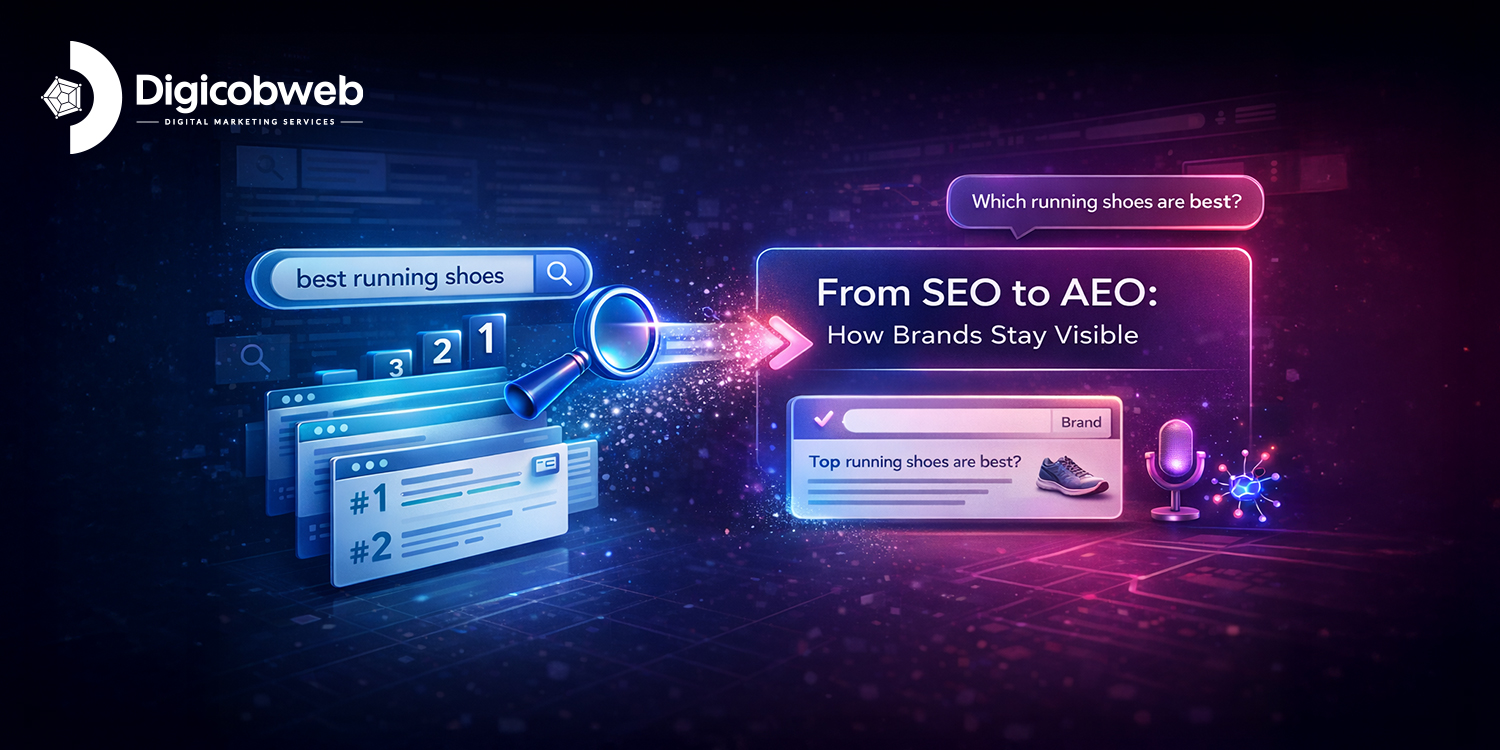
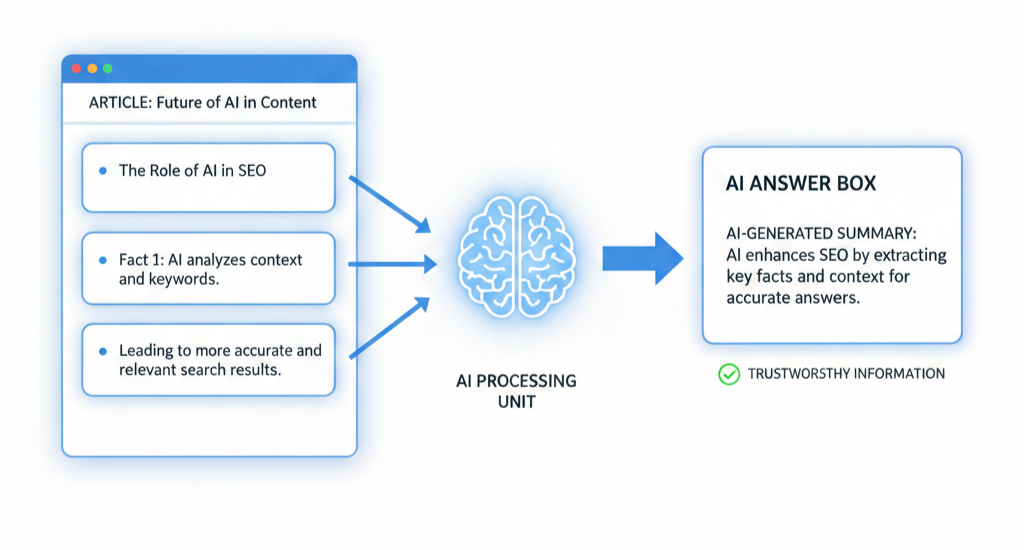

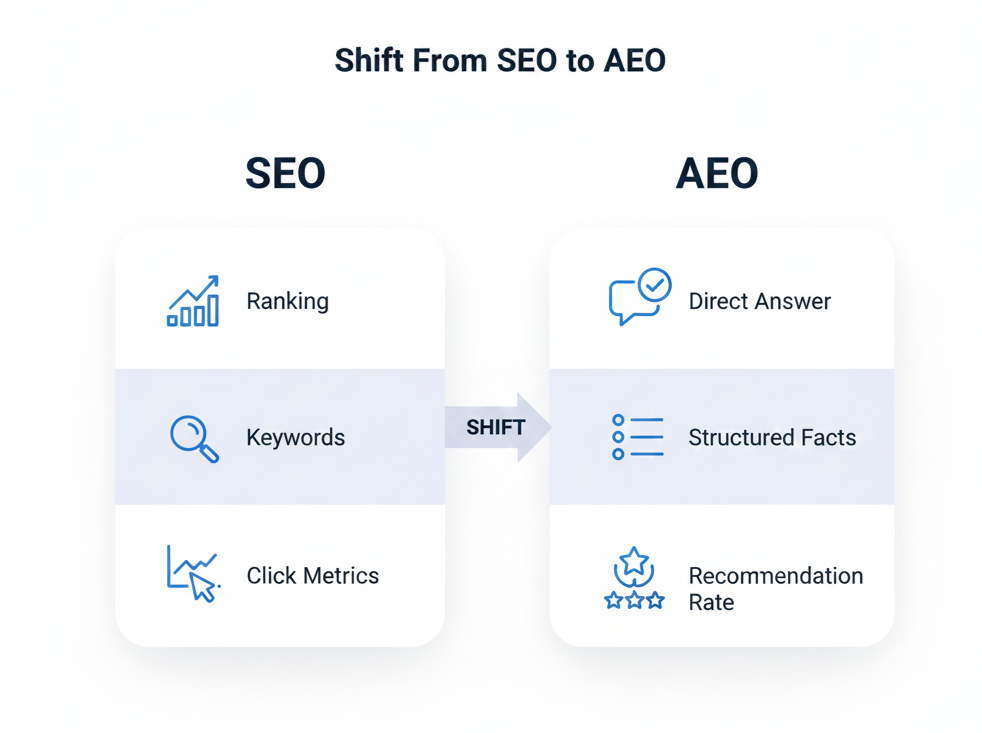
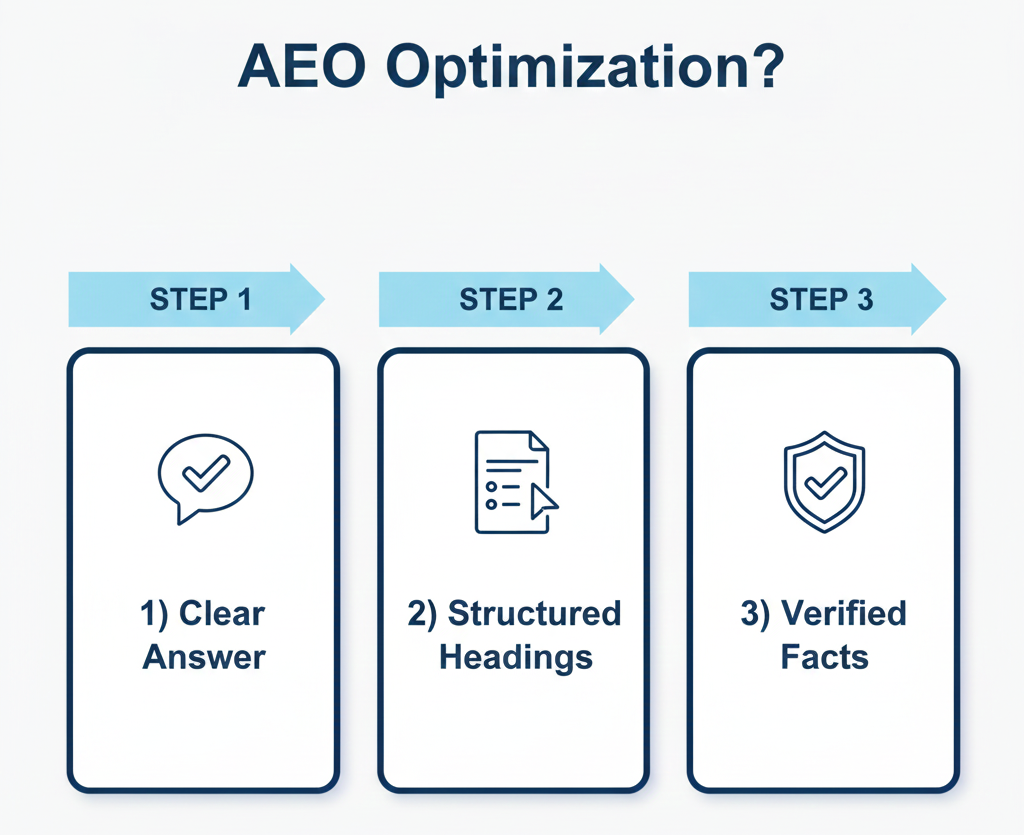
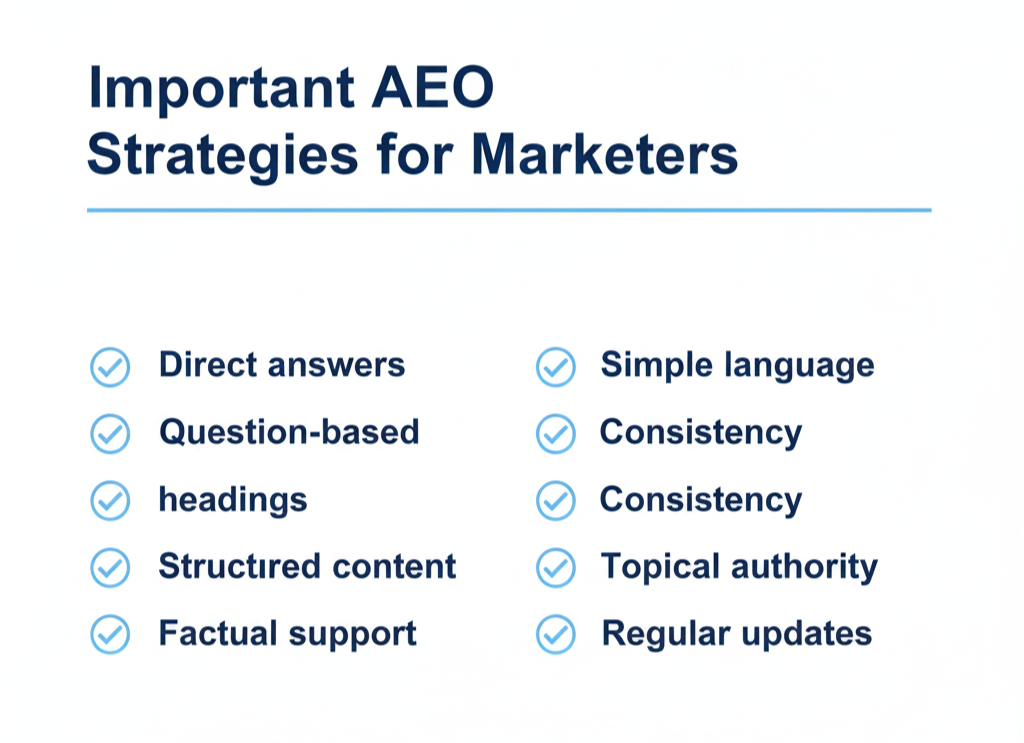
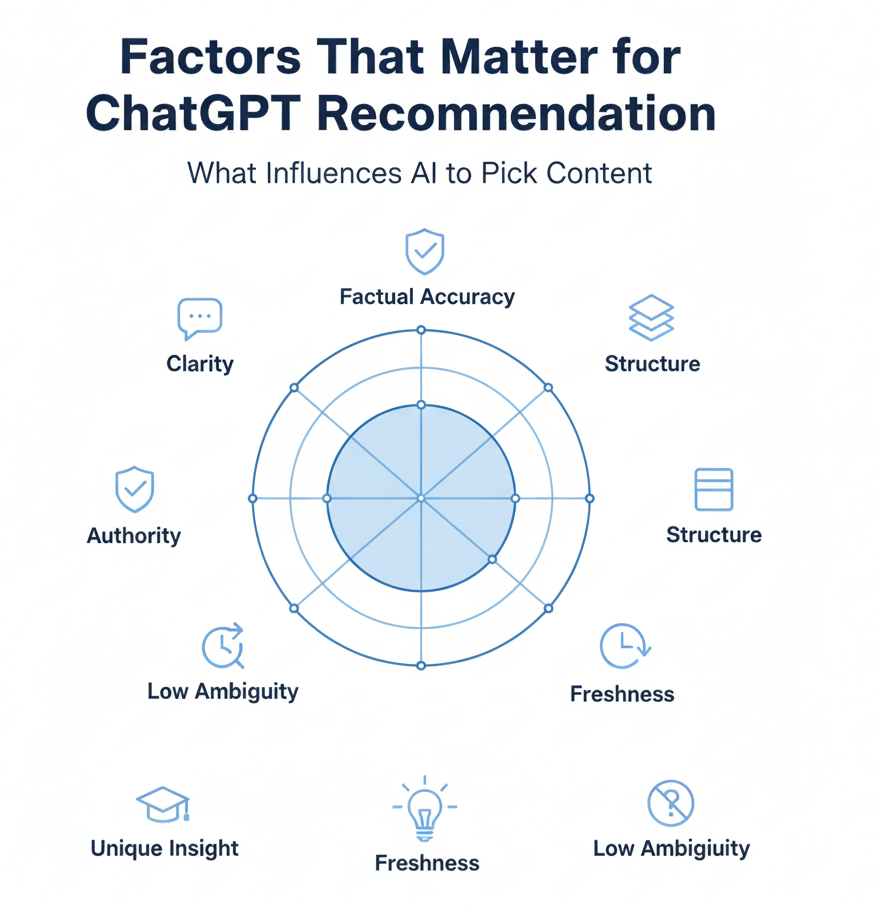
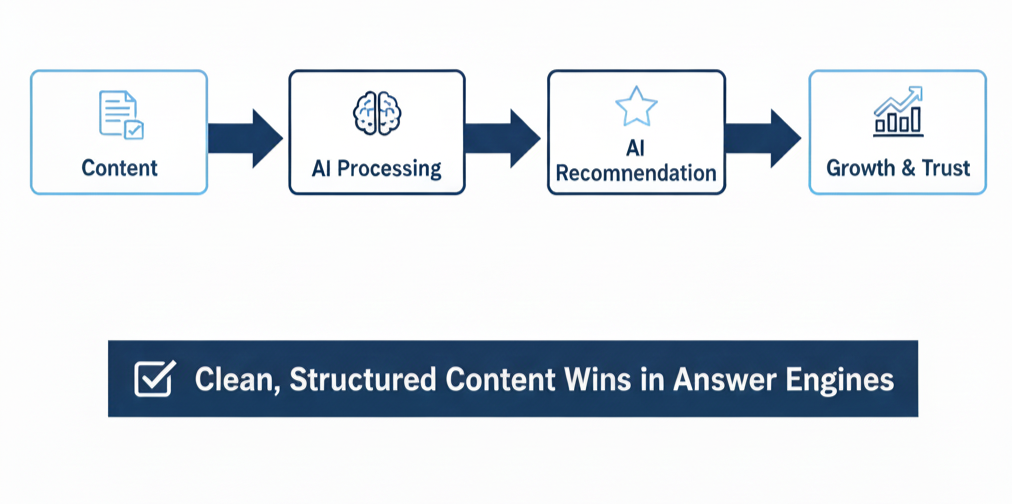 AEO isn’t here to replace SEO. It sits above it and decides whether your content earns the answer spot when users never reach a search results page.