New Update Rolled Out: Google March 2026 Spam Update

Introduction

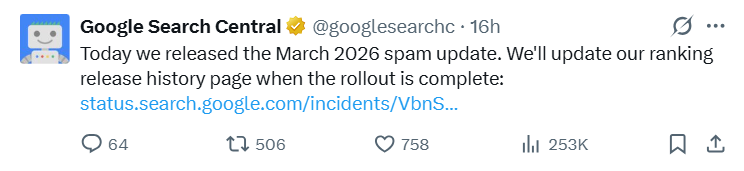
The Google March 2026 spam update began rolling out on March 24, 2026. It caught plenty of site owners off guard. Google confirmed the rollout on its Search Status Dashboard and said it would take about one to two weeks to finish. If your traffic fell hard in mid-March, this update is a strong suspect.

In summary: this wasn’t a small adjustment. It aimed at a broader set of manipulative tactics than earlier spam updates. Sites built on scaled content abuse, link schemes, and cloaking saw rankings drop fast.

In this guide, you’ll see what changed, who got hit, how to tell whether your site was affected, and what to do next. You’ll also see how this update fits alongside earlier spam and core updates. Affiliate site? e-commerce store? Local business? The playbook still matters to you.

Let’s get into it.

What Happened With Google in March 2026 Spam Update

Google announced the March 2026 spam update on its official Google Search Central blog on March 24, 2026. The company said the update targeted “spammy practices that degrade the quality of search results for users.” Google completed the rollout on March 24, 2026. That gave it ~19.5 hours.

During that window, rankings got shaky across almost every vertical. Semrush Sensor and Moz both showed turbulence well above normal. 

Google also linked the rollout to SpamBrain, its AI-driven spam detection system. That system looks for spammy content and spammy links at scale. In March 2026, Google widened what SpamBrain could spot, especially AI-generated spam and manipulative link networks.

What Is a Google Spam Update, Exactly?

A Google spam update is an algorithm change built to catch sites that break Google’s spam policies. Those policies cover keyword stuffing, hidden text, link manipulation, cloaking, scraped content, and more.

Think about it this way. Core updates reassess quality. Spam updates punish rule-breaking. Both can move rankings, but they do it for different reasons.

Here’s why this matters: if a core update hit your site, content quality is usually the issue. If a spam update hit your site, policy violations are the likely problem. The recovery path changes completely.

Google usually releases one to three spam updates each year. In 2025, Google shipped one major spam update in August. Then came this March 2026 update less than seven months later. That pace tells you something. Google cares more about spam, especially AI spam, than ever.

How the Google March 2026 Spam Update Differs From Core Updates

A lot of site owners mix up spam updates and core updates. That mistake leads to bad fixes and wasted time. The table below clears that up.

Feature Spam Update Core Update
Purpose Catch policy violations Re-evaluate content quality
System SpamBrain (AI-based) Broad ranking systems
Impact Penalty or deindexing Ranking shifts (up or down)
Recovery Fix violations, then wait Improve content quality, then wait
Manual actions Sometimes issued Rarely issued
Rollout time 1-2 weeks 2-4 weeks

So your first job after a ranking drop is simple. Figure out which update caused it. Check the Google Search Status Dashboard first. Then compare your traffic pattern with community trackers like the Search Engine Journal Google algorithm update tracker. That tells you whether you’re dealing with spam, quality, or both.

And yes, sometimes both hit at once. Google has rolled out core and spam updates within weeks of each other before. It happened in late 2023. It happened again in early 2025. Dates matter.

What Google Specifically Targeted This Time
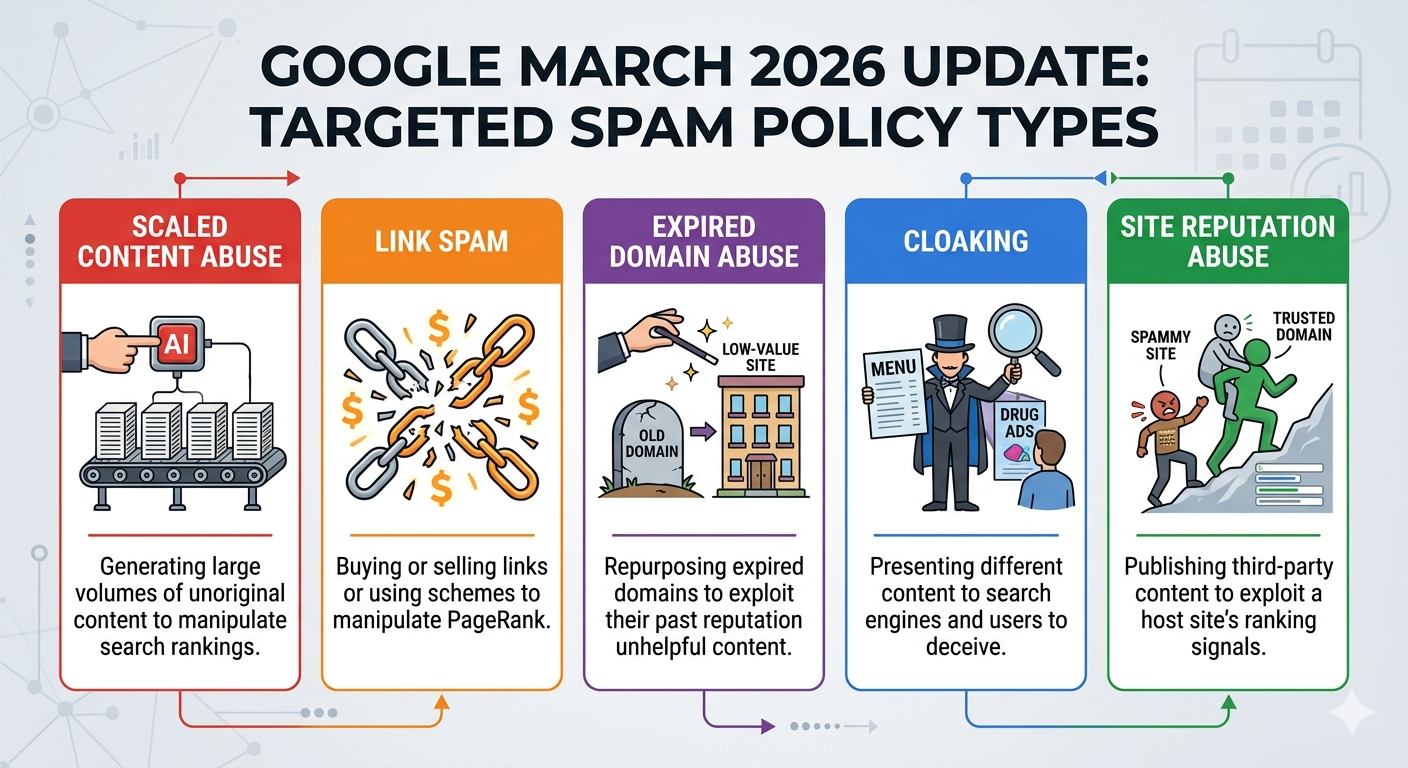
The March 2026 spam update widened enforcement across several policy areas. Search Engine Journal, Amsive, and independent SEO analysts pointed to the same core targets.

1. Scaled Content Abuse

Google went after sites pushing out hundreds or thousands of AI-written pages with little or no editorial review. That includes programmatic SEO pages, auto-built location pages, product roundups, and how-to articles published without human oversight.

For example, several coupon aggregator sites lost more than 80% of indexed pages during the first week. Most of those pages were near duplicates. Only the city name changed.

2. Link Spam and Manipulative Link Networks

SpamBrain’s link graph analysis got a major boost. Private blog networks that survived earlier updates got hit much harder this time. Google also zeroed in on “link insertion” deals, where site owners sell contextual links inside existing pages.

3. Expired Domain Abuse

Sites built on expired domains only to inherit backlinks got flagged more often. Google now seems better at tracking domain history changes. If you bought a former cooking blog and turned it into a casino affiliate site, expect trouble.

4. Cloaking and Sneaky Redirects

Sites showing Googlebot one version and users another version took immediate hits. That includes JavaScript redirects that send mobile visitors to affiliate offers while search crawlers see informational copy.

5. Site Reputation Abuse (Parasite SEO)

Google addressed this in November 2024 with a policy update. Enforcement still got tougher in March 2026. Big publishers hosting third-party content sections, like coupon hubs or outsourced review areas, saw those sections lose visibility.

Who will get affected the most? Impact by Site Type

Not every site felt the impact the same way. The Google March 2026 spam update hit some business models harder than others. Here’s the early pattern from SEO tool data and community reports.

1. Affiliate Sites

Thin affiliate sites took the biggest hit, especially in finance, health supplements, and VPN. Sites with auto-generated comparisons and no original testing lost the most ground. Meanwhile, affiliate sites with real hands-on reviews and clear methodology often held up better.

2. Local SEO Sites

Businesses using doorway pages saw major drops. That includes dozens of city pages with nearly identical copy. Legitimate local businesses with unique, location-specific content were mostly fine.

3. eCommerce Sites

Large stores with product descriptions copied from manufacturers lost visibility on category and product pages. Stores with original descriptions and authentic customer reviews kept their positions much better.

4. Publishers and Media Sites

Major publishers that ran third-party “parasite” sections took hits on those areas. Their core editorial sections usually stayed intact. Forbes Advisor and other large publishers that cleaned up third-party content in 2025 avoided the worst outcomes.

5. SaaS and Tech Sites

SaaS companies that relied on aggressive guest posting and PBN-based link building saw drops on money pages. Content-led SaaS blogs with natural backlink profiles mostly stayed stable.

How to Check if the March 2026 Spam Update Hit Your Site

Before you panic, get the data. Follow these steps to confirm whether your site got hit.

Step 1: Check Google Search Console

Log into Google Search Console. Open the performance report. Set the date range from last 28 days. Look for a step drop in clicks and impressions starting around March 24 to March 30.

Also check the Manual Actions report under Security & Manual Actions. If Google found a specific violation, you’ll see it there. Not every spam hit triggers a manual action. Many happen automatically, with no warning at all.

Step 2: Compare Against the Update Timeline

Map your traffic data against the confirmed March 6-19 rollout. If your drop started before March 6, another update or technical issue may be behind it. If the slide started around March 8-12 and kept going through mid-March, the spam update is the leading suspect.

Step 3: Analyze Which Pages Lost Rankings

In GSC, open the Pages tab and sort by change in clicks. Look at the URLs that lost the most traffic. Then inspect those pages closely. Are they thin? Stuffed with keywords? Hiding links? Scraping text from elsewhere?

Step 4: Check Your Backlink Profile

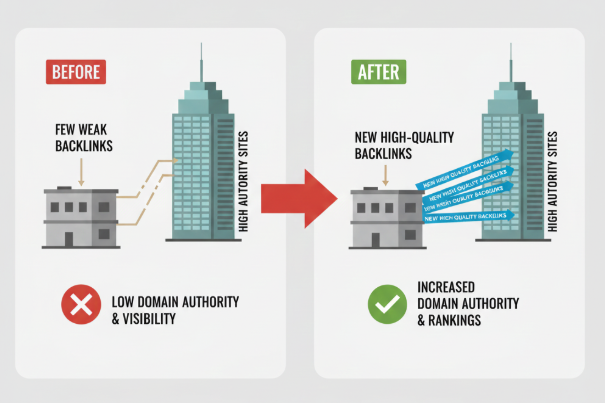
Use Ahrefs, Semrush, or Moz to audit your links. Look for weird spikes in referring domains from PBNs, link farms, or unrelated foreign-language sites. SpamBrain’s upgraded link analysis means old schemes may now trigger penalties.

Step 5: Review Server Logs

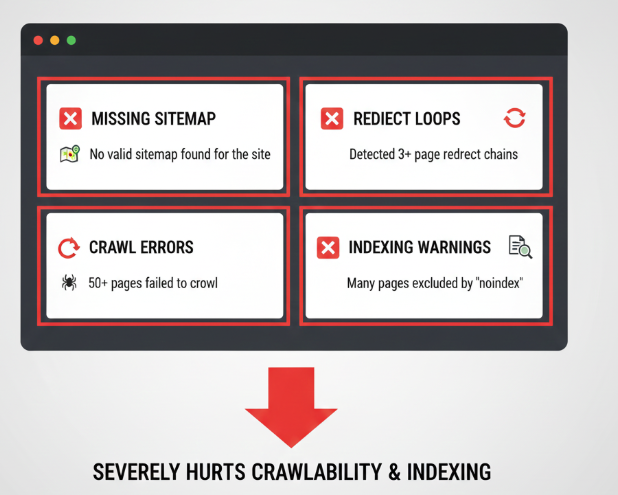
Check your logs for changes in Googlebot crawl behavior. If crawl frequency dropped sharply after March 6, Google may have deprioritized or started deindexing parts of your site. Screaming Frog Log Analyzer and Oncrawl both make this easier.
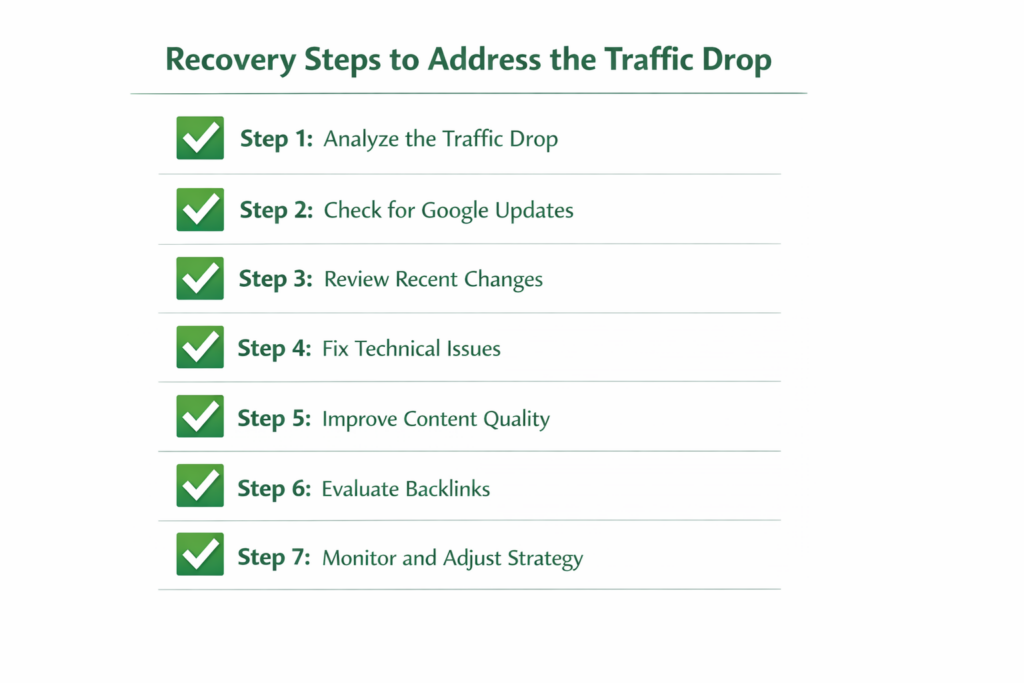
Recovery Checklist: What to Do Right Now

If the Google March 2026 spam update hit your site, move quickly. Recovery is possible. But it starts with an honest audit and real fixes.

1. Audit Your Content for Spam Policy Violations

Review every page that lost rankings. Look for:

  • Keyword stuffing
  • Hidden text or links
  • Auto-generated content with no real value
  • Scraped or copied content
  • Doorway pages aimed at city or state variations

Remove those pages or rewrite them heavily if they violate policy.

2. Clean Up Your Link Profile

Find toxic backlinks and disavow them. Google says the disavow tool matters less than it used to, but large-scale link spam is still a strong use case. Build a disavow file and submit it to GSC.

Also, stop any live link-building that relies on paid placements, PBNs, or exchanges. Those tactics carry far more risk now than they did five years ago.

3. Consolidate Thin and Duplicate Content

If you have 50 pages covering slight variations of the same idea, merge them into one strong page. Then use 301 redirects to send the old URLs to the new one. That cuts down thin content and concentrates authority.

4. Add E-E-A-T Signals

Strengthen your experience, expertise, authoritativeness, and trustworthiness signals. Add author bios with real credentials. Include original research, case studies, or first-hand testing. Link to trusted sources. Show contact details and business information clearly.

5. Fix Technical Issues

Check for cloaking, sneaky redirects, or rendering problems that show Google one version and users another. Run the page through Google’s URL Inspection tool and compare the rendered HTML with what a visitor sees in a browser.

6. Submit a Reconsideration Request (If Manual Action Exists)

If GSC shows a manual action, fix every issue Google listed. Document the changes. Then submit a reconsideration request. Google usually reviews these within two to four weeks.

7. Wait Patiently

Algorithmic spam penalties often don’t lift until Google rolls out another spam update. For the March 2026 update, that may mean waiting until mid-2026 or later. In the meantime, keep improving the site. There’s no shortcut here.

Recovery Timeline: What to Expect

One of the hardest parts of a spam update recovery is the timeline. Let me be clear about expectations.

  • Short-term (1-4 weeks): After you fix violations, you may see small gains as Google recrawls updated pages. Don’t expect full recovery yet.
  • Medium-term (1-3 months): If your changes are broad and Google accepts them, rankings may improve gradually. The result depends on how deep the penalty ran and how many pages got hit.
  • Long-term (3-6+ months): Full recovery from an algorithmic spam penalty often waits for the next spam update cycle. Google needs a fresh pass to reassess your site against newer spam models. Until then, partial recovery is usually the best-case scenario.

For comparison, many sites hit by the October 2023 spam update didn’t recover fully until the June 2024 spam update. That was about eight months later. So set expectations realistically and keep building value during the wait.

How This Compares to Previous Google Spam Updates

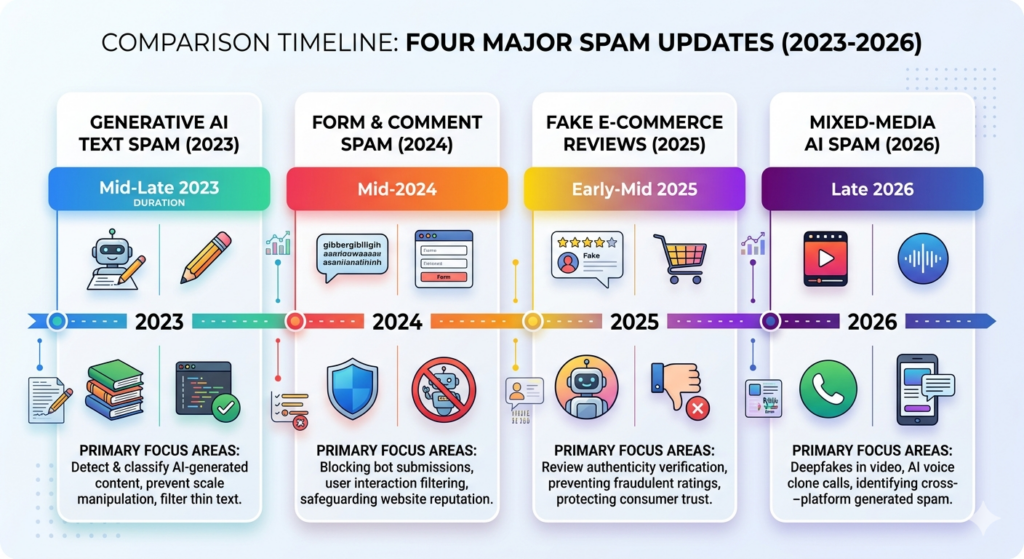
The latest Google algorithm update history shows a clear trend: spam enforcement keeps getting stricter. Here’s how the March 2026 spam update stacks up against recent updates.

Update Date Duration Primary Focus
October 2023 Spam Update Oct 4-20, 2023 16 days Cloaking, hacked content, auto-generated spam
March 2024 Core + Spam Mar 5 – Apr 20, 2024 47 days Scaled abuse, expired domains, site reputation
August 2025 Spam Update Aug 26 – Sept 21, 2025 26 days Link spam, AI content farms
March 2026 Spam + Update Mar 24 – 25, 2026 19.5 hours All categories, expanded SpamBrain

The pattern is obvious. Every update covers more ground than the last. Google keeps feeding more data into SpamBrain and its machine learning systems, so old tactics age badly. What worked six months ago may already be dead.
What Is SpamBrain and Why Does It Matter?

SpamBrain is Google’s AI-based spam detection system. Google first announced it in 2018. It looks for spammy content and spammy links by studying patterns across billions of web pages.

Think of SpamBrain as a filter that keeps learning. It scans content patterns, link graph anomalies, and behavior signals to spot manipulation. Each spam update gives Google fresh data and better models. That widens what SpamBrain can catch.

For March 2026, Google gave SpamBrain its biggest upgrade yet. Specifically, it got better at spotting AI content farms, advanced cloaking, and layered link schemes that had slipped through before.

The takeaway is simple. If your SEO depends on manipulation, SpamBrain will catch up. The gap between “this works” and “this got penalized” keeps shrinking.

Practical Audit Framework for Your Site

Want to get ahead of the next update? Start auditing now. Here’s a framework you can use to spot spam risks before they turn into a traffic problem.

1. Content Audit:

  • Flag any page under 300 words with no unique value
  • Find pages generated at scale without human editing
  • Check target terms with a density above 2.5%
  • Review all auto-generated meta descriptions and title tags

2. Link Audit:

  • Export your full backlink profile from Ahrefs or Semrush
  • Flag domains with spam scores above 30%
  • Identify links you bought, traded for, or placed through PBNs
  • Review anchor text for over-optimization

3. Technical Audit:

  • Test cloaking by comparing Googlebot-rendered pages with user-visible pages
  • Confirm that redirects stay transparent, with no sneaky conditional jumps
  • Check for hacked content using Google Search Console, server logs, and a crawl tool like Screaming Frog
  • Verify that canonical tags point to the right URL

4. Brand Trust Audit:

  • Make sure author bios are real and current
  • Add contact details, address info, and support links
  • Show original images, testing, or product proof where possible
  • Remove anything that looks mass-produced or deceptive

5. Content Refresh Audit:

  • Update pages that haven’t changed in 12 months
  • Merge overlapping posts that compete with each other
  • Add fresh examples, screenshots, or data points
  • Replace generic filler with actual experience

What does this tell us? You don’t need a giant site overhaul to get safer. You need cleaner pages, cleaner links, and a clearer trust signal.

Final Thoughts

The March 2026 spam update made one thing clear. Google is still tightening the screws on manipulation, and it’s doing it faster than before.

If your site lost traffic, don’t guess. Check the dates. Review each affected page carefully. Inspect all your links. Then fix the real problem. You can recover, but only if you stop repeating the same patterns that caused the drop.

Focus on content people actually want. Clean up risky links. Remove thin pages. Show real expertise. If you do that, you’ll put your site in a much better position for the next rollout.

And yes, the next rollout will come.

Ready to audit your site? Start with Search Console, then move through the recovery checklist above. Your rankings won’t fix themselves.
 

Understanding Google AI Overviews and Their Impact on SEO

Introduction

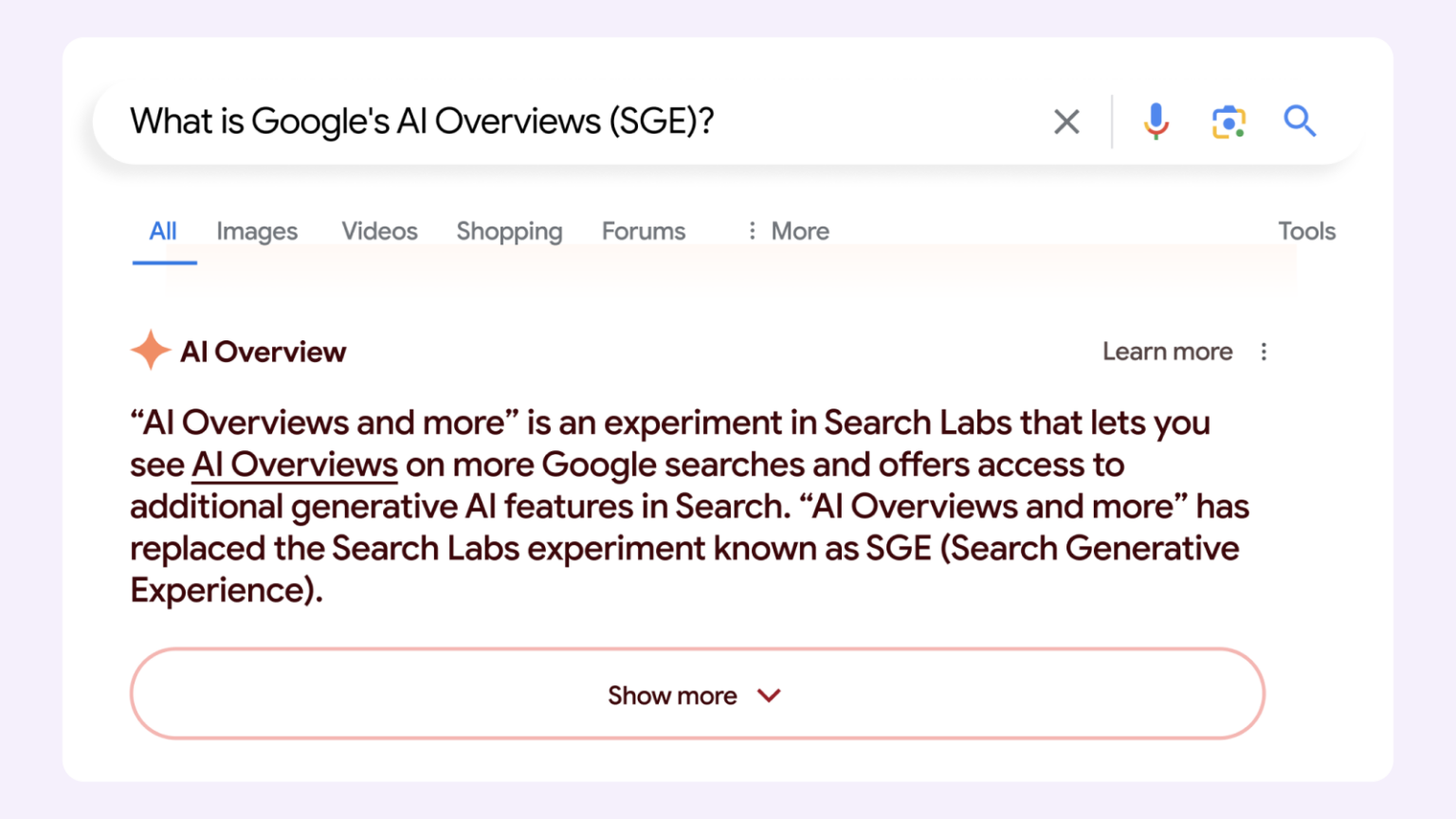
Google AI Overviews are changing how search results work, not just how they look. Instead of showing a list of links and letting users decide, Google now answers many queries directly with an AI-generated summary pulled from multiple sources.

For SEO professionals and content creators, this represents a structural shift. Rankings remain important, they no longer guarantee clicks. A page can appear in search results without holding an organic ranking position, and a top-ranked page may lose prominence if it does not clearly contribute to the AI summary. If you are new to how search optimization works, our SEO guide for beginners covers the foundational concepts you will need before diving into AI overview strategy.

This affects how traffic is earned, how authority is built, and how content should be written going forward. Google AI Overviews reward clarity, accuracy, and intent alignment over traditional optimization tactics. Understanding this shift is essential for anyone working with AI Overviews for SEO, because the rules for visibility are no longer limited to classic SERP positions.

Key Takeaways

• Google AI Overviews synthesize content from multiple sources and appear above organic results for many informational queries.

• Rankings still matter but no longer guarantee clicks. Visibility in AI overviews is now a separate goal.

• AIO coverage varies significantly by industry and query type (as of 2025 data — details below).

• No special opt-in is required; existing E-E-A-T and helpful content best practices are what Google recommends.

• You can partially control your content’s inclusion using noindex, nosnippet, and data-nosnippet tags.

• Key content gaps to address are understanding AI mode, setting up tracking, and building topical authority.

What Are AI Overviews?

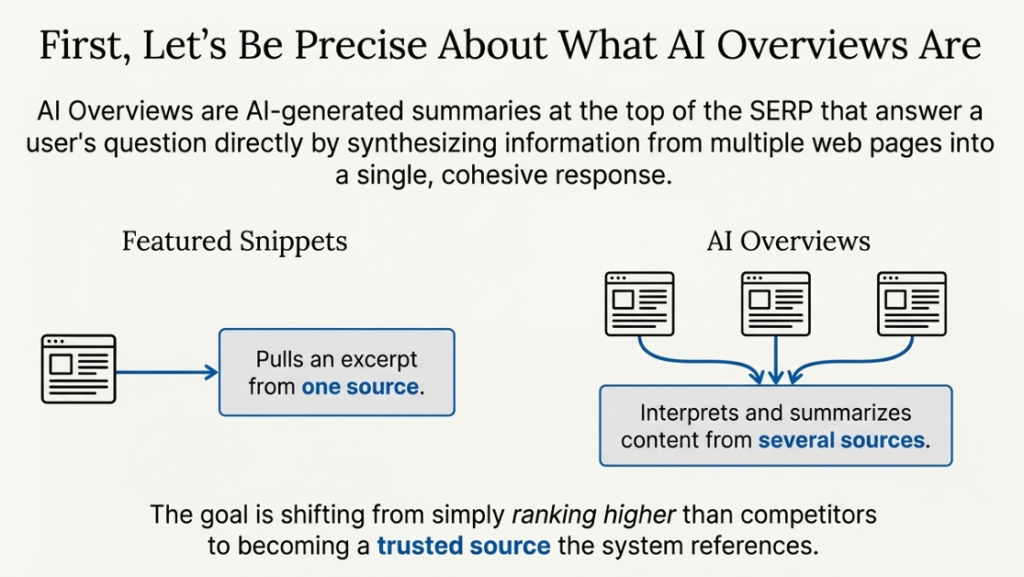
Google AI Overviews are AI-generated summaries that appear at the top of certain search results. Their purpose is to answer a user’s question directly by combining information from multiple web pages into a single response.

Unlike featured snippets, which pull a short excerpt from one source, Google AI Overviews synthesize content across several sources. They do not quote a page word for word.

This is where AI Overviews SEO becomes fundamentally different from traditional optimization. In classic SERPs, the goal was to rank higher than competitors. With AI Overviews for SEO, the goal is to become a reliable source that the system trusts enough to reference. This connects closely to the broader shift from SEO to AEO (Answer Engine Optimization), a transition that AI Overviews are actively accelerating.

Another key difference is intent coverage. Featured snippets usually answer a very specific question. AI Overviews often handle broader or multi-step queries, such as explanations, comparisons, or “how it works” searches. That broader scope changes how content needs to be written and structured.

What Is Google AI Mode? (And How Is It Different?)

2026 Update- New Feature:

Google launched AI Mode in 2025 as a dedicated AI-powered search interface, a separate tab within Google Search where users receive a fully conversational, AI-generated response instead of a traditional SERP. Unlike AI Overviews, which appear as a snippet above organic results, AI Mode replaces the search results page entirely for users who opt into it.

  • AI Overviews: a summarised answer block sitting above organic results on the standard SERP
  • AI Mode: a full conversational search experience where AI generates the entire response

Both features draw from web sources, and both reward the same content qualities: clarity, accuracy, and topical authority. For SEO professionals, optimizing for both means optimizing for the same foundational principles, which we cover throughout this guide.

How AI Overviews Work

Google AI Overviews operate by examining the purpose of a query and then producing a summary that combines information from various reliable sources. The system does not seek the well-written page. Instead, it focuses on the most straightforward explanations that closely match the user’s intent.

The process begins with intent matching. Google assesses if a query would gain from a summarized response. Such searches are typically informational, exploratory, or involve comparisons. Once this criterion is fulfilled, the system seeks out content that describes the subject clearly and reliably throughout the web.

AI Overviews do not depend on one ranking factor. They evaluate relevance, subject matter expertise, factual correctness, and the extent to which a page contributes to the explanation. Pages that address a portion of the question effectively may be included even if they do not address the subject.

This evaluation framework sits within Google’s broader algorithmic logic, which has changed significantly over recent years. Our guide to Google algorithm updates traces how Google’s content quality criteria have evolved, providing useful context for why AI Overviews reward certain content structures over others.

Google has provided instructions regarding this procedure detailing how sources are chosen and condensed. Their materials explaining how Google generates AI Overviews offer an understanding of the system’s focus and what it excludes.

For AI Overviews for SEO, the practical takeaway is straightforward. Content that explains things cleanly, stays focused on intent, and avoids unnecessary padding is far more likely to be used. Optimization here is less about ranking mechanics and more about contribution quality.

Why Are Google’s AI-Powered Overviews Important?

Google AI Overviews are not just another SERP feature. They change how value is distributed across search results. Here’s why they matter, broken down clearly.

1. Visibility Moves Above Rankings

  • AI Overviews often sit above organic results, capturing attention before users scroll.
  • A page can influence the search result without ranking first.
  • Traditional position-based visibility is no longer the only way to be seen.

2. Click Behavior Is Changing

  • Informational queries are increasingly answered directly in the overview.
  • This can reduce click-through rates, even for high-ranking pages.
  • At the same time, repeated exposure inside AI Overviews builds brand familiarity.

3. Authority Is Being Reinforced, Not Reset

  • Google tends to reference sources that show consistent accuracy and topic depth.
  • Once a site becomes a trusted contributor, it is more likely to appear again.
  • AI Overviews for SEO reward long-term credibility over short-term tactics.

4. The SEO Competition Has Expanded

  • You are no longer competing only against other pages.
  • You are competing to shape how Google explains a topic.
  • AI Overviews SEO prioritizes contribution quality, not just ranking signals.

5. This Shift Is Already Happening

  • AI Overviews are rolling out across more query types and industries.
  • Waiting to adapt means reacting after visibility has already declined.
  • Understanding AI Overviews optimization now helps protect future search presence.

5 Surprising Truths About Google’s AI Overviews 

When Google AI Overviews first rolled out, the reaction was loud and anxious. Many SEOs expected a sharp drop in organic traffic and a future dominated by zero-click searches. That fear was understandable, but early data paints a calmer picture.

Once you step away from speculation and look at Google’s own guidance and real-world studies, a more practical reality emerges. AI Overviews are not rewriting SEO from scratch. They are reinforcing patterns that were already in motion. Here are five truths that matter if you work with search at a strategic level.

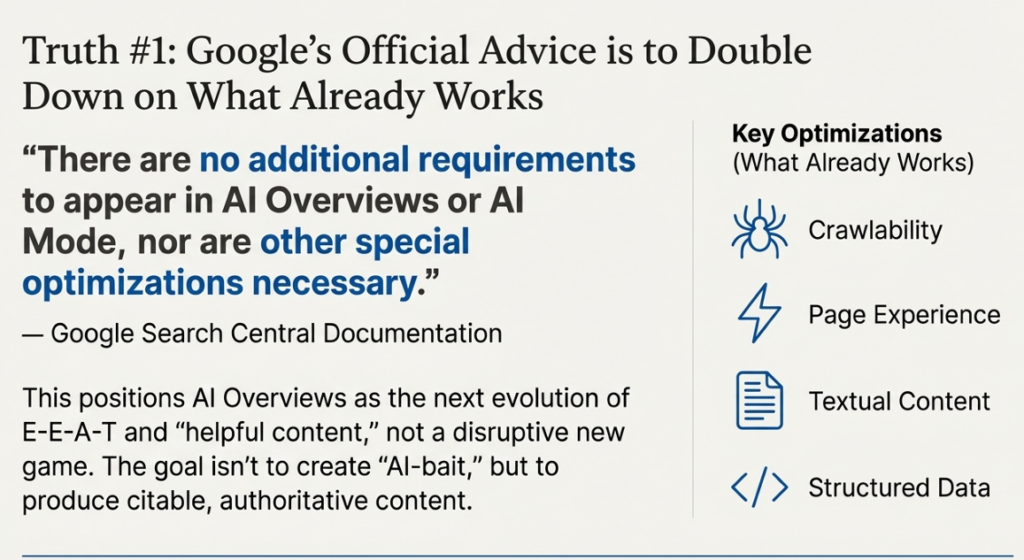
1. The Official Advice: Do Nothing New (and Everything You Were Already Doing)

This might be the most reassuring news for content creators. Instead of introducing a complex new set of rules, Google emphasizes that the existing foundations of good SEO are what matter. 

As stated in the Google Search Central documentation:

“There are no additional requirements to appear in AI Overviews or AI Mode, nor are other special optimizations necessary.”

This guidance positions AI Overviews not as a disruptive new game but as the next evolution of Google’s long-standing push for E-E-A-T and “helpful content.” It confirms that the strategic goal isn’t to create new “AI-bait” but to double down on creating the kind of citable, authoritative content that has always been the endgame of sophisticated SEO. Google reinforces that all the existing fundamentals continue to be worthwhile. 

Key best practices include:

  • Ensuring crawling is allowed (robots.txt).
  • Making content findable through internal links.
  • Providing a great page experience.
  • Making important content available in textual form.
  • Supporting text with high-quality images and videos.
  • Ensuring structured data matches visible text.
  • Keeping Merchant Center and Business Profile information up-to-date.
📖 Related Reading: [BestAI SEO Tools for Real-World Optimisation]

2. The Takeover Isn’t Total: AI Overviews Are Surprisingly Selective

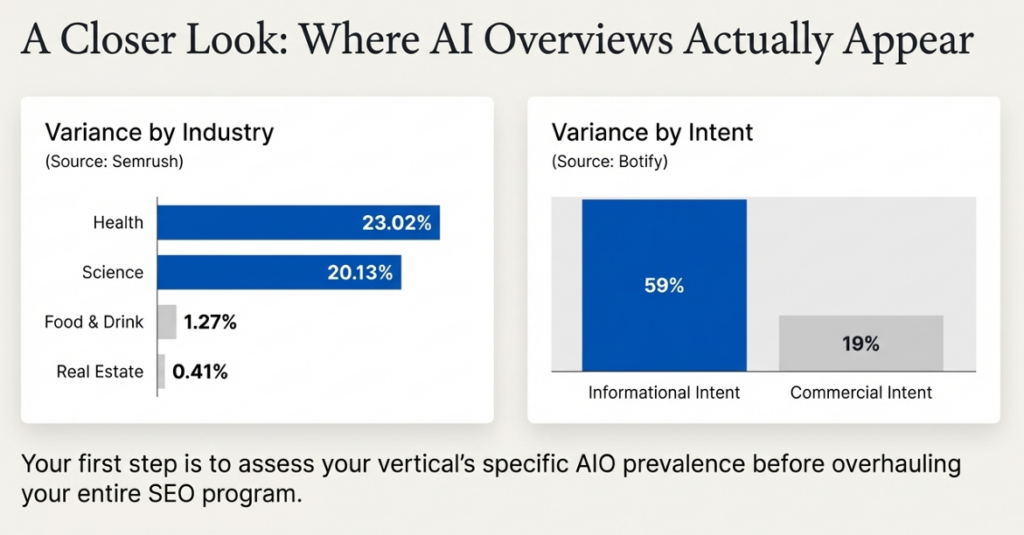
The rollout has been far from universal. An analysis by SEOClarity found AI Overviews appear for just 9.78% of queries, while a similar study by Semrush found a prevalence of 6.71%. This selectivity becomes even more pronounced when broken down by industry, search intent, and query type.

Data Note:

The statistics below are drawn from 2024–2025 industry studies by seoClarity and Semrush. AIO coverage has been expanding, and these figures should be treated as directional benchmarks. Always verify current coverage for your specific industry before making strategic decisions.

Data from Semrush reveals a dramatic variance across different sectors:

Industry AI Overview Occurrence
Health 23.02%
Science 20.13%
Real Estate 0.41%
Food & Drink 1.27%

Furthermore, a critical finding from Botify’s analysis shows that AIOs appear for 59% of searches with informational intent but only 19% of those with commercial intent. Adding another layer of complexity, seoClarity noted the surprising and controversial appearance of AIOs for sensitive “Your Money Your Life” (YMYL) topics. This has led to public concern over the risks of AI-generated advice for critical financial and health queries.

This data gives strategists a clear directive: assess your vertical’s specific AIO prevalence before overhauling your entire SEO program.

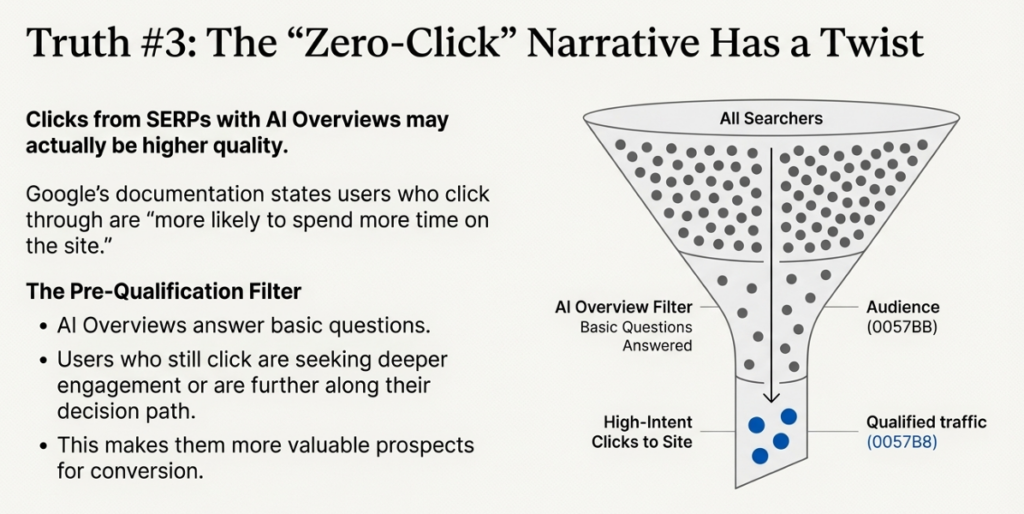
3. The “Zero-Click” Narrative Has a Twist: Clicks from AIOs May Be Higher Quality

Google’s own documentation introduces a benefit, stating that clicks from search result pages featuring AI Overviews are considered “higher quality,” meaning users who click through are more likely to spend more time on the site.

Important Caveat:

This claim originates from Google’s own documentation and has not been independently verified at scale by third-party research as of 2026. Treat it as a working hypothesis. Your own Google Search Console data comparing CTR and engagement metrics on pages cited in AIOs versus those that are not is the most reliable source of truth.

Industry logic supports this claim. Sources like Adsmurai theorize that AIOs act as a pre-qualification filter. Users have their basic questions answered by the summary, so those who click through are not just browsing; they are seeking deeper engagement, specific details, or are further along in their decision-making processes. This makes them more valuable prospects for conversion.

4. Local Search Is Largely Unaffected, For Now

In a notable change from the earlier Search Generative Experience (SGE) beta, an analysis from seoClarity confirmed that AI Overviews are currently not being shown for local search queries that trigger map results and the “three-pack.”

For agencies and businesses focused on local SEO, this temporary exclusion of AIOs means that optimizing for the “map pack” and traditional local SERP features remains the highest-impact strategy for the foreseeable future. Although this might change, at present the existing local search environment provides a zone of consistency.

2026 Caveat:
Google has been testing AI-generated responses for location-adjacent queries in select markets. Verify current local AIO status for your specific query categories, as the picture may have changed since this was written.

5. You Cannot “Opt-Out,” But You Still Have Control Over Your Content

Although there isn’t an “opt-out” option for AI Overviews, site owners do have some control. You can apply SEO strategies to restrict how Google handles your content, thereby influencing whether it appears in an AIO.

Understanding the trade-offs is key:

  • noindex tags: 

This is the “nuclear option.” It removes a page from Google’s index entirely, preventing it from appearing in any search results, including AIOs.

  • nosnippet tags: 

This is a more targeted tool. It prevents Google from showing a text snippet for your page, which should also prevent the content from being used in an AI overview while allowing the page to remain visible in search results.

  • data-nosnippet and max-snippet:

These offer more granular control, allowing you to specify which parts of a page can be used for snippets or to limit the length of a snippet, respectively.

Impact on SEO: Challenges & Opportunities

Google AI Overviews are reshaping how SEO performance should be evaluated. The impact is not purely negative or positive. It depends on how content aligns with the way these summaries are generated and displayed.

1. Reduced Clicks on Informational Queries

One of the most immediate effects is a decline in clicks for straightforward informational searches. When AI Overviews provide a complete explanation at the top of the page, users often do not need to visit multiple websites. This is especially common for definition-based, introductory, and how-it-works queries. Rankings still matter, but they no longer guarantee traffic in the same way they once did.

2. Brand Visibility Without Direct Traffic

Even when users do not click, being cited in an AI Overview has value. The brand name, domain, or page reference is visible at the moment the user is forming an understanding of the topic. Over time, repeated exposure within AI Overviews for SEO can increase brand recall and trust, which may lead to future branded searches or deeper engagement.

3. Authority Concentration Across Topics

AI Overviews tend to favor sources that demonstrate consistent accuracy and subject-matter depth. As a result, authority is becoming more concentrated around a smaller set of trusted sites within each topic area. This makes topical consistency more important than occasional high-performing pages. For AI Overviews SEO, long-term credibility now compounds faster than before.

4. Higher Expectations for Accuracy and Clarity

Because AI overviews synthesize information, weak or misleading content carries more risk. Inaccuracies can be amplified, which is why Google appears to prioritize sources with clear language, precise claims, and up-to-date information. Content that lacks clarity or relies on vague generalizations is less likely to be included in AI-driven summaries.

5. New Opportunities for Influence

Despite the challenges, AI overviews create an opportunity to influence how a topic is explained at scale. Pages do not need to rank first; they need to explain one aspect of a topic better than most alternatives. Our guide to SEO activities that still matter in the AI search era identifies which tactics have the highest return when optimizing for AI-driven search environments.
 

SEO Strategies for AI Overviews

Optimizing for Google AI Overviews requires a shift in how content is planned and evaluated. The focus moves away from ranking tricks and toward explanation quality, structure, and intent alignment.

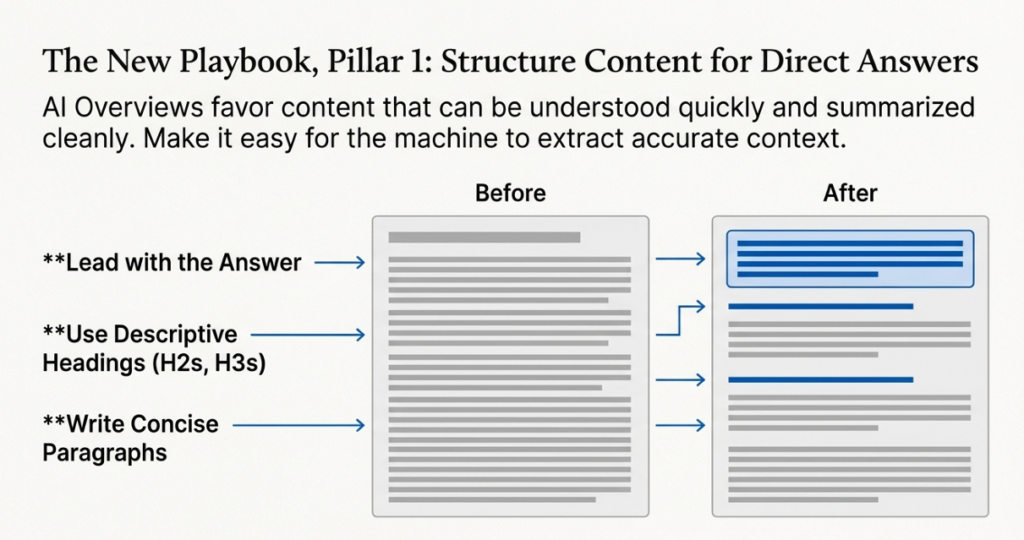
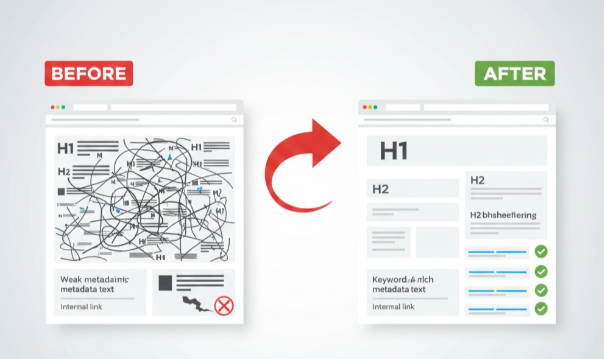
1. Structure Content for Direct Answers

AI overviews favor content that can be understood quickly and summarized cleanly. Pages should lead with clear answers before expanding into supporting details. Use descriptive headings, concise paragraphs, and logical flow so each section stands on its own. This makes it easier for Google to extract accurate context when generating AI Overviews.

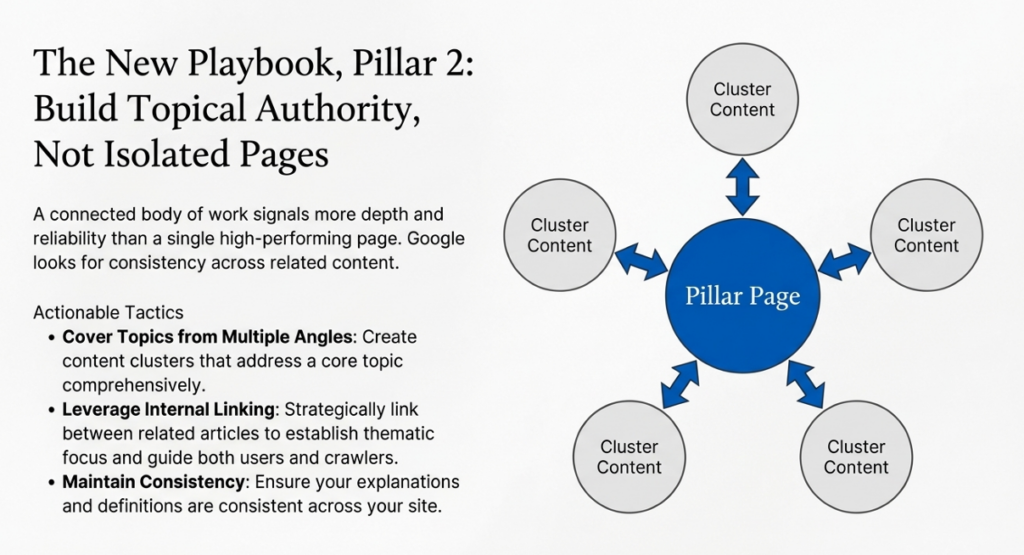
2. Build Topical Authority, Not Isolated Pages

Single high-performing pages are less effective than a connected body of work. Covering a topic from multiple angles signals depth and reliability. When Google evaluates sources for AI Overviews for SEO, it looks for consistency across related content, not one-off explanations. Internal linking and thematic focus help reinforce this authority.

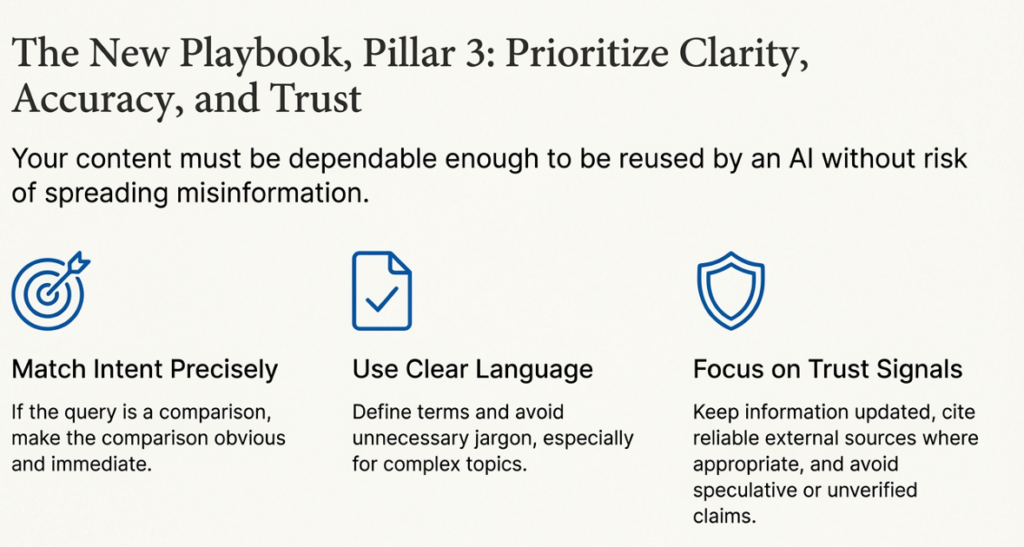
3. Match Search Intent Precisely

Intent alignment is critical for AI Overviews SEO. If the query is explanatory, the page should explain. If it is comparative, the differences should be obvious early. Content that drifts away from the core intent or delays the answer is less useful for AI-generated summaries.
4. Prioritize Clarity and Context

Clear language outperforms clever phrasing. Define terms, avoid unnecessary jargon, and provide context where confusion is likely. AI Overviews optimization rewards content that removes ambiguity and supports accurate summarization, especially for complex or technical topics.
5. Focus on Trust Signals That Matter
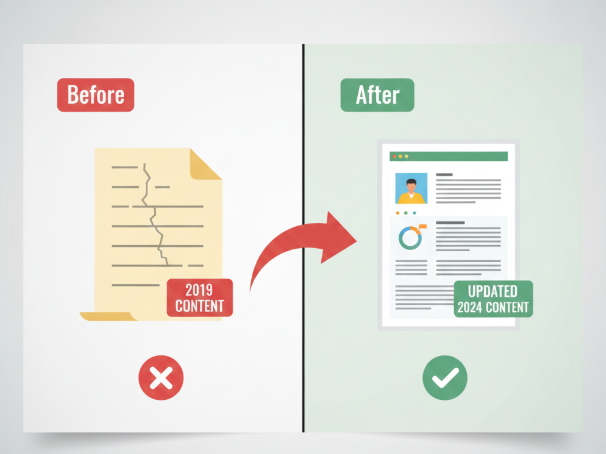
Accuracy, freshness, and source credibility all influence whether content is used in AI overviews. Keep information updated, cite reliable references where appropriate, and avoid speculative claims. If you are thinking about how to optimize content for AI overviews, start by making your explanations dependable enough to be reused without risk.

The Future of SEO

AI Overviews are not replacing SEO. They are changing what good SEO looks like in practice. The direction is clear, even if the rollout is uneven.

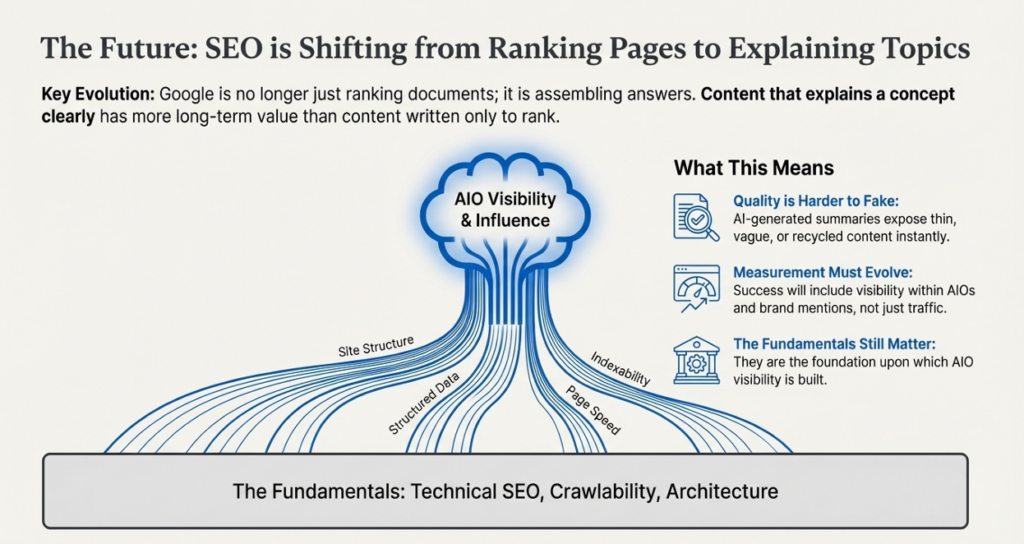
1. SEO Is Shifting From Ranking Pages to Explaining Topics

For years, SEO focused on winning positions. AI Overviews shift the focus toward owning explanations. Google is no longer just ranking documents. It is assembling answers. Content that explains a concept clearly and accurately has more long-term value than content written only to rank for a keyword.

This does not make rankings irrelevant. It changes their role. Rankings help Google discover and trust content, while AI overviews decide how that content is reused.

2. Content Quality Becomes Harder to Fake

AI-generated summaries expose weak content faster. Thin pages, vague advice, and recycled opinions have little value when Google can compare sources instantly. What survives is content with real subject understanding, clear structure, and factual grounding.

For AI Overviews for SEO, this raises the bar. Surface-level optimization will not hold up. Pages need to be good enough to be reused without context or clarification.

3. Topical Authority Will Matter More Than Ever

The future favors sites that cover topics deeply and consistently. One strong article is no longer enough. Google looks for patterns across a site that show expertise over time.

This is where AI Overviews SEO aligns closely with long-term strategy. Building clusters of related content, maintaining accuracy, and updating key pages will matter more than chasing new keywords.

4. Measurement Will Need to Evolve

Traffic alone will not tell the full story anymore. Visibility inside AI Overviews, brand mentions, and repeat exposure across related queries will become part of how success is evaluated.

SEO teams will need to connect search performance with brand demand, engagement quality, and downstream conversions. The value of being cited may not always show up in analytics immediately, but it compounds.

5. What Still Works, And Will Continue To Work

Technical SEO, crawlability, internal linking, and clear site architecture are not going away. Neither is intent-driven content. AI Overviews do not replace these fundamentals. They rely on them.

The future of SEO is not about fighting AI. It is about making your content useful enough to be trusted by it. Those who focus on clarity, accuracy, and depth will not lose relevance. They will shape how their topics are understood.

Conclusion: What This All Really Means for SEO

The fundamentals still apply, but the margin for shallow content is shrinking fast. Rankings alone are no longer the finish line. Influence is. Pages that explain topics clearly, accurately, and consistently are shaping how search results are summarized, even when users never click.

The biggest mistake right now is treating AI overviews as a separate optimization problem. They are not. They are a stress test for content quality, intent alignment, and topical authority. If your content helps Google understand a topic better, it has value. If it exists only to rank, it is replaceable.

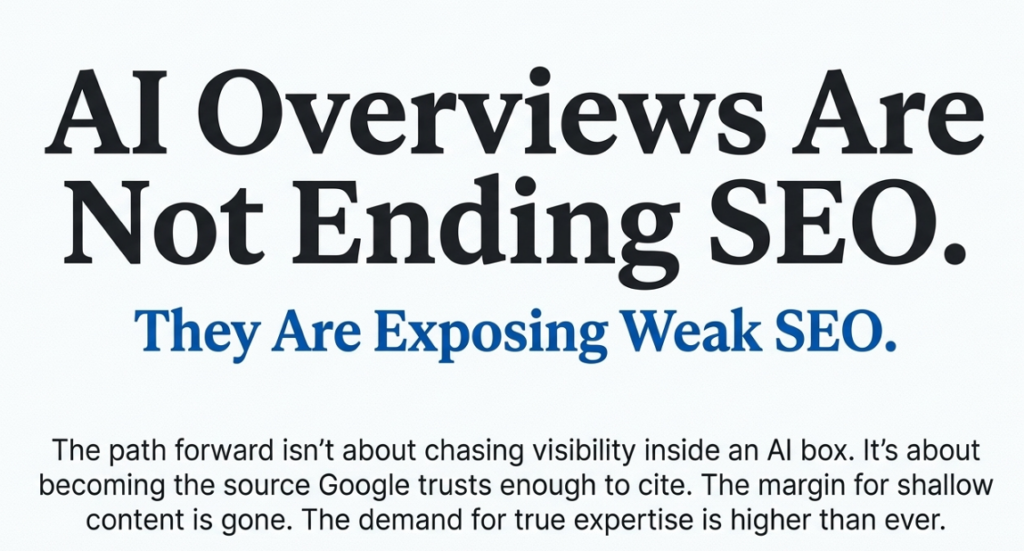
The path forward is not about chasing visibility inside AI overviews. It is about becoming the source Google trusts enough to cite. That requires better explanations, tighter focus, and fewer shortcuts.

The path forward is not about chasing visibility inside AI overviews. It is about becoming the source Google trusts enough to cite. Explore our full range of SEO services to see how we help businesses stay visible as search continues to evolve.

Posted in AEO

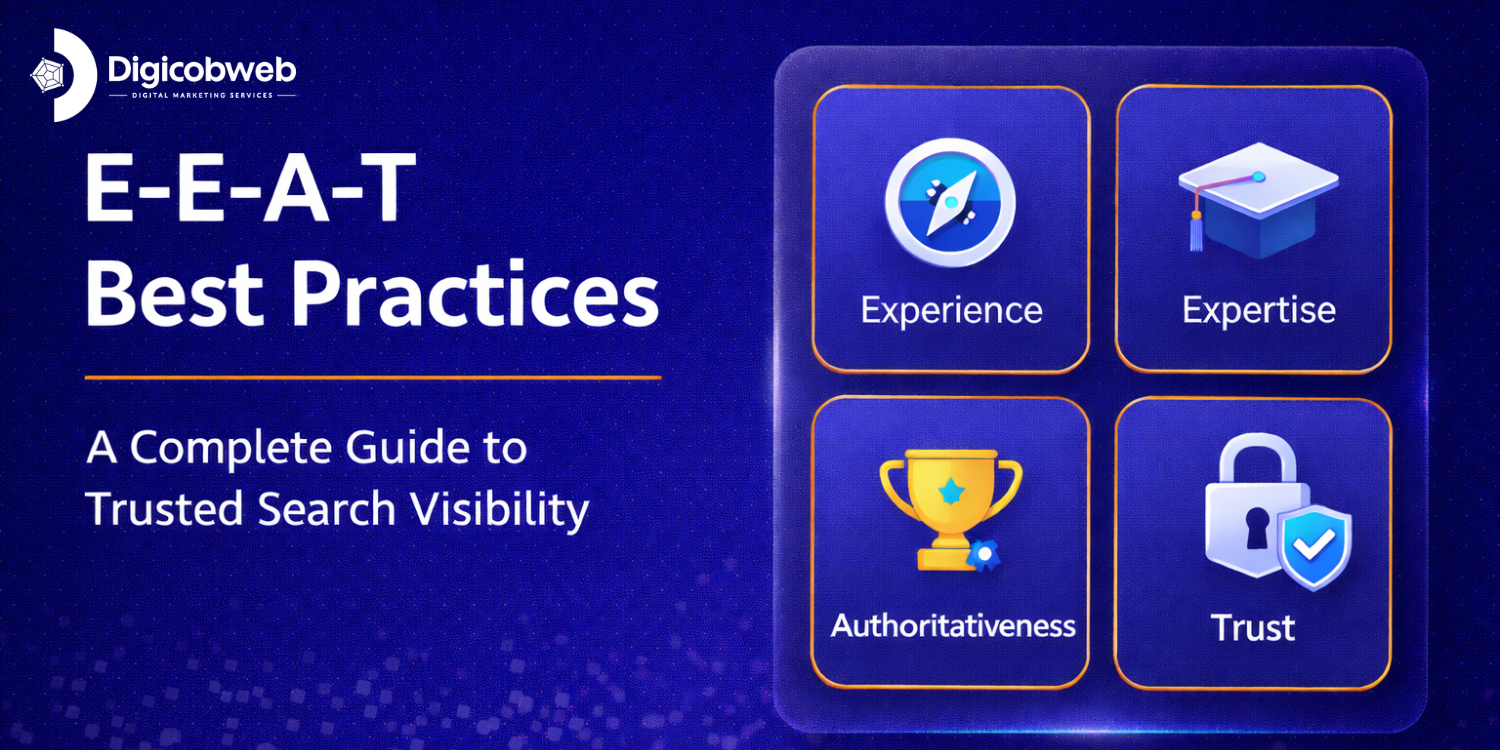
E-E-A-T Best Practices That Drive Trusted Visibility

Introduction

Most websites that struggle to rank share one problem: they haven’t earned trust. Google’s Search Quality Rater Guidelines, all 170+ pages of them, return to the same four signals repeatedly: Experience, Expertise, Authority, and Trust. These are the foundations of E-E-A-T best practices, and they directly shape which pages rank and which get buried.

Technical SEO, fast load speeds, and backlinks all matter. But none of them compensate for content that feels thin, anonymous, or recycled. Search engines are getting better at detecting exactly that and rewarding pages that demonstrate real credibility instead. This guide breaks down what E-E-A-T means in practice, why it influences search rankings, and the specific steps you can take to improve E-E-A-T rankings, whether you run a blog, a business site, or a content-heavy platform.

What Is E-E-A-T?

E-E-A-T stands for Experience, Expertise, Authoritativeness, and Trustworthiness. It is the framework Google uses through its Search Quality Rater Guidelines to evaluate whether a page deserves to rank. Understanding E-E-A-T best practices begins with understanding what each element actually means.

Experience

Experience is the first ‘E’ added by Google in December 2022. It refers to whether the content creator has genuine, firsthand involvement with the topic. A travel blogger who has visited the destination. A software developer who has built with the tool. A patient writing about a medical procedure they’ve gone through.

Experience is what separates insight from information. Anyone can summarize what other sources say. Only someone with real involvement can describe what it’s actually like: the nuances, the surprises, the things guides don’t tell you.

Expertise

Expertise is depth of knowledge. It shows up in how clearly a topic is explained, how accurately complex concepts are broken down, and whether the writer’s understanding goes beyond the surface. A certified financial planner writing about retirement brings a precision that a generalist cannot match.

Expertise doesn’t always require formal credentials. A mechanic with 20 years of hands-on experience is an expert in car repair. What matters is that the content reflects genuine, applied understanding, not just familiarity with the vocabulary.

Authoritativeness

Authority is the reputation of how your content is regarded by others in your field. It grows when credible sites link to your work, when journalists cite your data, and when your brand appears naturally in industry discussions. It cannot be manufactured quickly, but it can be built intentionally through consistent, high-quality output.

Trustworthiness

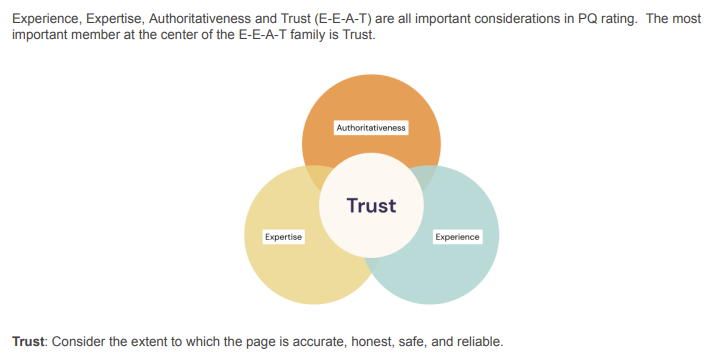
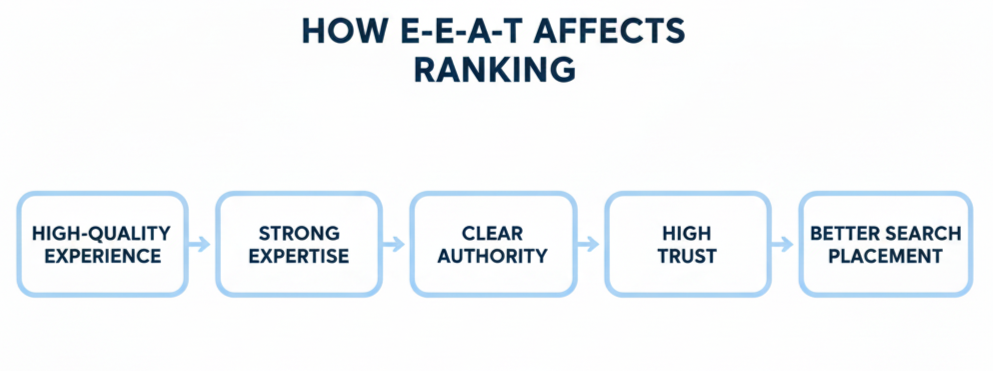
Trust is the central element of the E-E-A-T framework. Google treats it as the most important signal. Experience, Expertise, and Authority all feed into it. Content trust signals include transparent authorship, accurate and verifiable information, a secure and well-maintained site, and honest claims that don’t overstate or mislead.

KEY TAKEAWAY

Trust is not one element among four; it is the outcome that the other three build toward. A page with strong Experience, Expertise, and Authority will naturally produce high trust. A page missing any of the first three will struggle to earn it.

E-E-A-T vs. E-A-T: What Changed and Why It Matters

Google introduced E-A-T (Expertise, Authority, Trust) as part of its 2018 quality update. In December 2022, it added a second ‘E’ for Experience. This was not a minor revision; it reflected a fundamental shift in how Google defines content quality.

Framework Elements What It Lacked Practical Impact
E-A-T Expertise, Authority, Trust No firsthand experience required Content could be technically accurate but lack real-world grounding or authentic perspective.
E-E-A-T Experience + Expertise + Authority + Trust Nothing more complete Content must now reflect genuine involvement. Theoretical knowledge alone is no longer sufficient.

The addition of experience matters most in areas where real involvement changes the quality of advice: product reviews, health information, travel, legal guidance, and financial planning. If you publish in any of these areas and your content doesn’t reflect firsthand experience, applying E-E-A-T best practices will require a fundamental shift in how you approach content creation.

How Google’s Quality Rater Use the E-E-A-T Framework

Google employs thousands of Search Quality Raters, real humans who evaluate pages using a detailed set of guidelines. These raters don’t control rankings directly, but their assessments help Google train and refine the algorithms that do.

When a rater evaluates a page, they ask questions like the following:

•        Does the author have real experience with this topic?

•        Is the content accurate and supported by credible, verifiable sources?

•        Would a knowledgeable person consider this a reliable, trustworthy source?

•        Is it clear who created the content and why they’re qualified to do so?

Understanding this process helps clarify what Google actually rewards. It isn’t word count, keyword density, or a particular formatting structure. It’s whether a real, knowledgeable person would look at your page and consider it trustworthy and genuinely useful.

⚡ PRO TIP

The Search Quality Rater Guidelines are publicly available. Reading even just the sections on E-E-A-T and YMYL is one of the highest-ROI activities for any content creator or SEO professional

E-E-A-T and YMYL: When the Stakes Are Higher

Not all content is evaluated against the same E-E-A-T standard. Google applies stricter scrutiny to ‘Your Money or Your Life’ (YMYL) content pages that could significantly affect a person’s health, financial stability, safety, or major life decisions.

YMYL content categories include:

•        Medical information, symptoms, treatments, and medication guidance

•        Financial advice, investment strategies, and tax information

•        Legal topics, rights, and regulatory guidance

•        Safety information and emergency procedures

•        News and civic information that could influence real-world decisions 

⚠ IMPORTANT
If your site covers YMYL topics and your content doesn’t meet high E-E-A-T standards, it will struggle to rank regardless of technical optimization. Generic blog posts cannot compete with licensed professionals or established institutions in these categories.

Even if your content isn’t strictly YMYL, applying the same rigorous E-E-A-T standards makes your site more competitive across every topic area. The framework rewards quality; universally higher-stakes topics just demand it more visibly. 

Why E-E-A-T Influences Search Rankings

Search engines have one goal: connect users with results they can trust. The E-E-A-T framework is how Google evaluates whether that trust is warranted. Here’s what that means for rankings in practice.

It Signals Content Quality Beyond Keywords

Backlinks and keyword placement tell search engines what a page is about. E-E-A-T signals tell them whether it’s worth ranking. Clear, expert explanations. Accurate, grounded information. Real experience visible in the writing. These signals distinguish genuinely valuable pages from content that simply checks technical boxes.

1. It Reduces Bounce and Builds Engagement

When users land on a page that feels shallow or anonymous, they leave. High bounce rates, low dwell time, and no return visits all signal dissatisfaction. Pages that reflect real expertise and trustworthiness do the opposite; readers stay longer, explore more, and come back. Those behavioral signals directly support rankings.

2. It Protects Users From Harmful Information

In sensitive areas like health, finance, and legal guidance, bad information causes real harm. Strong content trust signals, verified claims, transparent sourcing, and clear authorship are how search engines identify pages that can be trusted to give advice that matters.

3. It Builds Compounding Domain Authority

A site that consistently publishes trustworthy, expert content earns recognition over time from users, from other sites linking to it, and from search engines. That accumulated authority makes every new piece of content easier to rank. Learning to improve website authority through E-E-A-T is one of the highest-leverage long-term SEO investments you can make.

E-E-A-T Best Practices: A Complete Breakdown

The following E-E-A-T best practices address each element of the framework directly. Applied consistently, they build the kind of content quality that search engines reward and users trust.

1. Demonstrate Real, Firsthand Experience

Generic content that summarizes what other sources say adds no value. Content that reflects genuine involvement, what you tested, what went wrong, what you actually learned gives readers something they cannot find elsewhere.

Practical ways to demonstrate experience:

•        Include specific examples from your own work, testing, or research

•        Share outcomes not just processes including failures and what they taught you

•        Use screenshots, data, or results to make your claims concrete and verifiable

•        Reference context describe the conditions under which something worked, and when it didn’t

2. Write With Genuine Expertise

Expertise shows up in clarity, not complexity. The best expert writing makes difficult topics easy to understand. It uses precise language, builds logical arguments, and avoids jargon used for appearance rather than precision. Focus on accuracy, clean structure, and explanations that leave readers more capable than they arrived

⚡ PRO TIP

If a reader needs to re-read a sentence more than once, the problem is usually the writing, not the reader. Expertise expressed clearly is more credible than expertise expressed impressively.

3. Build Authoritativeness Through Consistent, Referenced Output

Authority cannot be claimed it must be earned through external recognition. Build it by:

•        Publishing consistently on a focused topic area rather than scattered subjects

•        Creating content others reference original research, comprehensive guides, unique data

•        Earning mentions from credible publications, podcasts, and industry sources

•        Participating visibly in your niche panels, interviews, community discussions

4. Strengthen Content Trust Signals Across Your Entire Site

Content trust signals aren’t limited to individual pages they extend across your entire site. Search engines and users evaluate the full picture:

•        Named authors with credentials, real photos, and visible bios

•        Clear contact information and an accessible About page

•        Transparent sourcing link to the studies, reports, and experts you reference

•        Visible update dates on time-sensitive content

•        SSL certificate, clean design, and accurate business details

5. Handle AI-Generated Content Responsibly

AI writing tools are widely used in content production. Google has stated clearly that AI-generated content is acceptable but only when it meets E-E-A-T standards. The core problem is that AI lacks firsthand experience and genuine expertise. It produces fluent, confident-sounding text that can be subtly or significantly wrong.

If AI is part of your workflow:

•        Always have a subject-matter expert review and meaningfully revise the output

•        Add firsthand perspective, original examples, and real-world detail that AI cannot produce

•        Maintain transparent authorship never publish anonymously

•        Treat AI as a drafting tool, not a finished content source

⚠ IMPORTANT
Publishing AI-generated content without expert review is one of the fastest ways to undermine E-E-A-T. Google’s systems are increasingly capable of identifying experience-free content regardless of how fluent it appears.

6. Keep Content Fresh, Accurate, and Updated

Outdated content erodes trust. A post referencing three-year-old statistics or recommending tools that no longer exist signals neglect to users and to search engines. Review high-value pages every three to six months. Update facts, replace outdated references, and mark revision dates visibly where accuracy matters. 

7. Use Clear Structure and Plain, Readable Language

Readability is a trust signal. A page that’s dense, difficult to navigate, or cluttered with jargon pushes readers away. Use short paragraphs, descriptive subheadings, and language that respects the reader’s time. Make it easy to find exactly what they came for and easy to keep reading once they do.

How to Improve Website Authority

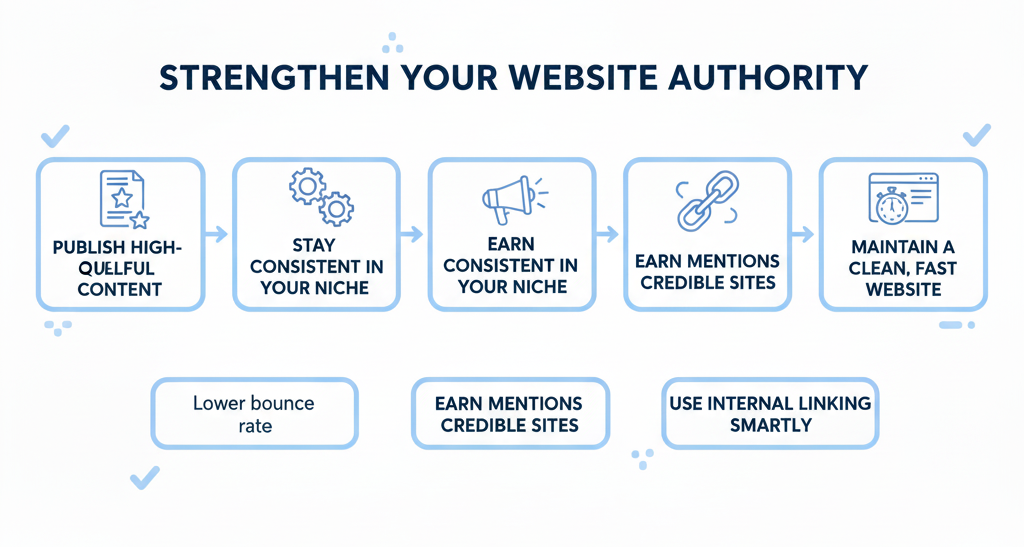
Website authority is earned, not optimized. It grows when your content proves genuinely useful, when credible sources recognize your work, and when your site consistently delivers on what it promises.

Here’s how to improve website authority through practical, repeatable steps. 

1. Create Content That Solves Real Problems

Authority starts with usefulness. Pages that directly answer real questions, explain things clearly, and give readers something actionable build loyalty that compounds over time. Remove filler. Get to the answer. Solve the problem in front of the reader. 

2. Build Topical Depth in a Focused Niche

  1.  
  1.  

A site that covers one topic area comprehensively builds topical authority, the recognition that it is a go-to resource within a specific domain. Covering 10 topics shallowly is less effective than covering one topic deeply. Build content clusters: a pillar page supported by multiple detailed, interlinked articles. 

3. Earn Mentions and Links From Credible Sources

External recognition is the strongest authority signal. You don’t need hundreds of links a handful of high-quality mentions from credible industry sources outweigh dozens of low-quality ones. Earn them by:

•        Publishing original research or data that others want to reference

•        Contributing to industry publications and podcasts

•        Building relationships with journalists and writers in your niche

•        Monitoring unlinked brand mentions and requesting proper attribution where appropriate

4. Strengthen Internal Linking

A well-linked site helps search engines understand how your content relates and which pages carry the most weight. Connect supporting pages to pillar content. Use descriptive anchor text. Guide readers naturally through a logical content path that keeps them on your site.

Also Read: [ Link Building Strategies That Drive Rankings ]

5. Keep Your Site Clean, Fast, and Technically Sound

  1.  

Technical quality reinforces content quality. A slow, cluttered, or hard-to-navigate site undermines even excellent writing. Fast load times, mobile responsiveness, clear navigation, and HTTPS security are the baseline for a site that users and search engines take seriously. 

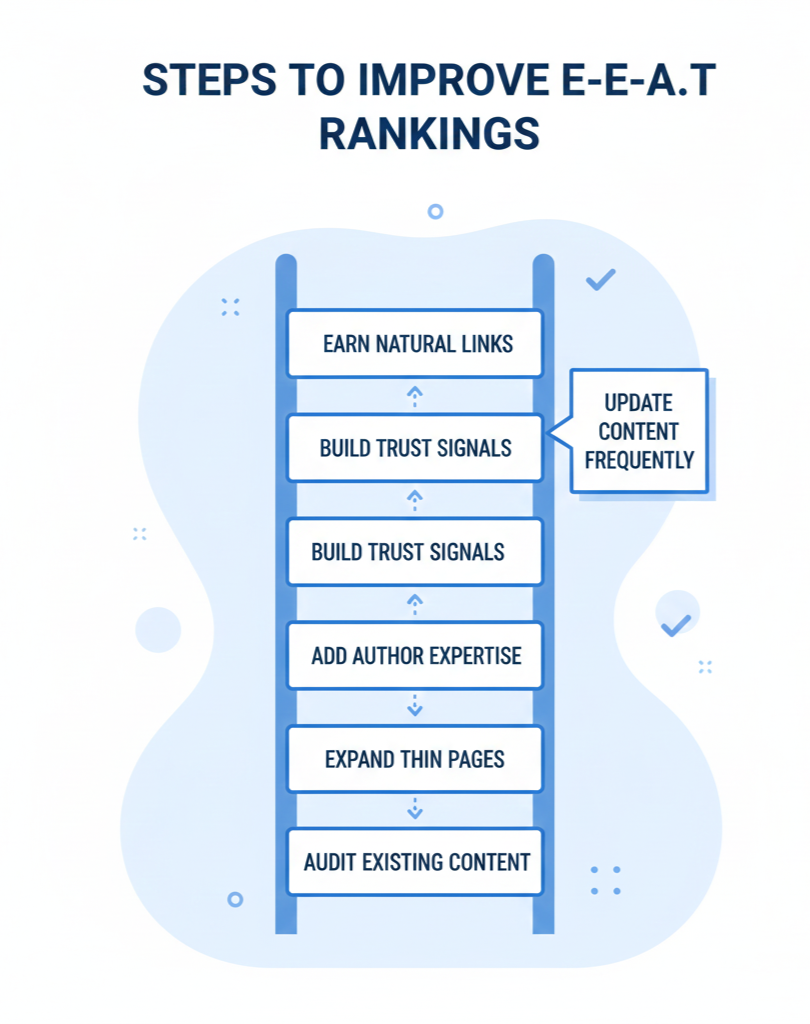
How to Improve E-E-A-T Rankings: A Step-by-Step Process

Improving E-E-A-T rankings is a sustained effort, not a one-time fix. These steps, applied consistently, move your site in the right direction and build the kind of quality that compounds over time.

Step 1: Audit Existing Content Against E-E-A-T Standards

Before creating new content, review what you already have. For each high-traffic or high-priority page, ask:

•        Does this content reflect real experience, or is it assembled from other sources?

•        Is the information accurate and current?

•        Is the author clearly identified with visible credentials?

•        Are claims supported by credible references or evidence?

Pages that fail these checks pull your rankings down or miss opportunities to perform. Fixing existing content consistently produces faster results than publishing new pages.

Step 2: Establish and Strengthen Author Credibility

Every piece of content on your site should have a named author. Every author should have a bio that reflects actual qualifications and experience. This is non-negotiable for YMYL content but improves trust signals across every topic area.

•        List relevant credentials and experience formal or practical

•        Link to other published work by the same author

•        Include a real photo wherever possible

•        Update bios regularly as credentials and experience grow

Step 3: Expand Thin or Generic Content

Thin pages, those that cover a topic superficially without adding real value, drag down your overall domain quality in Google’s assessment. Identify them through Google Search Console (low impressions, poor click-through rates) and upgrade them:

•        Add original examples and case studies from real experience

•        Include credible external references and current data

•        Make content actionable: tell readers exactly what to do, not just what exists 

Step 4: Update and Maintain High-Value Pages

Freshness signals care and accuracy. For fast-moving topics, review every one to three months. For stable topics, every six months is sufficient. Always update the visible revision date when meaningful changes are made; this is a trust signal for both readers and crawlers.

Step 5: Build Quality Backlinks and Natural Brand Recognition

External recognition remains one of the strongest signals for E-E-A-T. Focus on quality over volume. Create content worth citing original research, comprehensive guides, and data-backed analysis and be consistent while recognition builds. Track unlinked brand mentions and convert them to links where possible. 

Step 6: Improve User Experience to Reinforce E-E-A-T

E-E-A-T is partly measured through user behavior. Fast-loading pages, intuitive navigation, mobile-friendly design, and readable layouts all reduce friction and keep users engaged, which in turn sends positive ranking signals to search engines.

Common E-E-A-T Mistakes That Hurt Rankings

Many sites unknowingly undermine their own E-E-A-T. These are the most frequent and damaging mistakes:

Mistake Why It Hurts E-E-A-T How to Fix It
Anonymous authorship Removes the most visible trust signal a named, credible person behind the content Add named authors with real bios and credentials to every page
Unreviewed AI content AI lacks experience and genuine expertise produces fluent but potentially inaccurate content Require expert review and firsthand additions before publishing AI-assisted content
Recycled information Assembling facts from other sources adds no value and signals low expertise Add original perspective, tested insight, or firsthand examples to every piece
Stale content Outdated stats and broken references signal a neglected site Schedule regular content reviews and mark update dates visibly
No About/Contact page Reduces overall site trustworthiness. Users and search engines need to know who you are Create clear, informative About and Contact pages with real business details
Keyword-stuffed writing Unnatural phrasing that prioritizes keywords over clarity signals low quality Write for the reader first. Use keywords naturally in logical positions
Surface-level coverage Thin content that skips depth or nuance undermines credibility Cover topics completely. If a page can’t go deep, expand it or consolidate it

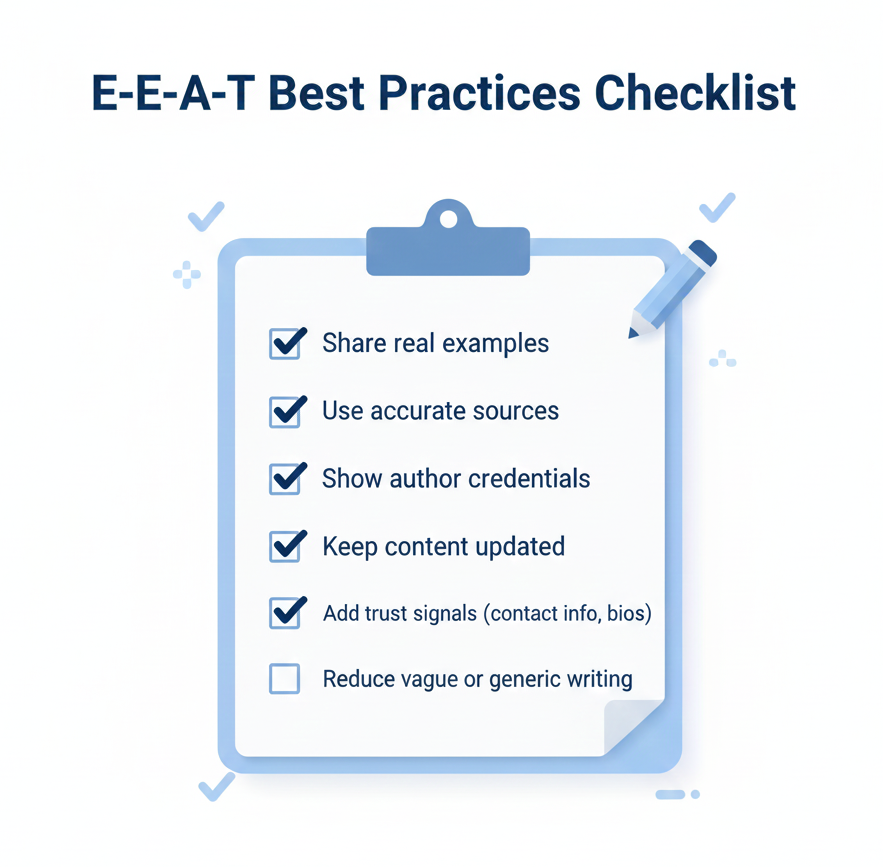
E-E-A-T Best Practices Checklist

Use this checklist to evaluate any page before publishing or during a content audit. It covers all four elements of the E-E-A-T framework and the core technical trust signals that support improved E-E-A-T rankings.

E-E-A-T Area Checklist Item Done?
Experience Content reflects firsthand involvement not just research from other sources ☐  Yes / No / In Progress
Experience Real examples, results, data, or screenshots are included to support claims ☐  Yes / No / In Progress
Experience Outcomes (including failures and lessons) are described, not just processes ☐  Yes / No / In Progress
Expertise All information is accurate, current, and verifiable ☐  Yes / No / In Progress
Expertise Complex topics are explained clearly without unnecessary jargon ☐  Yes / No / In Progress
Expertise Credible external sources are referenced and linked where appropriate ☐  Yes / No / In Progress
Authority The author is named on the page and credentials are clearly visible ☐  Yes / No / In Progress
Authority The author bio links to other published work and reflects real expertise ☐  Yes / No / In Progress
Authority At least one credible external site links to or mentions this content ☐  Yes / No / In Progress
Trust Contact information and About page are easy to find site-wide ☐  Yes / No / In Progress
Trust The site uses HTTPS and loads quickly on both desktop and mobile ☐  Yes / No / In Progress
Trust Content has been reviewed and updated within the last 6 months ☐  Yes / No / In Progress
Trust All factual claims are honest and supported by evidence ☐  Yes / No / In Progress
Trust The revision date is visible on time-sensitive pages ☐  Yes / No / In Progress
AI Content Any AI-assisted content has been reviewed and revised by a subject expert ☐  Yes / No / In Progress
AI Content Firsthand perspective and original examples have been added ☐  Yes / No / In Progress
UX / Technical The page is fully mobile-friendly ☐  Yes / No / In Progress
UX / Technical Navigation is clear and internal links guide readers logically ☐  Yes / No / In Progress
UX / Technical Bounce-driving issues (slow load, cluttered layout) have been addressed ☐  Yes / No / In Progress

Conclusion

Strong E-E-A-T best practices aren’t a campaign or a checklist you complete once. They’re the result of consistently doing the right things: publishing content that reflects genuine experience, content writing with real expertise, building authority through credible output, and maintaining a site that users and search engines trust.

Every site regardless of size, age, or budget can improve its E-E-A-T standing. Small, focused improvements compound. Fixing author transparency, updating stale content, expanding thin pages, and earning a handful of quality mentions all shift how search engines perceive your domain.

Start with what you already have. Audit your existing content against the checklist above. Fix the most critical gaps first, particularly authorship transparency and outdated information. Then build forward consistently, using the steps in this guide to steadily improve website authority and improve E-E-A-T rankings over time.

When you follow E-E-A-T principles with that mindset, reader trust is the goal, not ranking tricks; the rankings follow naturally. Because the content has genuinely earned them.

KEY TAKEAWAY

E-E-A-T is not a set of boxes to tick. It’s the standard Google uses to ask: ‘Would a real, knowledgeable person trust this page?’ When the answer is consistently yes across your content, your authors, your site structure, and your claims, your rankings reflect it.


AI and Local Search: How Businesses Can Adapt

Introduction

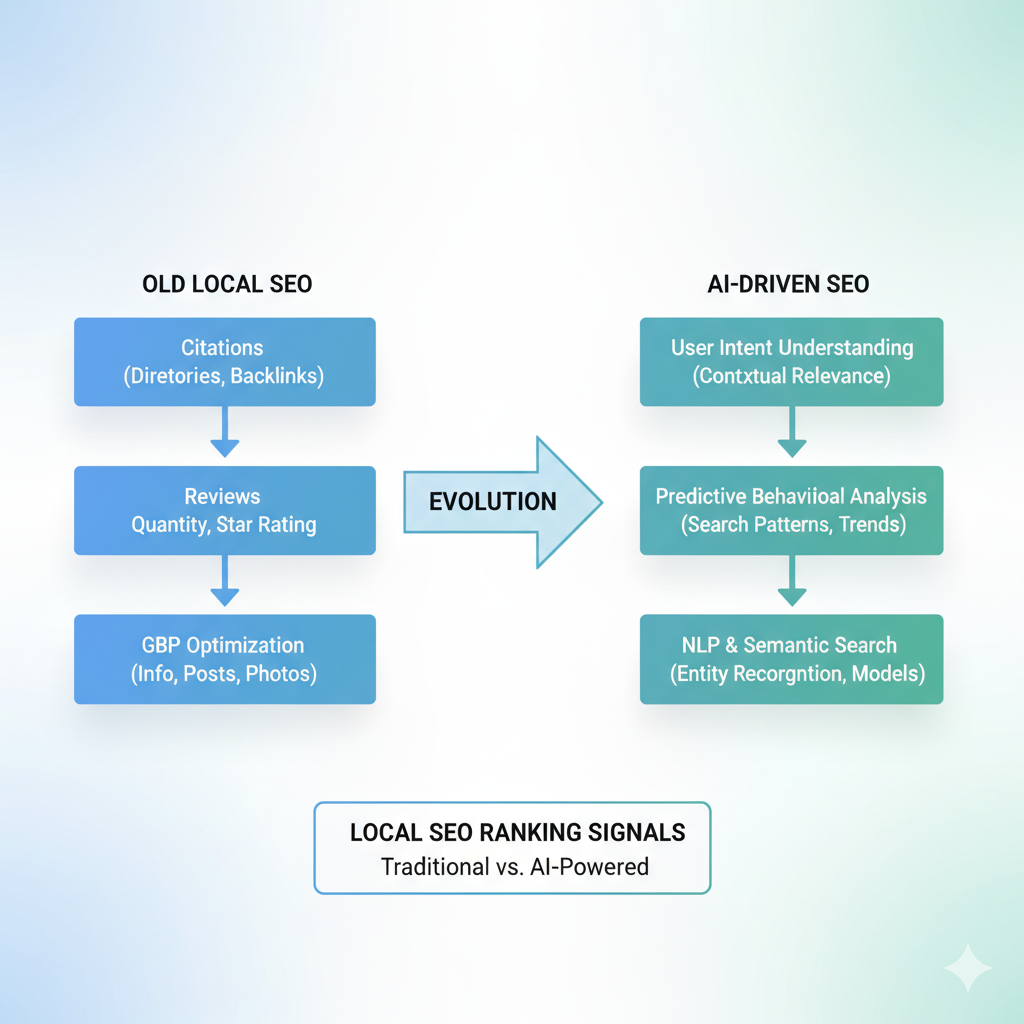
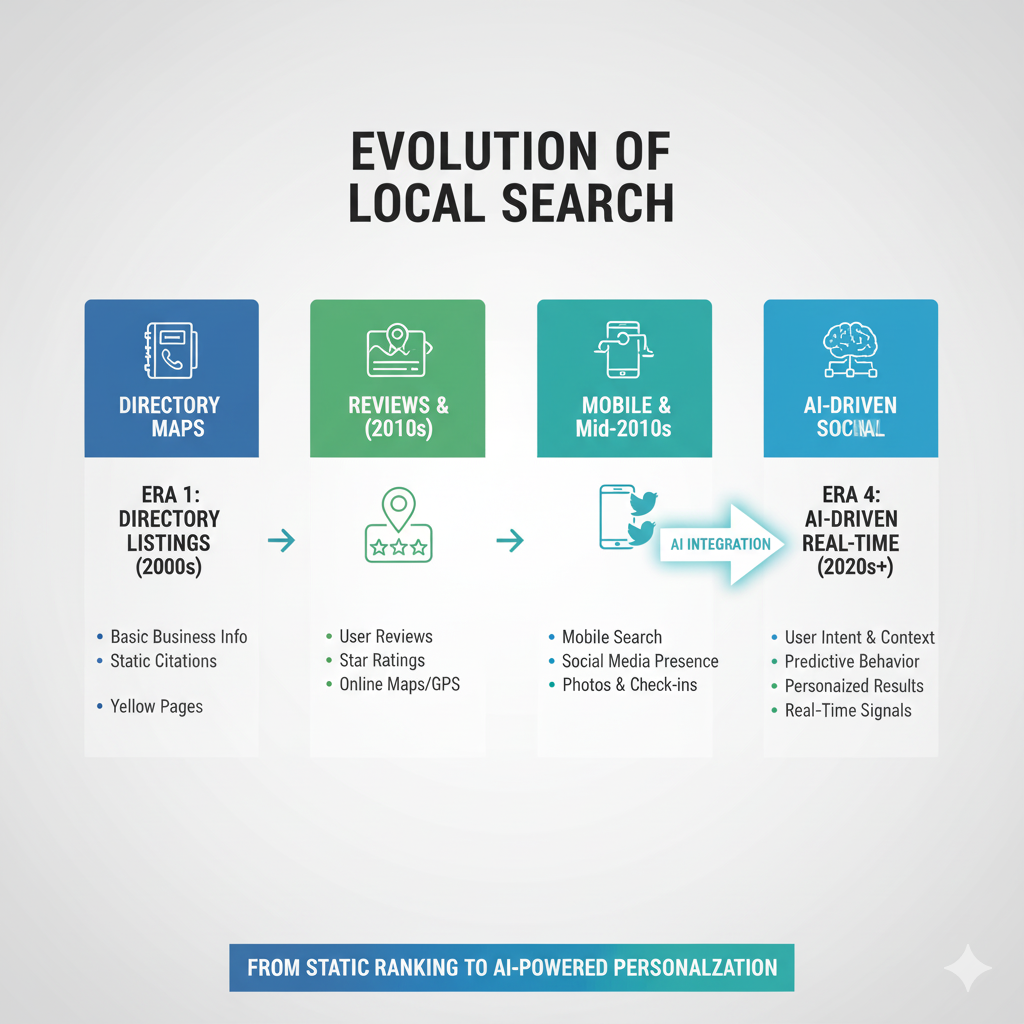
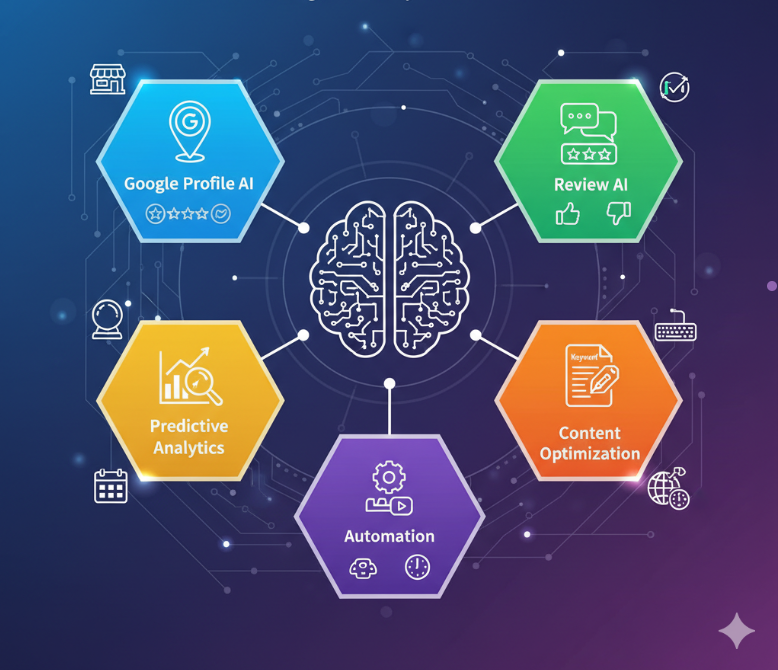
Local SEO is different. Two years ago, getting ranked locally was largely Google Business Profile optimization, review harvesting, and citations. Now, the search engines do AI locally. search to determine intent, context, and even predictive behavior to decide which businesses to display first.

For local businesses, that means outdated practices are no longer sufficient. To prosper, one has to understand how local search algorithms work, from natural language processing that processes customers’ queries to AI review analysis models that filter out spurious reviews. The firms that adapt to this shift aren’t just showing up in local packs in isolation. They’re shaping the manner through which customers seek, compare, and choose local services.

This article breaks down how AI is revolutionizing local search, the new ranking signals you need to know about, and the practical steps you can take to stay findable in an AI-driven search environment.

What is Local Search in AI?

Local AI search is the way artificial intelligence is employed to present more precise, personalized, and intent-driven outcomes for location-based searches. Instead of just matching keyword strings like “dentist near me,” AI-powered local search algorithms consider user intent, context, history, and even live signals (e.g., device location) in an effort to make recommendations on the most relevant businesses nearby.

In reality, this means that search engines no longer just give proximity- or category-based results. Now, they use machine learning SEO tactics to understand what a user truly desires.

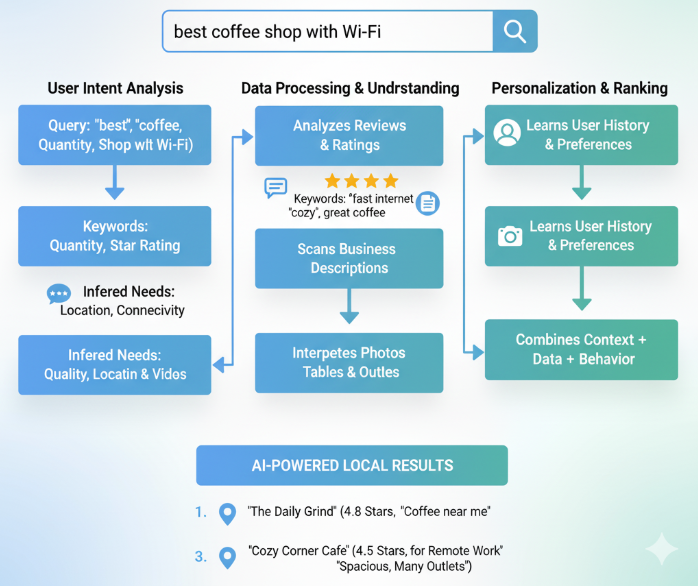
For example, when someone types in “best coffee shop with Wi-Fi,” AI digests reviews, images, business descriptions, and behavior history to provide options that truly meet that criterion.

Why it matters:

  • Smarter rankings: AI local search prefers companies demonstrating relevance, trust, and authority over proximity in distance.
  • Enhanced user experience: Predictive local search enables individuals to receive results that match their intent as well as their expectation.
  • Business implications: For companies, this means optimizing business listings, reviews, and content to peer beyond keywords and toward what AI considers meaningful ranking signals.

How AI is Reshaping Local Search

Local search has forever been about proximity and relevance, but in 2025, AI local search is less about static rank signals and more about dynamic real-time decision-making. Google and other sites now rely on machine learning SEO models that constantly scan user intent, context, and behavior to refine search results.

What’s shifting:

  • Smarter User Intent Recognition

Search engines can now differentiate between someone entering “urgent care near me” at midnight compared to 10 a.m. on a workday. Results differ not only by location but also by urgency, time of day, and even device.

  • Personalized Local Experiences

Ai Local search algorithms consider a user’s search behavior, mobility, and interaction with previous businesses. A user who constantly books appointments online may get different local results than one who usually calls manually.

  • AI Business Listings Prioritization

Business profiles aren’t ranked on reviews and citations alone any longer. A listing behavior of engaging with users, prompt responses to questions, accurate service details, and instantaneous updates is what adds to AI signals.

  • Predictive Local Search

Rather than waiting for a search, AI now anticipates local demand. For example, if someone habitually visits a local coffee shop at 8 a.m., predictive local search can also suggest similar destinations when they are visiting another new location.

Different Types of Local Search Algorithms

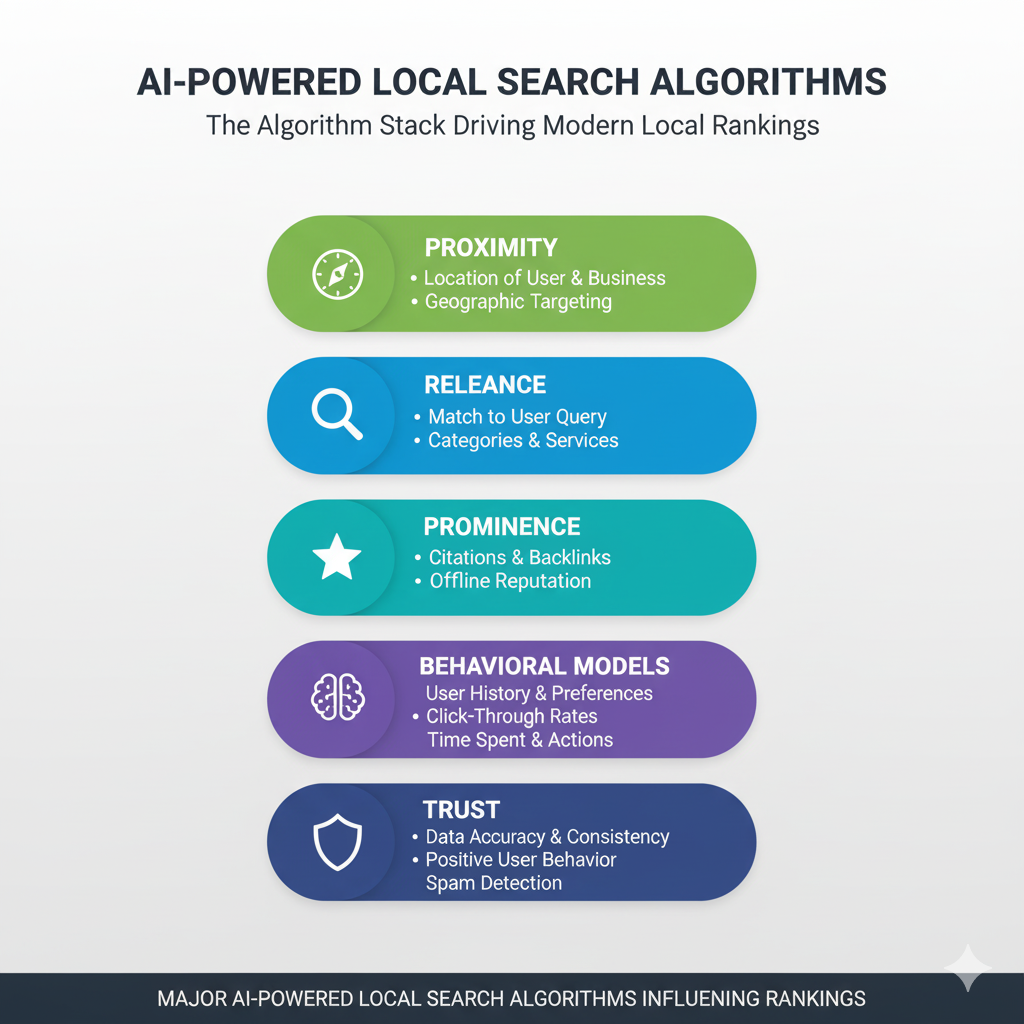
When people talk about “Google’s local algorithm,” it’s not an equation. It’s a collection of AI models collaborating to determine which businesses appear in local searches. By 2025, these models are more complex and interconnected than they’ve ever been. 

These are the major hitters that drive visibility:

  • Proximity-Based Algorithms

These establish the closeness of a business to the searcher’s location. With AI, closeness isn’t just based on proximity anymore. It also takes traffic patterns, user behavior, and how likely they’re going to end up there into account.

  • Relevance Models

These local search algorithms index business types, services, and local content to see whether a listing truly maps to a query. AI-based relevance now more accurately understands natural language, so queries like “late-night vegan restaurant” are matched with greater accuracy.

  • Prominence Signals

Formerly tied to reviews and backlinks, prominence is now multifaceted. AI weighs social proof, AI review analysis, local mentions, and even engagement metrics like clicks-to-call or message responses.

  • Behavioral AI Models

These track how users interact with results. Do they bounce back once they click on a business? Do they read reviews before they book? Do they click on directions immediately? Everything contributes to driving real-time rankings.

  • Trust & Authenticity Algorithms

Fake reviews, outdated facts, and false claims are caught quicker through machine learning. Listings flagged as low-trust experience lose downgraded visibility, and businesses with consistent, honest information get more popular.

Local companies and SEO teams are more aware of these algorithms to better align strategies with how AI local search competition is currently calculated.

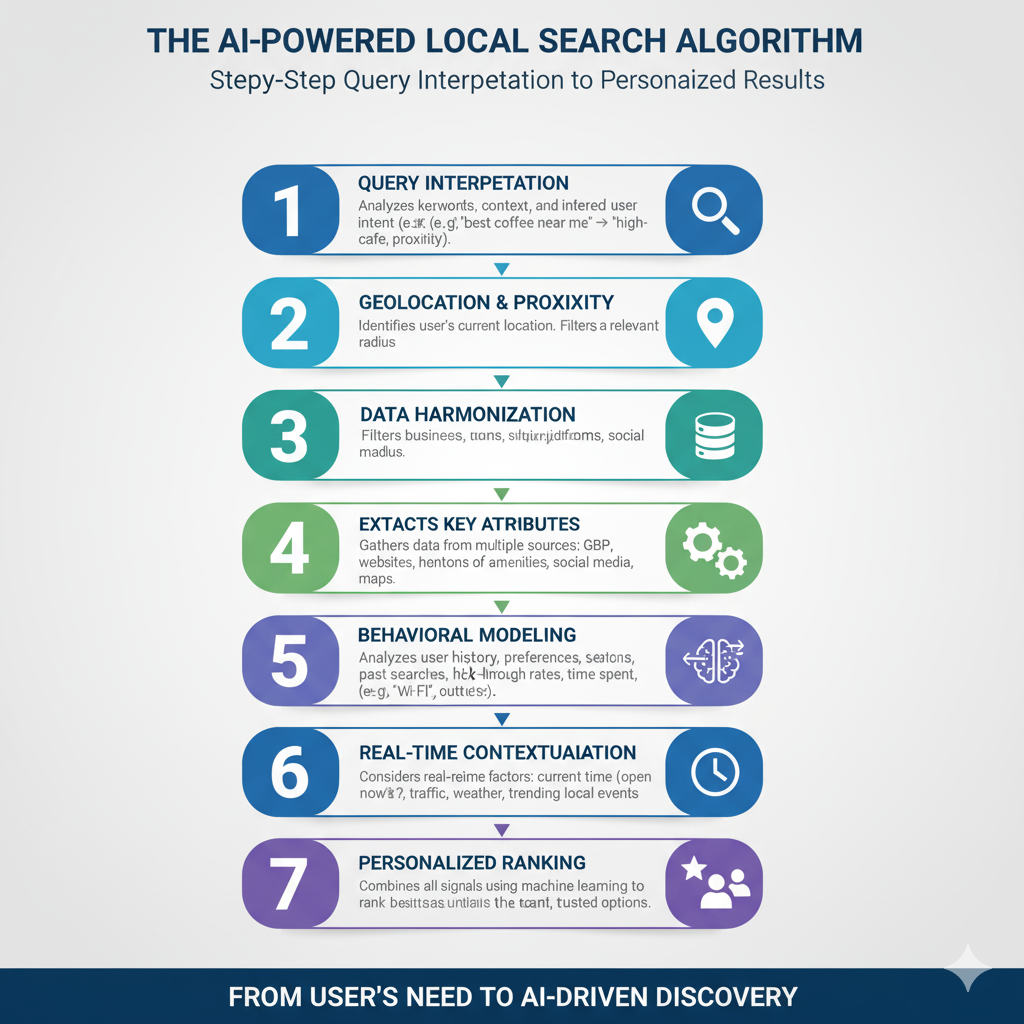
Step-By-Step Operation of Local Search Algorithm

When an individual is looking for a service in the local area, the local search algorithm follows a process to identify what companies appear in the listing. With AI powering this process, the system is far more predictive and contextual.

Following is the normal process:

Step 1: Query Interpretation

Then the algorithm translates intent first. A query like “best coffee shop near me” is not read literally as keywords. AI realizes that it’s all about quality, locality, and immediacy.

Step 2: Entity Matching

Google cross-matches its business directory (through Google Business Profiles and other listings) to figure out good matches. AI improves upon this by linking synonyms, types of businesses, and even conversational language.

Step 3: Relevance Scoring

The system analyzes business data like categories, services, descriptions, and local content. NLP models check whether these elements of information are consistent with the query.

Step 4: Proximity Weighting

AI calculates proximity to each business both geographically and based on real-world accessibility (traffic, walking routes, and delivery zones).

Step 5: Prominence Evaluation

Reviews, backlinks, local mentions, and user engagement all contribute to a “trust score.” AI applications now filter spam reviews and prioritize actual interactions.

Step 6: Behavioral Feedback Loop

User behavior is fed into rankings. When many users click on, call, and visit a listing, that business can rank higher in the results over time.

Step 7: Result Personalization

Finally, the algorithm made results personalized using user history, device type, and preferences. A person who was always searching for vegetarian restaurants, for example, would see those establishments ranked higher in their feed.

By following these steps, AI-driven local algorithms ensure results are relevant, trustworthy, and personalized, creating a search experience that mirrors real-world decision-making.

Want to understand how your business stacks up in AI local search? 

Talk to our Local SEO experts and get a custom competitive analysis.

Adapting to AI-Driven Ranking Factors

Rankings previously were all about checklists, keywords, backlinks, citations. They are important even now, but AI altered what the algorithm prefers most. Optimizing Google no longer matters; optimizing for the user doing the search does. 

Here’s how to remain in the game with AI continuously redefining local ranking signals:

1. Prioritize Real-World Relevance

The intention of AI is to connect the user with those companies that actually want to serve them. So, your business listing, website copy, and local citations have to describe what you do, where you are, and for whom you do it in plain language without any ambiguity. Write as you speak in the same language people communicate, not necessarily with which they query.

2. Optimize for Behavioral Signals

Artificial intelligence algorithms closely monitor the way people act when they are online interacting with your company.

Metrics like:

  • Click-throughs on your listing
  • Call or direction searches through Google Maps
  • Branded search or revisits

All of which influence ranking. Optimization of your CTAs, reviews, and site UX can directly increase these engagement signals.

3. Double Down on Authentic Reviews

Pre-written reviews are getting easier and easier to spot by AI and punish. Actual, varied, and timely reviews are getting to be two of the strongest ranking signals. Request pleased customers for reviews and respond to thoughtful comments on each review, both good and bad.

4. Build Local Authority Through Content

AI evaluates how well your website answers intent. A location page that’s just a name, address, and phone number isn’t enough. Add FAQs, community involvement, service-specific pages, and local news or blog content that demonstrate expertise and trust.

5. Embrace Entity Optimization

AI is not a keyword. AI is things and relationships. Get your business data (name, categories, services, and locations) consistent in all directories and schema-markup structured. This allows AI “get” your brand and index it with more assurance.

Natural Language Processing and Local Content

AI no longer searches for keywords. AI is given meaning. Due to natural language processing (NLP), search engines are now able to read context, tone, and intent that old algorithms could never. 

This is propelling the content writing and content design for local businesses.

1. Writing for Conversations, Not Just Keywords

Humans don’t search when they offer reports. They just write conversational searches such as “best pizza near me open late” or “emergency dentist in Ahmedabad.” NLP makes Google read like this. Local content should have the same writing pattern and state real-world questions naturally and briefly.

2. Building FAQ-Rich Content

FAQs are useful because they work so harmoniously with how NLP dissects queries. Placing an FAQ on your location pages or on your website puts you in the position to rank for long-tail searches and voice search. It puts your site in position for featured snippets, Google’s short-and-to-the-point answers that they display at the top of the page.

3. Contextual Signals Over Keyword Stuffing

Old-school SEO was all about repeating and repeating and repeating keywords. NLP does not make that good practice. Google looks for context instead: synonyms, proximity terms, and supporting information. A good example of that would be the page for “local dental implants” that also must include oral care, procedure details, fees, recovery time, and neighborhood districts of service.

4. Content That Reflects Local Nuance

NLP thrives on specifics. If you’re a restaurant in Andheri, don’t just say “best pizza in Mumbai.” Mention your neighborhood, nearby landmarks, or local events. This kind of context helps AI map your business to hyperlocal intent, especially for mobile and voice searches.

5. Structuring Content for AI Readability

Sitemap-friendly page titles, bullets, schema markup, and answer boxes help NLP models to “digest” your content more easily. Beautifully written pages do not just drive rankings; they get your business fronted on voice assistants, AI answers, and local packs.

Key Takeaway: NLP winners are creating copy for human beings foremost, in a natural and particular way. The closer your copy matches the language your customers search and communicate, the more effective your local rankings.

AI Review Analysis and Management

Reviews have been local SEO’s centerpiece since day one, but AI is shaking up the way companies are able to monitor and engage with them. Aside from monitoring star ratings, AI technology now goes out even deeper into patterns, sentiment, and intent.

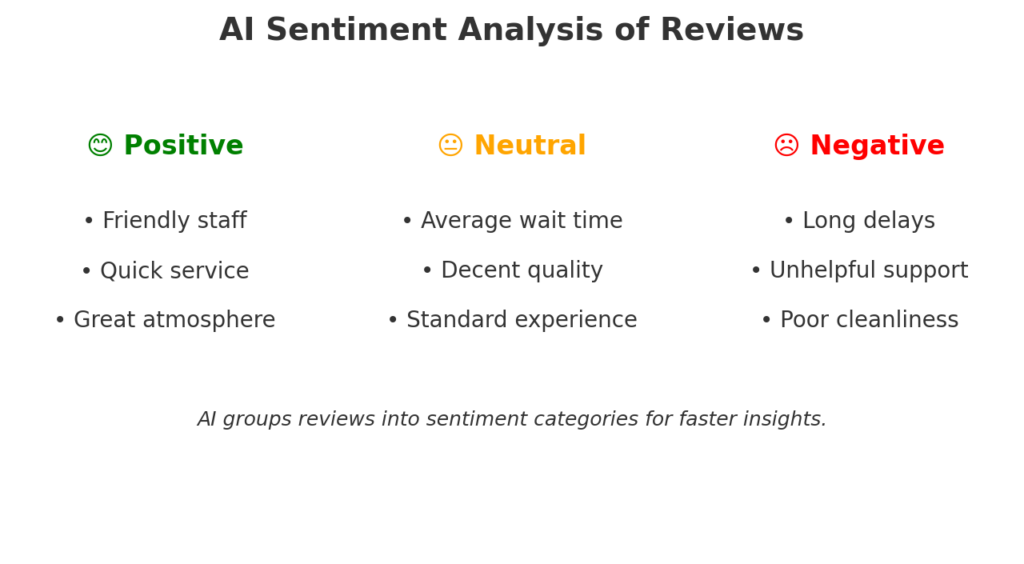
1. Sentiment Analysis at Scale

Manually reading through hundreds of reviews is unrealistic. Sentiment analysis using artificial intelligence can highlight immediately whether customer remarks are predominantly positive, negative, or neutral and even highlight repeated themes like “long wait times” or “friendly staff.” This gives businesses critical information, which can be fixed right away.

2. Detecting Fake or Coordinated Reviews

Fake reviews have been a major issue in local search. AI systems are becoming much better at spotting suspicious patterns:

  • Irregular posting trend
  • Mirror language across multiple reviews
  • Creating new accounts simply to leave a single review

For businesses, that makes it harder for competitors to game the system and easier to maintain a good online reputation.

3. Smarter Review Responses

Reviews are not just read by machines. Professional responses can even be written using AI. Rather than pre-fab responses, AI technology can write personalized responses which are tone-compatible to the customer review. An effective response strategy establishes customer trust and signals active behavior to search engines.

4. Linking Reviews to SEO Strategy

Review language will also mirror the very same precise keywords consumers enter. Such words can be detected by the AI and given to the advertisers in terms of keywords for landing pages in local areas, ads, or FAQs. If, for instance, reviews mention “pet-friendly hotel in downtown” repeatedly, you might be able to leverage that word to create content or campaigns.

Key Takeaway: AI neither displaces human touch for review management but brings clarity at scale. Companies that use AI review analysis for local SEO can operate at high velocity, spot trends earlier, and build reputation and rankings.

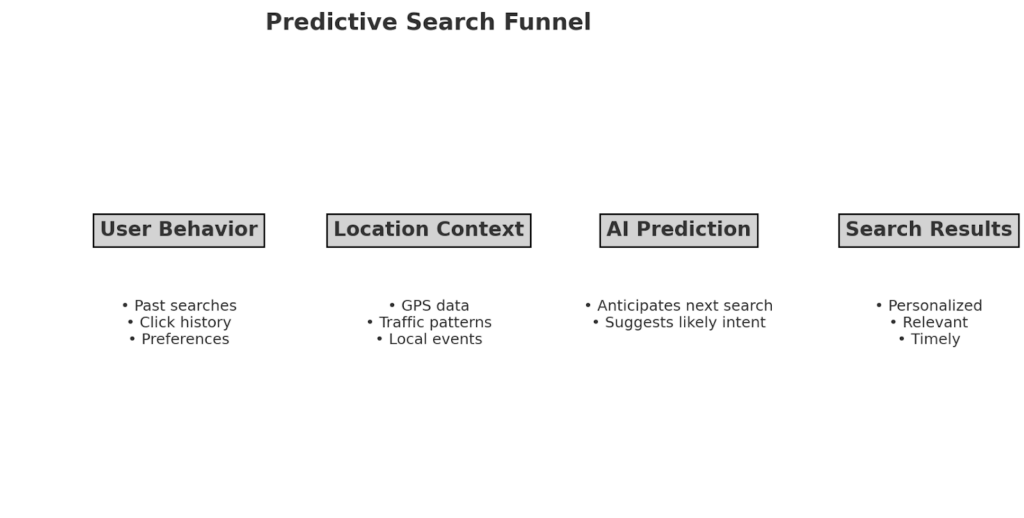
Predictive Search and User Intent Signals

AI has far exceeded keyword matching for AI local search. Search engines use predictive models to predict what individuals are seeking even before they have finished typing and that has far-reaching implications for local businesses.

1. Anticipating Local Needs

Predictive search examines the history of behavior, location, and popular topics in the hope of being able to predict what individuals are going to search for. 

For example:

  • A coffee shop will be listed when someone searches for “best c” at 8 a.m. because AI is approximating “best coffee around.”
  • An auto shop will be listed when people are searching for “oil change” right after a holiday weekend, according to normal need patterns.

For local businesses, this implies appearing earlier in the search process and capturing intent before your competition.

2. Hyper-Local Personalization

Predictive search then layers over it hyper-local context such as weather, traffic, or local activity. For instance, a gym showing up on predictive searches when there is rain tomorrow (less people will work out outside).

3. Optimizing for Predictive Queries

Businesses need to:

  • Monitor increasing searches on Google Trends for the business location.
  • Employ AI tools that identify increasing keywords with local intent.
  • Ensure Google Business Profiles are fully filled out with choices such as dine-in, delivery, or emergency service prominently marked.

4. The Business Advantage

Using predictive intent insights, companies can anticipate buyers ahead of time before a search is completed. The business advantage is most typical in competitive markets where it’s often sitting at the top of the suggestion list that gets clicked.

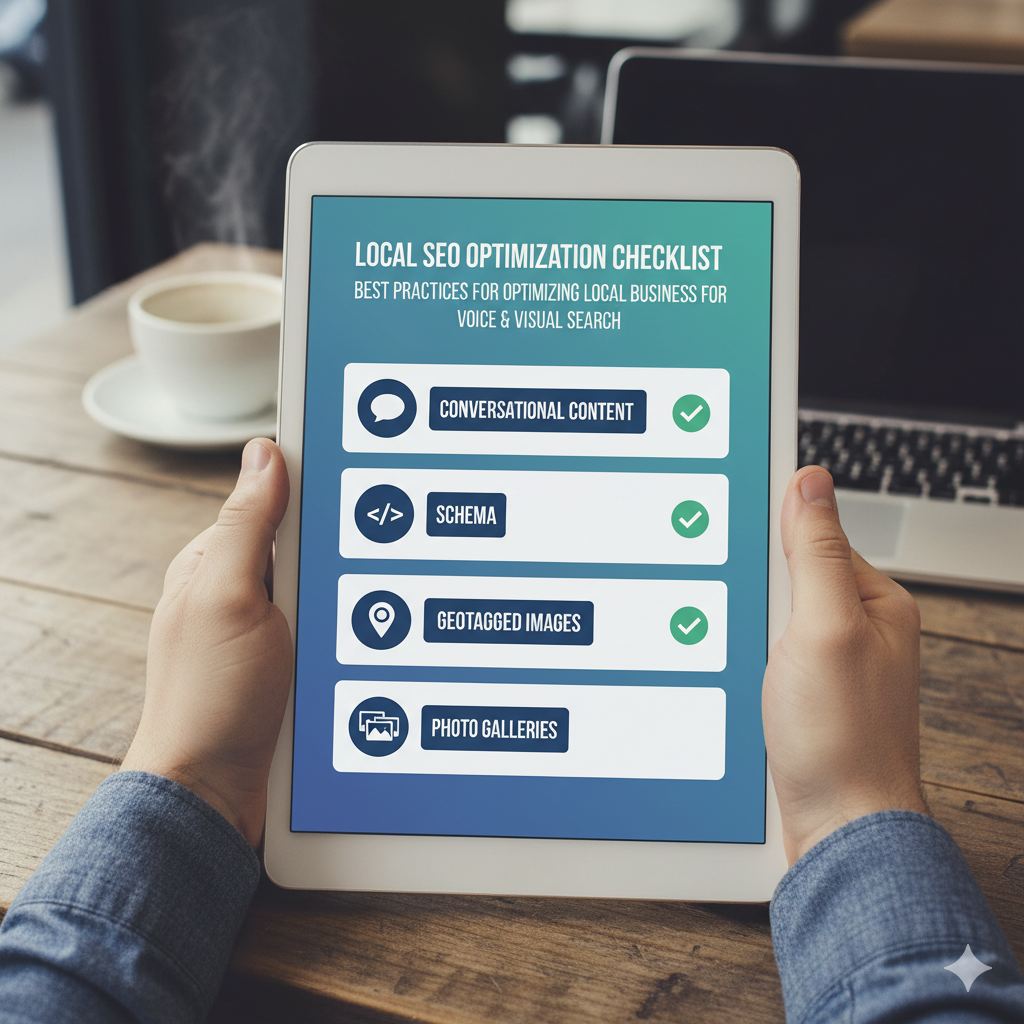
Voice and Visual Search AI Integration

AI changed local business discovery, and two of the fastest rising trends are voice search and visual search. Both are transforming how users interact with search engines from text queries to more human-like and natural searches.

1. Voice Search for Local Queries

More than half of all voice searches contain a local intent. 

People now ask such questions as:

  • “Hello Google, what’s the nearest open urgent care today?”
  • “How near are the pizza delivery places to me?”

AI interprets such voice search queries using a pattern of natural speech instead of exact keywords. That is to say, to companies, it is more about optimizing for more natural, long-tail-style phrasing (i.e., FAQs on your website, Google Business Profile Q&A).

Voice Search Optimization Advice:

  • Conversational tone in content and listings.
  • Accurate business hours, phone numbers, and services.
  • Use schema markup to enable search engines to comprehend context.

2. Visual Search for Local Discovery

Visual search allows individuals to scan a product or place in order to discover things in mere seconds. Think Google Lens returning information on the front of a store or Yelp-like results off a picture of something.

For local businesses, this creates new opportunities:

  • Product images can initiate discovery of retail outlets.
  • Menu boards in restaurants can show up in visual search results.
  • Service companies (like barbershops) will show up if people search for businesses in the neighborhood.

Visual Search Optimization Advices:

  • Make sure your website and Google Business Profile feature excellent, geotagged images.
  • Use descriptive ALT text with local keywords.
  • Keep updated photo galleries (products, interior, menus, services). 

3. Why It Matters

Voice and image search aren’t tomorrow’s extras. They’re impacting default search behavior. Companies that lead the pack have a chance to claim these new portals to local discovery.

AI Tools for Local SEO Management

Managing local SEO manually can be overwhelming, especially with AI-driven algorithms that update constantly. The good news is that there are now AI-powered tools designed to simplify optimization, automate routine tasks, and surface insights you’d otherwise miss.

1. AI for Google Business Profile Management

AI to sort through listings, track competitor updates, and give suggestions for improved visibility. Some even track Q&As and reviews live so that businesses can answer directly and respond more effectively.

2. AI Review Analysis & Response Tools

Tap the strength of AI to screen the customer sentiment, detect potentially hurtful reviews, and even automate HIPAA-safe or brand-neutral responses. A massive benefit for companies with thousands of reviews.

3. Predictive Analytics for Local Search

AI analytics software predicts demand search, i.e., when and where the local consumers will interact. Can be utilized for ad timing, festive campaigns, and locality-specific offers.

4. Content Optimization with AI

AI content generation tools and SEO content analysis tools can recommend local keyword optimization, content gap identification, and on-page factor optimization for content alignment to AI-powered rank signals.

5. Workflow Automation Tools

Chatbots, scheduling assistants, and CRM integration prevent customer interaction from falling between the cracks, from appointment scheduling, FAQs, to giving directions.

Future-Proofing Local SEO for AI Advancements

Local AI search is not slowing down, in fact, the pace of acceleration only picks up. Companies who wish to be found by search need to be thinking long-term and have done things which would never go out of favor with the next algorithmic update.

Also Read: SEO Activities That Still Matter in the AI Search Era


Instead of chasing short-lived keyword trends, invest time in long-term, location-based, evergreen content. Depth and consistency next are more susceptible to AI systems, so writing about topics in depth generates more authority.

2. Strengthen E-E-A-T Signals

E-E-A-T will be extremely important ranking signals. This entails content from vetted and qualified authors and demonstrating actual user experiences that can be checked elsewhere by AI.

3. Diversify Content Formats

AI search is not text. Voice search, visual search, and video snippets are search-optimized for visibility across multiple touchpoints. Short explainer videos or visual step-by-step tutorials, for instance, rank within AI-powered search previews.

4. Build Structured Data Foundations

Schema markup ensures that your business data is read correctly by the AI algorithms. From services and opening times you provide to reviews, schema renders your content “machine-readable” and provides you with a greater likelihood of being featured in AI-powered answers.

5. Adopt a Test-and-Measure Mindset

Future-proofing is never a blind guess; it is ongoing monitoring and adjustment. Try out local SEO techniques, check the outcome, and re-evaluate based on fluctuating rankings generated by AI.

Conclusion

AI is not replacing local SEO it’s re-mapping it. The transition from keyword targeting to AI-driven ranking signals, predictive search, and intelligent review analysis makes local businesses think smarter, not harder.

What that actually does is that your visibility and so much more relies on more than Google Business Profile optimization or review buildup. It’s all about weighing out your online presence with how AI perceives trust, intent, and authority.

If you jump out ahead early by embracing structured data, user history, and formats that AI adores, you’re not just going to keep pace. You’re going to leave other gamers scrambling to find their groove with last year’s SEO gimmicks in the dust.


10 SEO Mistakes That Lower Your Rankings

Introduction

Avoiding common SEO mistakes is the foundation of sustainable organic growth. Search engines reward clarity, relevance, and stability, and will pull back quickly the moment any of those start to slip. That’s where most ranking losses begin.

It’s not often that the largest drops in traffic come from dramatic failures; they usually come from a series of quiet SEO mistakes that stack up over months: a missed intent matches here, an outdated page there, and a slow-loading element that gradually becomes a bigger problem as standards shift.

If your site isn’t actively kept up, the performance fades from accumulated SEO mistakes even if the content started out strong. Search behavior changes, competition intensifies, and algorithms are becoming stricter. These SEO mistakes compound over time.

The reason you have an advantage is because you understand why these mistakes push the rankings down. From keyword misalignment to pure technical weaknesses in their own right, each of these SEO mistakes impacts a signal that can be measured: engagement, indexation, crawlability, trust, speed, and authority. Smaller businesses don’t concern themselves with these because they’re busy building the business, not the backend of the site.

Common SEO Mistakes That Lower Your Rankings

SEO is not about guesswork in the hope that your page does well; it is about avoiding the mistakes that slowly affect your ranking.

This section breaks down the most common mistakes those that most commonly drag small business sites down the ranks. You get

  • Why it hurts your ranking
  • A practical fix
  • Mini-case examples illustrating how the problem plays out in real situations

It’s only when you deeply understand these mistakes that you know on what to focus, what to audit first, and which fixes give you the quickest payoffs.

This guide covers some of the main areas that make all the difference between a stagnant site and one that’s steadily on the rise, starting from strategic mistakes regarding not paying attention to user search intent and all the way to technical ones like broken links.

1. Ignoring Search Intent — A Critical SEO Mistake

The search intent is the anchor of every ranking. When that’s off, everything else drifts. Google doesn’t guess what users want; it measures. If your page attracts clicks but people leave fast, that signal is loud enough to push the page down. It does it within days, not in a week or so.

Most businesses miss intent because they’re chasing broad keywords. They see volume and assume demand, but high-volume terms mean nothing if the content type does not match what shows up in the results.

Mini Case Example:

Local spa targets the “best skin care routine” and expects bookings. But the reality is that search result page was dominated by long guides, comparison posts, and expert advice. Zero service pages. Zero local pages. So their service page will never satisfy what users came for. Google instantly reads that mismatch.

Why this mistake hurts rankings:

  • Your page attracts the wrong searcher
  • Lower Engagement: Scroll depth, time on page, and interaction.
  • More users bounce back to the results.
  • Competitors with formats of similar content emerge.
  • This pattern is something Google interprets as a signal of poor relevance.

Fix:

First, research your keyword target’s top ten results. Understand their intent; do not copy them.

Ask yourself:

  • Are these informational or transactional?
  • Are they tutorials, tools, product pages, or lists?
  • What is the dominant angle: how-to, comparison, definition, or service?
  • Would the user be satisfied with the format of my page?

That means if your page isn’t aligned with the searcher’s goal, then that keyword isn’t the problem, but rather the format of the content.

2. Targeting the Wrong Keywords

This is one of the most common SEO mistakes there is, and also one of the most damaging.

It’s not all traffic that is good traffic. When the keywords attract the wrong people, those not looking for what you have to offer, then the engagement goes down, the bounce rates rise, and the search engines take that as a signal of low relevance. The rankings will suffer, even when the content happens to be perfect from a technical standpoint.

Mini Case Example:

A boutique marketing agency specialized in the keyword “digital marketing tips” with a view to attracting clients. Their page attracted traffic, but it was largely students and hobbyists and not business owners. Time on page was low; conversions were almost nonexistent. But after shifting to keywords like “digital marketing agency for small business” and “local seo services,” traffic volume did decrease somewhat, but qualified leads actually doubled within three months.

Why this mistake hurts rankings:

  • High bounce rates indicate low relevance.
  • Poor conversion signals reduce overall engagement metrics.
  • Committers with relevant keywords outperform you always.

Fix:

  1. Audit your current website and then divide the focused keywords based on intent that is transactional, informative, or navigational.
  2. Then compare your Keywords with top-ranking pages to see whether you match the type of content the user is expecting.
  3. Target long-tail and intent-aligned keywords that will match your business goals.
  4. Track the metrics all the time on page, bounce, and conversions to confirm that it is aligned.

Takeaway: volume is absolutely meaningless if the traffic it brings in isn’t matching your goals. You will know that you are targeting keywords correctly when you get not just visits, but meaningful visits that make an impact on both your rankings and your ROI.

3. Weak Keyword Research

Poor keyword research has caused many sites to fail even before they publish a page. One of the main SEO mistakes is to guess or rely on very high-volume keywords. Search engines reward content for matching real user behavior, not just that which looks popular in a tool.

Mini Case Example:

A SaaS company writes and publishes a blog targeting the search volume for “project management tips.” The traffic went up, but the engagement metrics weren’t great, and ranking simply plateaued. Upon revisiting the SERPs more carefully, they realized that the top-ranking pages were about “project management tools for remote teams” and “project management templates.” Reworking content to include such intent-driven keywords helped improve organic traffic quality, and the ranking of relevant terms jumped within two months.

Why this mistake hurts rankings:

  • Fails to capture the right search intent
  • Competes in overly crowded keywords without authority
  • Misses the long-tail high-conversion terms

Fix:

  1. Analyze the top-ranking pages to determine which keywords drive results.
  2. It will include long-tail and niche keywords to fit the audience.
  3. Consider intent: informational, transactional, and navigational.
  4. Performance monitoring through various tools like Google Search Console will lead to strategy adjustments.

Strong keyword research enables content to align well with user intent and competitive opportunity. Without strong keyword research, even well-written pages often simply will not rank.

4. Poor On-Page SEO Optimization

On-page SEO connects your content to the search engine. And when this bridge is weak, good content can fall in ranking. A good meta title, heading, meta description, and URL structure and internal linking, which are relevant to the blog and are clear to both Google and the user, work well. Neglecting any of these signals can lead to ranking stagnancy.

Mini Case Example:

For instance, one such e-commerce store went to the extent of creating really thorough guides for its products. The problem was that it did not take the time to optimize its heading structure, meta description, and internal linking. Flat traffic and high bounce rates were the results. Restructuring such pages with clear H1s/H2s, concise meta descriptions, and logical internal links resulted in an increase in organic visibility by 30% within two months.

Why this mistake hurts rankings:

  • Search engines misunderstand page hierarchy and importance
  • Poor heading and structure reduce readability, hence increasing bounce rates.

Fix:

  1. Make sure each page has a proper h1, description H2s for all sections.
  2. Write metas in a way that it is a description of H2 for sections.
  3. Structure URLS properly and have proper internal and external links.
  4. Don’t do keyword stuffing. Focus on clarity and readability for the users.

Strong on-page optimization gives both authority and usability. It’s the bedrock upon which consistency of ranking for content is achieved and what converts visitors effectively.

Quick SEO check?

If these mistakes feel familiar, grab a free mini audit. Spot what’s hurting your rankings and get clear fixes you can use right away.


5. Thin or Outdated Content — A Silent SEO Mistake

That content, either too superficial or outdated, is a silent killer of rankings. Search engines like those pages that thoroughly satisfy user intent, with fresher information. Thin content doesn’t say anything valuable, while older content loses the trust of people seeking the information; it hurts both engagement and authority signals.

Mini Case Example:

A marketing blog article from 2019 centered on “social media trends“ initially attracted solid traffic, but by 2023, the guidance was outdated, causing a steep drop in engagement. Updating this post with data, illustrations, and practical suggestions boosted the time visitors stayed on the page by 40%, and rankings for associated keywords climbed back into the top five.

Why this mistake hurts rankings:

  • Pages usually hold worth, leading to extremely high bounce rates.
  • Information that is outdated generates neither trust nor credibility.
  • Search engines downgrade websites for pages that fail to match the expectations of their visitors.

Fix:

  1. Audit your content on a regular basis for thin or outdated pages.
  2. Fill shallow postings with deep insights, examples, and pictures.
  3. Refresh outdated statistics, case studies, and recommendations.
  4. Whenever possible, combine related thin posts into comprehensive guides.

Up-to-date content is essential for maintaining your site’s authority, relevance, and competitiveness in search rankings.

6. Slow Site Speed

Slow Site Speed shows both an indication of user experience as well as an SEO signal.

Pages that load slowly frustrate users, raise bounce rates, and send engagement cues to search engines. Since Google views page speed as an element of Core Web Vitals (check yours at PageSpeed Insights), a page with flawless technical aspects will still rank poorly if it loads.

Mini Case Example:

The e-commerce store was experiencing problems with abandoned shopping carts and a drop in search rankings. PageSpeed Insights identified large uncompressed images and JavaScript-heavy components that were bogging down the website and causing slow loading speeds. By compressing images, postponing script execution, and activating browser caching, load time was cut from 6.5 seconds to 2.1 seconds. Organic search positions improved on product pages, leading to an 18% increase in conversions within 30 days.

Why this mistake hurts rankings:

  • Slow page loading leads to dwell time and higher bounce rates.
  • Low interaction signals search engines that the content is of importance.
  • The largest group of visitors consists of users; they will experience the greatest impact.

Fix:

  1. Compress images and use modern formats: WebP and AVIF.
  2. Minimize and defer JavaScript where possible.
  3. Activate browser caching. Utilize a Content Delivery Network (CDN).
  4. Frequently monitor Core Web Vitals. Enhance any subpar metrics that appear there.

Quicker loading pages lead to user satisfaction, higher engagement rates, and increased credibility for your website in search engine rankings.

7. Broken Links

Users get annoyed by links, yet they subtly weaken your SEO credibility.

When search engines scan your website and encounter broken links, it signals inadequate upkeep and diminished credibility. Broken internal links hinder crawling, whereas broken external links lessen the worth of outbound links.

Mini Case Example:

Within this smaller e-commerce blog, the majority of internal links led to deleted product pages. The visitor count started to drop; numerous leading posts fell off the first page. After conducting a link audit and dedicating time to redirect or fix broken URLs, rankings began to steady, with multiple posts recovering their ranks in as little as six weeks.

Why this mistake hurts rankings:

  • Broken internal links hinder search engine crawl efficiency
  • Users encountering dead links leave quickly, increasing bounce rates
  • Poor external links reduce trust signals and content credibility

Fix:

  1. Conduct a full site audit using tools like Screaming Frog, Ahrefs, or SEMrush.
  2. Fix or redirect broken internal and external links promptly.
  3. Regularly schedule link audits to prevent new issues from accumulating.
  4. Ensure anchor text is relevant when replacing or redirecting links.

A clear URL layout guarantees that both visitors and search engines can effortlessly browse your website while maintaining authority and ranking capacity.

8. Ignoring Technical SEO Mistakes

Technical SEO may not be the most important aspect, yet it serves as the foundation for search effectiveness. Crawl mistakes, redirect loops, absent sitemaps, and indexing issues prevent search engines from reaching or assessing your pages. Even the finest content can stay hidden due to bias.

Also Read: Technical SEO Checklist

Mini Case Example:

This SaaS blog contained pages that weren’t indexed due to the absence of an XML sitemap and numerous redirect loops. Although the blog consistently released guides, the traffic remained stagnant. After correcting the sitemap submission and fixing the redirects, organic traffic increased by 28% within two months. Pages previously invisible in search results began ranking in the Top 10.

Why this mistake hurts rankings:

  • Search engines can’t discover or index your pages efficiently
  • Duplicate or conflicting redirects dilute link equity
  • Misconfigured canonical tags confuse ranking signals

Fix:

  1. Submit a correct XML sitemap to Google Search Console.
  2. Audit redirects and eliminates chains or loops.
  3. Ensure canonical tags point to the correct, authoritative URL.
  4. Monitor crawl errors and indexing issues regularly using Google Search Console.

Technical SEO assists in organizing your website to enhance its visibility. Without applying additional efforts, content, keywords, and speed may not function effectively.

9. Poor Mobile Experience

Mobile usability is no longer optional. A majority of searches take place on mobile devices. Pages that are slow, unresponsive, or a pain to use on phones frustrate users and increase bounce rates. What’s more, with Google’s mobile-first indexing in full flow, the quality of your mobile site directly influences the rankings.

Mini Case Example:

A website for a restaurant featured a centralized design with small buttons and very slow loading times on mobile devices. Mobile visitors promptly exited the site, and the organic keyword rankings dropped. After switching to a design that enlarged the buttons and improved mobile load speed, the duration spent on the site increased by 35%. Local search rankings recovered, reaching the top three results within two months.

Why this mistake hurts rankings:

  • Poor mobile UX increases bounce rates and lowers dwell time
  • Google prioritizes mobile-first pages in indexing and ranking
  • Slow mobile performance affects Core Web Vitals, a direct ranking signal

Fix:

  1. Ensure your website is fully responsive across devices and screen sizes.
  2. Optimize images, fonts, and layouts for mobile load speed.
  3. Make navigation simple with easily tappable buttons and clear menus.
  4. Test mobile performance regularly using Google’s Mobile-Friendly Test and Core Web Vitals tools.

An intuitive mobile interface motivates users to remain on your site, improves engagement metrics, and elevates your website’s position in search engine results.

10. Lack of Backlinks and Domain Authority Forces

Backlinks remain one of the factors considered for ranking.

Optimized pages find it hard to compete if your domain lacks authority. Search engines consider high-quality backlinks as signals of reliability. A poor backlink profile limits your chances of outdoing competitors, no matter how outstanding your content is.

Mini Case Example:

A specific SaaS startup. Published useful guides, but gained visibility due to the domain having very few backlinks. After securing five high-authority backlinks from sites within the industry, their guide jumped from page three to the front page of search results for one of their target keywords. For that keyword, the traffic doubled within six weeks.

Why this mistake hurts rankings:

  • Pages without backlinks struggle to compete in competitive SERPs
  • Lack of authority reduces trust signals to search engines
  • Even strong content may remain buried without external validation

Fix:

  1. Build backlinks from authoritative, relevant sources through guest posts, collaborations, or industry mentions.
  2. Avoid low-quality or spammy links. They can harm your authority.
  3. Track new and lost backlinks regularly using tools like Ahrefs or Moz.
  4. Focus on creating content worth linking to that is data-driven, original, and actionable.

Backlinks, with domain authority, boost the effectiveness of any SEO plan. Without them, your website remains incomplete.

Also Read: SEO Activities That Still Matter in the AI Search Era

Quick Tools & Routine Checklist to Avoid SEO Mistakes

By using tools and a reliable approach, SEO mistakes can be promptly fixed. Adhering to this checklist will guarantee your website stays optimized, noticeable, and most importantly, competitive.

Task Tool/Method
Check page speed & Core Web Vitals Google PageSpeed Insights, Lighthouse
Audit site links (internal & external) Screaming Frog, Ahrefs, SEMrush Site Audit
Monitor crawlability & indexing Google Search Console (Coverage, Sitemap, Indexing)
Review mobile usability Google Mobile-Friendly Test, browser dev tools
Track backlinks & authority Ahrefs, Moz, SEMrush
Update outdated content Content calendar, manual review, analytics insights
Keyword performance Google Search Console, Ahrefs, Ubersuggest

How to use it effectively:

  1. Schedule audits monthly: don’t wait for a problem to appear.
  2. Prioritize fixes based on impact: high-traffic pages and core products first.
  3. Document changes: track what you updated, added, or removed.
  4. Monitor results: check rankings, engagement, and conversions after updates.

A simple, consistent routine keeps your site healthy, prevents SEO mistakes from accumulating, and ensures every page has the best chance to rank and convert.

Conclusion

SEO is not a one-time task. It’s a system of continuous attention and improvement.
Avoiding these common SEO mistakes, from misaligned keywords to technical oversights, creates a foundation for sustainable rankings and growth. Small businesses and beginner sites often lose ground not because of content quality, but because of overlooked details that compound over time.

By auditing search intent, refining keyword targeting, maintaining content quality, optimizing on-page and technical factors, improving speed, fixing broken links, and building backlinks, you’re giving your site the signals it needs to perform.

Consistency matters more than perfection. A site that is regularly maintained, updated, and aligned with user expectations will steadily climb and hold strong positions.

Use the checklist, run audits, and make adjustments proactively. That’s the difference between a site that drifts and a site that grows.

The takeaway is simple: spot mistakes early, fix them strategically, and your SEO results will reflect that effort.


Google February 2026 Discover Core Update: Complete Guide for SEO Success

Introduction

February 5, 2026, saw a major shakeup. Google released its February 2026 Discover Core Update. What’s unique? It marks the first time Google focused a core update solely on Discover.

Millions of publishers felt the impact immediately. Some sites lost nearly 40% of their Discover-driven traffic. Others, surprisingly, gained. That’s huge.

Why the difference? Because Google now treats Discover rankings separately from regular Search rankings. These act like two distinct systems.

Could your site top search results but flop on Discover? Absolutely. And that split changes everything.

This guide breaks down what changed, when, and how you can adapt your content. Plus, I’ll share results from early adopters and give you tested SEO methods personalized for Discover.

Ready? Let’s jump in.

What Is the Google February 2026 Discover Core Update?

Google dropped the February 2026 Discover Core Update to transform how it ranks content for its Discover feed. On February 5, 2026, the official Search Central blog announced it, creating buzz across SEO circles.

Unlike past core updates that hit all search results, this one zeroes in only on Discover. That focus changes the game.

Key Differences From Previous Core Updates

Broad updates modify rankings for queries across Google Search. But Discover? It works differently.

Discover sends users content based on interests, without any active search. Its ranking relies on predicting what a user wants to see, not matching search terms.

Google now runs separate algorithms for Search and Discover. Your SEO for Search won’t automatically work for Discover.

For example, a page placing #1 for “electric bikes” might never show up on Discover feeds. Why? Different signals matter, like freshness, visuals, and local relevance.

Search Engine Land’s analysis (source) confirmed Google can now tweak Discover independently, keeping it fine-tuned without touching Search outcomes.

Rollout Timeline and Key Dates

The update started rolling out on February 5, 2026. Google announced completion by February 25, 2026. Those two weeks allowed the change to spread across global data centers.

Many publishers saw swift shifts… some lost visibility within 48 hours, while others noticed gradual climbs over days.

Major Algorithm Changes You Need to Know

These are the major algorithm changes that happened in Google February 2026 Discover Core Update:

1. Increase in Content Freshness 

Google now favors freshly published or updated articles.

Want proof? Small sites competing with CNN or BBC find a better shot at visibility when their content stays current.

But freshness alone? Not enough. Google weighs E-E-A-T experience, expertise, authoritativeness, and trustworthiness heavily. So, fresh content must still be solid. Quality counts. Massively.

2. Local Content Prioritization

For you local publishers, here’s good news: Google boosts locally relevant stories for Discover feeds. Users in Miami increasingly see Miami-centric articles now.

Example? In Austin, Texas, sites like Austin American-Statesman pop up more often in Discover compared to before, when national outlets dominated.

3. Visual Content Requirements

Google raised visual standards sharply. Now, your images must be at least 1200 pixels wide. Original photos or custom graphics outperform stock images.

Generic stock photos decrease your Discover chances.

What’s more: Google increasingly trusts alt text. Broken or vague alt tags? That can drag you down. Precise descriptions become pivotal.

How the Update Impacts Your Rankings

Winners and Losers

Early reports from the SE Roundtable show clear patterns.

Gainers include:

  • News outlets producing original content
  • Niche blogs with domain experts
  • Sites boasting rich visuals
  • Regionally focused publishers

Losers include:

  • Aggregator websites recycle content
  • Pages relying heavily on stock imagery
  • Thin or duplicate content providers
  • Sites missing transparent authorship

Traffic Volatility Patterns

Most changes appeared within the first week. Some publishers noticed effects only after day seven, stretching into a second week.

Across industries, shifts ranged between -35% and +50%. Tech and health sectors experienced the wildest rides. Meanwhile, the entertainment and lifestyle sectors shifted more mildly.

SEO Strategies to Adapt to This Update

These are some SEO strategies that can help you:

1. Refresh Your Content Schedule

Google favors regular updates; publishing 3-4 times weekly helps a lot. Sporadic bursts? Not so much.

Try these:

  1. Revise existing articles with fresh insights, stats, or quotes
  2. Display timestamps to signal recent updates
  3. Cut outdated data that hinders quality
  4. Update your visuals with current screenshots, graphs, or photos.

Evergreen content that sees periodic refreshes performs well, too. This dual approach taps into freshness and lasting value.

2. Build Stronger E-E-A-T

Google’s doubled down on E-E-A-T signals here.

  • Experience: Share actual projects, successes, or failures. Specifics matter.
  • Expertise: Display author bios clearly, linking to credible professional profiles.
  • Authoritativeness: Earn solid backlinks from known sites and get mentioned in trade outlets.
  • Trustworthiness: Back claims with reputable sources. Disclose biases. Be transparent.

3. Nail Technical SEO for Discover

Technical specs now carry more weight:

  • Load pages within 2.5 seconds to pass Core Web Vitals
  • Use responsive, mobile-friendly design
  • Add structured data correctly
  • Maintain valid RSS feeds with full text
  • Upload high-res images with proper aspect ratios

Enable the max-image-preview: large robots meta tag too. Without it, Google can’t show your images prominently in Discover, literally hiding your content

Comparing This Update to Previous Algorithm Changes

February 2026 vs. August 2024 Core Update

The August 2024 update shook all Google Search results, emphasizing helpful content and site quality. But that update combined Search and Discover together.

The February 2026 update splits them apart. Sites ranking well in Search may now lag in Discover. This separation demands fresh SEO tactics.

Factor August 2024 Update February 2026 Update
Scope Entire Search Discover Feed Only
Focus Helpful Content Content Freshness & Visuals
Local Content Signal Moderate Strong
Image Standards Standard Significantly Raised

Google tweaked Discover quietly throughout 2023. Publishers noticed erratic traffic swings.

But no one knew why until now. This update confirms the focus on original images and local content.

What the “1500” Reference Means

Many speculate that “1500” refers to word count minimums for Discover articles.

Google hasn’t confirmed official numbers, yet early data from 50+ top-performing publishers suggests articles under 1500 words often underperform.

Does length alone seal the deal? Nope. An 800-word, highly focused post beats a bulky 2000-word fluff piece every time.

So focus on complete coverage instead of padding word count.

Expert Predictions and Long-Term Impact

Opinions From the Field

Barry Schwartz at SE Roundtable calls this “the biggest Discover change since its launch.” He expects Google to keep splitting Search and Discover strategies.

Google’s Danny Sullivan (official status) confirms the update rewards original, high-value content. Generic approaches won’t cut it anymore.

What’s Next?

Google’s undoubtedly planning more Discover-specific updates.

Visual standards and freshness requirements should only tighten.

My take? Within a year, Discover guidelines will mirror Search’s extensive documentation.

Action Steps to Take Today

Your to-do list, broken down:

This week:

  1. Analyze and discover traffic trends in Google Search Console
  2. Audit image quality on your top pages
  3. Verify max-image-preview: large meta tag is live
  4. Review and improve author profiles

This month:

  1. Plan a steady content update calendar
  2. Swap out stock photos for original visuals
  3. Refresh your highest-traffic posts
  4. Develop or improve local content if relevant

Ongoing:

  1. Track Discover results weekly
  2. Experiment with different formats
  3. Build topical authority consistently
  4. Stay alert to official Google announcements

Conclusion

Google’s February 2026 Discover Core Update rewrites the rules for content creators.

Discover how SEO now plays by different rules than traditional search. Visual content quality matters more than ever. Fresh, original material gets rewarded.

Your game plan? Prioritize freshness, upgrade your images, build solid E-E-A-T, and tighten technical SEO, but only for Discover.

Publishers focusing on genuine value will thrive. That’s a promise.

Start with your Discover audit today. Then, put these strategies to work. Your upcoming traffic depends on what you do now.


Best SEO Plugins for WordPress for Marketing Professionals & SEO Marketers

Introduction

SEO plugins are everywhere. But most of them are built for site owners who just want a green score, not for marketers who need results they can explain, defend, and scale.

If you’re responsible for traffic growth, content performance, or monthly reporting, you already know this: installing a plugin doesn’t equal better rankings. What matters is how well a plugin supports your SEO workflow, from keyword decisions and on-page changes to tracking impact and reporting outcomes.

That’s why this guide is different.

This isn’t a generic list of WordPress SEO plugins. It’s a practical breakdown of top SEO plugins for marketing professionals and SEO marketers who care about visibility, intent alignment, and measurable gains. The focus is on tools that help you:

  • Make better on-page decisions
  • Understand content performance beyond surface-level scores
  • Automate technical tasks without losing control
  • Support SEO reporting and strategy, not replace it

You’ll see where each plugin fits, when it makes sense to use it, and where marketers often misuse it. No hype. No “install and rank” promises. Just tools that actually support real SEO work.

Up next, we’ll break down what actually makes an SEO plugin valuable for marketers, beyond feature lists and checkboxes.

What Makes an SEO Plugin Valuable for Marketers

Here’s the thing most plugin roundups miss: features don’t matter unless they change decisions.

For marketers, an SEO plugin earns its place only if it helps you do one or more of these things better, faster, or with fewer blind spots.

It Supports Strategy, Not Just Setup

A good plugin doesn’t just help you “set SEO basics” and disappear. It should actively support ongoing work like:

  • Updating existing content based on performance
  • Improving pages that already rank but don’t convert
  • Aligning content with search intent, not just keywords

If a plugin only helps during site setup and adds no value afterward, it’s not built for marketers.

It Gives Actionable Insights, Not Vanity Scores

Marketers don’t need more traffic-light indicators.

What actually helps:

  • Clear guidance on why a page might underperform
  • Visibility into missing elements that affect click-through rate
  • Data that connects content changes to outcomes

Plugins that obsess over generic “SEO scores” often distract teams from real improvements.

It Reduces Manual Work Without Removing Control

Automation is useful only when it’s predictable.

The best SEO plugins:

  • Generate XML sitemaps correctly without constant babysitting
  • Handle schema and metadata at scale
  • Manage redirects cleanly as content evolves

At the same time, they still let marketers override defaults when strategy demands it.

It Plays Well With Analytics and Reporting

Marketers live in reports. Plugins that integrate with analytics tools or surface meaningful performance data save hours every month.

Strong plugins help you:

  • Track content performance inside WordPress
  • Connect SEO actions to traffic and engagement
  • Explain results to clients or stakeholders without exporting five tools

It Doesn’t Hurt Site Performance

This one’s often overlooked.

Some WordPress SEO plugins add unnecessary scripts, slow admin panels, or conflict with themes and page builders. For marketers, performance issues undo SEO gains fast.

A valuable plugin stays lightweight, stable, and compatible with the rest of your stack.

SEO Automation Plugins for Workflow

Here’s the thing. Most SEO work that slows marketers down isn’t strategic. It’s repetitive setup, cleanup, and maintenance. Automation-focused SEO plugins exist to take that load off so teams can focus on planning, testing, and reporting.

This section covers where automation actually helps and where marketers should still stay hands-on.

What SEO Automation Really Means for Marketers

Automation in SEO plugins isn’t about “ranking on autopilot.” It’s about reducing manual effort in areas that don’t need constant decision-making.

For marketing teams, automation usually covers:

  • Technical hygiene
  • Repetitive on-page setup
  • Site-wide consistency

When done right, it prevents mistakes and saves hours every month.

Tasks SEO Plugins Commonly Automate Well

SEO playbook showing which tasks to delegate to the best seo plugins for wordpress versus what to own manually.

XML Sitemaps

Most modern WordPress SEO plugins automatically:

  • Generate XML sitemaps
  • Update them when new pages go live
  • Exclude noindex or duplicate pages

This ensures search engines always see the right URLs without manual updates.

Plugins that handle this well:

  • Yoast SEO
  • Rank Math
  • All in One SEO

Schema Markup

Schema is powerful, but manual setup is time-consuming.

Automation-focused plugins allow marketers to:

  • Apply default schema site-wide
  • Assign schema by content type
  • Avoid repetitive markup errors

Rank Math, Schema Pro, and SEOPress are especially useful here.

The key is setting rules once, then reviewing results instead of configuring every page.

Redirect Management

Redirects often break during:

  • Campaign landing page updates
  • Blog URL changes
  • Site migrations

SEO plugins automate:

  • Redirect creation when slugs change
  • Redirect logs for error tracking
  • Bulk redirect management

This prevents traffic loss without constant monitoring.

Title and Meta Defaults

For large sites, writing every title manually isn’t always realistic.

Automation allows:

  • Dynamic title structures
  • Category-based meta descriptions
  • Fallbacks for missing fields

Marketers should still manually optimize high-value pages, but automation keeps the rest clean.

Where Marketers Should Avoid Full Automation

Automation helps with structure, not strategy.

Avoid relying on plugins to:

  • Decide keyword intent
  • Judge content quality
  • Replace editorial judgment

Blindly following plugin scores often leads to over-optimized content that reads poorly and underperforms.

How Automation Frees Time for Strategy

When plugins handle:

  • Technical setup
  • Repetitive SEO tasks
  • Error prevention

Marketers can focus on:

  • Content planning
  • Conversion optimization
  • Performance analysis
  • Reporting and insights

That’s where real SEO gains come from.

SEO Automation Plugins That Save Marketers Time

Automation plugins aren’t about replacing SEO thinking. They’re about removing busywork so marketers can focus on planning, content, and performance.

Below are the most useful automation-friendly SEO plugins, broken down by benefits, advantages, limitations, and pricing.

1. Rank Math

Image showing Rank Math’s Pros, Cons and features

Best for: Marketers who want advanced automation with minimal setup

What it automates

  • XML sitemaps
  • Schema markup by content type
  • Meta titles and descriptions
  • Internal linking suggestions
  • 404 monitoring and redirects

Key benefits

  • Strong balance between automation and control
  • Built-in schema eliminates the need for extra plugins
  • Clean dashboard with actionable insights

Advantages

  • Excellent free version
  • Automation rules are easy to customize
  • Supports multiple schema types out of the box

Disadvantages

  • Too many features can feel overwhelming at first
  • Requires careful configuration to avoid over-optimization

Pricing

  • Free version available
  • Pro plans start around ₹5,000–₹6,000 per year

2. Yoast SEO


Best for: Teams that want stability and simplicity

What it automates

  • XML sitemaps
  • Canonical tags
  • Basic schema (Article, Organization)
  • Title and meta templates

Key benefits

  • Reliable and beginner-friendly
  • Minimal risk of technical SEO errors
  • Trusted by large editorial teams

Advantages

  • Clean interface
  • Strong documentation
  • Lower learning curve for marketers

Disadvantages

  • Limited automation compared to competitors
  • Advanced features locked behind paid plans

Pricing

  • Free version available
  • Premium starts around ₹8,000 per year

3. All in One SEO (AIOSEO)

Image showing All in One SEO’s Pros, Cons and features

Best for: Marketing teams focused on reporting and clarity

What it automates

  • On-page SEO setup
  • XML and RSS sitemaps
  • Schema markup
  • Redirect management

Key benefits

  • Straightforward automation without clutter
  • Strong reporting for marketers
  • Works well for business websites

Advantages

  • Easy to manage across multiple pages
  • Good balance between automation and manual control
  • Helpful SEO audit features

Disadvantages

  • Fewer advanced schema options than Rank Math
  • Some features require higher-tier plans

Pricing

  • Free version available
  • Paid plans start around ₹7,000 per year

4. Schema Pro

Image showing Schema Pro’s Pros, Cons and features

Best for: Marketers focused on rich results and SERP appearance

What it automates

  • Schema assignment at scale
  • Content-type based schema rules
  • Automatic schema injection

Key benefits

  • No need to manually add schema per page
  • Improves eligibility for rich snippets
  • Works alongside existing SEO plugins

Advantages

  • Lightweight and fast
  • Excellent for large content sites
  • Highly flexible schema rules

Disadvantages

  • No on-page SEO features
  • Requires pairing with another SEO plugin

Pricing

  • Paid plugin
  • Starts around ₹6,000 per year

5. Redirection Plugin

Image showing Redirection’s Pros, Cons and features

Best for: Campaign-driven marketers and large content sites

What it automates

  • Redirect creation when URLs change
  • 404 error tracking
  • Bulk redirect management

Key benefits

  • Prevents traffic loss during updates
  • Keeps SEO clean during site changes
  • Saves hours of manual redirect work

Advantages

  • Free and reliable
  • Simple interface
  • Essential for ongoing content updates

Disadvantages

  • Limited to redirects only
  • No SEO analysis features

Pricing

  • Free

6. SEOPress

Image showing SEOPress’s Pros, Cons and features

Best for: Agencies and experienced marketers who want flexibility

What it automates

  • Titles and metas
  • Schema markup
  • XML and HTML sitemaps
  • Redirection rules

Benefits

  • No upsell ads inside dashboard
  • White-label support for agencies

Advantages

  • Robust without clutter
  • Excellent developer support

Disadvantages

  • Less guided optimization than Yoast

Pricing

  • Free version available
  • Pro from -₹5,000/year

7. Product Feed for WooCommerce (by Simprosys)

 Image showing Simprosys’s Pros, Cons and features

Best for:
Ecommerce marketers who need structured product feeds for Google Shopping, dynamic ads, and SERP enhancements.

What it automates

  • Generates XML/CSV/json feeds for product listings
  • Automatically syncs WooCommerce products to multiple channels
  • Supports Google Merchant Center, Facebook, Bing, and more

Benefits

  • Ensures up-to-date product data across search and ad platforms
  • Saves manual work updating feeds when inventory or pricing changes
  • Improves discoverability on product-based search results and rich formats

Advantages

  • Works seamlessly with WooCommerce
  • Supports multiple feed formats and destinations
  • Reduces manual feed generation time
  • Automatically updates based on product changes

Disadvantages

  • Not a traditional SEO plugin, it’s specialized for product feeds
  • Requires familiarity with Merchant Center and feed requirements
  • SEO impact is indirect (through product visibility and structured data), not on-page optimization

Pricing

  • Paid plugin
  • Pricing starts around $79/year (varies based on plan and add-ons)

Conclusion

Visual guide on building a lean stack featuring the all in one seo wordpress plugin for rich results and SERP dominance

SEO plugins make WordPress easier to manage, but they don’t replace judgment, strategy, or intent. The best plugins support how marketers work. They help surface data, reduce manual effort, and keep execution consistent across content, technical SEO, and reporting.

What really matters is choosing plugins that match your role. Content-focused marketers benefit from tools that guide readability and context. Data-driven teams need clean reporting and search insights. Ecommerce marketers need plugins that support product visibility, feeds, and structured data across platforms.

Installing every popular plugin won’t improve rankings. In fact, it often slows sites down and clouds decision-making. A smaller, well-chosen stack usually performs better and is easier to maintain.

Think of SEO plugins as infrastructure. When they’re set up correctly, they quietly support better decisions, cleaner workflows, and measurable outcomes. Strategy still leads. Plugins just make it easier to execute it well.

Best AI SEO Tools for Real-World Optimization

Introduction

AI has changed how SEO teams work, but it hasn’t replaced the fundamentals that actually move rankings. Look, it just speeds up the stuff that used to drain your day: research, audits, outlines, clustering, and figuring out what people actually want when they search. From what I’ve seen, the right mix of tools makes your workflow smoother without turning everything into a science experiment.

Here’s the thing: not every AI-powered tool actually helps. Some write fast but miss intent. Others run audits you can’t use. And then you’ve got tools that swear they’re automated, but you’re still fixing half the output.

Now, this guide keeps things clean and practical. Look, you’ll only see tools that genuinely help with rankings, content quality, and day-to-day efficiency.

Plus, we’re covering the essentials: all-in-one platforms, content optimization helpers, AI writers, keyword tools, and technical options that keep your site running smoothly. 

Can AI Replace SEO?

A comparison chart with what AI handles and what humans still own

Search isn’t just data. It’s context, intent, timing, and knowing why someone clicks one result over another. Now, AI is amazing at the grunt work. From what I’ve seen, it speeds up keyword sorting, content clusters, internal link ideas, and quick audits. And you should use it for that; it’ll save you hours. But SEO decisions still fall on you. Still, if you pair strong tools with clear human direction, you get the best of both worlds.

But people who know how to use AI in their SEO process? They’re already ahead.

Also Read: SEO Activities That Still Matter in the AI Search Era

How Can I Choose AI SEO Tools

How to Choose AI SEO Tool

image source

Choosing the best AI SEO software shouldn’t feel like a gamble, but from what I’ve seen, people get stuck because every tool claims to “do everything.” Look, the easiest way to cut through that noise is to start with your actual needs, not the features a tool tries to sell you. And yes, that difference saves you money and a lot of stress.

If you only write content, you don’t need an enterprise-level audit suite. And if you’re running technical projects, you don’t want a writer that pretends it can fix indexing. 

Focus on a few basics: accuracy, speed, ease of use, pricing that doesn’t trap you, and results you can measure. However, instead of going for the most ostentatious tool, go for the one that makes your day easier. And trust me, you’ll feel that difference fast.

Now, once you know your goals, picking tools gets simple. Aim for one strong research tool, one content optimizer, one writer you actually like using, and something technical that keeps your site from falling apart. Small stack outperforms the giant all-in-one setups people never fully use.

You’ve got options. Let’s look at the ones that actually work.

What Are the Best AI SEO Tools?

When people ask for the best AI SEO software, they usually want one magic pick, but it doesn’t work that way. Each tool in this list solves a different problem; that’s why mixing a few gives you way better results than relying on one giant platform. And honestly, that’s where most teams get it wrong.

The truth is that you only need tools that genuinely assist your work; you don’t need twenty tools. Some of these are great for research, some shine at content optimization, and some keep the technical side from blowing up when you’re not looking.

Now, the tools here are grouped into categories so you’re not guessing where each one fits. And that structure makes it easier to pick what you need instead of chasing every trend that shows up on your feed.

Let’s get into the category-wise list.

1. Semrush

Semrush is the tool people lean on when they want everything in one place; it earns that spot. The reason Semrush excels is that it provides context rather than random numbers. 

Knowing why a competitor ranks is worth way more than just seeing that they do. The clarity you get from their keyword tools and audits saves you hours you’d normally spend piecing things together.

It can feel heavy if you only need a couple of features, and the pricing pushes some beginners away.

Special AI Integrated Features

You get an assistant that pulls data together fast and turns it into clear, ranked suggestions. It’s helpful when you’re juggling multiple projects because it points out traffic drops and new opportunities without making you dig through reports. Still, you’ll notice moments where it oversimplifies, so you’ll want a second look before acting on everything.

AI Visibility analytics dashboard displaying a score of 76/100 and tracking brand mentions across LLMs like ChatGPT, AI Overview, and AI Mode.

This group of tools shows how often your brand shows up inside AI answers across Google’s AI Overviews, ChatGPT, and Perplexity. It tracks presence, compares you to competitors, and gives a sense of whether AI systems actually view your content as useful. The setup leans heavier for smaller teams, but it offers clarity you won’t get anywhere else.

You see how often you’re mentioned and whether competitors dominate answers that matter. It’s straightforward, though you may find some fluctuations that need context.

This checks the emotional tone around your brand mentions, which is handy for spotting reputation issues early. Some readings feel broad, but it still points you in the right direction.

You can see which prompts surface your content and watch daily visibility shifts. It’s practical when you’re testing prompt-based content strategies, even if the insights aren’t as deep as you’d want.

You get drafts, topic ideas, and fast outlines without fighting the interface. It’s helpful for quick production cycles, though you’ll still refine most pieces before publishing.

SWA sits inside Docs, WordPress, and the browser to keep your writing aligned with SEO and readability basics. It highlights weak areas on the fly, which speeds up editing. The scoring system can feel rigid if you’re an experienced writer, but it’s still effective for consistency.

It surfaces related terms and semantic keywords that fit your topic. Some suggestions hit better than others, but it does save time.

You get quick checks that help keep the draft clear and on-brand. Advanced writers may want more nuance, but it’s clean and practical.

This scans for content overlap and flags anything that needs rewriting. It’s mostly accurate, though it occasionally catches harmless phrasing.

  • Big, reliable keyword database that keeps improving
  • Strong site audit tool that catches issues early
  • Competitive research that actually makes sense
  • Content and topic tools that help you write smarter, not just faster
  • Tracking that doesn’t make you second-guess your numbers
Cons
  • Pricey if you’re not using it daily
  • Can feel overwhelming for beginners
  • Some extras cost more than they should

Pricing

Plans usually start around the mid-tier range and go up based on how many projects and reports you need. Teams that use it consistently get their money’s worth fast.

2. Ahrefs

Ahrefs Keywords Explorer interface showing the country selector dropdown menu for localized keyword research.

image source

Ahrefs is the tool I reach for when I want backlink data that actually tells a story. It’s built around link insights, competitor gaps, and keyword depth that feels grounded instead of guessy. It’s one of the few platforms where the data rarely feels off.

The truth is that Ahrefs isn’t attempting to be everything. It does a great job with backlinks, content gaps, keyword strength, and site health. If you care about authority and what’s propping up your competitors, this is the place you start.

Some features feel tucked away, and pricing jumps fast if your team grows.

Special AI Integrated Features
Keywords Explorer

This turns one root term into a batch of fresh ideas that feel less predictable. It’s great for spotting angles others skip. Some ideas drift off-topic, but the gems hit hard.

Ahrefs studies the pages that already rank and breaks intent into clear buckets. You get a sharper sense of what searchers expect before you even start writing. A few results feel broad, but it keeps your content aligned.

For international work, this saves hours. It translates full keyword lists into dozens of languages and keeps the local flavor mostly intact. You’ll still need a quick review for slang, but it’s fast and practical.

Content Marketing and Optimization

This guides you through drafting and shows where your topic coverage feels thin. It nudges you toward stronger depth without pushing awkward stuff. Advanced writers may want more freedom, but it’s solid for shaping early drafts.

It stacks your content against top competitors and highlights missing topics. You’ll fix gaps faster, especially during rewrites. Some suggestions repeat, though the core insights help tighten pages.

This tool flags text that sounds too machine-like and offers ways to rewrite it. It’s helpful when you want a consistent voice across a team. Accuracy is good, not perfect, so pair it with manual judgment.

Brand Monitoring and Site Audits

You can track how often your brand shows up inside AI-generated search answers across ChatGPT, Google’s AI Overviews, and Perplexity. It also compares your presence against competitors. Early data feels a little jumpy, but it’s already useful.

Ahrefs is working on AI-powered auto-fixes for simple SEO issues like missing metas or messy titles. One-click changes can save time, though you’ll still want to confirm edits before pushing them live.

Free AI Writing Tools

Quick rewrites that keep meaning intact.

Pulls the key points so you don’t dig through walls of text.

Handy for fast product copy, though a human pass always improves it.

Good for quick ideas. Best used as starting points, not finished lines.

Pros

  • One of the strongest backlink databases out there
  • Keyword data that’s reliable and easy to act on
  • Site Explorer gives clear insight into what’s driving rankings
  • Content Gap tool that actually saves you time
  • Fast crawls and reports that don’t feel cluttered

Cons

  • Pricing climbs quicker than most expect
  • No free plan or light starter option
  • Some features feel less intuitive for beginners

Pricing

Plans start in the higher bracket and scale based on user seats and data limits. It’s an investment, but agencies and serious SEO teams depend on it for a reason.

3. SE Ranking

SE Ranking keyword research tool highlighting $0.54 CPC and search volume for "oldschool bike

SE Ranking is the tool I recommend when someone wants solid all-around features without paying enterprise prices. It covers rank tracking, keyword research, audits, and competitor checks in a way that feels straightforward instead of overwhelming. The accuracy on the rank tracker is one of the best in its class.

The reason this platform works is that it doesn’t attempt to be sophisticated. Really, you get clear data, easy-to-use navigation, and reports that don’t require supervision. From my experience, small teams and freelancers love it because it feels fast and practical, not bloated.

The keyword database isn’t as massive as Semrush or Ahrefs, and some advanced features feel a bit light.

Special AI Integrated Features
Visibility Tracking:
AI Results Tracker

This keeps an eye on how your brand shows up in AI-generated answers across Google AI Overviews, ChatGPT, and Gemini. It also stacks your visibility against competitors so you can see who’s actually winning space. Some jumps in the data need a quick sanity check, but the overall view is strong.

Historical Trends:

You get a timeline of how your AI presence shifts. It’s helpful when you’re trying to spot patterns and see whether your recent updates made any impact.

AI Writer

This helps you shape early drafts fast. It gives you structure and direction so you’re not starting from a blank screen. You’ll still polish tone and depth, but it speeds up the first stage.

AI-powered On-Page SEO Checker

This runs your content against pages already ranking and shows where improvements matter most. You get direct action steps rather than vague hints. It’s practical when you need quick fixes.

AI-powered Content Marketing Platform

This tool looks at top performers and shows which topics they cover that you’re missing. It’s a simple way to strengthen content without stuffing random keywords. Good for refresh cycles.

AI-powered Insights

This tracks how competitor keyParaphrasing Toolwords move and flags shifts that might affect your strategy. It also points out cannibalization issues that often go unnoticed. Clear insights, fast decisions.

Pros

  • Accurate rank tracking that updates fast
  • Clean interface that doesn’t slow you down
  • Affordable pricing, even for solo SEOs
  • Solid audits with clear, actionable fixes
  • Easy reporting for clients or managers

Cons

  • Keyword database smaller than the big players
  • Competitive insights not as deep
  • Some features feel simpler than advanced users may want

Pricing

Plans start in a budget-friendly range, and you can lower the cost even more by adjusting tracking frequency.

Content Research + On-Page Optimization

1. SurferSEO


SurferSEO is the tool I use when I want content to match what’s actually winning the SERPs. It pulls real data from top-ranking pages and turns it into clear guidelines you can act on fast. Its Content Editor is one of the easiest ways to keep writers aligned with search intent without turning briefs into homework.

The reason Surfer works is that it keeps things realistic. You get content scores, keyword suggestions, structure ideas, and internal link prompts in seconds. Teams crank out better drafts when they have this level of direction.

Some writers get hung up on chasing the score instead of writing naturally, and the NLP suggestions sometimes push too many secondary keywords.

Pros
  • Strong, data-backed content recommendations
  • Content Editor that’s easy for teams to follow
  • Helpful NLP-based keyword suggestions
  • Internal link suggestions that save time
  • Fast, brief creation
Cons
  • Scores can push over-optimization
  • Keyword lists sometimes feel crowded
  • Pricing jumps if you need lots of briefs
Pricing

Plans start at a mid-range price, and costs scale based on how many articles you optimize. If content is your main workload, Surfer usually pays for itself.

2. MarketMuse

MarketMuse dashboard welcome page showing workflows for content strategy, optimization, and competitor analysis.

MarketMuse is the tool people turn to when content strategy needs real depth, not guesswork. It’s built to map topics, coverage gaps, and authority signals in a way most tools can’t touch. It’s one of the best platforms for planning long-term content that actually strengthens a site instead of just adding more articles.

The problem is that MarketMuse excels when you’re competing in crowded niches or handling complicated subjects. It feels more strategic than tactical in terms of content scores, cluster insights, and briefing tools.

It’s pricey, and the learning curve catches some people off guard.

Pros
  • Deep content and topic modeling
  • Smart clusters that help build authority
  • High-quality content briefs for writers
  • Strong recommendations for filling gaps
  • Great for scaling long-term strategy
Cons
  • One of the higher-priced tools
  • Takes time to learn
  • Heavy for small teams that just need basics
Pricing

Pricing sits at the premium end, with plans best suited for teams handling high-volume content or large campaigns. If long-term authority is your target, this investment usually pays off.

3. Clearscope

Clearscope content marketing report interface showing a B- suggested grade and word count tracker.

Clearscope is the tool I reach for when I want clean, simple content optimization without the noise. Its interface is so straightforward that writers usually jump in and get it within minutes. The recommendations stay focused on relevance instead of stuffing keywords for the sake of it.

The truth is that Clearscope works best when you need polished content that still complies with Google’s requirements while reading naturally. Its grading system, readability checks, and keyword suggestions feel balanced, not pushy. 

The pricing hits hard if you’re producing lots of content, and sometimes the suggestions feel a bit too safe compared to tools that go deeper into strategy.

Pros
  • Clean interface that writers actually enjoy
  • Strong keyword and readability suggestions
  • Accurate content grading based on live SERP data
  • Easy onboarding for teams
  • Great for polishing drafts quickly
Cons
  • Pricey for high-volume content teams
  • Lighter on strategy features than MarketMuse
  • Some suggestions feel conservative
Pricing

Plans start at a premium level and scale based on usage. If quality and simplicity matter more than extra features, it’s worth the spend.

4. Frase

Frase AI homepage for researching and optimizing high-quality SEO content faster.

Image Source

Frase is the tool I grab when I need quick research and a draft-ready outline without sifting through a dozen tabs. It pulls insights from competing pages, highlights what matters, and shapes everything into a brief your writers can run with fast. It’s one of the easiest ways to keep content aligned with search intent.

The problem is that Frase concentrates on speed. The SERP analysis, outline builder, and AI draft generator cut a chunk of time out of the early content workflow. 

The AI drafts need editing, and some topic suggestions feel broad if the niche is too technical.

Pros
  • Fast SERP analysis and outline building
  • Simple, intuitive brief creation
  • AI draft generator that speeds up early writing
  • Helpful content scoring
  • Great for high-volume content teams
Cons
  • AI drafts need cleanup
  • Suggestions can feel generic in complex niches
  • Interface feels crowded at times
Pricing

Pricing starts in an affordable range, especially for solo writers or small teams. If your workflow needs speed more than heavy strategy, Frase fits right in.

Need help choosing the right AI SEO stack?


AI Writing Assistants

1. Jasper

Jasper AI homepage featuring AI-driven content automation and pipelines for marketing teams.

Jasper is the writing assistant I see teams grab when they want clean drafts fast without babysitting the AI. It’s built to help you write context-aware content; it does a solid job staying on-topic compared to a lot of tools that wander off the point. And when you’re juggling deadlines, that matters.

The truth is that Jasper functions best when you give it precise instructions. Give it a solid brief, and it’ll help you create outlines, intros, and full drafts that don’t sound like mush. The tone controls and templates are what make it feel practical instead of gimmicky.

It can repeat ideas if you’re not guiding it, and long drafts sometimes need tightening.

Pros
  • Strong tone control that keeps writing consistent
  • Great for outlines, intros, and first drafts
  • Easy for teams to collaborate
  • Fast and flexible templates
  • Good for high-volume workflows
Cons
  • Needs clear prompts for best results
  • Can get repetitive in longer pieces
Pricing

Pricing is in the mid-to-premium range and scales with usage and team size. If writing is your bottleneck, Jasper makes a noticeable difference.

2. Writesonic

Writesonic homepage for generating factually accurate, SEO-optimized articles with real-time data.

Writesonic is the tool I recommend when someone wants fast drafts without digging through complicated menus. It’s built for speed, and from what I’ve seen, it handles everything from blog posts to social captions without feeling clunky. And when you’re under pressure to ship content, that simplicity hits the spot.

The truth is that Writesonic excels when you need to come up with quick ideas or variations. The AI can generate multiple angles in seconds, which helps when you’re stuck staring at a blank page. Teams appreciate how flexible it is, especially when they’re working across different formats.

Some outputs feel a bit generic if you don’t steer them tightly, and longer content sometimes needs more editing than you’d expect.

Pros
  • Fast content generation across multiple formats
  • Easy interface that doesn’t slow you down
  • Great for idea generation and variations
  • Strong value for the price
  • Helpful for teams juggling mixed content types
Cons
  • Generic outputs if prompts aren’t clear
  • Longer articles need more cleanup
  • Some tools feel experimental
Pricing

Pricing starts low enough for solo writers and scales nicely for teams. If you want a flexible assistant that moves fast, this one fits the bill.

3. RankIQ

RankIQ SEO toolset homepage designed to help bloggers write posts that rank on the first page of Google.

RankIQ is the tool I point bloggers to when they want rankings without spending hours buried in research. It’s built around pre-vetted keyword lists, so you’re not guessing what’s worth writing about those lists save a ridiculous amount of time, especially if you’re in competitive niches.

The reason RankIQ works is that it emphasizes simplicity. In actuality, you receive content writing, a keyword library, and a clear outline builder that reduces noise. Creators love it because they don’t need to be SEO pros to make it work.

Look, agencies might find it limiting, and the database isn’t as massive as the big suites.

Pros
  • Pre-vetted keywords that save hours
  • Simple optimizer with clear scoring
  • Easy outline builder for quick starts
  • Great for bloggers and solo creators
  • Low learning curve
Cons
  • Smaller keyword database
  • Not ideal for big SEO teams
  • Limited competitive tools
Pricing

Pricing stays affordable, especially for bloggers who publish consistently. If you’re building a content library and want reliable targets, it’s a strong pick.

Keyword Research & Intent Tools

1. AnswerThePublic

AnswerThePublic homepage search interface for discovering what people are searching for on Google and ChatGPT.

AnswerThePublic is the tool I open when I need to understand what people actually ask before they buy, click, or compare. It scrapes real search questions and turns them into clusters you can scan in seconds.  It’s one of the easiest ways to spot content gaps fast.

The fact that this tool focuses on human language is what makes it effective. The questions, prepositions, and comparisons it surfaces help you shape content that matches real intent, not just keywords. It’s especially useful when you’re planning FAQ sections or looking for long-tail opportunities.

Pros
  • Great for finding real user questions
  • Easy way to uncover long-tail content ideas
  • Strong for FAQs and topical clusters
  • Fast and intuitive for brainstorming
  • Helps match natural search behavior
Cons
  • Free plan is very limited
  • Visual layout can feel cluttered
  • Not ideal for deep keyword analysis
Pricing

Paid plans sit in the lower-to-mid range, and you get unlimited searches. If you value real questions as content fuel, this is an easy yes.

2. AlsoAsked

AlsoAsked homepage for finding "People Also Ask" questions and search query intent for keyword research.

AlsoAsked is the tool I use when I want a clean map of how Google connects questions in the SERPs. It pulls real People Also Ask data and shows you how queries branch out, which is insanely helpful when you’re building outlines that actually match search depth. It’s one of the best ways to understand how Google organizes follow-up intent.

The reason this tool works so well is that it makes thought patterns visible. Really, it’s much simpler to organize content that satisfies all of the reader’s expectations when you can see how one question leads to another. From my experience, it’s a lifesaver for long-form blogs and topic clusters.

You won’t get search volume, difficulty scores, or filters like Semrush or Ahrefs.

Pros
  • Clear PAA mapping for outlines
  • Great for intent-driven content
  • Simple interface with fast exports
  • Perfect for FAQs and cluster pages
  • Helps avoid thin or incomplete content
Cons
  • No keyword metrics
  • Limited historical data
  • Not ideal as a standalone research tool
Pricing

Pricing stays affordable and scales based on how many searches you run. If you need intent clarity, this tool pays for itself almost instantly.

Technical SEO & AI Search Visibility

1. Screaming Frog

Screaming Frog SEO Spider website crawler homepage for technical SEO site audits on Windows and macOS.

Screaming Frog is the crawler I pull up when I need the truth about a site fast. It scans everything, including links, titles, redirects, and status codes, and presents the results in a way that makes issues impossible to overlook. And nothing beats it for catching technical issues before they turn into ranking headaches.

The problem is that Frog is all about being visible. And the interface feels old-school, and beginners sometimes get lost in the spreadsheets.

Pros
  • Fast, accurate crawling
  • Catches technical issues instantly
  • Great for audits and migrations
  • Tons of export options for teams
  • Works on small and massive sites
Cons
  • Interface can feel overwhelming
  • Requires some technical know-how
  • Advanced features take time to master
Pricing

There’s a free version with limits, and the paid license stays affordable for most teams. If technical SEO matters to you, this crawler is almost impossible to replace.

2. Alli AI

AlliAI homepage for automating SEO and enabling AI search access for ChatGPT and Claude at scale.

Alli AI is the tool I reach for when teams want technical fixes without wrestling with code all day. It plugs into your site and lets you push optimizations straight to pages without waiting on developers. That alone saves weeks of back-and-forth on simple SEO tasks.

The thing is, Alli AI makes technical changes manageable for non-technical people.  Honestly, tasks such as title updates, redirects, schema adjustments, internal link fixes, and on-page tweaks turn into a simple point-and-click process.

It won’t replace a full dev workflow on complex sites, and sometimes the automation feels a bit heavy-handed if you don’t double-check the rules.

Pros
  • Pushes SEO changes without dev delays
  • Great for schema, titles, redirects, and on-page tweaks
  • Automates repetitive technical tasks
  • Works well for teams with limited engineering support
  • Cuts audit-to-implementation time dramatically
Cons
  • Not ideal for deep custom setups
  • Automation rules need careful review
  • Pricing fits mid-to-large teams more than solo SEOs
Pricing

Pricing sits on the higher end because it focuses on automation at scale. If slow implementation is killing your SEO progress, this tool solves that problem fast.

3. ZipTie.dev

ZipTie.dev homepage for AI Search Intelligence and data-driven brand visibility insights.

ZipTie.dev is the tool I use when I want AI to spot technical issues I’d usually spend hours digging through. It crawls your site, pulls the data together, and highlights problems in a way that feels clear instead of overwhelming. It’s especially good at catching things other tools quietly miss.

The problem is that ZipTie.dev strongly favors automation. It identifies problems, explains their significance, and provides solutions without requiring you to understand technical jargon. That’s a lifesaver when you’re juggling audits across multiple sites.

Still, it’s not a full replacement for a deep technical review.

Pros
  • AI-powered insights that save hours
  • Clean overview of issues and fixes
  • Great for quick technical snapshots
  • Helpful for teams without heavy tech expertise
  • Easy to use on multiple projects
Cons
  • Not as detailed as Screaming Frog for deep crawls
  • Needs manual checks on complex sites
  • Younger tool, so features evolve often
Pricing

Pricing usually falls within the middle range, thus being affordable to both freelancers and in-house teams. If you need fast technical clarity without drowning in data, it’s worth a serious look.

Comparison Table For AI SEO Tools

Tool Category Best For Key Strength Pricing Range
Semrush All-in-One Suite Full campaigns Huge keyword and competitor database Mid to high
Ahrefs All-in-One Suite Backlinks and research Accurate link and click metrics High
SE Ranking All-in-One Suite Small teams Affordable rank tracking Low to mid
SurferSEO Content Optimization On-page and briefs Data-driven content editor Mid
MarketMuse Content Strategy Authority building Deep topic modeling High
Clearscope Content Optimization Polished writing Clean, writer-friendly scoring High
Frase Content Optimization Fast briefs Quick SERP insights and outlines Low to mid
Jasper AI Writing Teams writing at scale Strong tone control Mid to high
Writesonic AI Writing Fast drafts Flexible, quick content Low to mid
RankIQ AI Writing Bloggers Pre-vetted keywords Low
Semrush KMT Keyword Research Content planning Strong clustering and intent Mid to high
Ahrefs KE Keyword Research Intent accuracy Click metrics and parent topics High
AnswerThePublic Keyword Research FAQs and long-tails Real user questions Low to mid
AlsoAsked Keyword Research Intent mapping PAA tree breakdown Low
Screaming Frog Technical SEO Full audits Fast, deep crawls Low
Alli AI Technical SEO Fast fixes No-dev on-page edits High
ZipTie.dev Technical SEO Quick insights AI-powered issue detection Mid

Conclusion

Choosing the best AI SEO software isn’t about grabbing the biggest list. Look, it’s about knowing which ones actually support the way you work. From what I’ve seen, the real wins come from pairing a solid all-in-one suite with a few tools that sharpen content, tighten technical issues, and help you understand intent without wasting hours.

The thing is, AI won’t fully replace SEO, it’s going to cut down the amount of work that used to take up your week. With a mix of the right tools, you go faster, publish smarter, and fix problems before they hit your rankings. And honestly, that’s what gives you an edge.


Posted in AEO

Social Media Marketing for the Jewelry Business

Introduction

Is your jewelry business experiencing a decline in growth in online presence and increased visitors? Fear not. Social media marketing for jewelry can help you potentially advertise your products, engage with the target audience, and gain more leads for your business.

In this blog, we’ll explore how social media can benefit your jewelry brand and share actionable strategies to increase traffic and inquiries through your online channels. You’ll also find practical content ideas for jewelry brands to engage your audience effectively.

The most effective platforms to build your jewelry brand online include:

Employing these sites well, your jewelry store can build a positive online image and acquire more potential customers.

Social Media Marketing Activities for Jewelry Businesses

Building a social media presence allows your jewelry business to connect with many different people and gain potential clients. 

These are the following things to do when using social media marketing for jewelry:

1. Reels

Facebook and Instagram Reels are perfect to share your jewelry products and services in short, engaging videos.

  • Discover product details, styling ideas, or behind-the-scenes processes.
  • Add trending songs to make your content more interactive so it is more interactive.
  • Collaborate with social influencers to get reach and engagement.

Reels remind your audience of your brand in the feed and even evoke interaction with your audience.

2. Carousel Posts

Carousel posts allow you to display multiple pieces of jewelry within one post.

  • Use crisp, high-quality images and detailed captions to navigate your audience.
  • Create independent carousels for organic and paid campaigns.
  • Use Meta Business Suite or Facebook Page tools to do posts efficiently.

Carousels are a great means to feature collections, offers, or guides and present your content in an outstanding way.

3. Stories

Stories are best suited for engaging content and spontaneous interaction.

  • Share product news, behind-the-scenes information, or customer stories.
  • Add polls, Q&A, or countdowns to drive interactions.
  • Use graphics, text, and CTAs in a manner to drive followers to product pages or blog posts.

Stories give the sense of absence and belongingness, and thus your customers will be connected with your brand every day.

4. Paid Ad Campaigns

In addition to greater organic reach, there will be an increased posting of jewelry social media ads that will increase your visibility and conversions.

  • Create separate campaigns with different goals: brand awareness, engagement, and lead generation.
  • Utilize targeted advertisement campaigns to reach specific customer segments most likely to make a jewelry purchase.
  • Monitor and optimize campaigns to make them better next time.

Paid advertising supplements your organic efforts so your jewelry business reaches the correct people in a cost-effective manner.

Jewelry Social Media Marketing on Instagram

Instagram will likely be the most appropriate platform for jewelry companies. Its image-friendly platform makes it a wonderful platform upon which to upload products, upload your business history, and bond with your potential customers. Instagram has over one billion active clients and the potential to reach your potential customers, make your business fashionable, and create sales.

Why Instagram Works for Jewelry Brands

  • The platform best suited for images and video posts is image-friendly.
  • Stories, Reels, and carousels enable brands to engage with audiences in a unique way.
  • Shopping features enable consumers to purchase products directly within the app itself.
  • The algorithm serves up quality, heavy, and sticky content that keeps brands top of mind.

Key Strategies for Jewelry Social Media Marketing on Instagram

Key Strategies for Jewelry Social Media Marketing on Instagram

1. Reels and Short Videos

Reels are short, compelling videos that can be made highly visible and interactive very easily.

  • Target product information, new product releases, or BTS experiences.
  • Add style tips or outfit ideas to win over potential buyers.
  • Partner with influencers or current customers to tap into new communities.

Example: A fashion accessory company made a 15-second Reel of a ring paired with various different ensembles. The Reel went viral within the local community, gaining 3x more interaction than photos.

2. Carousel Posts

Carousel posts allow you to publish several sets of images or videos within one post, allowing you to have more to say about the narrative.

  • Display successive multiples of products in a single posting.
  • Highlight prices, details, or promotions in captions.
  • Deal with independent organic and paid effort carousels.

Example: A high-end jeweler constructed a carousel for their bridal exhibit. Every slide was a new piece with styling tips and aftercare tips, which prompted more saves and shares.

3. Instagram Stories

Standard posts that interact with your audience.

  • Post product teasers, flash sales, or reveals.
  • Allow interactive content like polls, quizzes, and Q&As.
  • Add swipe-up links (or link stickers) to send traffic to product pages or blogs.

Example: One jewelry brand made a Story poll with their followers about who they liked best of all their earrings. Not only were they getting interaction from their audience, but it also made them realize what they wanted.

4. Shopping Integration

Instagram Shopping makes it simple for users to purchase your products from posts, Reels, or Stories.

  • Tag posts and Reels on items so shopping can be convenient.
  • Seemingly utilize limited collections or seasonal collections to promote impulse purchases.
  • Link Instagram shopping pages to your site for seamless checkout.

Example: A brand promoted their necklace collection in a Reel accompanied by styling tips. Customers could tap to shop and purchase, driving direct sales on Instagram.

5. Consistency and Branding

  • Share a consistent visual appearance, color palette, and tone to convey a discernible brand. Post regularly with a content calendar to plan feed posts, Stories, and Reels.
  • Monitor engagement and optimize content according to performance metrics.

With the right utilization of Instagram, jewelry companies can gain a devoted base, increase engagement, and drive direct sales. Your channels for your products to hit the target audience bullseye are guaranteed through Reels, carousels, Stories, shopping tags, and consistent branding.

Jewelry Social Media Marketing on Facebook

Facebook is also one of the strongest platforms by which jewelry brands can create a community, engage with an audience, and run paid advertisements. With over 2.9 billion people worldwide, it’s ideal for reaching potential customers, promoting collections, and getting people to your website.

Why Facebook Works for Jewelry Brands

  • Enables location-based, interest-based, and behavior-based targeting of audiences.
  • Supports all content formats: images, videos, Reels, Stories, and carousels.
  • Incorporated with Instagram for end-to-end cross-platform campaigns.
  • All support one-to-one customer engagement through comments, Messenger, and reviews.

Key Strategies for Jewelry Social Media Marketing on Facebook

Facebook Marketing Strategies for Jewelry Brands

1. Page Optimization

Your Facebook page is the epicenter of your online presence.

  • Complete the bio, contact, and store details.
  • Post product catalog URLs, high-resolution cover photos, and profile pictures.
  • Include customer reviews and testimonials for trust establishment.

Example: A high-end jewelry firm added some spice to their page with product brochures and comments. Post engagement jumped 40% in one month.

2. Jewelry Facebook Ads

Paid advertising on Facebook enables targeting potential buyers in tailored manners.

  • Initiate brand awareness, lead gen, or product advertising campaigns.
  • Target audience segments like newly wedded couples, style specialists, or high-end consumers of your metro region.
  • Use powerful images, simple calls-to-action, and short messaging for conversions.

Example: Wedding Jewellery Chain promoted their wedding collection by running a carousel ad among women aged 25–35 in Ahmedabad. The campaign received 1,200 clicks and 150 leads within two weeks.

3. Engagement Posts

Engagement posts create connections and increase organic reach.

  • Post customer testimonials, behind-the-scenes, or festival offers.
  • Use interactive content such as polls, quizzes, or “Ask Me Anything” sessions.
  • Reply to comments and messages regularly to build loyalty.

Example: On Diwali, a web-based jewelry retailer conducted a poll where the followers could choose the most popular pattern of the necklace. It generated buzz and others shared the post so it reached others too.

4. Campaign Monitoring and Optimization

Monitor ad performance alongside organic reach to maximize your strategy.

  • Monitor metrics such as reach, impressions, click-through rate (CTR), and conversions.
  • Targeting, creative, and post frequency vs. performance metrics are to be optimized.

Example: A customer noticed that they had a group of ads that were trouncing engagement. They shifted the budget to the group, boosting reach 25% without an increase in average ad spend.

5. Consistency and Content Planning

  • Post on a content calendar at a regular cadence, rotating between product posts, user-generated content, and event promotion.
  • Keep Facebook and Instagram visually consistent in theme and tone.

By using natural content, paid-for content, and live engagement, Facebook business discoverability, lead acquisition, and building a devoted audience are possible. Ongoing tracking means that campaigns are successful and deliver quantifiable results.

Jewelry Social Media Marketing on Pinterest

Pinterest is a visually rich website where customers are seeking inspiration, aesthetics, and merchandise. Pinterest is a goldmine for jewelry companies to post collections, drive traffic, and acquire buyers who are indeed searching for design inspiration or gift ideas.

Why Pinterest Works for Jewelry Brands

  • Pinterest is an image-by-search engine and thus ideal for discoverability.
  • Pins can generate traffic in the long term because the content will be found for months.
  • It is ideal for high-end, wedding, and lifestyle jewelry brands.
  • Consumers will tend to search for on Pinterest what they buy; hence, they are intent-driven buyers.

Key Strategies for Jewelry Social Media Marketing on Pinterest

Pinterest Tips and Ideas for Jewelry Businesses

1. Organize Boards Strategically

Develop boards that categorize your products, collections, or events.

  • Examples: Bridal Jewelry, Necklaces, Rings, Bracelets, and Gift Ideas.
  • Label boards with descriptive and short names so others may quickly find your profile.
  • Pinning is directing or narrating a story or leading followers through a pinning.

Example: The jewelry business had a “Wedding Jewelry Inspiration” board with posed photos of necklaces, earrings, and bracelets. The board was repinned over 10,000 times in three months.

2. High-Quality Pins

Pins need to be image-heavy with brief, keyword-heavy descriptions.

  • Utilize tall images (aspect ratio 2:3) to enhance readability.
  • Include product information, price, and backlinks to your site or product pages.
  • Utilize keywords specific to Pinterest SEO and discoverability.

Example: A single boutique jeweler pinned samples of the new collection with brief descriptions and a link to the product page. The pins generated consistent traffic and site searches.

3. Reuse Content Across Platforms

  • Repurpose Facebook and Instagram videos or images on Pinterest.
  • Separate captions containing keywords that are Pinterest-specific, such as “handmade jewelry” or “wedding necklace ideas.”

Example: A Snapchat-style Instagram Reel of a collection of bracelets was repurposed as a Pinterest short video pin and received 1,200+ repins in a month’s time.

4. Paid Pinterest Campaigns

  • Get noticed and drive targeted traffic to your store with Pinterest advertising.
  • Places trending pins to target groups or audiences.
  • Best used for holiday collections, gift guides, or limited releases.

Example: Holiday collection pins from an e-commerce jewelry website were promoted to searchers who had typed “luxury gift ideas” into the search bar. The campaign saw a 20% holiday visit increase.

5. Consistency and Engagement

  • Pin regularly to appear on the first pages of search results on Pinterest.
  • Interact with followers by commenting back or repinning related pins.
  • Monitor performance with Pinterest Analytics and discover what works and refine content.

Pinterest assists jewelry businesses to visually present products, reach high-intent consumers, and achieve consistent traffic. With great pins, well-structured boards, and a planned paid push, you can maintain a strong, findable presence for your jewelry business.

Use Cases on Social Media Marketing for Jewelry Businesses

To see how social media marketing of jewelry is put into practice in a real way, we’ll review an example client scenario that we implemented. The particular situation highlights the manner in which planning can maximize reach, engagement, and leads.

Client Background

Our client is an Ahmedabad-based mid-sized jewelry company with experience in earrings, bracelets, rings, and necklaces. They wished to develop brand awareness, social media following, and inquiries for their current and new jewelry collections.

  • Increase social media impression and reach
  • Increase post and story engagement
  • Acquire potential customers and web traffic

Our Approach

Quality content marketing, proper audience targeting, and result maintenance are easy ways jewelry companies can get real customers and get more powerful online.

Social Media Marketing Tips and Best Practices for Jewelers

Whether you have a showroom, boutique, or jewelry store, these tips and best practices will lead you to stay top of mind, get in front of your audience, and establish your brand online.

Best Practices for Growing Your Jewelry Brand Online

1. Share Customer Photos

  • Post customer photos wearing your jewelry to gain engagement and trust.
  • Outstanding real-life usage, celebration, and review placement.
  • Customer reviews that are posted encourage other followers to post their reviews, creating organic social proof.

2. Showcase Products and Collections

  • Sell new jewelry collections, seasonal collections, and holiday offers.
  • Highlight original designs or limited-edition ones to create a buzz.
  • Highlight products using good photos and creative captions.

3. Post Videos and Reels

  • Short videos and Reels are perfect for storytelling and connecting.
  • Share behind-the-scenes, store tour, or jewelry-making videos.
  • Collaborate with influencers, local artists, or satisfied customers to engage more.
  • Customer testimonial Reels or fashion tips get more memory and engagement for your brand.

4. User-Generated Content (UGC)

  • Make your users post their stories or images of your jewelry.
  • Show UGC to address your audience directly and trust them.
  • UGC doesn’t just reach more eyes but also makes your customer feel special and loyal to your brand.

5. Event Coverage and Customer Engagement

  • Post store event, exhibition, or launch photos and videos.
  • Engage your audience by asking for their taste or experience.
  • Celebrate loyal customers publicly to strengthen relationships and encourage repeat business.

6. Consistency and Planning

  • Instagram, Facebook, and Pinterest post regularly to be consistent.
  • Preschedule the post on a calendar with product posts, Reels, UGC, and event promotions in between.
  • Consistency makes your brand stay at the top of social media feeds and develops long-term awareness.

Case Study: Manubhai Zaveri Jewellers

  • Instagram and Facebook profile optimization
  • Participated posts, videos, and Reels with engaging captions
  • Organic and paid commercials for earrings, rings, necklaces, and bracelets
  • Management of engagement and performance tracking
  • Richer Google Business Profile to better rank for local search
  • 400,000+ impressions
  • 4,925 clicks
  • Improved engagement and brand awareness

This campaign demonstrates the power of a focused jewelry social media marketing strategy for growing visibility and attracting potential buyers.

(Also Read: Portfolio: Manubhai Zaveri)

Moving Forward with Social Media Marketing for Jewelry Businesses

Building a strong online presence takes more than just posting occasionally; it requires consistency, planning, and strategic execution. Regular posting keeps your brand visible, drives engagement, and helps your jewelry products stay top-of-mind with your audience.

Consistency matters because it not only generates impressions and interactions but also ensures your content aligns with social media algorithms. Over time, this creates anticipation for new collections, promotions, and updates, building a loyal follower base.

If managing social media feels overwhelming, a professional strategy can make all the difference. With the right approach, you can grow your reach, increase engagement, and attract potential customers. Our experience with jewelry brands has shown that a structured social media marketing strategy for jewelry can deliver significant results in impressions, follower growth, and overall brand visibility.


SEO Guide For Beginners: Learn SEO From Basics

Introduction

Infographic showing how SEO improves website visibility and drives organic traffic leading to sales.

If you’re new to SEO, this guide is the best place to start. You’ll learn what SEO is, how it works, and how to use it to make your website appear in Google search results.

This tutorial will provide the beginner with a good starting point for learning what SEO is, how it works, and how to use it so your website will appear in Google search results.

The thing is, SEO does not have to be complicated and confusing. Most beginner guides on it turn it into that because they use way too many terms and very few real examples. This guide for beginners keeps it simple, focusing on what really matters.

Below, we will outline some steps that one can follow and then detail how one can learn the very basics of SEO for no cost.

What is SEO?


SEO stands for Search Engine Optimization. It’s the process of improving your website so that it appears higher on Google and other search engines when people look for something you offer.

SEO is about helping search engines understand your content and showing it to the right people at the right time.

For every ‘how to learn SEO’ search one conducts, Google goes through millions of pages for the best that explains it clearly and quickly. The sites explaining better with the right keywords and useful content always tend to come first.

The search engines consider a few things when determining what pages to show:

  • Relevance: How well your content reflects what is being looked for.
  • Authority: How much a site is trusted or is popular in the spheres of backlinks, engagement, and good user experience.

You don’t need to be some sort of expert in fancy algorithms. Generally speaking, simply create useful, readable content that is organized around providing real answers to real questions.

Everything from title tag optimization to improving site speed and creating better blog content all that you’re doing with SEO helps the algorithms understand why your site should rank better in the results.

What is the Real Importance of SEO?

SEO is not about ranking higher but all about visibility when people look for what you offer. It’s showing up right where someone needs the solution you can provide.

It has been documented that about 68% of all online experiences start with a search engine, while about 60% of people research a company online before purchasing anything. That means that if your business is not showing up on Google, for most of your potential customers, you don’t exist.

The simplest example would be the following:

Let’s say that you own a bakery in Delhi, and someone around you searches, “fresh cupcakes near me.” In an instant, Google lists bakeries that have optimized their website for location-based keywords, photos, and reviews. If your bakery has done its SEO right, then you come up in that list, perhaps even in Google’s “Map Pack.”

That bridges the gap between what they’re looking for and what your business provides.

Types of SEO

There are quite a number of types of SEO, and learning the different types will help in furthering the visibility of your website. While all types may differ in their focus, they interact to help your site rank better.

1. On-Page SEO

On-page SEO is all about what’s on your site, in other words, the content and other elements you have control over.

It essentially tells Google what your page is about, based on which it matches your page against searches containing those very keywords.

Key activities include:

  • Target keywords should be placed in title tags, headings, and within the meta description.
  • We create original, quality content that actually answers real questions.
  • Include internal linking where appropriate to route back to related pages.
  • Optimizing images by giving them descriptive file names and ALT text.

Example:

If it’s a post about “how SEO works,” the title of the post, the headings, and the URL should denote just that.

2. Off-Page SEO

Off-page SEO means all the work that is done outside of your website. It is through this that the ranking of your website will be defined.

It’s all about building links and mentions from other websites, mostly to increase your website’s reputation.

How to improve off-page SEO:

  • Get backlinks from authoritative sites.
  • Guest blogging on other industry-specific blogs.
  • Getting featured on social media and business listing websites.

Example:

That means if some marketing website links to your “SEO guide for beginners,” that is a signal to Google that your content is credible.

3. Technical SEO

Technical SEO enables search engines to crawl, understand, and index your site correctly.

You don’t have to be a coder to get this right; just focus on the basics.

Checklist for beginners:

  • Make sure your website loads very fast.
  • Use HTTPS for a secure connection.
  • Your site must look great on a mobile phone.
  • Fix broken links and duplicate pages.
  • Send the Sitemap to Google Search Console.

Suggestion: Tools like PageSpeed Insights can help you check performance in seconds.

4. Local SEO

Local SEO helps your business come up in the location-based search results, like “coffee shop near me.”

Of real importance are the local store, restaurant, and service business.

How to Improve Local SEO:

  • Create and verify your Google Business Profile.
  • Include the address, telephone number, and hours of operation.
  • Encourage your customers to leave reviews.
  • Use local keywords, for example, “SEO services in New York.”

Fact: About 42% of searchers click within Google’s Local Pack results, so optimizing locally can make a big difference.

5. Mobile SEO

Over half of all web traffic is now coming through mobile devices, so naturally, Google wants to give preference to the sites that are mobile-friendly.

To optimize for mobile SEO:

  • Responsive design to fit on any screen size.
  • Keep the navigation on your site simple.
  • Avoid large images and/or Flash.
  • Test your pages with Google’s Mobile-Friendly Test.

The better the experience on phones, the higher Google will rank your site for mobile searches.

6. eCommerce SEO

If you run an e-commerce store, SEO for e-commerce gets your products into the results when people are searching for what you’re selling.

Focus areas:

  • The title of your product and the description must be optimized with your keywords.
  • Add unique content to each product page
  • Include high-quality product images with your reviews.
  • Build backlinks from relevant shopping or review sites.

Example:

With every “best noise-cancelling headphones”-related search, Google will return results with product pages that have optimized content, images, and reviews.

CTA:

Not sure where to start?

Our team at Digicobweb can help you identify what’s missing on your site and create a simple action plan to improve your rankings.


How to Get Started with SEO (Step-by-Step for Beginners)

Infographic showing step-by-step beginner SEO process with five key steps.

Step 1: Understand how Google ranks content

The final goal of Google has always been to make available useful, reliable, and relevant content for every search.

They do make use of computer programs called crawlers that crawl through millions of web pages and subsequently rank them against hundreds of signals, from keywords down to quality, links, and user experience.

Example:

Consider a search like “how SEO works,” wherein Google picks content that clearly explains the process with no fluff, proper headings, and fast loading.

Suggestion: if your content serves the reader more than it tries to sell, then you’re off on the right foot.

Step 2: Do simple keyword research using free tools

The keywords are what people use when finding your content.

You don’t have to use paid software in order to find them just start by using the free tools available: Google Keyword Planner, AnswerThePublic, or Ubersuggest.

Example:

If your blog is about fitness, every time you enter “home workout” in these tools, you will get related searches like “home workout for beginners” or “15-minute workout at home.”

Those would be your possible keywords:

Step 3: Optimize one page at a time

Take any one page or post and enhance it. Place your target keyword in the title, URL, first paragraph, headings, and meta description. If relevant, include internal links. All images on the page should include descriptive ALT text.

Example:

If your page is entitled “SEO guide for beginners,” then your URL might be /seo-guide-for-beginners, while your headings must reflect the same phrase naturally.

Step 4: Create valuable content that answers real questions

Search engines give better positions to content that actually helps users. Instead, create content for people!

Any explanation undertaken should, in the first instance, be lucid and well-structured; wherever necessary, small examples or data can be used to explain things.

Example:

If you write a post about “how to get started with SEO,” walk readers through the process with one clear takeaway per step, just like this section does.

Step 5: Track your progress with Google Search Console

Once you have optimized a number of pages, set up Google Search Console so you can track your results.

This will let you know what keywords your pages rank for, the number of clicks on those pages, and where one needs to make improvements.

You can see impressions, clicks, and average position. The same data the analysis in this blog started from.

Recommendation: GSC should be checked at least once a week to monitor the growth and to find new keyword opportunities.

How to Do Basic SEO on Your Website

Now that you have understood how SEO works, it is time to put that into practice on your website. What follows is an explanation of what basic SEO looks like in practice.

SEO checklist infographic showing basic website optimization steps.

1. Set up the essentials

The first step in optimizing content: your website should be crawlable and safe.

  • Add an SSL certificate to get HTTPS. Google likes secure sites.
  • Create an XML sitemap for your website, and then submit it to the Google Search Console.
  • Check your /robots.txt file and make sure you’re not blocking important pages.

Example:

Install an SEO plugin if using WordPress. It will do most of the work of creating sitemaps for you and handle titles and descriptions for indexing with much more ease. 

Recommended: Yoast or Rank Math.

2. Optimize your on-page elements

Make sure each page on your website is telling Google what it is about. 

Here’s where to focus:

  • Title Tag: This should naturally contain the most important keyword.
  • Meta Description: In a few appealing and click-worthy lines, summarize what is being published.
  • Headings: These are H1 and H2. Use these to logically structure your topic.
  • ALT text: Describe what is in an image, using keywords

Example:

You can use this as the title for an SEO beginner’s page: “Learn SEO Basics: A Simple SEO Guide for Beginners.”

3. Improve your site speed and mobile experience

That means if the page takes ages to load or is all messed up on their phones, they leave.

Check your website’s speed using PageSpeed Insights or GTmetrix.

Compress images, delete unnecessary plugins, and use responsive themes.

Example:

In fact, if it’s taking more than 3 seconds to load on a mobile device, the fix in and of itself improves your engagement rate.

4. Build internal links

Link new pages to older related pages. This aids in better crawling of your site by Google, as well as allowing your visitors to stay longer at your site.

Example:

If you have written a post on keyword research, then link to it from your SEO Guide For Beginners page.

5. Keep improving with data

Track traffic, ranking, and click-through rate in Google Analytics and Search Console.

These will tell you what keywords bring visitors and which pages need extra attention.

Suggestion:

Don’t try to fix everything at once. Take one page, apply this set of fundamentals, and then over time, see how your ranking and traffic change.

Common Beginner SEO Mistakes

When you’re first starting with SEO, it’s very easy to overcomplicate things or follow outdated advice. 

Here are a few common mistakes and how to fix them, especially for beginners:

1. Ignoring search intent

Most beginners only pay attention to keywords, whereas actually Google doesn’t match words; it matches meaning.

It is always necessary to pose the question of what a user is trying to find before anything gets written.

Consider that someone who is searching for “learn SEO basics” is not looking to be sold but looking for actionable information.

Fix: Check the top 5 results for your keyword. Make sure that your format matches what the user would expect: guides, tutorials, lists, etc.

2. Skipping title tags and meta descriptions

These are the first things the search engines read, and without a keyword-rich description, you give away the most precious click-through opportunities.

Fix: Keyword-driven and catchy meta titles and descriptions for each page. 

Example: 

Meta Title: SEO Guide for Beginners | Learn SEO Basics Step by Step 

Meta Description: Here’s a simplified description of how SEO works, how to get up and running, and steps toward better visibility for your site.

3. Stuffing keywords

Nowadays, most keywords cause more problems than they help.

It should sound like real content written by a person, not written like a list of keywords.

Fix: Refine the paragraph to include your keyword phrase just once or twice, or another keyword phrase that works in context, and then just try to answer the reader’s question.

4. Neglecting internal links

Too many new site owners don’t interlink their pages, which really is a missed opportunity from both ranking and user experience perspectives.

Fix: Link to other pages on your site if relevant. Example: From this post to your On-Page SEO or How SEO Works guide.

5. Forgetting to track results

You will never know what works if you don’t track it.

Most bloggers publish and forget or never revisit the content in any way.

Fix: Google Search Console identifying the queries driving impressions and clicks, creating content based on real data.

6. Expecting instant results

SEO does not happen overnight; it takes weeks, if not months, for any significant change to appear.

Fix: It is all about progress, updating the old pages, and getting links over time with your content. Those are things in SEO that pay off constantly.

SEO Terms You Should Know

If you are new to the world of search engine optimization, there are quite a few terms that sound very technical. Most of them are quite simple once you get the hang of them; here’s a quick glossary that will help you grasp the basics:

Infographic defining key SEO terms like SERP, backlink, and keyword.

1. SERP (Search Engine Results Page)

When you search for anything on Google, the following page is what you get. Every listing that shows up on that page, whether an advertisement, an organic result, or a snippet, is all considered a part of the SERP.

For example, if you go to Google and type in “SEO guide for beginners,” whatever results are returned comprise your SERP results.

2. Keywords

The target keywords refer to the words or phrases a user types into a search engine. You’re going to want to create your content in a natural way that matches those terms.

Examples include “Learn SEO basics” or “how to get started with SEO,” targeting the keywords at beginners.

3. Meta Title & Meta Description

The meta title is what will show up on Google in their search results as that blue clickable link, and the meta description is the short summary underneath.

Both impact whether people click on your page.

Tip: Consider keeping your title under 60 characters and your description under 160 characters.

4. Backlinks

These are the links coming from other websites to your website.

Backlinks are considered “votes of trust.” The more quality backlinks you acquire, the more your site will appear credible in the view of Google.

5. Alt Text (Image Alt Tag)

Describe what the image is about, as this will also help Google contextualize your visuals, too. This is also going to make things more accessible.

Example: instead of “IMG_123.jpg,” name it “seo-guide-for-beginners-chart.jpg.”

6. Anchor Text

The clickable text in a hyperlink.
Example: The anchor text in the sentence, “Check our guide on On-Page SEO,” is On-Page SEO.

7. Crawl & Indexing

They will return the favor by sending their bots to your website, crawling through, and indexing in their database.

Well, if your page isn’t indexed, then you are unable to have it show up in search results.

8. Bounce Rate

The bounce rate is defined as the percentage of visitors who leave your website after visiting just one page.

A high bounce rate could indicate that your content is irrelevant to what visitors expected or that your site is too slow.

9. Organic Traffic

People entering your website based on organic searches, and not through paid ads.

10. Featured Snippet

The answer that sometimes appears at the top of your Google search results, encased in a box.

This is where the content appears when it directly answers the user’s question in clear, concise terms.

Conclusion

Learning SEO isn’t about mastering every technical detail from day one. It’s about understanding how search engines work, applying a few smart steps, and staying consistent.

By now, you should have a clear idea of how SEO works, how to get started with SEO, and how small changes like optimizing titles or improving site speed can make a big difference.

If you apply what you’ve learned from this SEO guide for beginners, you’ll start seeing your pages climb higher, your traffic grow, and your brand appear more often when people search for what you offer.

Here’s the thing: SEO is a long game, but every improvement adds up.

And if you’d rather focus on your business while someone else handles your SEO growth, we can help.