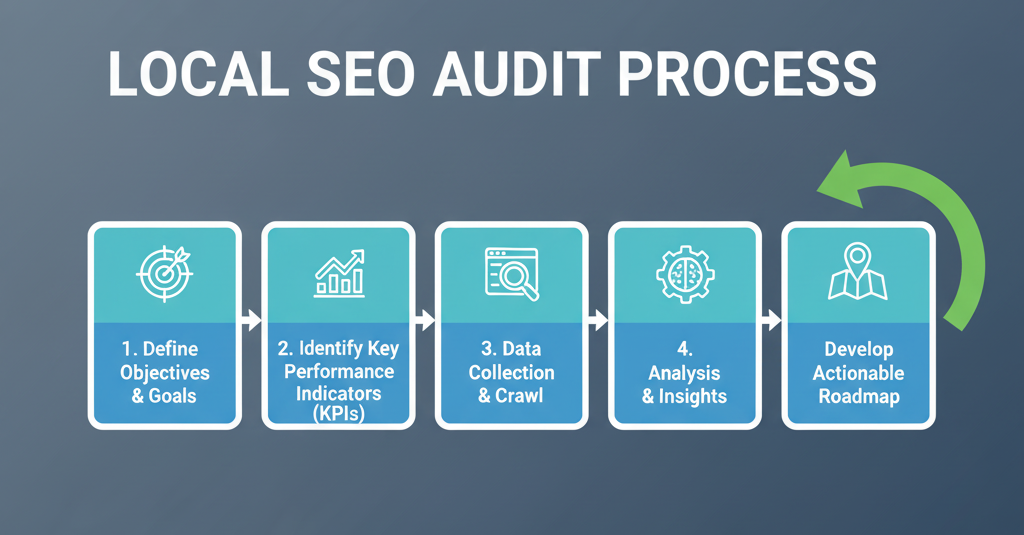
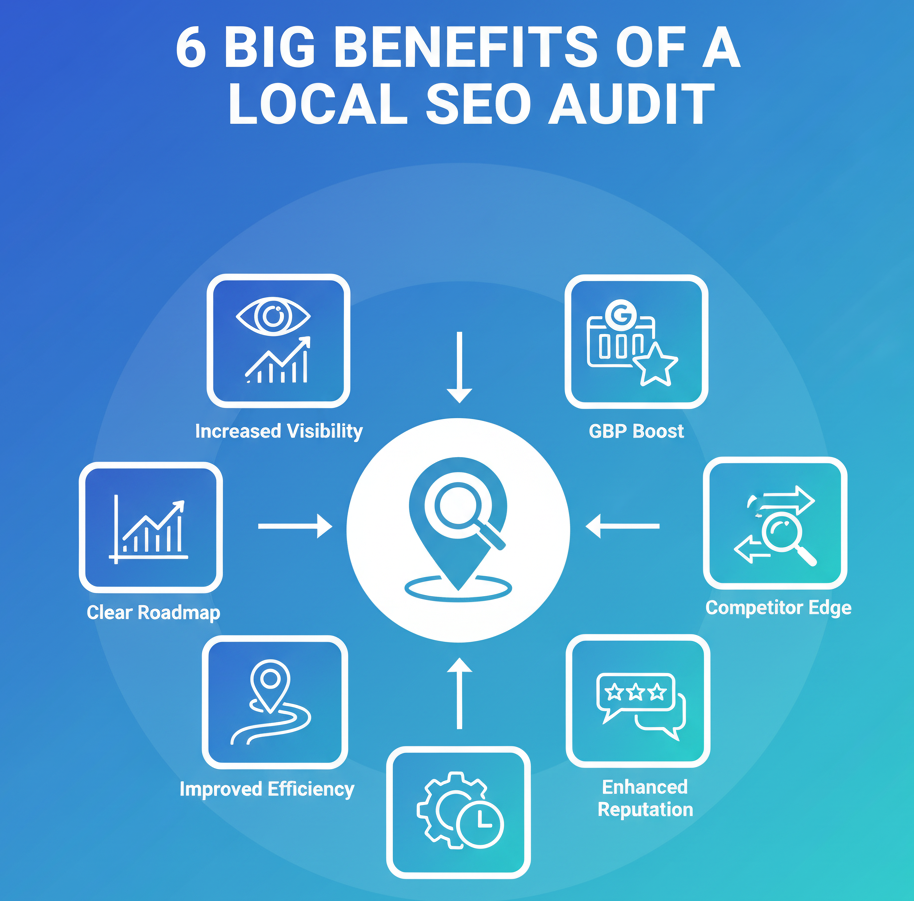
All local businesses want the same thing online: to come up first when local clients search. You may have a law firm, dental clinic, or home services company. Your worst competitors are not international corporations; they’re the businesses down the street showing up on the same Google page as you.
That’s where competitive local SEO analysis comes in. Rather than making an educated guess as to why your competition shows up higher on the local pack or maps, a competitive analysis reveals what’s actually behind their visibility. It’s not necessarily who has the largest budget or most reviews. It’s one who knows what signals Google prefers most in your market, from Google Business Profile optimization to backlinks from local directories, content depth, and even review response tactics.
By the end of reading this guide, you’ll be able to determine your actual local search competition, study their vulnerabilities and strong points, and come up with a strategy to beat them. Because in local SEO, winning isn’t about overall search dominance. It’s about outcompeting the businesses closest to you for the searches that really matter.
What is Local SEO Competitive Analysis?
Local SEO competitive analysis is a procedure for comparing your business with surrounding competitors in local search results, especially Google’s Maps and Local Pack. It examines the strategies, strengths, and weaknesses of your competitors for the same keywords and customers in your immediate area.
This is different from general SEO analysis in that it only considers those elements that influence visibility within local search, such as the following:
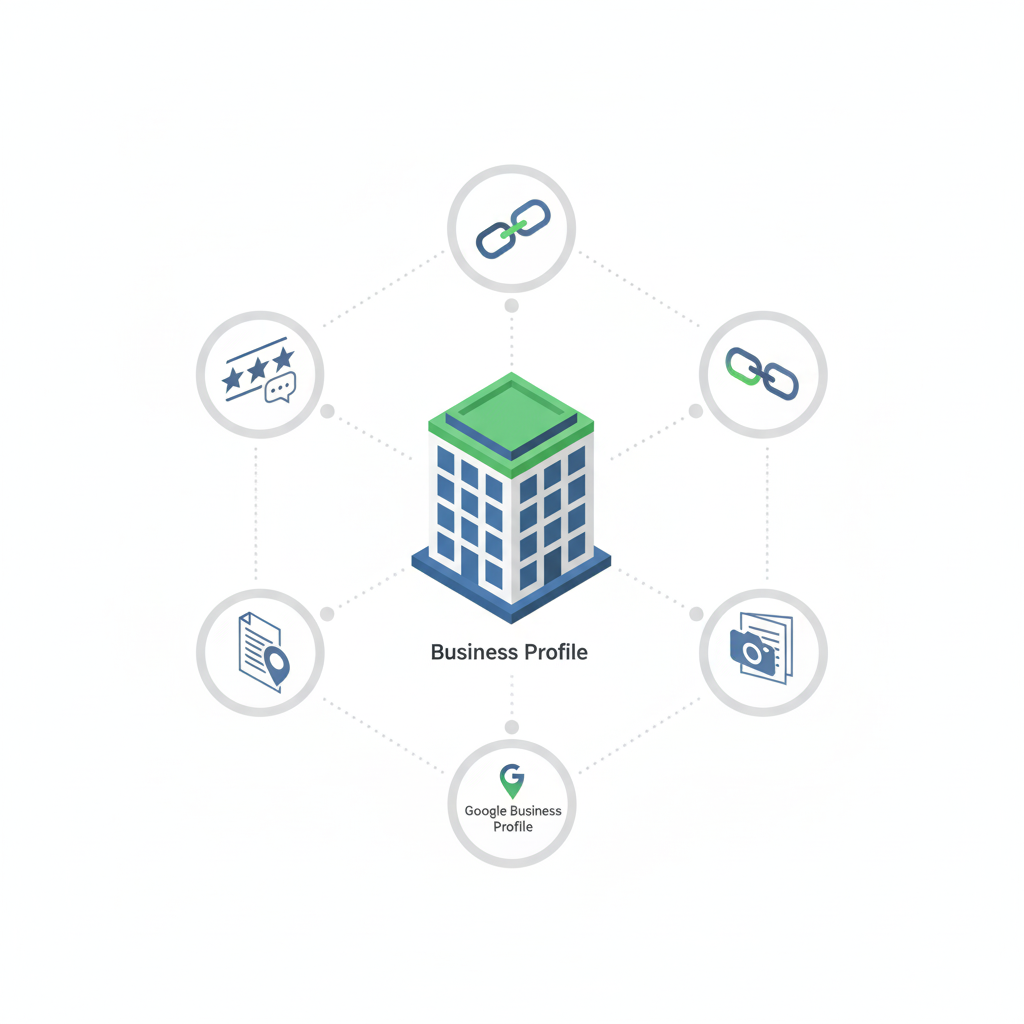
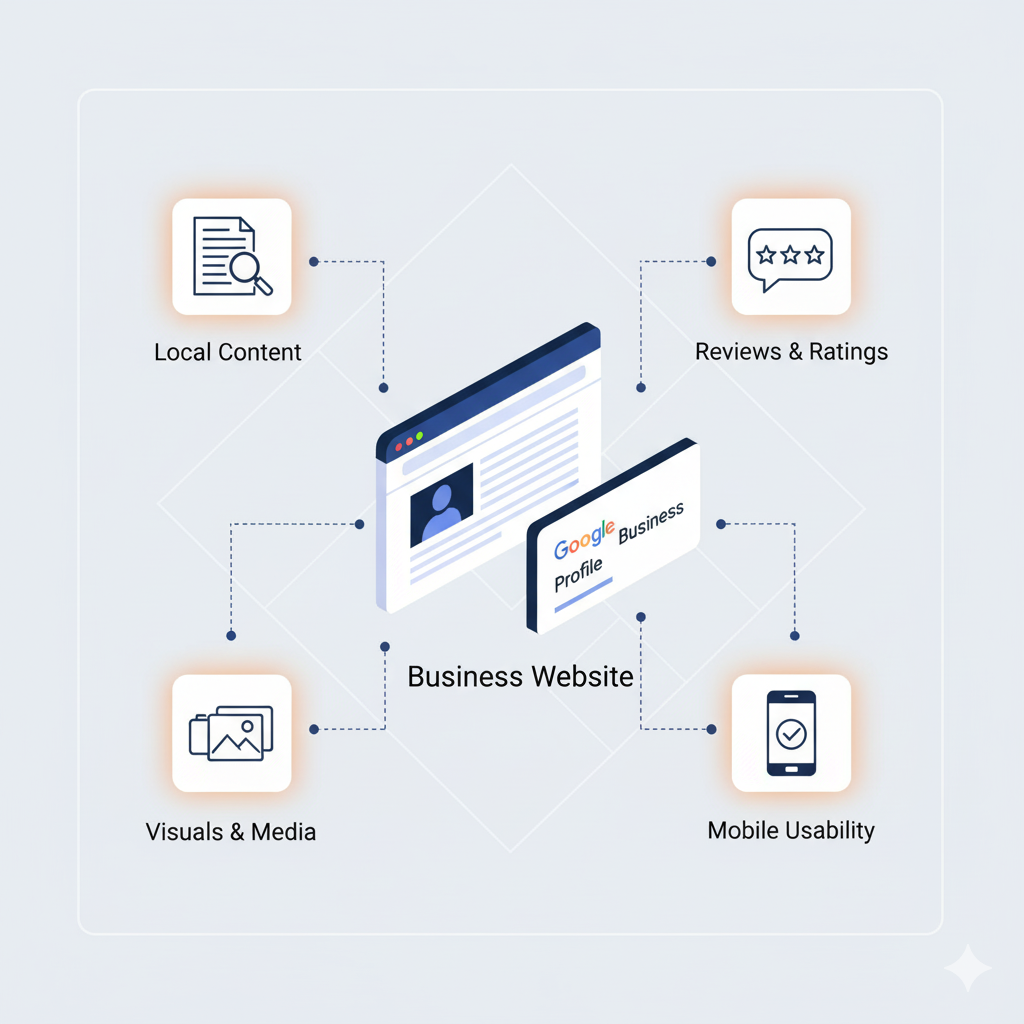
Google Business Profile optimization
Quality and quantity of customer reviews
Local backlink profile strength
Content relevance on location and service pages
Proximity and citation accuracy
Basically, it’s all about figuring out why your competition is owning your spot in local search and how you can close the gap or pass them by.
Why Do Local SEO Competitive Analysis?
Most local companies do not work in an isolation chamber. If you are a restaurant, clinic, or repair service, the customer you are trying to attract is also being pursued by at least five other companies around the corner. That’s what local SEO competitive analysis is about.
Here’s why it matters:
Find gaps in your strategy: If there are competitors showing up in the local pack and not you, analysis shows what they’re doing differently (more reviews, better citations, better service pages optimized).
Rank what actually drives rankings: No guessing; you’ll see which tactics are repeatedly serving up competitors with crushing visibility.
Catch threats in time: If a new competitor starts to climb the rankings, you can react before you get crushed.
Benchmark performance: Seeing your rivals eye-to-eye shows you if you’re closing the gap, remaining flat, or losing ground.
Guide wiser investment: It makes sure your time and money are invested in strategies that will truly put you ahead of companies in your local market.
In total, competitive analysis keeps you from operating blind. It provides you with a clear, data-driven map of how to remain ahead in your local search space.
Identifying Your True Local Search Competition
Another mistake businesses frequently make is that they think their offline competitors are also their search competitors. Not necessarily.
Take a local coffee shop as an example. Offline, it may consider Starbucks to be its primary competitor, but online, it can be outcompeted by smaller neighborhood coffee shops that have optimized their Google Business Profiles and reviews.
Here’s how to identify your real local search competition:
Look up your target keywords in Google Maps and the local pack: These are the businesses really competing for customer clicks.
Consider proximity and category relevance: Google favors businesses nearest the searcher and most relevant to the keyword intent.
Seek out repeated appearances: If a business repeatedly appears in numerous diverse local searches, they’re a powerhouse competitor who needs to be analyzed.
Confirm indirect competition: Sometimes, businesses outside your very niche (e.g., coworking spaces that rank for “meeting rooms”) are hijacking valuable visibility.
You need to build a list of actual search competitors and not the ones you naturally think of in person so that you’re building a plan that targets the businesses that are actually hijacking clicks and customers.
Analyzing Competitors’ Google Business Profiles
Your competitors’ Google Business Profiles (GBPs) are often the deciding factor in whether they win local clicks. A strong GBP can outweigh even a well-optimized website in local results. That’s why studying how competitors manage their listings is key.
Here’s what to review when analyzing competitor GBPs:
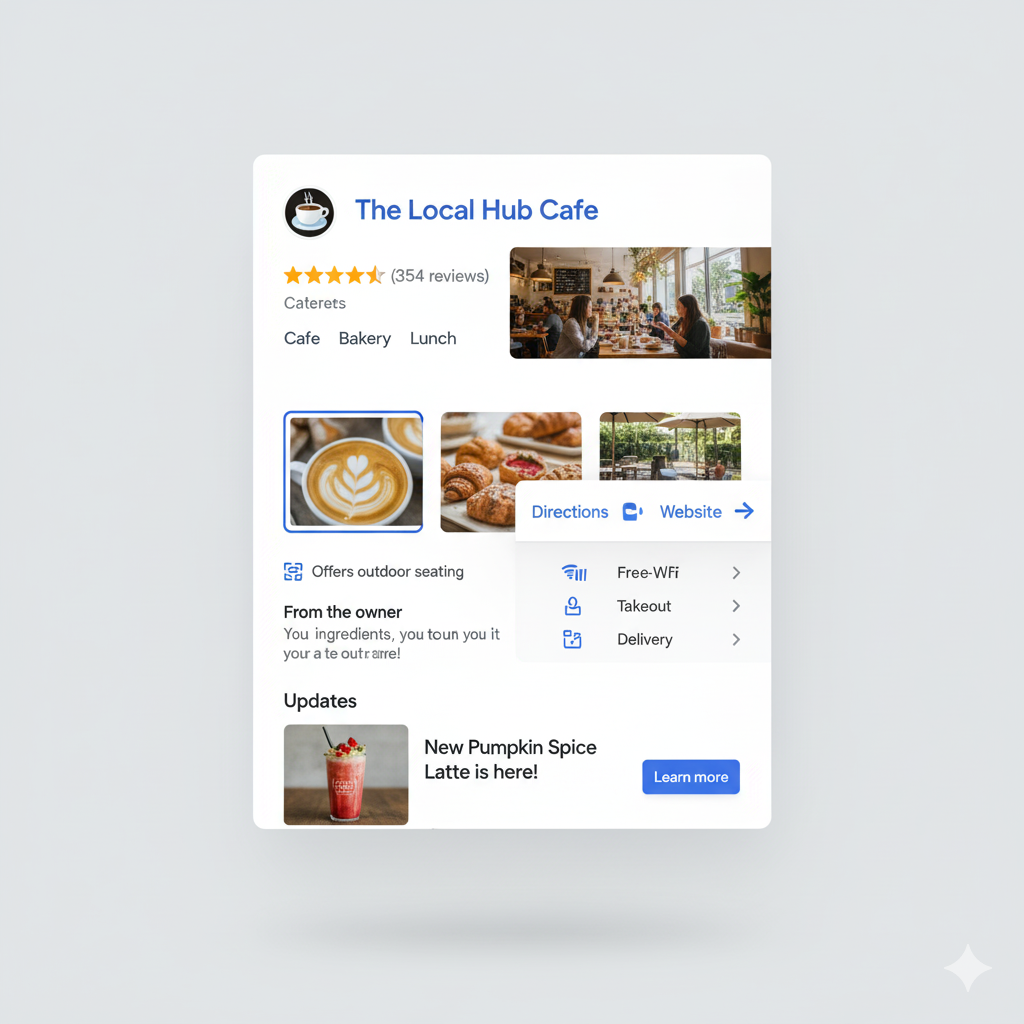
Primary and Secondary Categories
Categories heavily influence visibility. Check whether competitors are using more specific or accurate categories than you.
Business Descriptions
Observe the way they describe their services. Are they keyword-rich but conversational? Do they highlight selling points that stand out?
Photos and Media
A regular stream of good-quality pictures (interiors, exteriors, people, and products) shows activity and gets clicks. Examine photo frequency and recency.
Posts and Updates
Active posts about deals, events, or tips show life. When your competition posts weekly and you update hardly ever, they’re shouting louder to Google and consumers.
Attributes and Services
Check to see if they’ve enabled things like “women-owned,” “free Wi-Fi,” or a menu of services. These small details will make them rank for more queries.
Review Engagement
Don’t just count up reviews. Monitor to observe if they respond, how quickly, and in what tone. Helpful responses can sway fence-sitters.
Suggestion: Create a simple spreadsheet where you note these facts about each competitor. The more time that goes by, the more you’ll see patterns about what works in your local market.
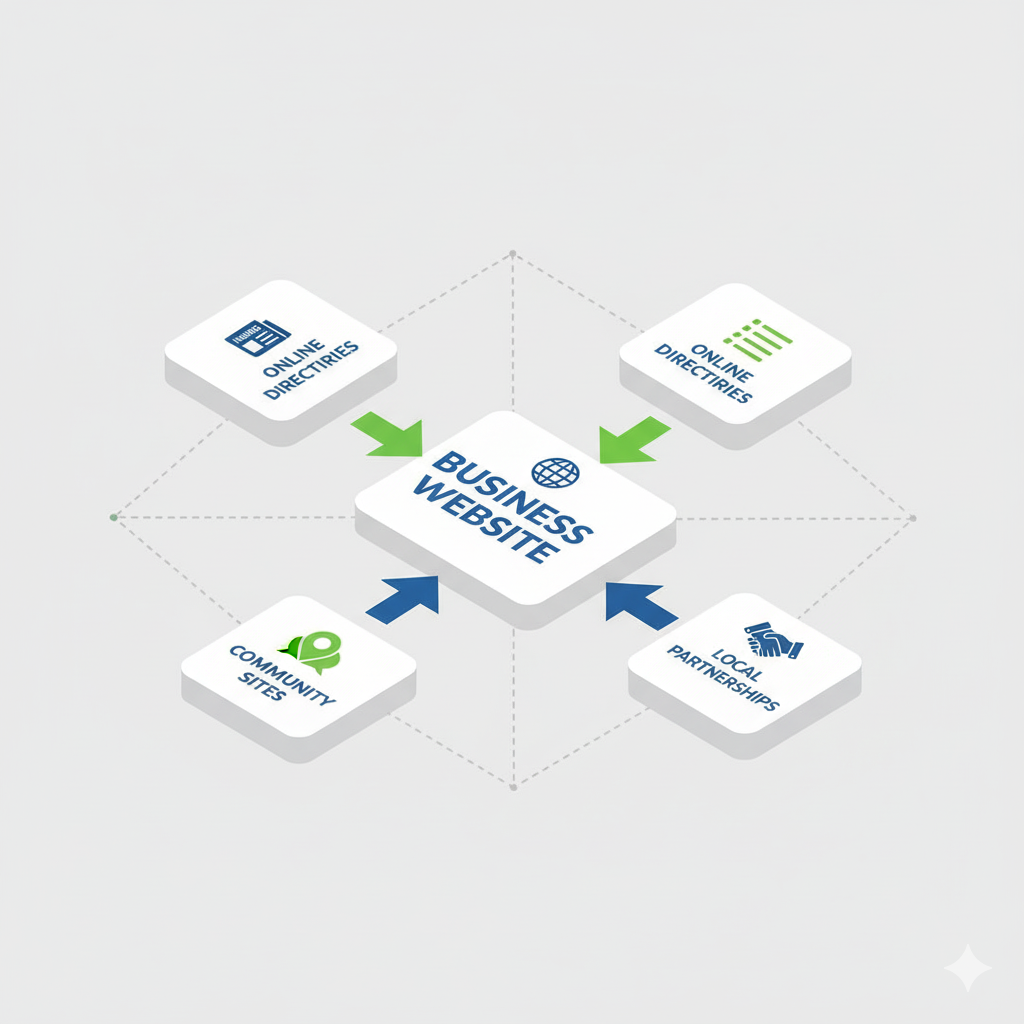
Backlinks are still among the strongest signals for local SEO, but in neighborhood-focused markets, numbers are not everything. It’s quality backlinks that bring a business to the neighborhood. That’s where competitor backlink analysis comes in handy.
Here’s how to do it:
Check Citation Consistency
Start with the basics. Begin at the beginning. Are the competitors listed on big directories such as Yelp, Yellow Pages, or industry websites? If they have more complete and consistent citations, that can explain stronger local rankings.
Look for Local Partnerships
Examine their backlinks for partnerships with local chambers of commerce, neighborhood groups, or event sponsorships. These types of links have both SEO value and trust value.
Spot Media Mentions
Are competitors being emphasized on local blogs, news sites, or neighborhood directories? One or two local media backlinks will drive authority and traffic.
Evaluate Domain Quality
Don’t pursue every link. Review the authority of domains pointing to them. If you notice quality links from local government sites, schools, or nonprofits, mark them as priority targets.
Track Patterns Over Time
Check using Ahrefs or SEMrush when your competitors get new backlinks. This helps you catch recent campaigns like sponsoring a sports team or organizing a charity event that got covered.
By making an outline of where your competitors are getting exposure, you can have a blueprint of link-building opportunities that are within reach for your niche.
Want a detailed audit of your local SEO competition?
Customer reviews do more than offer social proof. In local SEO, they’re a clear ranking signal. Checking out how your competition deals with reviews can reveal where you need to improve.
What to check:
Volume of Reviews
Do the competitors have many more reviews on Google Business Profile or Yelp? A string of regular reviews signals trust and customer engagement.
Review Velocity
Examine how often new reviews are coming in. A competitor who is constantly receiving fresh reviews may rank higher simply because their profile is newer.
Rating Quality
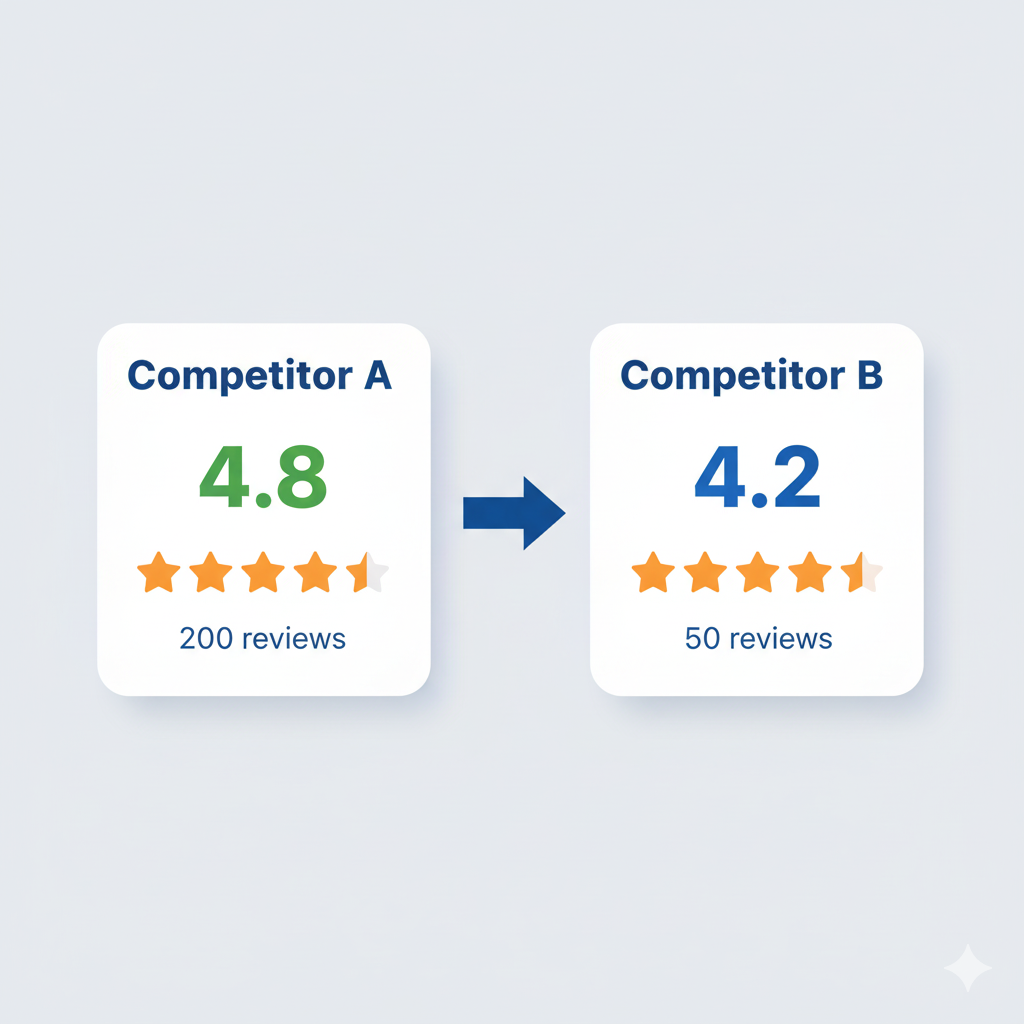
Examine the star ratings across platforms. A 4.8 rating on 200 reviews will usually out-compete a 4.2 on 50 reviews, even if the lower-rated company had been around longer.
Response Strategy
Observe how rivals react. Are they answering positively and negatively? Prompt, businesslike responses maximize visibility and can have an indirect impact on ranking factors.
Keyword Presence in Reviews
Consumers are likely to employ naturally occurring expressions like “best plumber in [city]” or “reasonable dentist close to me.” Should these expressions be present in rivals’ reviews, it maximizes their local SEO presence.
Third-party Platforms
Don’t depend solely on Google alone. Competitors are likely using other avenues like TripAdvisor, Healthgrades, or Angi based on your niche.
Review profile analysis enables you to spot gaps in your reputation plan and build a review system that not only catches up with the competition but also runs past them.
Content Gap Analysis for Local Businesses
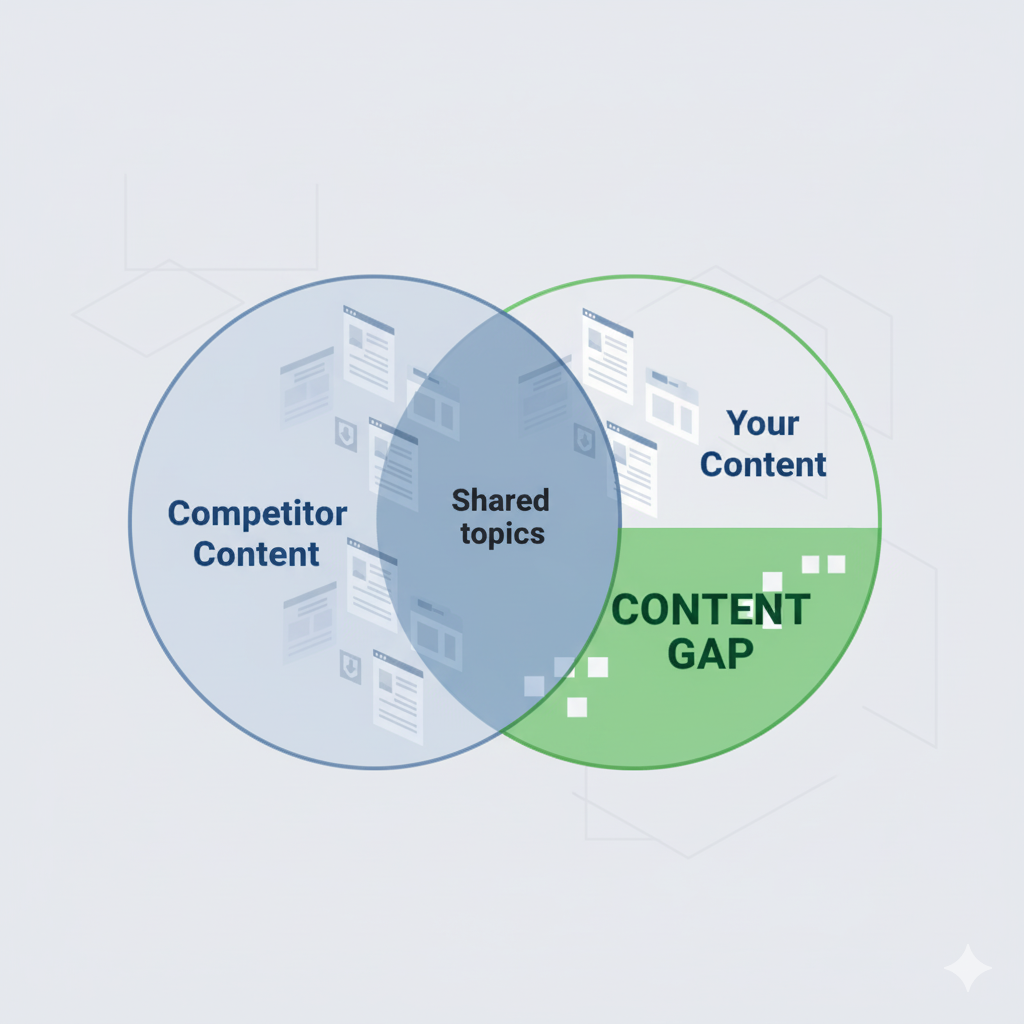
If you want to outrank rivals, you need to see what they’re sharing that you’re not and how those holes impact visibility. That’s where content gap analysis comes in.
This is how you do it:
Audit Competitor Location Pages
Check whether rivals have rich location pages with service descriptions, FAQs, and local keywords. If your page is thin, you’re missing out on opportunities to rank.
Blog and Resource Content
Are rivals answering regular customer inquiries with blog posts or guides? A local roofer, for example, writing “How to spot roof damage following a storm” may be diverting traffic from you.
Service-Specific Details
Some businesses possess price ranges, step-by-step sequences, or case studies. If rivals have this and you don’t, they will be regarded as more authoritative.
Visual Content
Most local businesses underuse images and video. Competitors who feature before-and-after photos, walkthroughs, or customer reviews in video format can drive engagement.
FAQ Coverage
Check competitor FAQ pages focusing on customer intent. These tend to win featured snippets or voice search answers.
Schema Usage
Schemas such as FAQ schema or review schema can bring competitor content more into view. If not using it, visibility is being left on the table.
The concept isn’t to do what everyone else is doing, but to see how they’re covering something and then creating something more comprehensive, accurate, and useful to local consumers.
Technical SEO Competitive Advantages
Content and reviews matter, but technical SEO typically makes or breaks who stays at the top of the ranks. Little tweaks in these areas can push you ahead of competitors who are neglecting them.
The most important ones to track when monitoring your competitors are described below:
Site Speed and Core Web Vitals
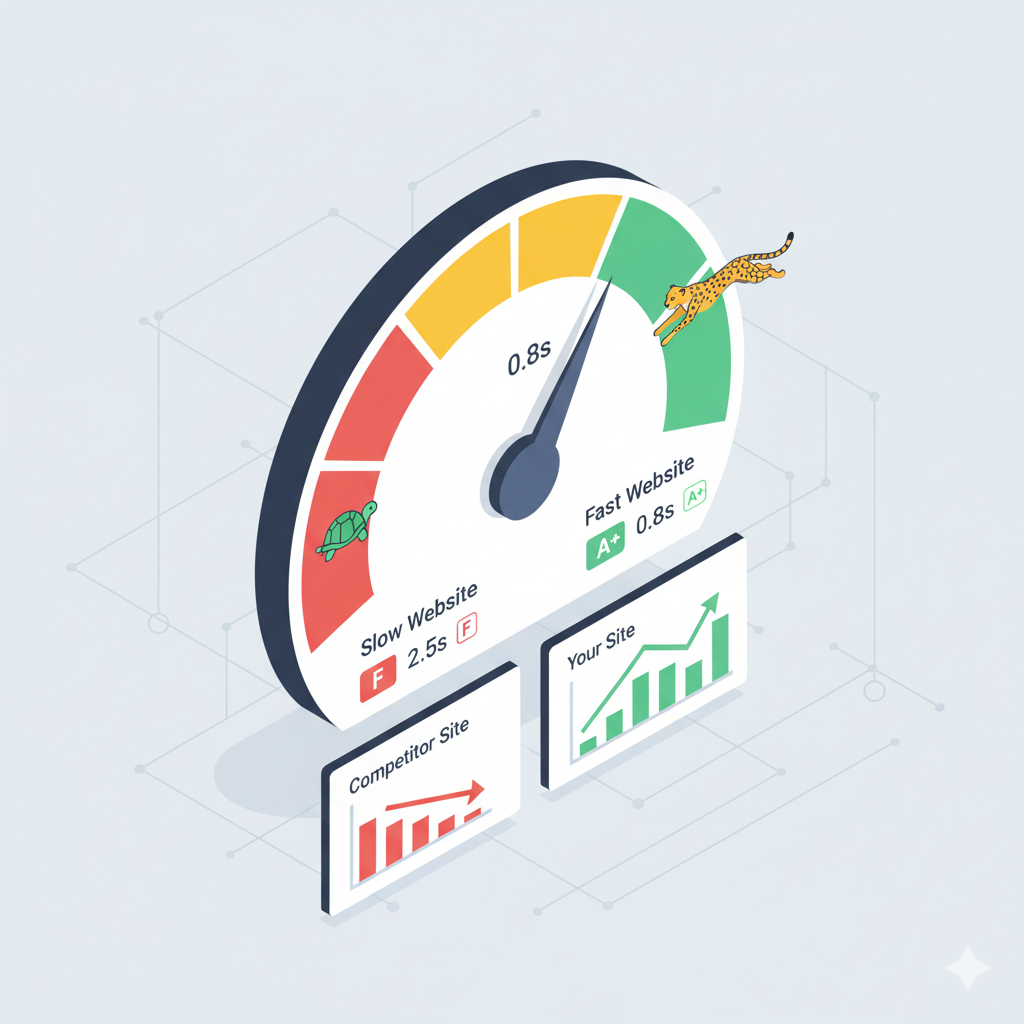
Most local rivals still have slow, clunky websites. If you can offer a faster, mobile-optimized experience, Google will notice. PageSpeed Insights and other resources can identify where competitors fall behind.
Crawlability and Indexing
Certain competitors unknowingly block important pages using robots.txt or forget to submit sitemaps. A technical audit can spot these weaknesses.
On-page Structure
Study the competitors’ application of headings, internal linking, and schema markup. Search engines get more vigorous signals when a well-defined hierarchy with local keywords is displayed.
Local Schema Markup
Companies that implement the LocalBusiness schema with information such as opening hours, service area, and reviews tend to receive richer SERP presentations. If your competitors aren’t doing it, that’s an obvious opportunity.
HTTPS and Security
Believe it or not, some small businesses still aren’t using SSL. Secure websites aren’t only a ranking signal; they establish trust with consumers.
Mobile Usability
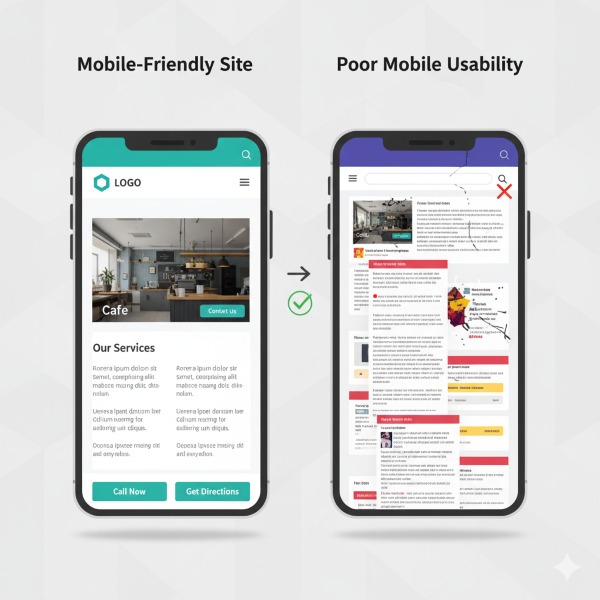
Ensure that the rival websites are absolutely responsive. If their websites are not available on mobile or are slow to load, that is your opportunity to shine with a nice mobile-first layout.
When you include technical muscle to better content and reviews, you’re stacking benefits that allow you to leave behind local competition in search results.
Creating a Competitive Differentiation Strategy
Once you have reviewed the competitor’s profile, backlinks, reviews, and technical SEO, then comes the decision of how to differentiate. Local SEO competitive analysis is only helpful if it can be turned into activities that differentiate you in your niche.
Here’s how to develop that differentiation strategy:
Highlight Unique Value
If all competitors focus on “fast service” or “family-owned,” those messages become diluted. Determine what you do differently, whether it’s longer hours, special services, or distinctive guarantees, and make it the focus of your Google Business Profile, website, and local content.
Create Locally Relevant Content Competitors Miss
Most companies post generic blogs. You can succeed by writing about hyperlocal subjects, such as neighborhood guides, local event summaries, or service-specific FAQs that apply to your region.
This fills in the blanks others miss.
Strengthen Your Review Strategy
When competitors get more reviews, don’t play catch-up. Create a framework for consistent, genuine reviews. Highlight answers to customer questions and share stories that make your company human.
Go Beyond Rankings
Visibility is important, but conversion is king. Even when you tie in local pack rankings, superior offers, communications, and user experience will bring customers to your doorstep.
Differentiation isn’t about doing everything competitors do. It’s about doing the right things better and signaling your uniqueness consistently across all search touchpoints.
Ongoing Competitive Monitoring Systems
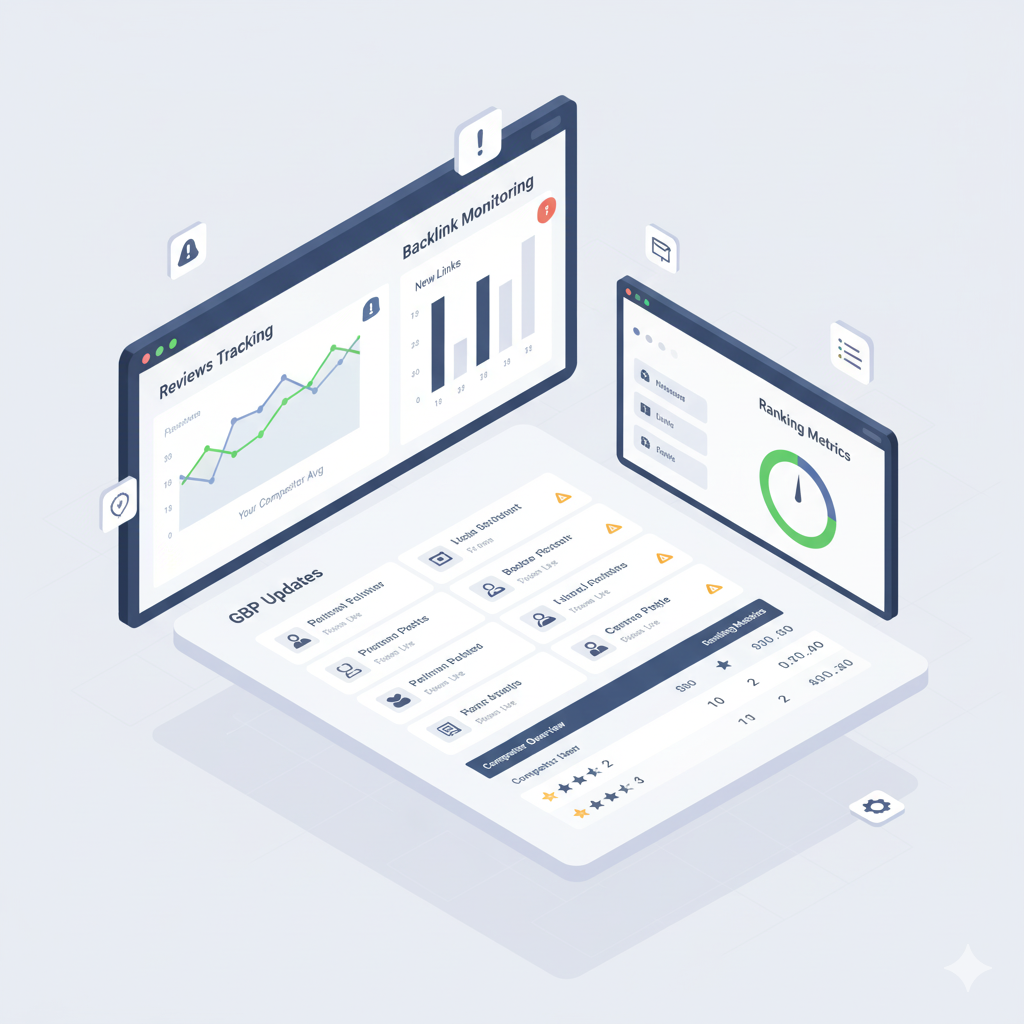
An analysis of competition is not a single-project endeavor. Local search results change continuously as companies refresh profiles, accumulate reviews, or implement new campaigns. If you wish to remain competitive, you require systems to monitor competitor activity.
Here’s what’s best:
Monthly Google Business Profile Checks
Monitor changes competitors make to categories, images, posts, or services. These minor tweaks can influence local pack visibility.
Review Alerts
Use monitoring tools or manual checks to see how competitors manage customer feedback. Their review growth can signal when they’re running new outreach efforts.
Content Tracking
Subscribe to competitors’ blogs or monitor location page updates. If they’re building out guides, service pages, or community content, you’ll know when to match or improve.
Backlink Growth Monitoring
Monitor new local mentions or links competitors obtain. This makes it easier to see local collaborations or sponsorships that you can emulate or surpass.
Quarterly Full Analysis
Monthly monitoring keeps you updated, but a formal quarterly review prevents you from losing out on long-term changes in rankings, backlink tactics, or technical SEO enhancements.
A regular monitoring system converts competitor analysis into a reactive project and an ongoing advantage in local SEO rivalry.
Conclusion
Competitor analysis for local SEO is not merely about noticing what your neighbours are up to. From Google Business Profile competition assessment to backlink, review, and content gap analysis, all findings you make assist you in creating a stronger strategy.
The secret to success is maintaining consistency. Competitors will always be updating their listings, acquiring new reviews, and testing out content.
In actuality, this indicates that outranking local rivals requires more intelligent, data-driven strategies that build up over time rather than taking shortcuts.
Sites that want search engines to understand their pages need to use data. This is not something they can ignore anymore. Search engines are changing how they show results. They do not just show links anymore. Search engines need to know what a page is about and what it is talking about. Structured data helps with this. It gives search engines the information they need in a way that they can understand. Structured data is like a guide that explains what everything means.
The real problem that structured data solves is ambiguity.
Structured data helps to avoid confusion.
Without data, search engines have to figure out what things mean from the HTML and the way things are laid out on the page and from the text patterns. This method works.
This guide is actually doing things. You will not find explanations or big promises that do not mean much. It shows you how structured data is used, how schema markup for search engine optimization really works when people use it, and how to use schema markup for search engine optimization in a way that follows the rules of search engines, like how schema markup for search engine optimization should be used.
What Is Structured Data?
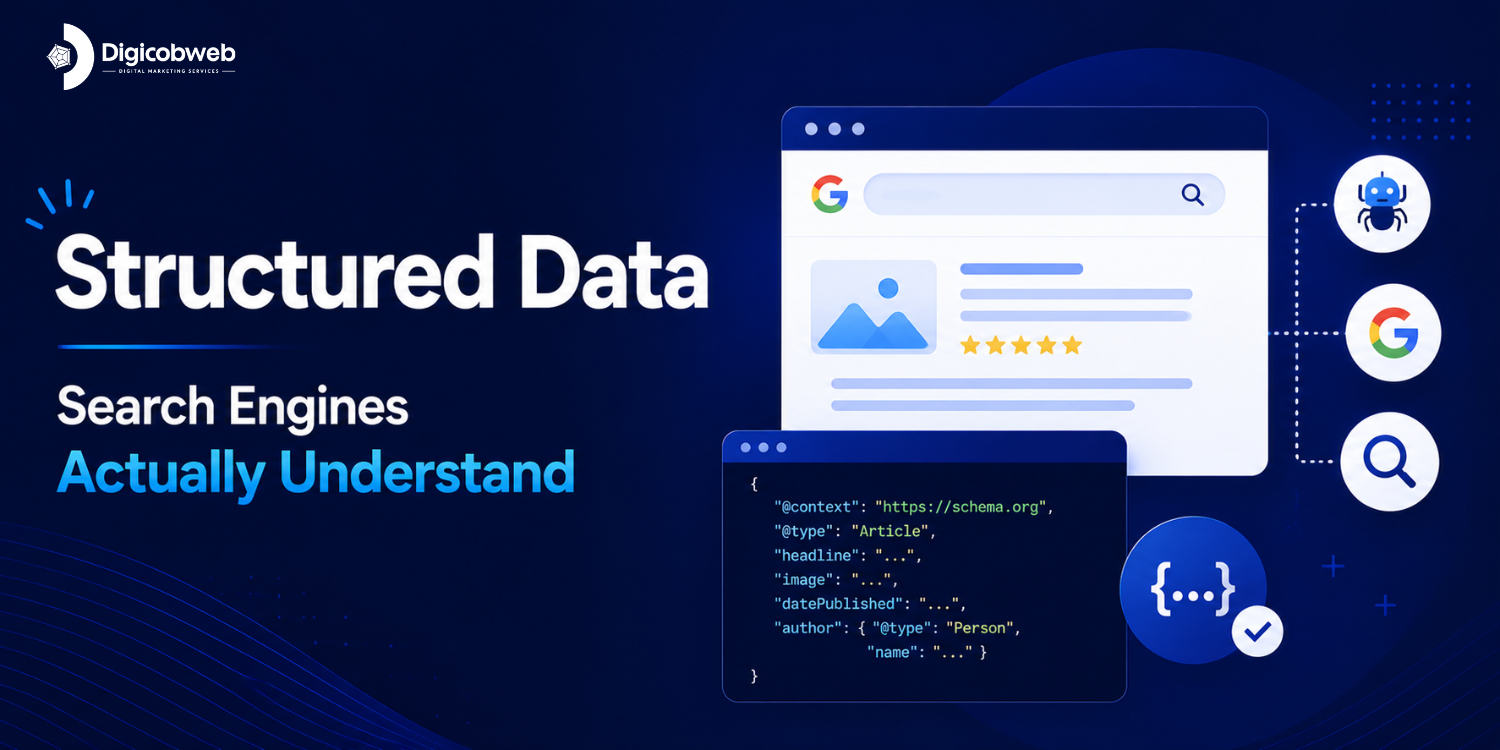
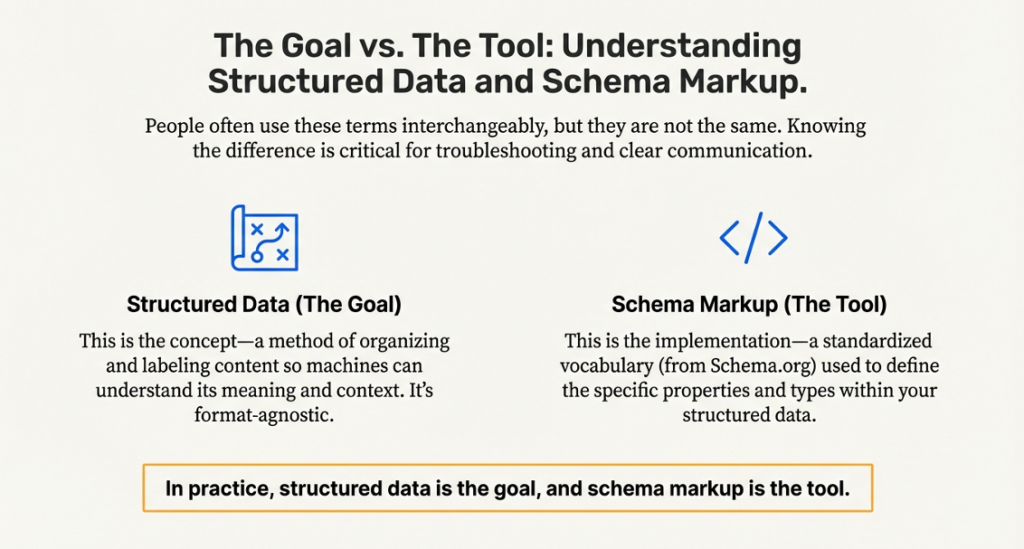
Structured data is a standard format for telling the search engines what your page content means. It’s a way to describe the content of your page to a search engine in such a way that a software program (spider or crawler) can understand it without necessarily interpreting it.
Instead of forcing crawlers to guess which HTML elements and text patterns represent important data, structured data markup specifies what each piece of content represents.
Structured data defines entities that exist, such as articles, products, organizations, reviews, or their attributes. Having this information helps feed rich results, knowledge graphs, and other enhanced search features. It’s more important because it helps the search engine understand the page context with less ambiguity.
Structured data in SEO is fundamentally a form of communication. You are communicating to the search engines precisely what the page contains and how it should be categorized. When carried out correctly, this very data presents the right indexing together with consistent interpretation across search systems.
Structured Data vs Schema Markup
When we talk about data and schema markup, people usually think they are the same thing. They are not. Data and schema markup do different things to help with search engine optimization. It is really important to know the difference between data and schema markup. This helps us avoid mistakes when something goes wrong with the markup or when we need to explain things to the people in charge.
The table below shows how structured data and schema markup are different and how they work together in life.
Aspect
Structured Data
Schema Markup
Definition
A method of organizing and labeling content so machines can understand its meaning
A standardized vocabulary used to describe structured data
Purpose
Provides context and meaning to page content
Defines the specific properties and types used in that context
Scope
Conceptual and format-agnostic
Tied to Schema.org definitions
Used by
Search engines, AI systems, data parsers
Implemented by developers and SEOs
Dependency
Can exist in multiple formats
Most commonly used to implement structured data
SEO Role
Helps search engines classify and interpret content
Enables structured data to be understood consistently
Common Misunderstanding
Assumed to be “code” or a ranking factor
Assumed to work automatically without proper content matching
Real-World Example
Describing a page as a product with price and availability
Using Product, offer, and availability properties from Schema.org
In practice, structured data is the goal, and schema markup is the tool. When people refer to structured data markup, they usually mean Schema.org definitions applied using formats like JSON-LD. What matters most is not the wording, but whether the markup truthfully represents what users can see on the page.
Why Structured Data Matters for SEO
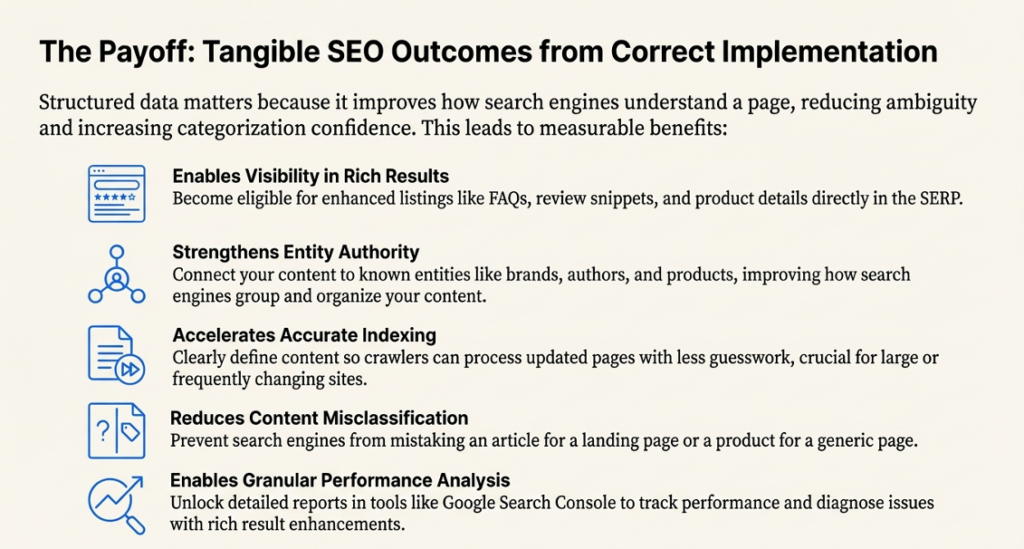
Structured data matters, not because it promises rankings, but because it improves the way in which search engines understand a page. When markup is correctly implemented, it reduces ambiguity and helps search engines categorize content with greater confidence.
1. Visibility in Rich Results
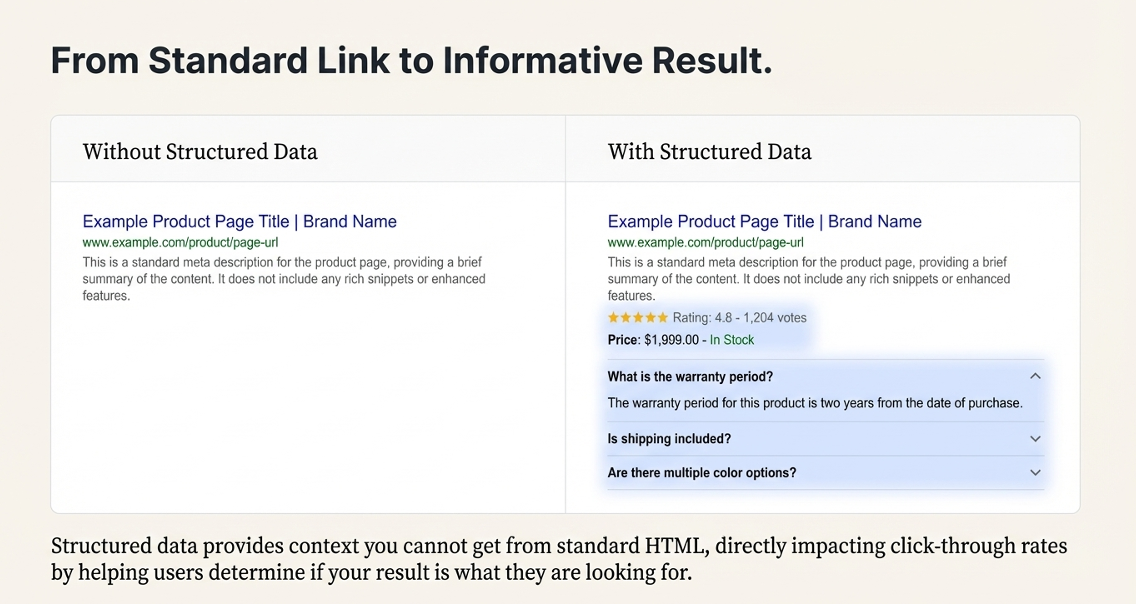
Using data makes your website eligible for rich results like FAQs, review snippets, and product details. This is really useful because it makes your search listings more informative. It adds context that you cannot get from standard HTML. Structured data is what makes this possible. It is a good thing to have. Structured data helps people find the information they need when they search for something. It can include things like FAQs, review snippets, and product details.
2. Clear Understanding of Page Context
When you do not have structured data, search engines have to make guesses about what a page is about. Structured data markup helps a lot by saying what things are on a page, how they are related, and what they are supposed to do. This is really important for pages that do lots of things or have a lot of information. Structured data is very useful for these kinds of pages because structured data helps search engines understand what the page is about.
3. Impact on Click-Through Rate
When you have structured data, it does not mean you will get rankings. It usually makes your listings look better in search results.
The title of your listing, the ratings people give you, and the details you provide all help people figure out if your result is what they are looking for. This can affect how likely people are to click on your result.
It does not take the place of the basic rules of search engine optimization.
4. Faster and More Accurate Indexing
Structured data is really helpful for search engines. They can look at updated pages and understand what is going on without having to guess as much.
When you clearly say what something is and what it is about, the crawlers that search engines use do not have to work hard to figure out what you mean.
This means that search engines can keep track of things easily, which is especially important for big websites or websites that change a lot.
Structured data makes it easier for search engines to keep everything straight and up-to-date.
5. Stronger Entity Associations
Search engines really need to know about the relationships between things. When you use data markup, it helps your content connect to things that are already known, like brands, authors, products, and organizations.
This makes it easier for search engines to group your content in a way that makes sense.
It reduces the problem of having lots of pieces of information that are not connected, and it improves how search engines organize content.
6. Consistency Across Search Surfaces
Search engines really need to know about the relationships between things. When you use data markup, it helps your content connect to things that are already known, like brands, authors, products, and organizations.
7. Reduced Risk of Misclassification
Pages without data can get mixed up, especially when the layout is really complicated or there are lots of different types of content.
Having a clear schema markup for search engine optimization is a help because it stops articles from being thought of as landing pages.
This is important for search engine optimization, so it is good to have schema markup for search engine optimization to avoid these problems with pages and products and articles.
8. Better Data for Performance Analysis
Structured data helps us get a view of things in tools like Search Console.
When we use result enhancements with markup, we can figure out what is going on with structured data when we see drops or improvements or problems with structured data that make some pages not work right.
Types of Structured Data Used in SEO
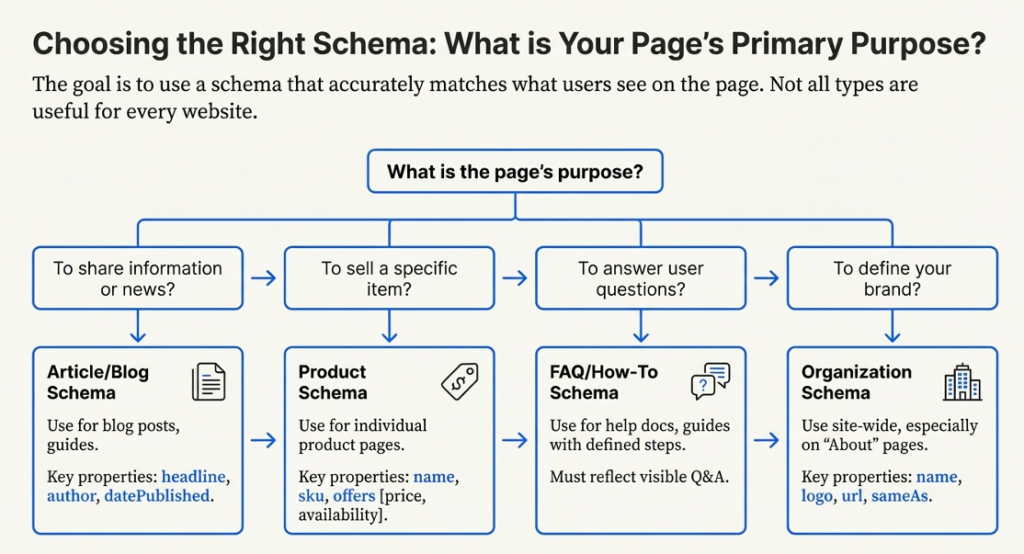
Not all structured data types are useful for every website. The goal is to use a schema that’s a good match for what the page is about and what users actually see on the page
Here are the commonly used structured data types for search engine optimization and when and how to use them.
Organization
When we talk about an organization schema, we are basically talking about the identity of a business or a brand.
This helps search engines figure out that a particular website is connected to a business or brand, the organization schema.
Some things that are the same with these things include:
name
logo
url
sameAs (social profiles)
This markup helps people know our brand and makes it look the same on search systems. It is good for brand recognition. It helps to keep things consistent across all the search systems that we use.
Article/Blog
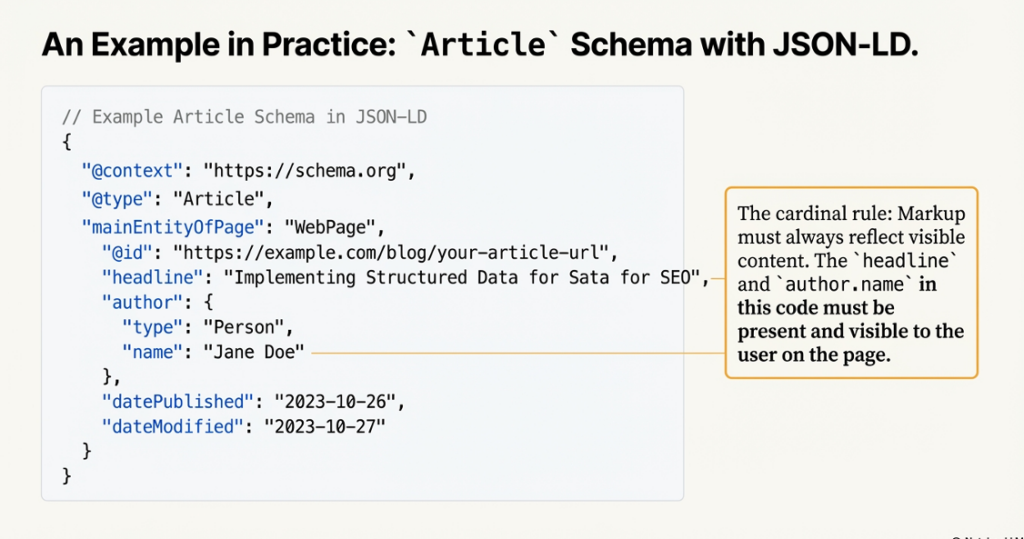
The article schema is used for things like blog posts, news articles, and guides. This helps the search engines figure out who wrote something and when it was published.
The article schema also tells the search engines what type of content it is, like a blog post or a news article.
Some important things about this are
headline
author
datePublished
dateModified
mainEntityOfPage
This is really important for websites that are all about the content. For these sites it is crucial that people know who wrote the stuff and that the information is up-to-date.
The thing is, authorship and freshness of the content really matter for content-driven sites.
Product
The product schema is used on the pages for each product. This is where you can see the price of the product if the product is available and the details of the product. The product schema is really helpful because it shows users the pricing, availability, and product details.
Some things that are usually part of something are:
name
description
sku
offers (price, availability)
When you are looking at a page that’s clearly about something you can buy, that is when you should use product markup.
Do not use it on pages that list lots of things, like category pages.
Product markup is for pages that are really about a specific product that people can purchase.
Review/Rating
The review and rating schema provides context around user feedback. It must be tied to a specific product, service, or content piece.
Important rules:
Reviews must be visible on the page
R/Ratings reflect real user input
Self-serving reviews should be avoided
Misuse here is one of the fastest ways to lose rich result eligibility.
FAQ / How To
FAQs are really useful when you want to make sure the answers are easy to find and clearly presented on the page.
You use the Asked Questions and How-To schemas for content that is meant to teach someone something or answer their questions in a straightforward way.
Things you can use it for include:
Help documentation
Product setup guides
Educational articles with defined steps
Do not use this schema for marketing claims or hidden content
How to Implement Structured Data Markup
When you are working with data, the implementation is really important.
The way you set up the data is crucial. You have to think about the format you use, where you put the data, and how well it matches the information that people can see.
The implementation of data is key.
JSON-LD vs Microdata vs RDFa
Three supported formats for structured data markup:
JSON-LD
Microdata
RDFa
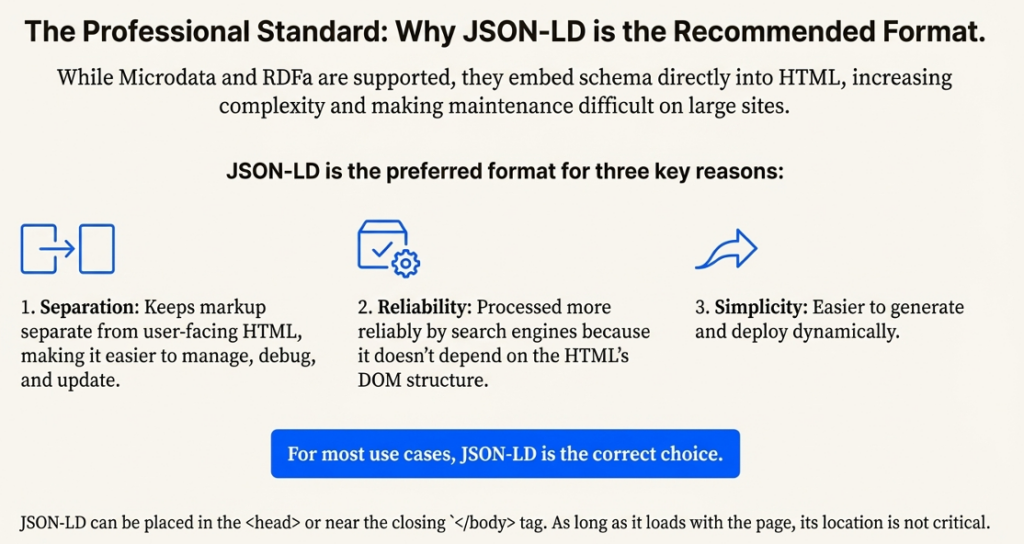
JSON-LD is the preferred format for structured data for SEO. It keeps markup separate from HTML, which makes it easier to manage, debug, and update. Search engines also process it more reliably because it does not depend on DOM structure.
Microdata and RDFa embed schema directly into HTML elements. While still supported, they increase implementation complexity and are harder to maintain on large sites.
For most use cases, JSON-LD is the correct choice.
Where to Place Structured Data
You can put JSON-LD markup in the head of the page or near the end of the body. Where you put it does not matter.
The important thing is that the JSON-LD markup loads when you load the page. This means you can place JSON-LD markup in the head or near the closing body tag, and it will still work fine.
What matters is alignment:
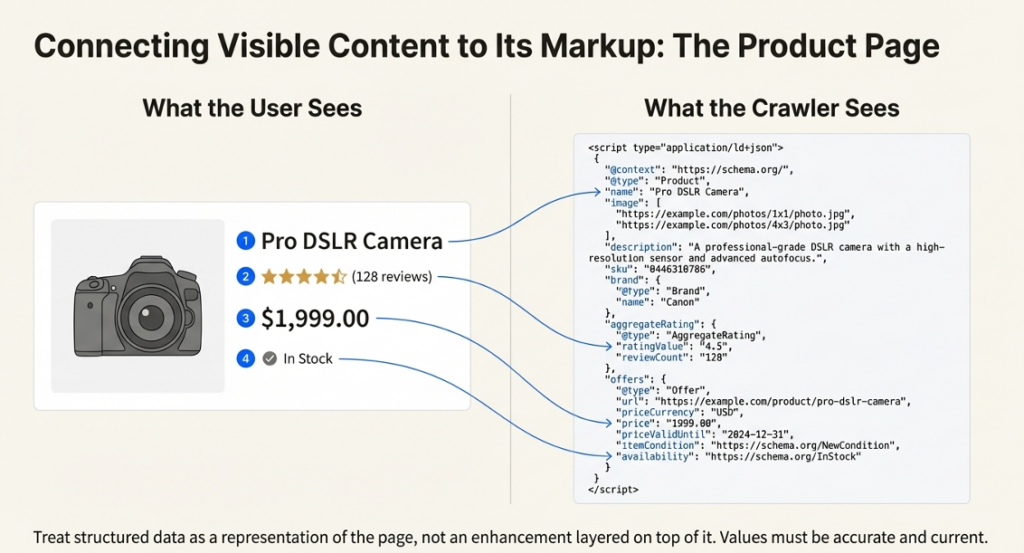
Markup must reflect visible content
Properties must match page intent
Values must be accurate and current
Treat structured data as a representation of the page, not an enhancement layered on top of it.
Have questions about implementing structured data markup on your site?
When you use data, it works really well if you do it based on what the page is about, not just what is easy to do with a template. Here are some examples of how people use schema markup for search engine optimization on their web pages.
Blog Article Page
When you write a blog article, you should use the article or blog posting schema. This schema is really important because it helps search engines figure out who wrote the blog article, when it was published, and what the blog article is about. The article or blog posting schema is very useful for defining the kind of content you have in your blog article.
Typical use case:
Educational or informational content
Clear author attribution
Defined publish and update dates
When we are implementing something, we should make sure it is accurate. The title that we see at the top of the page should be the same as the title in the markup.
Product Detail Page
Product schema is appropriate only for individual product pages where pricing and availability are visible. It should never be used on category or comparison pages.
Typical use case:
Single product for sale
Price, currency, and availability displayed
Optional user reviews
Product structured data markup helps search engines associate commercial attributes with the correct entity, reducing the risk of misclassification.
FAQ Content Page
When you have a page that is set up with questions and answers that users can see, you should use the FAQ schema.
This is because the FAQ schema is really good for pages that have questions and answers that are all visible to users. The page is structured around these questions and answers, so it makes sense to use the FAQ schema in this case.
Typical use case:
Help center articles
Setup or troubleshooting pages
Educational content with clear Q&A formatting
We think expandable sections are okay. We do not like it when content is hidden or added in a sneaky way. If users of the website cannot get to the answer, then the answer should not be marked up. We want to make sure that users can see the information they need, so we do not want any hidden content, especially when it comes to sections and marked-up answers.
Organization Information Page
An organization schema is often implemented site-wide but is especially important on About or Contact pages.
Typical use case:
Brand identification
Official website representation
Social profile confirmation
This markup supports entity consistency across search results and knowledge systems.
Validating Structured Data
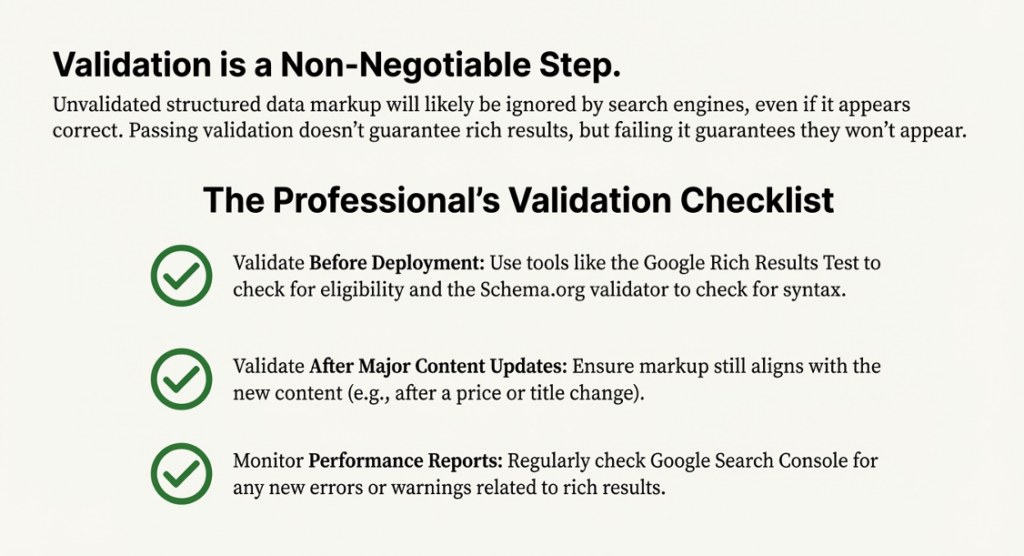
Validation is something you have to do. It is not something you check after you have already launched something.
If you put codes on your website like structured data markup and you do not validate it, then it will probably be ignored. This is true even if the codes look fine when you first look at them.
You really need to make sure your structured data markup is validated so it works properly.
Using a Schema Markup Checker
The Google Rich Results Test will tell you if your web page is eligible for search features. The Schema.org validators will check if the syntax is correct and if the properties are accurate.
You need to use these tools to make sure your schema markup is working properly on your web page.
Always test your web page with the Google Rich Results Test and the Schema.org validators to see if your schema markup is correct.
We need to do the validation. The validation is a step. We are talking about the validation, so the validation is key.
Validation should be done:
Before deployment
After major content updates
When rich results disappear from Search Console
Passing validation does not guarantee rich results, but failing it guarantees they won’t appear.
Common Validation Errors
Most errors fall into a few predictable categories:
Missing required properties
Invalid data types or formats
Markup applied to the wrong page type
Inconsistent values between markup and visible content
Warnings are often overlooked, but they usually signal reduced eligibility or partial interpretation.
How to Fix Validation Issues
Fix issues at the source rather than suppressing errors. Update the markup to reflect the actual page content or adjust the page to support the required properties.
When a page cannot meet schema requirements, remove the markup entirely. Incorrectly structured data is worse than no structured data.
Common Structured Data Mistakes to Avoid
Most structured data issues come from overuse or misalignment with content. Search engines are strict about accuracy, and repeated mistakes can lead to markup being ignored entirely.
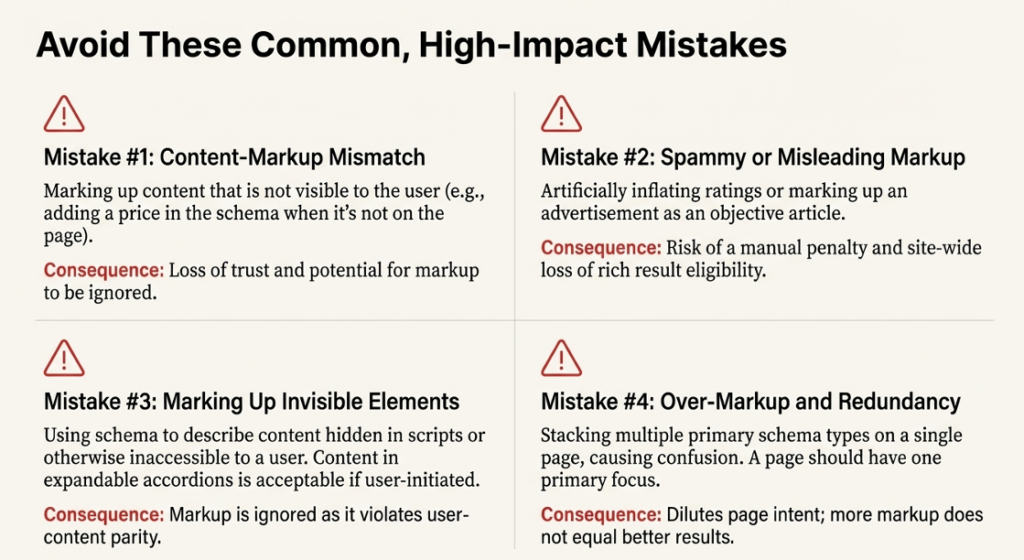
1. Mismatched Content and Markup
People often make a mistake when they add information that’s not even on the page.
The product price and review score and author name should only be in the data markup if they are visible to users.
Search engines look at the markup. The content that people actually see. If the information in the markup and the content do not match, then people do not trust search engines much.
Search engines need to be able to trust the information they find, so when the markup and the content do not match, search engines have a problem with trust.
2. Spammy or Misleading Markup
You should not use data to make things seem better than they are. For example, do not add reviews or make your ratings look higher than they really are.
When people misuse this thing, it usually means they will not be able to get results on their whole website, not just the page that has the problem.
This type of misuse can cause a lot of trouble. It affects the entire site. The rich results will be.
This is a big deal for the website. This type of misuse is something that people should try to avoid because it can hurt their website.
3. Marking Up Invisible or Injected Elements
You should not use codes to hide things from people who are looking at your website. Do not add scripts or extra content that only computers can see.
It is okay to have content that can be expanded, like when you click on something. It shows you more as long as people can get to it too.
If people cannot easily get to the content, then the content should not be included in the schema markup for search engine optimization. The schema markup for search engine optimization is only helpful if people can actually see the content. So if the content is not accessible to people,
It does not make sense to include it in the schema markup for search engine optimization.
4. Over-Markup and Redundancy
When you put a lot of different schema types on one page, it gets confusing. A page should really have one main thing it is about.
You can add things to the page, but only if they help make the main thing clearer.
The main thing on the page is what is important, so do not add things unless they have a good reason to be there.
Using a lot of markup does not mean you will get results. More markup is not always the answer to getting what you want.
The amount of markup you use does not determine how good your results will be. Markup is a tool, and using more of it will not make your results better.
Structured Data and AI-Driven Search
Computer search systems that use intelligence need signals that are organized in a certain way to understand what things mean.
This helps the computer figure out what is what and how things are connected without getting confused. Artificial intelligence search systems, like these, rely on signals to understand content.
When you look at a website, structured data markup is like a label that tells computer programs what the page is actually about, not just what words are on it.
This is really useful for things like companies, products, or people who write things because it helps computer programs understand what they are looking at. Computer programs can then take this information.
Match it up with other information from other places more correctly. This is very important when you want to get a version of something, compare things, or get answers that make sense in a certain situation because structured data markup helps computer programs like AI systems understand the context of the information, and this is especially important for structured data markup and AI systems.
For AI-generated search features, structured data for SEO is really important. It helps with things like names, dates, and relationships. The search results are more accurate. This means there is a chance of getting things wrong.
Structured data for SEO does not tell the AI what to do. It makes the information the AI uses better. This is good because it helps the AI give results.
Structured data for SEO is like a foundation that supports the AI-generated search features.
Best Practices for Long-Term SEO
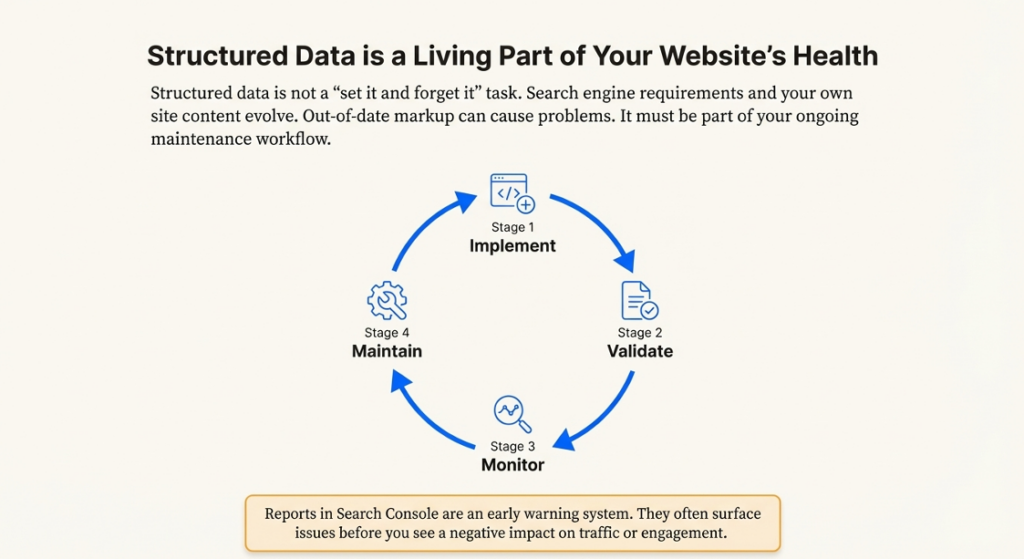
You should always keep an eye on your data. It is not something you do once. Then forget about it. Search engines are always changing what they want from you. The content on your website is also changing all the time. If your structured data gets out of date, it can cause problems.
Structured data needs to be part of the work you do to keep your website running smoothly.
Ongoing Maintenance
When the page content gets updated, the structured data markup needs to be looked at. If something, like the title or the price or who wrote it, changes, the structured data markup has to change too. This is so that the structured data markup and the page content do not have information. The structured data markup should always match the page content.
Templates are like the backbone of sites; they drive both the content and the schema, so it is crucial to get them right.
Staying Aligned With Schema Updates
Schema.org is always making changes. Adding new things to its properties. You do not need to check every update that Schema.org makes.
To get the results from search engines, it is a good idea to follow the instructions in the search engine documentation. This helps make sure that your schema markup for search engine optimization is okay and can still show up as results. You should always check the search engine documentation to keep your schema markup for search engine optimization working properly and showing results.
Monitoring Performance
You should use Google Search Console to keep an eye on the data reports and the rich result enhancements. If you see a drop in the Search Console, it usually means there is a problem with the validation: the content does not match, or the policy has changed. You need to check the Search Console to see how the structured data is doing and if the rich results are working correctly.
I think of these reports as a way to check if everything is okay. They usually show us problems before we notice anything is wrong with the traffic or how people are interacting with the site.
Conclusion
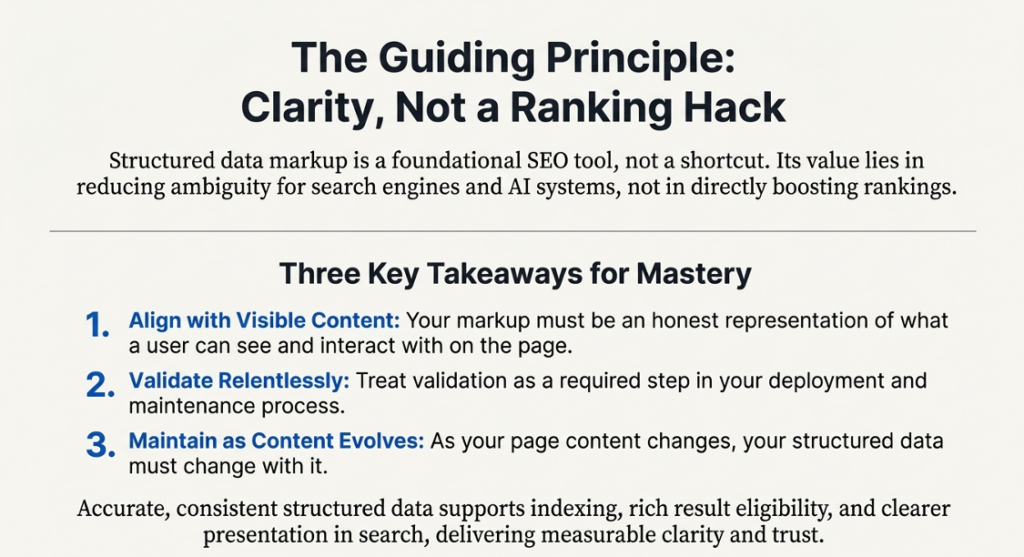
Structured data markup is a foundational SEO tool, not a shortcut or ranking hack. When implemented correctly, it clarifies page intent, ensures accurate entity recognition, and improves eligibility for rich results. Its value lies in reducing ambiguity for search engines and AI systems, not in directly boosting rankings.
The practical takeaway is simple: align your schema markup with visible content, validate it regularly, and maintain it over time. Accurate, consistent structured data supports indexing, rich result eligibility, and clearer presentation in search results. Treat it as a supporting layer of SEO that reinforces your content and technical structure, and it will consistently deliver measurable clarity and trust.
✦ Quick Answer: Service area business SEO is the process of optimizing your online presence to rank in local search results without a physical storefront. It covers your Google Business Profile service area settings, location-specific landing pages, NAP consistency, local citations, schema markup, and content signals, all designed to prove to Google you are the most relevant, trusted choice in the cities and neighborhoods you serve.
A service area business (SAB) is any business that travels to customers rather than receiving them at a fixed location. Plumbers, electricians, HVAC technicians, landscapers, mobile pet groomers, cleaning companies, and home repair contractors all fall into this category.
Unlike traditional local SEO tactics that attempt to get foot traffic, service area optimization is merely about showing Google and your customers that you’re applicable to the cities and neighborhoods you serve, despite the fact that you don’t have a physical location of business.
This guide covers the specific challenges SABs face, how to properly set up and optimize your Google Business Profile, how to build location relevance through landing pages and content, why schema markup is now non-negotiable, and how to track performance across multiple service areas. By the end, you’ll have a complete plan to make your service area business visible in local search and competitive with every business that has a physical address.
1. Unique Challenges for Service Area Businesses
What makes SEO tricky for service-only businesses?
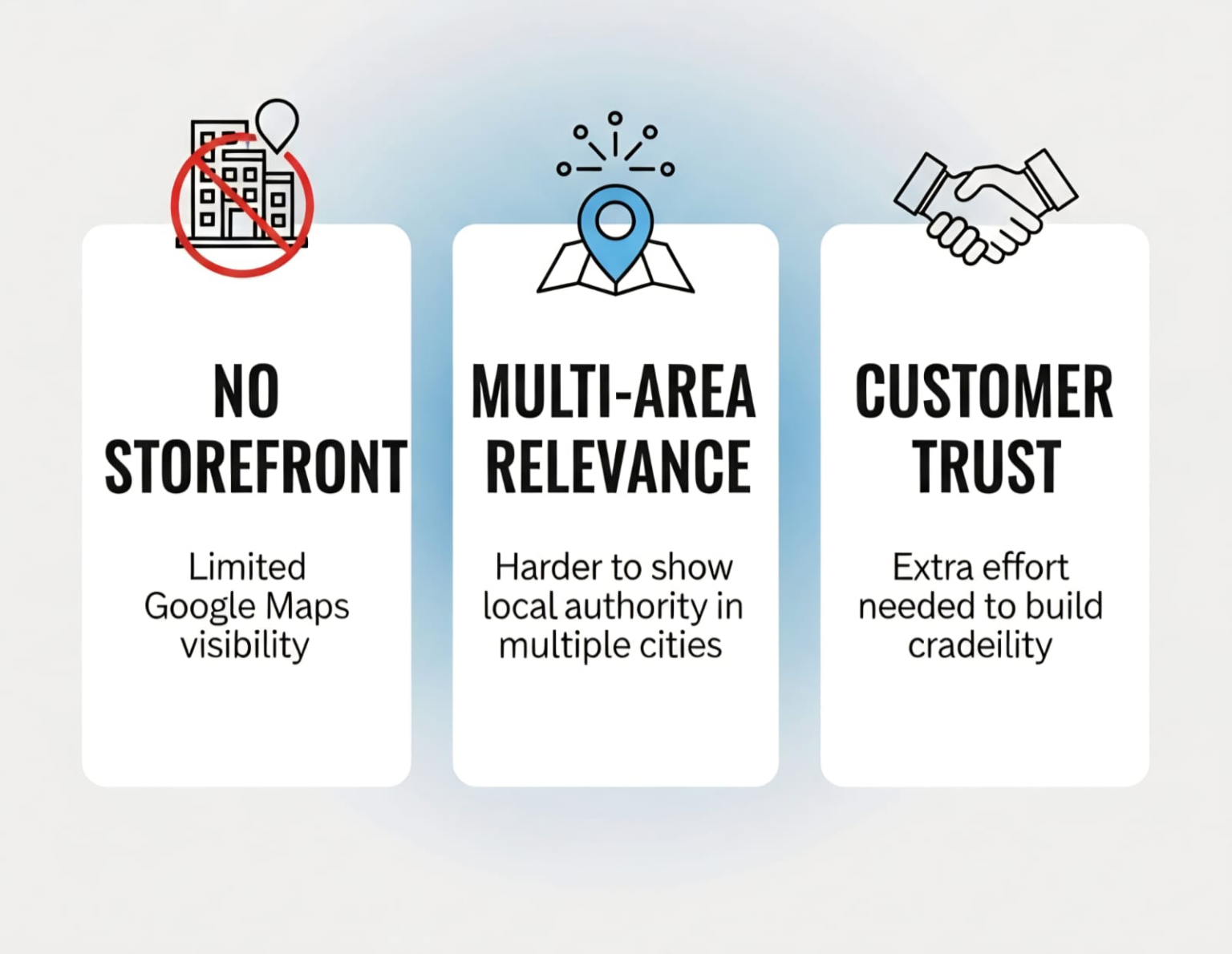
Unlike a restaurant, store, or clinic, service contractors don’t have a fixed location where customers visit. This creates three main challenges:
No storefront for Google Maps visibility: Without a location, it’s harder to appear in the Local Pack, where map listings are front and center.
Showing relevance in multiple areas: If you operate in five cities, you need to show Google that you’re trustworthy in all of them, not just the location of your business.
Managing customer trust: Many customers still expect to “see” a business on the map. Service-only businesses need extra effort to build credibility with reviews, service area signals, and local content.
The Good News: Google doesn’t penalize service area businesses. But the path to visibility is different. Rather than pinning your hopes on passersby or walk-ins, you must:
Establish defined service area limits within Google Business Profile
Create content that reflects your local expertise
Earn trust through reviews and authority-building in each market
Key Insight: The 2025–2026 local search environment has made structured signals more important than ever. Service area businesses that invest in schema markup, consistent NAP data, and location-specific pages now compete directly with and often outrank brick-and-mortar competitors in their service zones.
That’s why the rest of this blog focuses on how to overcome these hurdles with service area business SEO strategies customized for mobile service providers, contractors, and home service companies.
2. Google Business Profile for Service-Only Businesses
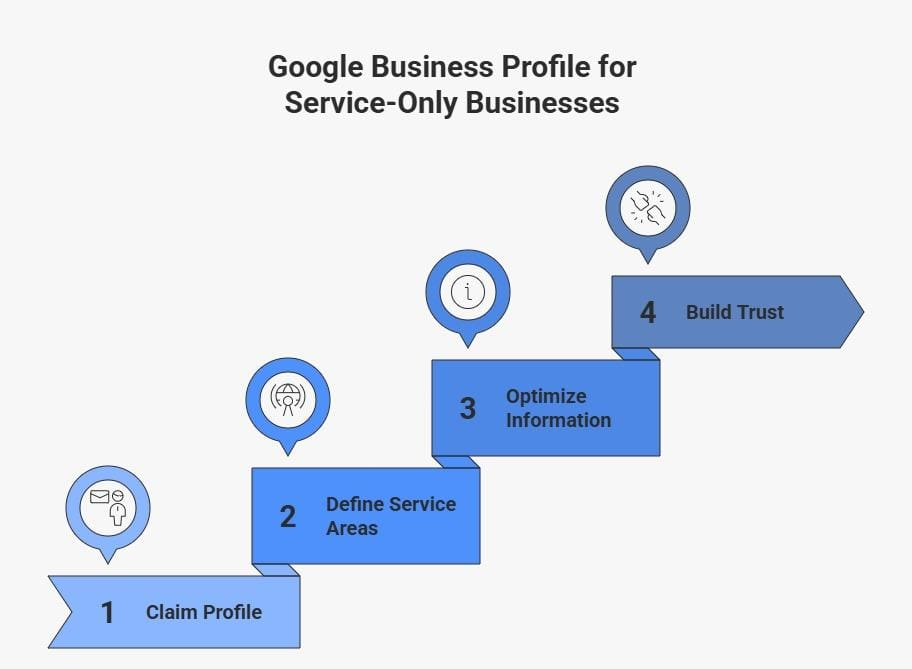
Your Google Business Profile is the foundation for ranking service area businesses. Even without physically being there, you can use GBP to indicate your service areas, establish credibility, and show up in local search.
Step 1: Claim and Authenticate Your Profile
Begin with Google Business Profile verification. The ways to verify are mail, phone, or email. For service businesses alone, you must mask your home address so that you can have a private personal life but are still allowed to set service areas.
Step 2: Decide on Your Areas of Service
You can post the cities, regions, or ZIP codes that you serve in GBP. This informs Google precisely where your business is involved, which is important for showing up in local search results for each community.
Step 3: Optimizing Business Information
Use an accurate business name and category
Add complete business hours and services
Include a concise, keyword-rich description (incorporate service area business SEO).
Step 4: Build Trust via Media and Reviews
Post images of your crew members, equipment, and previous projects to build credibility. Encourage customers to leave reviews, which help your local search visibility directly.
Pro Tip: In 2026, review velocity matters more than review volume. A steady flow of 5–10 genuine reviews per month signals active business management to Google. A burst of 50 reviews at once triggers spam filters.
3. Service Area Settings Optimization
If you have an online business without a physical store, your Google Business Profile service area settings are what make or break your visibility. This is where you tell Google exactly which cities, ZIP codes, or regions you service.
Best Practices for Service Area Optimization
Be Specific but Realistic: List cities or ZIP codes where you actually serve customers.
Avoid Overextending: Don’t add every city in your state. Stick to your true service areas.
Match On-Site Content: Make sure your website mentions these areas, ideally with location-specific landing pages.
Update When Expanding: If you start covering new regions, update your GBP right away.
This step is about showing Google you’re not “everywhere,” but you are the best choice in the areas you actually serve.
Setting
Recommended Approach
Service area input
List specific cities and ZIP codes, not radius
Number of areas
Up to 20, prioritize your highest-volume markets
Area size
City or neighborhood level, not county or state
On-site match
Every GBP area should have a corresponding landing page
Update frequency
Immediately when coverage changes
4. Creating Location Relevance Without a Storefront
One of the hardest aspects of operating a service area business is proving to Google (and shoppers) that you’re local in the absence of a physical shop or office. As you can’t depend on walk-in traffic or a physical storefront, you must establish relevance otherwise.
Why NAP Inconsistency Hurts Service Area Businesses
Real Impact: If your company name is ‘Dallas Fast Plumbing’ on your website but ‘Dallas Fast Plumbing LLC’ on Yelp and ‘DFW Plumbing’ on your Facebook page, Google sees three potentially different businesses. That confusion directly reduces your local map pack rankings.
NAP Best Practices for SABs
Location-Specific Landing Pages
Create dedicated pages for your top service areas. Each should feature unique content, customer testimonials from that area, and service details tailored to local needs.
Local Content Marketing
Local content marketing is all about publishing blogs about community events, seasonal service tips, or regional challenges. For example, a plumbing business might write about “Winterizing Pipes in Chicago” to show real geographic expertise.
Citations and Directories
Make sure your business is listed (with accurate NAP information) on good local directories and service sites. Since you don’t have a store, these citations assist in validating your presence.
Local Reviews
Encourage happy customers to mention their city or neighborhood in reviews. This helps tie your business to the service location in Google’s eyes.
Backlinks From Local Sources
It’s best to partner with associations, charities, or blogs in your city and get inbound links to your city-specific pages.
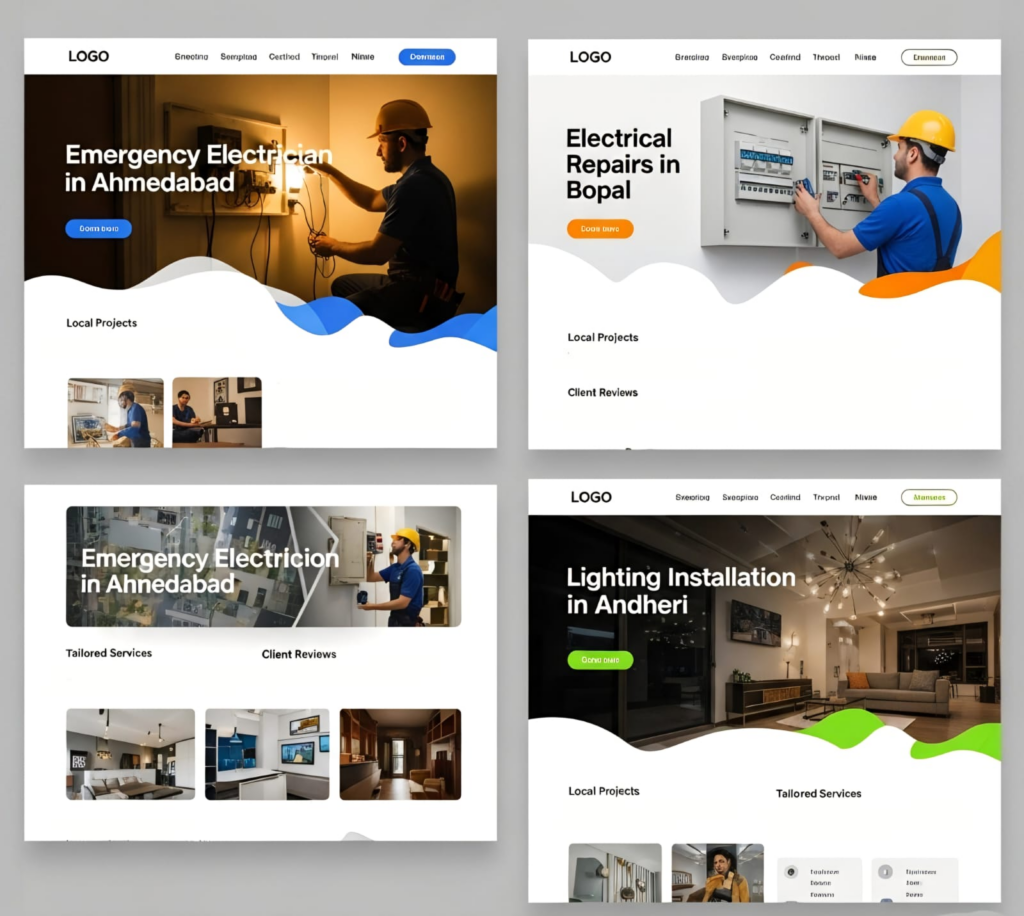
Example Scenario
Imagine a mobile electrician covering three towns. Instead of one generic “Services” page, they publish:
“Emergency Electrician in Ahmedabad”
“Electrical Repairs in Bopal”
“Lighting Installation in Andheri”
Each page highlights projects done locally, reviews from nearby clients, and clear service area coverage. This approach tells Google, “I’m relevant in each of these locations, not just floating around with no base.
5. Service-Specific Landing Page Strategies
For service area businesses, landing pages aren’t just a way to showcase offerings; they’re your biggest tool for ranking in multiple locations without a storefront. A well-structured page should do three things: explain the service clearly, prove your expertise, and tie it back to the area you serve.
Standard to Avoid: One generic ‘Services’ page listing all cities is not enough. Google cannot derive strong location relevance from a list. Each primary service area needs its own dedicated page with unique content.
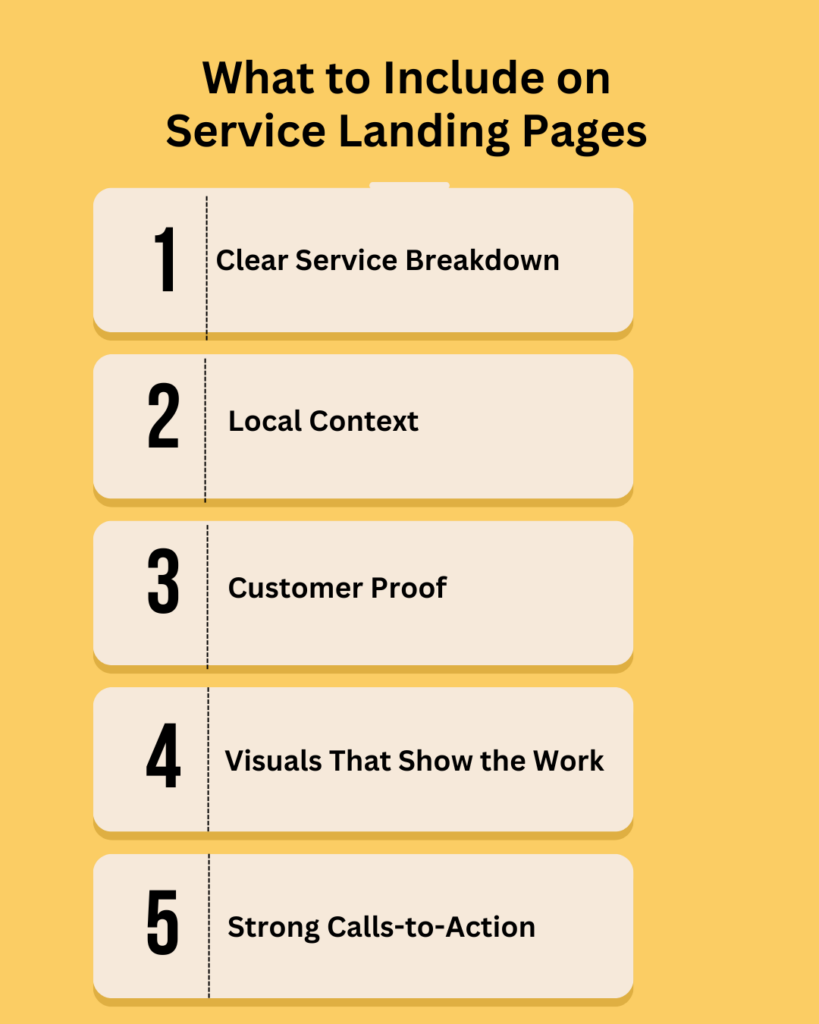
What Every Service Area Landing Page Must Include
Clear Service Breakdown
Don’t just say “Plumbing Services.” List out drain cleaning, water heater installation, leak detection, etc., so both users and search engines understand the full scope.
Local Context
Add references to the city or neighborhood where you offer that service. Example: “AC repair in Downtown Austin apartments” vs. just “AC repair.”
Customer Proof
Emphasize your local event contribution, sponsorships, or partnerships. If someone in a target area praises your work, highlight it here.
Visuals That Show the Work
Images of your crew on the site, before and after photos, or brief explanation videos can be utilized to augment the page.
Strong Calls-to-Action
Place CTAs mid-page like “Book Your Water Heater Repair Today” or “Schedule a Free Roofing Estimate in Denver.” These should feel natural and local.
Real Example: Plumbing Contractor Covering 3 Cities
Page
What Makes It Unique
Emergency Plumber in Dallas, TX
References Dallas’s aging pipe infrastructure; testimonial from Oak Cliff resident
Drain Cleaning in Fort Worth, TX
Local hard water challenges: case study from Near Southside neighborhood
Water Heater Repair in Plano, TX
High-demand season content; quote from Plano homeowner; Plano-specific CTA
Each page tells Google, ‘I’m not just floating around with no base. I’m the expert in this specific place. ‘That combination of geographic specificity, unique content, and local proof is what drives home service marketing results at scale.
On-Page SEO Checklist for Each Landing Page
• Page title: [Service] in [City, State]: 50-60 characters
• Meta description: Include primary keyword, city, and a clear benefit: 145-155 characters
• H1: City + Service combination: appears once
• H2s: Break content into scannable sections; include city name naturally in 2-3 H2s
• Internal links: Link to your main service page and GBP from each location page
• Image alt text: Include city and service description in all image alt tags
• URL structure: /dallas-plumber/ or /plumbing-dallas-tx/, clean and readable
6. Schema Markup for Service Area Businesses
Schema markup is structured data code added to your website that tells search engines exactly what your business is, where it operates, what services it offers, and how customers can reach you. For service area businesses, it is the technical layer that transforms your service area pages from readable content into verified, machine-readable entities.
Why Schema Is Now Non-Negotiable: A 2025 Search Engine Land controlled experiment compared three identical pages; only the one with properly implemented JSON-LD schema appeared in a Google AI Overview. Pages without schema failed to rank for AI-generated answers entirely. In 2026, schema is the entry ticket to AI overview citations.
Types of Local Content That Work
Schema Type
What It Does
Where to Add It
LocalBusiness
Defines your business name, phone, service area, hours
Homepage + Contact page
Service
Specifies each individual service you offer
Each service landing page
FAQ Page
Marks up Q&A content for AI Overview extraction
FAQ sections on landing pages
Review
Highlights customer reviews and star ratings
Pages with testimonials
GeoCoordinates
Provides precise lat/long of your service base
LocalBusiness schema block
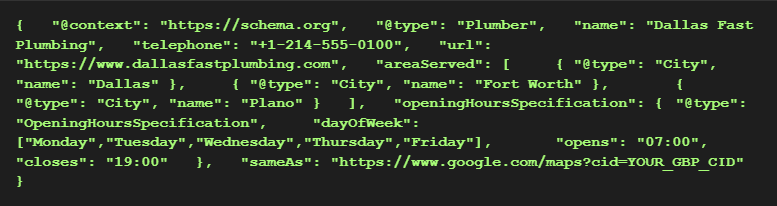
Sample JSON-LD for a Service Area Business
Add this to your homepage <head> or service area pages. Replace the placeholder values with your actual business data:
Schema Best Practices for SABs
• Use the most specific subtype available: plumber, HVAC business, electrician, or landscaping, not the generic local business if a more specific type exists.
• NAP in your schema must exactly match your GBP, not be similar; it must be exactly identical. Even ‘Street’ vs. ‘St.’ creates a discrepancy Google may penalize.
• Add a unique LocalBusiness schema block to each service area landing page with that city’s specific data.
• Validate using Google’s Rich Results Test (search.google.com/test/rich-results) after implementation.
Update your schema within 48 hours of any change to your hours, phone number, or services.
7. Local Content Strategy for Service Areas
Location-specific landing pages target direct service keywords like ‘plumber in Phoenix.’ But local content blog posts, guides, and case studies tied to your service areas build the broader topical authority that helps all your pages rank stronger over time.
Types of Local Content That Work for Service Businesses
Area Guides and Seasonal Tips
Write content that connects your service to local conditions. An HVAC company can publish ‘How to Prepare Your Phoenix Home for 110-Degree Summer Heat.’ A plumber can write ‘Why Chicago Homes Experience Frozen Pipes Every Winter.’ This type of content ranks for longtail local keywords and demonstrates genuine geographic expertise.
Localized Service Tips
Share advice tied to local conditions that only someone operating in that area would know. A pest control contractor covering Florida’s Gulf Coast can publish ‘Managing Termites in Florida’s Year-Round Humid Climate’ content that resonates with local searchers and signals real local presence to Google.
Case Studies by Service Area
Document real jobs done in specific cities with the homeowner’s permission. A before-and-after story from a specific Dallas neighborhood or a roofing repair in a named Chicago suburb creates natural geographic keyword opportunities and proves you actually work in those locations.
Community Involvement
Any involvement with local organizations, sponsorships, charity builds, or community events is worth documenting in a blog post. Beyond the credibility signal, these posts often earn natural backlinks from the organizations you work with.
Content Frequency: For contractor local SEO, aim for 2-4 service-area-focused blog posts per month. Consistency signals to Google that your site is actively covering your service zones, not just holding static landing pages.
Local Content Examples by Service Type
Service Type
Example Local Content Topic
Plumbing
‘How Phoenix’s Hard Water Damages Your Pipes And How to Fix It’
HVAC
‘Preparing Your Dallas Home’s AC Before Texas Summer Begins’
Roofing
‘How to Assess Storm Damage on Chicago Roofs After a Hail Event’
Pest Control
‘Termite Season in Houston: When to Call and What to Expect’
Landscaping
‘Spring Lawn Prep Guide for Denver’s Short Growing Season’
Electrical
‘Understanding Older Wiring in Fort Worth’s Historic Neighborhoods’
8. Building Authority in Your Service Locations
For home service marketing to succeed at scale, your business needs more than optimized pages; it needs a network of trust signals that connect your brand to each area you serve. Authority comes from reviews, partnerships, local media, and the consistency of your presence across platforms.
Key Authority-Building Tactics for Service Area Businesses
Geo-Specific Reviews
Reviews are now a primary local ranking signal, not a tiebreaker. When customers leave reviews mentioning their city or neighborhood, it creates a direct geographic relevance signal for that location. Make review requests a systematic part of your post-job process. Use a short email or SMS sent 3–5 days after service completion with a direct link to your Google review form.
Local Partnerships and Sponsorships
Partnering with local organizations, sponsoring a youth sports team, collaborating with neighborhood associations, or working with regional suppliers creates natural trust signals and, in many cases, links opportunities back to your service area pages.
Local Media and Podcast Mentions
A contractor mentioned in a regional newspaper, local news site, or industry podcast immediately gains credibility signals that competitors without that coverage lack. If you get featured, post it on your site and link to it from your relevant service area pages.
Backlinks from Local Sources
Earn inbound links specifically to your city-level pages. Partners, suppliers, local business associations, and community organizations are the right targets. A single link from a local chamber of commerce site or a regional contractor association carries strong location relevance for map rankings.
Authority Compound Effect: When reviews, citations, local links, and media mentions all point to the same business name, phone, and service areas consistently, Google builds stronger confidence in your local entity. This confidence directly improves how often you appear in the Local Pack across your service zones.
9. Mobile Optimization for Local Service Search
Local searches are 90% mobile. When someone’s pipe is leaking or their AC stops working, they search on their phone. If your service area pages load slowly or are difficult to navigate on mobile, you lose those leads before they ever contact you and poor mobile performance is now a direct ranking signal.
Mobile Essentials for Service Area Businesses
• Page speed: Aim for under a 3-second load time on mobile. Use Google PageSpeed Insights to audit your landing pages.
• Click-to-call: Your phone number should be a tappable link on every page, especially service area landing pages. Place it above the fold.
• Simple navigation: Avoid heavy menus or popups on mobile. Users searching for emergency services need to find your contact in seconds.
• Core Web Vitals: Google’s LCP (Largest Contentful Paint), CLS (Cumulative Layout Shift), and INP (Interaction to Next Paint) scores directly affect local rankings. Monitor these in Google Search Console.
• Mobile-optimized forms: If you use a contact or quote form, test it on multiple devices. A broken form on mobile is a lost booking.
Quick Win: Add a sticky click-to-call button at the bottom of every service area landing page. For home service marketing, phone calls are the primary conversion action making it effortless to call from mobile directly increases bookings.
10. Tracking Performance Across Service Areas
Serving multiple locations means you can’t just look at traffic or leads as one big number. You have to know what is succeeding in each town, city, or neighborhood you are covering. Otherwise, you could be throwing money, doubling up in one place, and missing out somewhere else.
Metrics to Monitor
Metric
What It Tells You
Tool
Local keyword rankings
Where you rank for ‘[service] in [city]’ queries
Ahrefs / Semrush / Local Falcon
GBP Insights (calls, clicks)
Which service areas drive the most customer contact
Google Business Profile
Landing page traffic + conversions
Which location pages generate leads
Google Analytics 4
Call tracking by area
Which city pages drive the most phone bookings
CallRail / WhatConverts
Review distribution
Which areas have review gaps
Google / Semrush
Citation consistency score
NAP accuracy across all directories
BrightLocal / Moz Local
Core Web Vitals by page
Mobile performance of each landing page
Google Search Console
Review Distribution Check
If the vast majority of your reviews reference one city, and your GBP covers five service areas, the other four locations have weak geographic relevance. Actively solicit reviews from customers in underrepresented areas by routing them to the correct city-specific review link or a platform that captures location context.
Conclusion
For service area businesses, not having a storefront doesn’t mean you can’t play in local search. It simply requires a different approach to service area business SEO. With the optimization of your Google Business Profile, strategically defining service area locations, constructing service-specific landing pages, and developing local content that indicates relevance, you can build solid visibility even in the absence of a physical office.
Consistency is the secret. Whether your business is in plumbing, HVAC, landscaping, or some other type of home service, you will succeed based on how well you map digital signals to actual service areas. Good reviews, location-based content, and authority within your service areas keep you ranking where it matters most: where your customers are.
If you want to move your career to the next level of home service marketing, begin with the essentials presented here and then adjust according to performance reports from each service location. With time, these tactics make your contractor’s local SEO more predictable and profitable, as it ensures that you don’t only appear in search but, indeed, gain customers in every area you’re operating in.
If you’ve been in SEO for a while, you’ve probably heard people say “link building is dead.”
Here’s the truth: it’s not. It’s just developed. Google’s algorithm is more discriminating in how it will count links. Link exchanges and spam directories are no longer effective, but getting quality backlinks from mature sources? Traffic, authority, and rankings are still influenced by that.
Link-building strategies in SEO are one strategy you can use to increase the legitimacy of your website. Search engines give your website more consideration when it’s being mentioned by reliable sources.
This guide breaks down 8 link-building strategies that still produce results in 2026. You’ll learn practical approaches to guest blogging, digital PR, resource link building, broken link building, and others that agencies and in-house teams use to build profiles that hold up under algorithm updates.
What Is Link Building in SEO?
✦ Quick Answer: Link building in SEO is the process of earning hyperlinks from other websites to your own.
These backlinks act as trust signals to search engines. The more high-quality, relevant sites that link to your content, the more authority and ranking power your pages gain.
Not all links are equal; one link from a trusted industry site is worth more than dozens from low-authority sources.
When a quality website links to your page, Google interprets it as evidence that your content is worth reading. But the emphasis is on quality: a single contextual link from a domain like Ahrefs or Search Engine Journal carries more weight than twenty directory submissions or forum comments.
Three core principles define good link building:
Links are trust signals: They are a signal to search engines that your site can be trusted.
The quality generates referral traffic: A backlink in a niche publication will generate targeted traffic, rankings notwithstanding.
Good link building is earned, not bought: It’s about creating value others want to reference.
So when we talk about effective link-building strategies, we’re really talking about how to earn those trustworthy, high-value links that tell Google your content deserves to be seen.
Why Link-Building Strategies in SEO Still Matters
Even with all of Google’s algorithm changes, backlinks remain one of the top three ranking factors. Here’s why link building is still a non-negotiable part of any SEO strategy in 2026:
1. Backlinks Remain a Core Ranking Factor
Google’s own documentation confirms that backlinks are used to evaluate page authority.
When high-quality websites link to yours, Google treats it as a vote of confidence.
A few well-placed contextual links from established industry sources will consistently outperform hundreds of low-quality directory submissions.
2. Backlinks Drive Referral Traffic (Not Just Rankings)
Good backlinks do more than help SEO; they drive interested people who are actually looking for your content or service.
When you acquire a link from a person that your target market respects, you’re acquiring quality traffic and not irrelevant clicks.
Example: If a marketing automation platform is ever mentioned in a “Top 10 SEO Tools” blog post on HubSpot. That link will send months’ worth of consistent referral traffic, not to mention authority in the eyes of the right readers.
3. A Strong Link Profile Protects Against Algorithm Updates
Every backlink from an authoritative site is a public endorsement. Consistent mention over time by good sites makes your brand an authority in the niche.
It’s due to this that smart SEO companies are looking for links from niche-related sources such as podcasts, directories of experts, and news coverage and not generic links. It’s in an effort to create a long-term reputation and not for rankings that surge then fall.
4. Quality Links Protect You from Algorithm Volatility
Sustained link building strengthens your entire domain, not just individual pages. This means new content you publish benefits from the cumulative authority you’ve already built, making each future piece easier to rank and faster to index.
Quick Recap: Backlinks are still Google’s top trust signal. They drive referral traffic, protect against algorithm volatility, and compound domain authority over time. The strategy has evolved; quality, relevance, and editorial context are what matter now.
Ready to Build a Stronger Link Profile? Get in touch with the Digicobweb team to develop a custom link-building strategy for your agency, brand, or local business. We build links that last.
Before diving into strategies, it’s important to understand what separates a valuable link from one that adds little or no benefit. Not all backlinks move the needle equally.
Quality Signal
What to Look For
Relevance
The site is topically related to your content or niche
Domain Authority
High DA/DR; site Google already trusts in your niche
Contextual Placement
A link sits inside body copy, not a footer, sidebar, or link list
Anchor Text
Natural, varied: branded, partial-match, or descriptive phrases
Referral Traffic Potential
The linking page has real audience; can send engaged visitors
Follow vs No-Follow
Predominantly dofollow for authority; a mix appears natural
Editorial Nature
Earned because the content is genuinely useful not paid or forced
Freshness
Recently acquired or newly referenced; signals ongoing relevance
Tip: Use tools like Ahrefs or Semrush to check a prospective linking domain’s authority, relevance, and traffic before investing outreach effort. One strong, relevant link beats fifty weak ones every time.
8 Effective Link Building Strategies in SEO That Still Work
These are not shortcuts. Each of these strategies is grounded in creating or having a genuine value, which is what earns the kind of editorial links that improve rankings and survive algorithm updates.
Below is a summary of the best practices that you can apply today.
1. Guest Posting
How It Works:
You contribute a high-quality article to a relevant industry website. In return, you receive a backlink typically within the article body or author bio.
Tips for Success:
• Target sites with genuine audience overlap and a solid domain authority.
• Pitch original, specific ideas. Editors reject generic topics instantly.
• Focus on thought leadership content, not keyword-stuffed filler.
• Build relationships with editors before pitching for higher acceptance rates.
Example: A marketing agency contributes ‘How to Build a Link Profile for a New Domain’ to a SaaS marketing blog. The article earns a contextual backlink and positions the agency as an expert to a new, targeted audience.
2. Resource Link Building
How It Works:
1. Identify resource pages or link roundups in your niche that already link out to content like yours.
2. Create content that is genuinely useful enough to deserve inclusion.
3. Reach out with a brief, personalized email explaining how your resource adds value to their list.
Tips for Success:
• Prioritize niche-specific resource pages over generic link lists; the relevance matters more than the DA.
• Make the ask simple and low-friction; attach a one-line description they can copy directly.
• Personalize every outreach email; generic templates are ignored.
Example: You publish a comprehensive guide to ‘Anchor Text Best Practices. You find a ‘Digital Marketing Resources’ page on an established marketing site and reach out. If added, you earn a high-authority contextual link that passes strong ranking equity.
3. Unlinked Brand Mentions
Unlinked brand mentions are opportunities where one mentions your brand, product, or content but does not link back to your site. Converting such mentions to backlinks is a low-effort, high-reward strategy.
How it Works:
Monitor your brand online using tools like Google Alerts, Mention, or Brand24.
Identify mentions that do not include a backlink.
Reach out to the author or site owner politely, thanking them for the mention and suggesting they link to your site.
Tips for Success:
Make sure the ask is polite, simple, and benefits-oriented.
Offer to link to a specific page instead of your homepage.
Go for sites with the same audience because these links are of the highest quality.
Example: A blogger references your ‘Link Building Strategies’ guide but doesn’t link it. A brief email: “Hi [Name], glad you found it useful! Would you mind adding a link so readers can find the full guide?” converts a mention into a clean editorial backlink.
4. Digital PR and Data Stories
Digital PR is how to make newsworthy content that naturally receives backlinks by earning the attention of trade publications, bloggers, and journalists. Having data stories or new research is one of the best methods.
How it Works:
Use timely, significant issues pertaining to your subject for maximum pickup.
Add graphics and summaries so that journalists can readily access them.
Publish your material. Public gated content kills your chances of gaining backlinks.
Tips for Success:
Focus on timely, relevant topics in your niche to increase pickup rates.
Include visuals and concise summaries to make it easy for journalists to reference.
Making your content publicly accessible: gated content reduces your chances of getting backlinks.
Example: A digital marketing agency surveys 500 marketers on link building budgets. They design an infographic of the results and pitch it to SEO publications. Multiple sites cite the data in their own posts, generating high-authority editorial backlinks that remain live for years.
5. HARO and Journalist Outreach
HARO and journalist outreach are great means of acquiring quality, authoritative backlinks through becoming an authority source.
How it Works:
Get registered on HARO or other sites that connect journalists to expert contributors.
Keep track of related questions in your field.
Respond quickly with a concise, valuable response offering real value.
Tips for Success:
Keep it short and precise. Writers don’t have time.
Add a short bio and backlink to your resource or site.
Target the most related questions to your niche for best results.
Note: HARO (Help a Reporter Out) was acquired and rebranded as Connectively in 2023. Alternatives like Qwoted and Featured.com now offer similar journalist-to-expert matching and are widely used by SEO teams for link acquisition.
6. Skyscraper and Content Repurposing
The Skyscraper Technique, which Brian Dean developed, is the process of creating content superior to what already exists and then promoting it in order to get backlinks. When combined with content repurposing, it’s a very powerful way of getting authority links.
How it Works:
Discover the quality content in your niche with good backlinks.
Create a better one that’s informative, fresh, better-looking, or possible.
Contact the sites that linked to the original and offer them your upgrade.
Tips for Success:
Target top-ranking content that will be relevant to your audience.
Add fresh value in the form of fresh research, graphics, step-by-step instructions, or case studies.
Optimize and do not rip off so it becomes the clear, link-worthy choice.
Repurposing Content:
Turn blog posts into infographics, slide presentations, videos, or downloadable reports.
Publish them on various sites to get mixed backlinks from various websites.
Example: You find a popular ’10 Link Building Techniques’ post with 80+ backlinks. You produce a 2026 version with new data, examples, and a downloadable checklist. When you reach out to the sites linking to the older post, a percentage will switch their link to your more current resource.
7. Strategic Partnership and Local Link Building
Strategic partnering and local linking are techniques with the aim to build two-way links with other firms, organizations, or local businesses for gaining backlinks.
How it Works:
Find prospective partners: local enterprises, industry groups, or complementary service companies.
Partner with content, events, or sponsorships that by nature can have connections to your website.
Contact local directories, chambers of commerce, or neighborhood websites with quality submissions.
Tips for Success:
Relevance and quality are more important than quantity. A few good-quality local links are more desirable than many poor-quality links.
Provide value for guest posting, co-branded resources, or expert commentary.
Relationship-based; quality relationships will create more consistent backlink opportunities.
Link Building Strategy Comparison: Quick Reference
Strategy
Effort
Time to Results
Link Quality
Best For
Guest Posting
Medium
2-4 weeks
High
Authority + brand exposure
Resource Link Building
Low–Medium
1-3 weeks
High
Niche authority pages
Broken Link Building
Medium
1-2 weeks
High
Replacing dead resources
Unlinked Mentions
Low
Days-1 week
Medium–High
Existing brand awareness
Digital PR / Data Stories
High
4-8 weeks
Very High
Long-term authority
Journalist Outreach
Low–Medium
1-4 weeks
High
Expert positioning
Skyscraper Technique
High
4-8 weeks
High
Competitive niches
Strategic Partnerships
Medium
Ongoing
Medium–High
Local + niche authority
Best Practices for Link Building in 2026
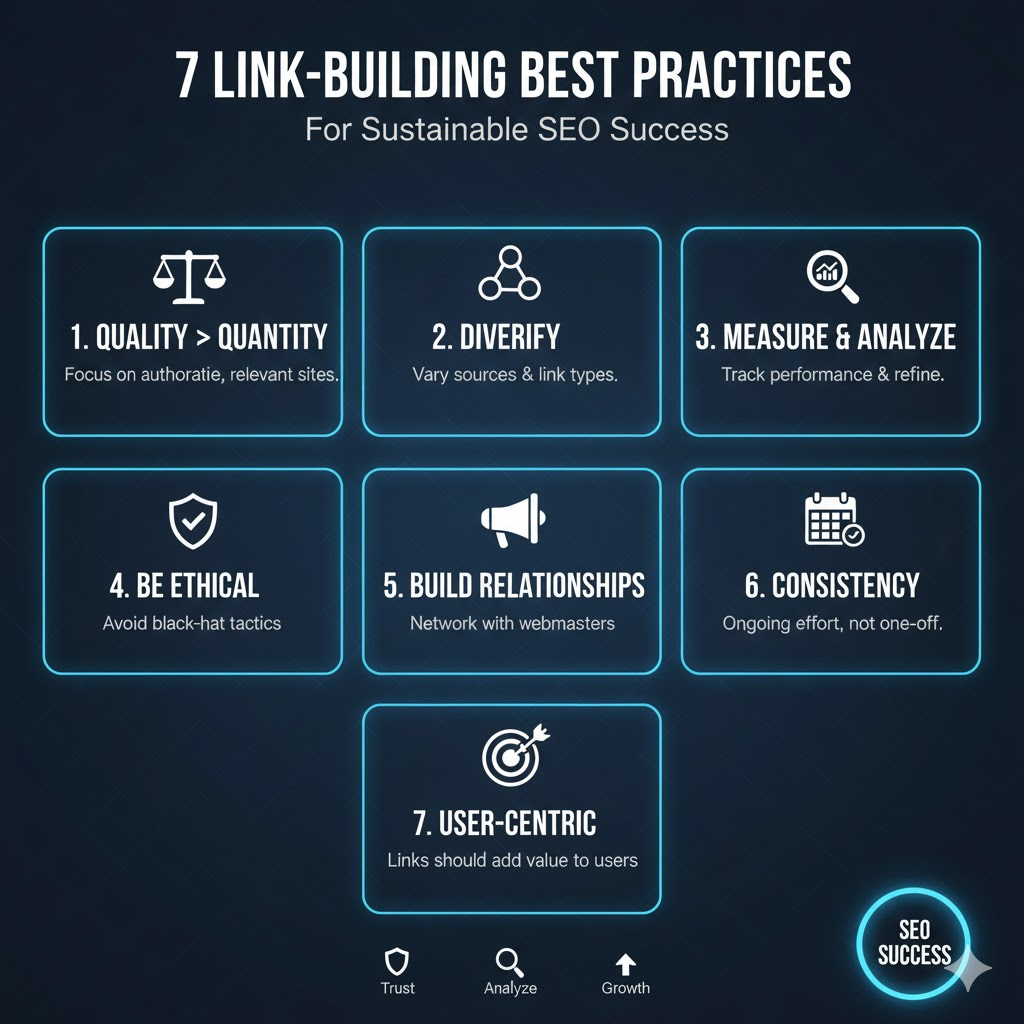
Link building is not linking, but linking intelligently, morally, and in the long term.
Following best practices ensures your efforts deliver long-term SEO value without risking penalties.
Here are the key best practices to keep in mind:
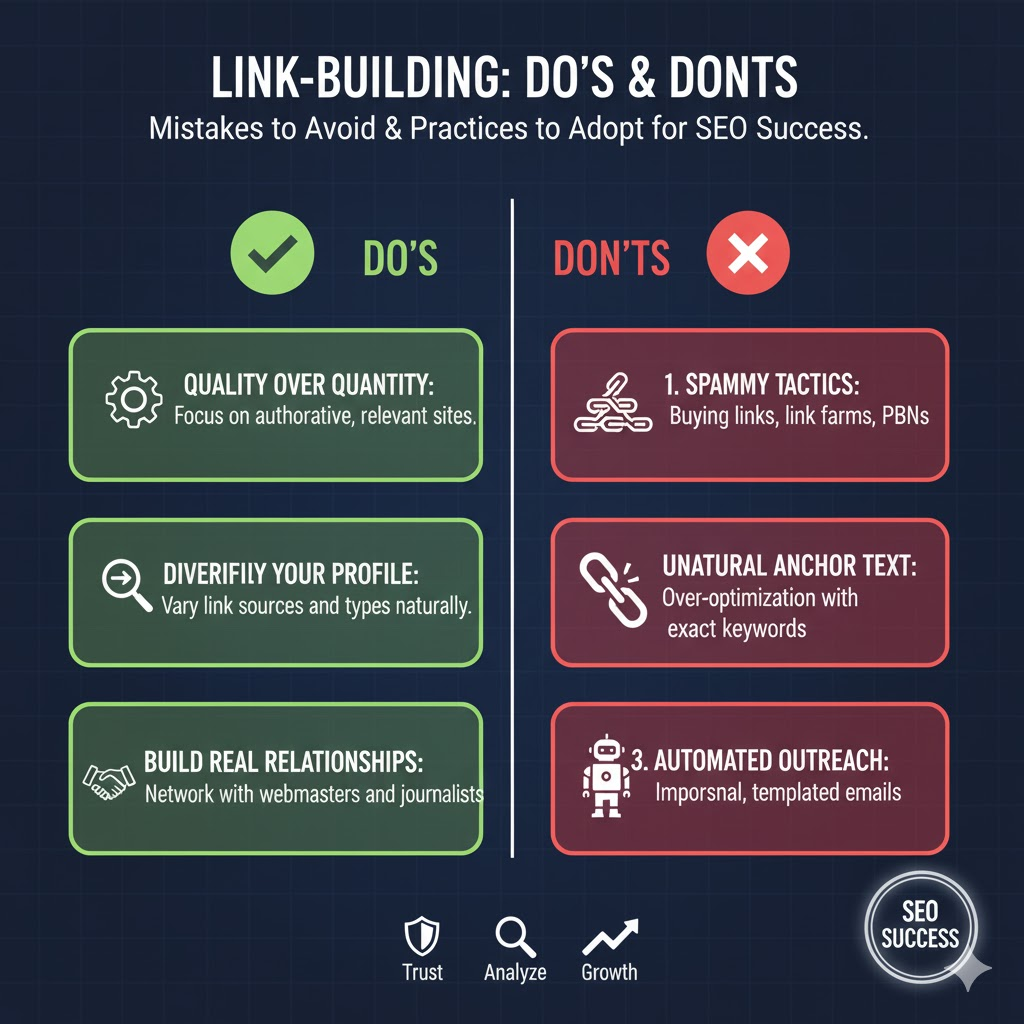
1. Prioritize Quality Over Quantity
One contextual link from a high-authority, relevant site will consistently outperform dozens of low-DA links. Focus your outreach on sites that already rank well in your niche and serve an audience that overlaps with yours.
2. Diversify Your Link Profile
A natural-looking link profile includes a mix of editorial links, resource links, brand mentions, and follow/no-follow links from different domains and formats. Over-reliance on any single source or tactic can trigger spam signals.
3. Use Natural Anchor Text
Avoid over-optimizing anchor text with exact-match keywords. Instead, use a blend of branded anchors, partial-match keywords, generic phrases, and long-tail descriptive text. A varied anchor profile looks earned, not manufactured.
4. Use the Right Link Building Tools
Tool
Primary Use
Best For
Ahrefs
Competitor backlink research, lost link recovery, broken link finder
The best link opportunities come from genuine professional relationships. Engaging with bloggers, journalists, and editors sharing their content, contributing value, and commenting thoughtfully creates goodwill that makes future outreach significantly more effective.
6. Track and Measure Your Links
Monitor new links gained, check for drops or broken links, and periodically audit your profile for toxic domains using Ahrefs or Semrush’s backlink audit tools. A clean, current profile is less vulnerable to manual penalties and algorithm updates.
7. Stay Updated With Google Guidelines
SEO is constantly evolving. Stay aligned with Google’s Webmaster Guidelines and algorithm updates to ensure your strategies remain compliant.
Common Mistakes to Avoid
Mistake
Why It Hurts, And What to Do Instead
Buying bulk backlinks
Google detects unnatural link patterns and penalizes them. Invest in earned, value-based tactics instead.
Over-optimizing anchor text
Identical exact-match anchors across multiple links trigger spam signals. Use varied, natural anchor text.
Ignoring link relevance
Links from unrelated domains carry minimal SEO value. Target sites that share your topic and audience.
Chasing quantity over quality
50 low-DA links rarely outperform 3 strong editorial links. Set minimum DA thresholds for outreach targets.
Neglecting broken or lost links
Pages change or disappear. Use Ahrefs to find and reclaim lost links; it’s faster than building new ones.
Without data, you can’t scale what works. Track referral traffic, rankings, and DA growth per link.
Conclusion
Link building does not mean shortcuts or numbers anymore. Value-based, relationship-based, and quality-based SEO strategies are the most effective.
To recap the approach that delivers results:
Prioritize the backlinks of authoritative and relevant sites.
Employ tactics like guest blogging, resource link building, HARO, digital PR, skyscraper content, and strategic partnerships.
Follow best practices by diversifying your link profile, monitoring performance, and organically anchoring text.
Avoid mistakes such as link buying, anchors’ over-optimization, or looking past relevance.
Every quality link you earn today compounds over time, strengthening your domain, accelerating future content indexing, and raising the floor for how well your pages perform. Done with consistency, link building is one of the few SEO investments with a genuinely durable return.
AI referral traffic is growing 165x faster than organic search, and most of it is sitting invisibly in your GA4 Referral or Direct bucket right now. If you are a digital marketer, SEO professional, or agency owner in India trying to prove the value of your content strategy, that is a serious blind spot.
On May 13, 2026, Google changed everything with one quiet update. GA4 now automatically classifies traffic from ChatGPT, Claude, Gemini, and Perplexity into a dedicated “AI Assistant” channel, no regex required, no custom setup needed. You finally have a native way to track AI traffic in GA4.
But here is what none of the generic guides will tell you: the new channel only captures part of the picture. If you stop at the default setup, you will still be missing up to 70% of your real AI-driven traffic.
This guide covers everything: what GA4’s default channel group is, how the new AI Assistant channel works, step-by-step setup, how to fix unassigned traffic, and how Indian e-commerce and agency teams can use this data to get ahead of the curve.
By the end, you will know exactly how to benchmark, track, and act on your AI traffic data before your competitors even realize it matters.
What Is GA4’s Default Channel Group? Everything You Need to Know
Before you can understand the AI Assistant channel, you need to understand the system it lives inside, GA4’s default channel group.
How GA4 Classifies Every Visitor to Your Site
Every time someone visits your website, GA4 asks a simple question: where did this person come from? The answer gets filed into one of several predefined traffic buckets based on the referrer data, UTM parameters, and medium attached to the session.
This filing system is called the default channel group. It is the backbone of every traffic acquisition report you have ever looked at in GA4. It determines whether a session is labeled Organic Search, Paid Search, Social, Email, Direct, Referral, or now, AI Assistant.
GA4 sorts every session into one of nine buckets: Organic Search, Paid Search, Organic Social, Email, Direct, Referral, Unassigned, and now the new AI Assistant. Each bucket follows a specific rule. If the referrer or UTM data attached to a session does not match any rule, GA4 falls back to Unassigned or Direct. That fallback is the root cause of most AI traffic attribution problems.
Why the Default System Was Broken for AI Traffic
The original default channel group was designed in an era when traffic came from search engines, social platforms, and other websites. AI tools did not exist as traffic sources. When ChatGPT started sending referral clicks to your site, GA4 had nowhere to put them, so it dropped them into Referral alongside forum backlinks and press mentions.
It got worse. When someone clicked a ChatGPT citation link on a mobile app, the referrer header was stripped entirely. GA4 saw a session with no source information and labeled it Directly completely indistinguishable from someone typing your URL.
This is why teams who cared about AI traffic spent months building custom channel groups with regex patterns, manually listing chatgpt.com, claude.ai, and perplexity.ai to isolate these sessions. It worked, but it required editor-level GA4 access, ate up one of only two available custom channel group slots, and needed constant maintenance as AI platforms changed domains.
The May 2026 update moves that logic from your settings into the platform itself.
What Changed on May 13, 2026: GA4’s New AI Assistant Channel
This is the update that the entire SEO and analytics industry has been waiting for. Here is exactly what happened.
What Google Actually Announced
On May 13, 2026, Google added “AI Assistant” as a native default channel group in GA4. When GA4 detects a referrer matching a recognized AI assistant, it automatically assigns the medium value as “ai-assistant,” groups the session under the AI Assistant channel in Default Channel Group reports, and labels the campaign as “ai-assistant.”
Three traffic dimensions are now assigned automatically at the same time: medium, channel, and campaign. Previously, all three required either a UTM tag or a custom channel rule. Now GA4 handles all three without any action from you.
This is not the first time Google has done this. In 2022, it added a “cross-network” channel specifically for Performance Max campaigns. The pattern is the same: when a traffic source grows too big to ignore, Google builds it directly into GA4 so everyone can track it without custom setup.
The Three Dimensions GA4 Now Assigns Automatically
When a visitor arrives from a recognized AI tool, GA4 now sets the following:
Session medium → ai-assistant
Default channel group → AI Assistant
Campaign → AI assistant
This means you can now filter for AI traffic using any of these three dimensions across standard reports, Explore, and Looker Studio without building anything custom.
Which AI Tools GA4 Currently Recognises
Google has named ChatGPT, Gemini, and Claude as examples of recognized AI assistants but has not published its full list of covered referrers. The August 2025 custom channel group guidance named five platforms: ChatGPT, Gemini, Microsoft Copilot, Claude, and Perplexity.
Importantly, the Default Channel Group definitions page has not yet been updated to include the AI Assistant channel in its formal channel table, meaning the exact matching rules are not publicly documented. Tools like Grok, Meta AI, DeepSeek, and You.com may or may not be included, which is one reason why your actual AI-driven traffic is almost certainly higher than what GA4 is showing.
Quick note: GA4 also has a built-in Gemini assistant that answers questions inside your dashboard that is separate from the AI Assistant traffic channel, which tracks visitors arriving from outside tools like ChatGPT.
How to Set Your AI Traffic Benchmark in GA4 in Under 5 Minutes
This is the first action you should take today. Even if your AI traffic volume looks small, you need a documented baseline.
Step 1: Go to Explore and Create a Blank Exploration
In your GA4 property, click on Explore in the left navigation panel. Select Blank to start a new, empty exploration report. Name it something clear, “AI Traffic Benchmark [Month Year],” so you can find it later and share it with your team or clients.
GA4’s Explore section is more flexible than the standard reports. It allows custom dimensions, filters, and date comparisons that the built-in Traffic Acquisition report does not support. For AI traffic analysis, it is the right tool.
Step 2: Set Your Primary Dimension to Session Default Channel Group
In the Variables panel on the left, click the + next to Dimensions. Search for “Session default channel group” and add it to your dimension list. Then drag it into the Rows section in the Settings panel.
This gives you a breakdown of all your traffic sources side by side with the new AI assistant row visible if your property is receiving any recognized AI traffic.
Step 3: Add the AI assistant filter.
To isolate AI traffic specifically, add a filter to the report. In the Settings panel, scroll down to Filters and click Add filter. Set the dimension to “Session default channel group,” the match type to “exactly matches,” and the value to “AI Assistant.”
This narrows the report to show only AI-sourced sessions, making it easier to track the channel in isolation.
Step 4: Set the Last 90 Days and Compare to Prior Period
In the date range selector at the top of the report, set the primary range to the last 90 days. Then enable Compare and select the prior 90-day period.
You are looking for trajectory here, not the absolute numbers. A 12% increase in AI sessions quarter-over-quarter at 400 sessions per month is a meaningful signal. The same growth rate at 40,000 sessions per month is a headline result. Both deserve to be documented.
Step 5: Export and Save Your Baseline
Once the data is visible, export it. In the top right corner of the Explore report, click the Export icon and save as a CSV or Google Sheet. Label the file clearly with the date range.
Add a short note: the percentage of total sessions AI accounts for in this period, which AI source is driving the most traffic, and which landing pages appear most often. In six months, this document will be your evidence of growth or the benchmark that reveals a gap in your content strategy.
When Looker Studio Works Better Than GA4 Explore
For long-term AI traffic trend analysis, Looker Studio has a meaningful advantage over date limitations. GA4 Explore only lets you look back 14 months. That is fine for now, but in 12 months when you want to show year-over-year AI traffic growth, you will hit that wall. Looker Studio has no such limit.
Connect your GA4 property to a Looker Studio template, apply your AI channel filter, and build a dedicated AI traffic dashboard that tracks sessions, engagement rate, average session duration, and conversions for the AI Assistant channel over time. This gives you a live, shareable view that updates automatically, a practical asset for monthly client reporting.
How to Break Down AI Traffic by Specific Tool
The AI Assistant channel tells you that AI traffic arrived. It does not tell you which tool sent it. For strategy decisions, particularly which platforms to optimize content for, you need the source-level breakdown.
Switching to Session Source View
Go to Reports → Acquisition → Traffic Acquisition in the standard GA4 interface. At the top of the data table, change the primary dimension from “Session default channel group” to Session source.
Now add a filter: set the medium dimension to “exactly matches” and type ai-assistant. This filters the source table to show only sessions where the medium was assigned as ai-assistant, meaning only recognized AI tool traffic.
You will now see a list of individual AI sources: chatgpt.com, perplexity.ai, claude.ai, and any other platforms GA4 has classified in your property.
Reading the ChatGPT vs Claude vs Perplexity Breakdown
As of mid-2026, ChatGPT dominates AI referral traffic with between 77% and 87% of total AI-sourced sessions across most websites. Perplexity holds approximately 15%, followed by Google Gemini at 6.4%. Claude accounts for a smaller share, around 2.23%, of AI referrals, but those visitors tend to be highly engaged, arriving with a specific research intent after already receiving a summarized answer.
For Indian audiences, Perplexity has a notably strong presence among tech, finance, and academic users. If your content targets those verticals, the Perplexity source row in your breakdown deserves close attention.
Note which sources are sending traffic and, importantly, which sources are absent. If you expected a certain AI platform to be referring traffic and it is not showing up, either your content is not being cited there or that platform’s traffic is arriving without referrer data and landing in your “Direct” bucket.
How to Find Which Pages AI Tools Are Actually Citing
The source-level breakdown tells you which AI platforms are sending traffic. The landing page data tells you what content is earning those citations, and that is where the real strategic value lies.
1. Adding the Landing Page Secondary Dimension
In the same traffic acquisition report filtered for the AI assistant medium, click “Add secondary dimension” and search for “Landing page.” This adds a second column to the table showing which specific page on your site the AI-referred visitor landed on first.
The resulting table shows you, for each AI source, which pages are being cited often enough to drive clicks. A page that appears consistently across multiple AI sources is being referenced widely; it is a content asset that AI tools trust and cite.
2. What to Do With the Data You Find
Once you can see which pages are earning AI citations, you have three immediate actions:
Review those pages and make sure they are up to date. If AI tools are citing a page with outdated statistics or an old methodology, you are sending visitors to content that may damage trust. Update the data, refresh the publish date, and confirm the page is technically accessible to AI crawlers.
Strengthen the CTAs on your most-cited pages. An AI-referred visitor has already been warmed up by the AI’s summary. They clicked through because they want more. A well-placed, specific A CTA, a free audit, a resource download, or a consultation booking converts this intent into action.
GA4 AI Auto-Grouping vs. Manual Channel Groups: Which Should You Trust?
Now that GA4 handles AI traffic classification automatically, a genuine question emerges for agencies and analytics professionals: Should you rely on the native system or continue managing manual custom channel groups?
1. Where Auto-Grouping Gets It Right
The native AI assistant channel wins on maintenance. It updates as GA4 extends its recognized referrer list, requires no property-level access to configure, and does not consume one of your custom channel group slots. For properties where a junior analyst or client manages the GA4 account, auto-grouping removes a significant operational burden.
It also delivers consistent cross-property reporting. If you manage 10 GA4 properties for clients, all 10 now get AI traffic classified the same way without needing to replicate custom channel configurations across each property individually.
2. Where Manual Override Wins
The native system has real blind spots. GA4 has not published its full list of recognized AI referrers, and tools like DeepSeek, Grok, and Meta AI may not be included in the automatic classification. If your audience uses a mix of AI tools, the native channel will undercount your actual AI-sourced traffic.
Manually customizing channel groups using regex allows you to define exactly which domains you want to classify as AI traffic.
You can build a manual rule in GA4 that catches all the AI platforms the native system might miss. The rule looks at the session source and flags any visit coming from chatgpt.com, perplexity.ai, claude.ai, gemini.google.com, copilot.microsoft.com, deepseek.com, grok.com, or meta.ai. Any source in that list gets grouped under your custom AI channel.
For agencies that need audit-grade accuracy, manual configuration remains the more reliable option.
Why Is Your AI Traffic Showing as Unassigned? How to Fix It
Unassigned traffic is one of the most common GA4 problems agencies deal with, and it gets significantly worse when AI traffic is involved. Here is why it happens and exactly how to fix it.
The 3 Most Common Causes of Unassigned AI Traffic
Cause 1: Missing or incorrect UTM parameters. If your team is creating campaigns including content partnerships, newsletter links, or PR placements without consistent UTM tagging, those sessions arrive with partial source data that does not match any channel rule. GA4 defaults them to Unassigned.
Cause 2: Self-referral from your own domain. If your GA4 property is not properly configured to exclude your own domain from referral tracking, sessions that move between your subdomains or platforms get counted as self-referrals and misclassified.
Cause 3: AI traffic arriving without referrer data. When a user copies a URL from an AI response and pastes it into a browser directly, or opens it in an in-app browser that strips headers, GA4 receives no referrer information. This session lands in Direct, not Unassigned, but it contributes to the overall attribution problem.
The UTM Tagging Fix
Audit every active campaign for UTM consistency. The most common mistake Indian agencies make is using mixed medium labels email, Email, e-mail, and newsletter all in the same account, which splits the email channel across multiple rows and inflates Unassigned.
Standardize on lowercase UTM values. GA4’s channel rules are case-sensitive in some matching modes. A session tagged utm_medium=AI-Assistant will not automatically match the ai-assistant medium rule. Use lowercase consistently across all campaign tagging.
The Custom Channel Group Fix for Unassigned AI Traffic
If you are seeing AI tool domains appearing inside your unassigned rows, for example, ChatGPT.com sessions with no medium, it means those sessions arrived before GA4’s native AI classification was active, or the referrer was partially passed but did not trigger the auto-rule.
To catch these in a custom channel group: go to Admin → Data Display → Channel Groups → Create New Channel Group. Add a rule: Session source matches regex chatgpt\.com|perplexity\.ai|claude\.ai|gemini\.google\.com|copilot\.microsoft\.com. Name the channel “AI Assistant Extended.” This works retroactively on historical data in Explore reports.
Fix Checklist for Indian E-Commerce and Agency Sites
Before closing this section, run through this quick audit on your GA4 property:
All campaign UTMs use lowercase medium values
Your own domain is excluded from referral sources in Admin → Data Streams → Configure Tag Settings.
A custom channel group rule exists to catch AI referrers not covered by the native system
Ready to set up GA4 AI tracking for your property and get a complete audit of your current setup?
Indian e-commerce traffic is characterised by high mobile usage, multi-platform discovery journeys, and significant influence from social commerce and price comparison platforms. A user might discover a product on WhatsApp, check reviews on Perplexity, and complete a purchase on your site, but only the last click may be attributed correctly in a standard GA4 setup.
The AI Assistant channel becomes particularly valuable for tracking the research stage of this journey. When an Indian consumer asks Perplexity “best wireless earphones under 3000 rupees” and your product page or review article appears in the citation list, that click is trackable through GA4 as an AI assistant session. Over time, the landing page data will tell you which of your product and category pages are being surfaced by AI tools to high-intent Indian buyers.
The Limitations of GA4’s AI Tracking (And How to Work Around Them)
The new AI assistant channel is a genuine step forward. It is also important to understand precisely what it does not tell you.
1. The Dark Traffic Problem: 70% May Be Invisible
A 2026 study by Clickport analyzing over 446,000 sessions across sites using dedicated AI traffic detection found that approximately 70% of AI referral traffic arrived without a referrer header and was categorized as “Direct” rather than “Referral” or “AI Assistant.”
This happens in three ways. First, users copy URLs from AI responses and paste them directly into a browser; no referrer is passed. Second, AI platforms open links in embedded in-app browsers that suppress referral data for privacy or technical reasons. Third, some AI tools generate traffic through indirect pathways a user reads an AI summary, searches for your brand name in Google, and lands on your site through organic search. The AI’s role in that journey disappears entirely.
The practical implication: if your AI Assistant channel is showing 500 sessions per month, your real AI-influenced traffic may be closer to 1,500 to 2,000 sessions. Treat the GA4 number as a floor, not a ceiling.
2. Mobile In-App Browsers and Stripped Referrers
The mobile referrer stripping problem is permanent; there is no fix. When a ChatGPT mobile app user taps a citation link, it opens in an in-app browser that does not pass a referrer header. GA4 receives a Direct session. This will continue to happen regardless of how GA4’s channel rules evolve, because the referrer is stripped before it ever reaches your analytics tag.
The workaround is awareness: if you see an unexplained rise in direct traffic to specific content pages, not your homepage, but specific articles or product pages, treat that pattern as a signal of AI-influenced traffic that is not being attributed. Track those pages separately in an Explore report and monitor their engagement metrics alongside your confirmed AI Assistant sessions.
3. AI Tools Not Yet Tracked by GA4
GA4’s recognized AI referrer list is not public and is not exhaustive. Major platforms including Meta AI (which has over 600 million active users), Grok (embedded in X), DeepSeek, and You.com may or may not be in the native classification list.
Until GA4 publishes its full list, the safest approach is to maintain a custom channel group as a backup broad enough to catch platforms that the native system misses. Revisit and update your regex pattern quarterly, or whenever a new AI platform sees significant adoption.
What to Do With Your AI Traffic Data Turning Numbers Into Strategy
Prioritise Pages That Are Already Getting AI Citations
The landing page data from your AI traffic report is your most actionable output. Any page that consistently appears as a landing destination from AI sources is already being cited, meaning AI tools have deemed it relevant and trustworthy enough to reference.
These pages deserve priority in your content calendar. Update statistics, strengthen the evidence base, improve the visual design, and sharpen the CTAs. A page that AI tools cite regularly is an asset worth protecting and growing.
Create Content That AI Tools Love to Cite
AI tools tend to cite content that directly and concisely answers specific questions. Long-form guides with clear-headed structure, data-backed claims, and author expertise signals are cited more often than thin, keyword-stuffed articles. Pages that appear in Google’s PAA (People Also Ask) boxes tend to also appear in AI citations, because both systems are selecting for the same quality signals.
For Indian brands, this means investing in question-answering content that addresses specific, local search queries: “best GA4 setup for Indian agencies,” “how to track Flipkart affiliate traffic in GA4,” and “why is my GA4 showing unassigned traffic in India? ” These long-tail, intent-rich queries are exactly what AI tools are asked for by Indian users, and they are underserved by generic global content.
Check Your robots.txt for AI Crawlers
Before any optimization effort is worthwhile, confirm that AI platforms can actually crawl your site. Open your robots.txt file (yourdomain.com/robots.txt) and verify that none of the following user agents are blocked:
ChatGPT-User
OAI-SearchBot
Perplexity-User
Claude-SearchBot
GoogleOther (used by some Google AI crawlers)
If your robots.txt uses a broad User-agent: * disallow rule, check that AI bot agents are not caught in it. Blocking these crawlers means AI tools cannot index your content, and if they cannot index it, they cannot cite it. No amount of GA4 optimization will fix a crawlability gap.
Track AI Traffic Trajectory Monthly
Set a recurring monthly task to review your AI Assistant channel data. Track three numbers: total AI sessions, AI sessions as a percentage of all sessions, and the engagement rate of AI-sourced visitors versus your site average.
Compare those numbers month over month. Present them in a simple table alongside your organic, paid, and social channel data. Over 6 to 12 months, this table will tell a clear story, and it will be the data that demonstrates the ROI of your content strategy before AI search becomes a mainstream KPI.
Conclusion: Set Your Benchmark Today, Thank Yourself Later
AI search is not a future trend to prepare for. It is a present channel you are already receiving traffic from; you just have not been measuring it properly until now.
GA4’s new AI Assistant default channel group removes the biggest barrier to AI traffic tracking. You no longer need custom regex configurations or editor-level access to isolate AI-sourced sessions. The data is there, it is being classified automatically, and the only decision left is whether you act on it now or wait until your competitors have a 12-month head start.
The three things to do this week: set your 90-day benchmark in GA4. Explore, run the landing page report to find your most-cited pages, and check your robots.txt to confirm AI crawlers have access to your content.
Auditing large language models (LLMs) is no longer an activity reserved for AI researchers. If your business is using tools like ChatGPT, Claude, or Gemini to generate content, power chatbots, or automate local SEO workflows, you are responsible for what your AI produces, and an LLM audit is how you verify it meets your standards.
Whether you’re a local SEO specialist crafting out responses, a content-workflow-based digital marketing agency, or a multi-location enterprise testing generative AI, you need to ensure your AI-generated content reflects your brand voice, follows SEO best practices, and meets compliance standards.
That is where LLM audits come in.
An LLM audit is a systematic assessment of how a large language model behaves, is reliable, and poses risks ranging from hallucinations and biasing to regulatory and ethics concerns.
In 2026, auditing isn’t just for AI researchers. Businesses using LLMs in content generation, automation, or customer experience are expected to review their models regularly, especially under growing AI regulations like the EU AI Act and GDPR.
What is an LLM Audit?
✦ Quick Answer: An LLM audit is a structured evaluation of a large language model’s outputs, training data, and behavior. It checks for accuracy, bias, regulatory compliance, and brand safety. Businesses use LLM audits to reduce hallucinations, ensure fair outputs, and meet global standards like the EU AI Act and GDPR.
An LLM audit is a comprehensive examination of a large language model’s behavior, dependability, and risk profile. It looks at how well the model performs on dimensions such as accuracy, bias, compliance, and safety and whether it aligns with the ethical and operational requirements of your business.
In essence, auditing large language models is simply verifying whether your AI is fair, accurate, and aligned with your brand and legal requirements.
Whether you’re using LLMs for customer chat, local SEO content, or workflows, they are not factually wrong, brand-damaging, or legally risky, especially across automated content rollouts.
Marketer Insight: Think of LLM audits as your ‘QA process’ for AI-generated content, making sure it performs as well as a trained writer or SEO strategist would, but at scale.
What a Proper Audit Helps You Achieve
• Detect hallucinations or fabricated facts before they go live
• Reduce bias against certain topics, locations, or communities
• Ensure outputs don’t violate privacy laws or your brand voice
• Build trust with users, regulators, and internal stakeholders
According to the OECD and EU AI Act, AI audits are now part of the expected lifecycle for high-risk applications, including those that influence customer decisions or content visibility. For SEO teams, this means verifying that AI-generated location pages, service descriptions, and chatbot answers are factually correct and legally safe, especially when scaled across 10, 50, or 500 locations.
Tip: Regular audits help you identify issues before they become PR disasters or legal liabilities.
An LLM audit is a comprehensive examination of a large language model’s behavior, dependability, and risk profile. It looks at how well the model performs on dimensions such as accuracy, bias, compliance, and safety and whether it aligns with the ethical and operational requirements of your business.
LLM audits act as your risk-control system, ensuring every AI output is aligned with brand voice, accurate for your niche, and safe for public use.
Risks of Skipping Audits
Risk Area
Real-World Consequence
Bias or Stereotypes
Alienates users or triggers backlash, e.g., assumptions based on location, gender, or demographic group
Hallucinations
Fabricated info on local branches, services, or pricing misleads real customers and harms trust
Regulatory Breach
GDPR or EU AI Act non-compliance → potential legal penalties, fines, and remediation costs
Toxic Outputs
Offensive chatbot replies damage brand reputation and reduce customer retention
Inaccurate Listings
Wrong hours, phone numbers, or services in AI-generated content → direct SEO ranking penalties
Use Case: Local SEO Franchise: A national brand uses an LLM to create 300+ local service pages. Without an audit: one branch page says it’s open 24/7 (it isn’t), another lists a discontinued service, and a third includes AI-generated reviews, a direct policy violation. A pre-deployment LLM audit catches all three issues before they go live, protecting rankings and the client’s reputation.
How Often to Review GSC (and What to Check Each Time)
Auditing a large language model is not purely technical work; it is an operational control. Whether you are a small business using AI for service descriptions or an agency scaling content automation, use this step-by-step audit process to ensure your model’s outputs are safe, accurate, and compliant.
Pro Tip: Test the model both pre-deployment (before content goes live) and post-deployment (after the model is in use). Both stages catch different issues.
Step 1: Define Your Audit Scope and Risk Level
Identify what model you’re auditing, where it’s deployed, and what’s at stake
Start by documenting:
• Which model is in use? (e.g., GPT-4, Claude, Gemini, open-source LLM)
• Where is it deployed? (SEO content, chatbots, customer service, automation)
• What’s at stake? (Brand safety, legal compliance, search rankings)
For agencies: define which clients and content pipelines the audit covers and classify each by risk level, from low (internal tools) to high (customer-facing live content).
Step 2: Review and Validate Your Training Data Sources
Your AI is only as good as the data it learns from.
Check:
• Is the training data geographically relevant, timely, and from credible sources?
• Are you combining proprietary business data with open web material?
• Has outdated local information, old branch listings, discontinued services, or old prices been fed into prompts or fine-tuning data?
Step 3: Evaluate Output Quality Across Accuracy, Relevance & Consistency
Run a structured test batch and score outputs against key criteria.
Evaluation Area
What to Check
Accuracy
Are facts about services, branch locations, and hours correct?
Relevance
Does output align with business tone and the target audience’s intent?
Consistency
Is voice, terminology, and data aligned across multiple outputs?
Completeness
Does it answer fully, or does it leave gaps requiring manual editing?
Step 4: Run a Bias and Fairness Check on All Outputs
Identify stereotypes, unequal treatment, or culturally insensitive language.
Ask yourself:
• Does the AI stereotype users or locations in its output?
• Are responses inclusive and culturally neutral across all markets?
• Is gender, region, or language treated respectfully and consistently?
Recommended tools:
• OpenAI Evals: test prompt response quality at scale
• Microsoft Fairlearn: identify and reduce bias in model outputs
• Manual bias prompts: ‘Describe typical customers in [region] …’
Step 5: Assess Compliance with GDPR, EU AI Act & Brand Policy
Verify that every output meets your legal and internal governance requirements
Ensure alignment with:
• GDPR: data privacy and user consent in any AI-generated content
• EU AI Act: risk classification, transparency, and documentation requirements
• Your own internal policy: client-specific brand guidelines and tone rules
Step 6: Test for Toxic, Harmful, or Legally Risky Outputs
Especially critical if AI is touching customer-facing content or regulated sectors.
Flag and score outputs for:
• Harmful or offensive language
• Hate speech or discriminatory phrasing
• Misinformation or factually unverifiable claims
• Medical, legal, or financial inaccuracies
Use moderation APIs (e.g., OpenAI Moderation API) or conduct manual red-team tests where a team member deliberately tries to surface problematic outputs.
Step 7: Document the Audit and Build an Ongoing Audit Trail
No audit is complete without structured documentation and a repeat schedule.
Record in your audit report:
• Audit scope, objectives, and model version
• Evaluation criteria and all test prompts used
• Scores or metrics per evaluation area
• Issues flagged and how they were remediated
• Overall risk level summary and sign-off date
Need help auditing the LLMs you’re using in SEO or customer experience?
You don’t need to build a custom testing framework to audit your LLM. These tools cover the most common audit areas: bias, toxicity, factuality, and safety and are accessible to non-technical marketing teams.
Tool
What It Checks
Best For
Cost
OpenAI Evals
Output quality, accuracy, prompt consistency
Agencies using GPT-4
Free
OpenAI Moderation API
Toxicity, hate speech, unsafe content
Customer-facing chatbots
Free
Holistic AI Auditing
Full LLM risk assessment and governance
Compliance-focused teams
Paid
Weights & Biases (W&B)
Model monitoring and performance drift
Dev teams with API access
Freemium
Manual Red Teaming
Edge cases, bias, hallucinations specific to your domain
All teams: especially SEO
Free
Note: No single tool covers all audit areas. The most effective approach combines one automated tool (e.g., OpenAI Moderation API) with manual domain-specific prompt testing tailored to your industry.
Quick-Reference LLM Audit Checklist
Use this checklist before every major content deployment or model update:
Training data sources reviewed for accuracy and recency
☐ Done ☐ Pending
3
The test batch run and outputs scored for quality
☐ Done ☐ Pending
4
Bias and fairness checks completed
☐ Done ☐ Pending
5
Compliance verified: GDPR, EU AI Act, brand policy
☐ Done ☐ Pending
6
Toxic and harmful outputs tested and scored
☐ Done ☐ Pending
7
The audit was documented with timestamp, scope, and risk rating
☐ Done ☐ Pending
Common LLM Audit Mistakes That Can Hurt SEO and Reputation
Even with the right tools and intentions, many teams miss critical issues during LLM audits, especially when AI is integrated into high-stakes tasks like content generation, customer audits, service, or search visibility.
1. Over-Relying on Automated Tools
The Mistake:
Trusting only dashboards, metrics, or pre-built checkers without manually inspecting outputs.
Why It Hurts:
Tools can miss nuance: brand tone violations, vague answers, or subtle bias in phrasing. Most metrics don’t evaluate prompt diversity, intent clarity, or domain-specific safety risks.
Fix:
Use tools and human reviewers in tandem. Manually spot-check random outputs. Involve content or legal teams for high-risk use cases.
2. Ignoring Hallucination and Factual Drift
The Mistake:
Teams skip fact-checking because the outputs ‘sound right.’
Why It Hurts:
Even top-tier LLMs hallucinate. That means confidently wrong facts leading to SEO penalties if incorrect info is indexed, misinformed customers, and legal liability in regulated sectors.
Fix:
Audit factuality specifically for location-specific queries, service or pricing questions, and any regulatory or compliance content. Track hallucination rates in your audit report.
3. Skipping Domain-Specific Testing
The Mistake:
Using only generic prompts to evaluate model performance without testing how the LLM performs in your specific industry or local market context.
Why It Hurts:
Generic accuracy does not equal domain trustworthiness. An LLM might handle broad FAQs well but hallucinate when asked about local regulations, niche service offerings, or SEO strategies for specific markets.
Fix:
Design evaluation scenarios based on your business type (healthcare, legal, marketing), local terminology, and compliance requirements specific to your region.
4. Not Documenting the Audit Process
The Mistake:
Teams audit well but fail to document what was tested, how it was evaluated, and what changed.
Why It Hurts:
No audit trail means no accountability. You cannot prove safety or improvements over time, which limits AI governance, team collaboration, and compliance reporting.
Fix:
Always record test prompts and evaluation notes, risk ratings per area, and the final report with a timestamp and model version number.
5. Treating the Audit as a One-Time Task
The Mistake:
Conducting a single post-deployment audit and never repeating it.
Why It Hurts:
LLMs are dynamic. Model updates, prompt changes, or data shifts can invalidate past audits. Risks also evolve as usage expands from internal support tools to auto-publishing live SEO content.
Fix:
Set a quarterly audit cycle, or trigger a new audit whenever the model version changes, the use case changes, or training data is updated.
Conclusion: LLM Auditing Isn’t Optional Anymore
Whether you’re leveraging large language models to create SEO content, help customers, or drive local discovery, you’re responsible for what your AI writes and does.
Large language model auditing is no longer the domain of AI researchers and developers. By 2026, local SEO teams, agencies, and even small businesses have to embrace simple audit workflows to be able to provide for the following:
Fairness and transparency in outputs
Accuracy in location-specific information
Brand-safe, regulation-compliant responses
Measurable ROI without reputational risk
Done right, LLM audits can help you stand out not just for using AI, but for using it responsibly.
You open Google Search Console one morning, and your impressions have dropped 40%. Rankings look the same. Traffic in Analytics seems fine. But the number staring back at you is alarming.
Before you touch a single page or rewrite a single title tag, there is something you need to know: if you are comparing data across 2025 into 2026, that drop may be a data change, not a ranking problem.
Google Search Console displays your website’s performance prior to a user clicking. For SEO, it is the platform where you can observe which queries activate your pages, the frequency your site shows up in search outcomes, your ranking position, and if users truly click.
When rankings remain steady but traffic fails to increase, the problem is typically evident within the Google search performance report:
Low CTR
Weak intent alignment
Pages showing for the wrong searches
Google Search Console is the provider revealing this data directly from Google.
This guide details the process of examining Google Search performance through Google Search Console, emphasizing the metrics and reports that affect visibility, clicks, and changes in ranking.
What Is Google Search Console?
Google Search Console is a free tool from Google that shows how your website appears and performs in Google Search. It tracks impressions (how often your pages are shown), clicks, click-through rate, and average ranking position using first-party data directly from Google, not estimates from third-party tools.
There are two common misconceptions worth clearing up before going any further.
First, GSC is not a traffic tool. It does not show you how many visitors came to your site; that is what Google Analytics does. GSC shows you how your site performed in search before a user clicked. Think of it as the report that covers what happens in the SERP, not what happens on your pages after the visit.
Second, it is not a ranking tracker. The “average position” metric in GSC is an impression-weighted average across all users, all devices, all locations, and all the times your page appeared in search. A page that ranks at position 3 for one query and position 15 for a related query will show an average position of around 9. That number does not mean your page ranks at 9 for anything specific.
What GSC gives you that no third-party tool can replicate is the actual record of what happened when real users searched on Google and your page was shown. That is the foundation everything else is built on.
At its core, Google Search Console helps you understand:
Which queries trigger your pages in search
Which pages receive visibility and clicks
How Google scans, catalogs and assesses your website
Where technical or content issues affect performance
If SEO is about visibility, Google Search Console is the source of truth. It shows how Google sees your site, not how tools guess it should perform.
The 2025 GSC Changes Every Analyst Needs to Understand First
Before diving into the data, three 2025 changes permanently altered how GSC numbers should be read. If you are pulling historical comparisons or working with year-over-year data, these are non-negotiable context points.
The September 2025 Impression Reset
Around September 10-11, 2025, sites across every industry saw their GSC impressions drop by 20–50% overnight. An analysis of 319 websites found that 87.7% of sites were affected. Rankings were stable. Actual organic traffic in Google Analytics was unchanged. But impression counts collapsed.
What happened: Google removed support for a URL parameter called &num=100. This parameter has allowed SEO crawlers and rank-tracking tools to retrieve 100 search results in a single request, rather than the standard 10. Those automated requests were being counted as impressions in GSC. When Google removed the parameter, it stopped counting those non-human views, and impression totals fell sharply to reflect only actual user searches.
What this means for your data If you are comparing impression data from before September 8, 2025 to data from after, you are not comparing like with like. Use September 8, 2025, as your reset point. For year-over-year comparisons through 2025, use Analytics clicks rather than GSC impressions as your primary traffic signal. The clicks’ data was not affected, only the impressions.
One interesting side effect: because impressions dropped while clicks held steady, CTRs improved and average positions appeared to get better for many sites. This was not a ranking improvement. It was a cleaner dataset. Pages ranking beyond position 20 generated most of the artificial impressions, so removing them lifted the average position figure.
The May 2025 Inflated Impressions Period
Before the September reset, there was a separate problem running in the opposite direction. Google confirmed that a logging error caused Search Console to over-report impressions starting May 13, 2025. Clicks and other metrics were not affected; only impression counts were inflated.
If your impression reporting looked unusually high between May and early September 2025, that period should be treated with caution for trend comparisons. Google confirmed the fix was rolled out gradually, not on a single clean date.
The practical upshot: avoid doing year-over-year impression comparisons using any data between May 13 and September 12, 2025. Use clicks and qualified traffic as your benchmarks for that period instead.
AI Mode Data Now Lives Inside Your Web Search Totals
Since mid-2025, AI Mode search data has been folded into the Web Search Performance report rather than reported separately.
Unlike previous SERP features that received separate reporting, AI Mode does not get its own tab. Its impressions and clicks are folded into your regular web search totals.
You cannot currently isolate AI Mode performance from traditional blue-link performance within GSC. If you notice CTR dropping while positions hold steady, which is exactly the pattern AI overviews produce, that is likely AI mode absorbing visibility without a corresponding rise in clicks.
According to GrowthSRC’s study of 200,000+ keywords, position 1 organic CTR dropped 32% from 2024 to 2025, largely driven by AI Overview coverage expanding from 10,000 keywords in 2024 to 172,855 keywords by May 2025.
By early 2026, AI Overview coverage has continued to expand, making this trend more pronounced than these figures suggest
The positions 6–10 reversal
Here is something counterintuitive from 2025 data: positions 6–10 saw clicks increase by around 30% in 2025 compared to 2024, a trend that has continued into 2026 as AI Overviews consolidate zero-click behavior at the top of the SERP.
The theory is that AI Overviews push users who are looking for quick answers toward zero-click results at the top, while users who want to read deeper content now scroll further and engage with positions 6–10.
If your pages sit in these positions, they may be undervalued in your current analysis.
Understanding the Google Search Console Performance Report
This report provides data for Google Search impressions, clicks, and positions, covering the Search, Image, Video, and News tabs within Google Search. Because it includes additional analytical capabilities, this report is often the focus.
Discover:
This report shows data, such as impressions and clicks, from Google Discover. It is only visible if your property has reached a minimum number of impressions in Discover.
News:
This presents data from news.google.com and the Google News app on Android and iOS. Crucially, it does not include the News tab within Google Search (that is covered in the Search Results report when filtered). It is only visible if your property has reached a minimum number of impressions in Google News.
The core of the analysis takes place within the Google Search Performance report, which features three main elements: the data controls and filters, the chart area, and the table section.
What Are Filters in Google Search Console?
Filters in Google Search Console allow you to separate data, enabling you to examine performance without distractions. Then, viewing every query and page simultaneously, filters assist you in addressing targeted questions such as the reasons for why clicks dropped, which pages underperform, or where visibility is growing.
Filters don’t change your data. They change how you view it.
Inside the Search Results Performance report, filters sit at the top and control what appears in both the chart and the table.
How to Use Filters Without Wasting 45 Minutes
Most people use the date filter and nothing else. Here are the four filter combinations that actually change how you diagnose problems.
Date Range: The Comparison Mode Trap
The default three-month view is almost useless for diagnosis. What you need is the compare mode. Specifically:
• Last 28 days vs previous 28 days: for catching issues that developed recently
• This month vs same month last year: for separating seasonal patterns from real decline
• Post-September 8, 2025 only: for any impression analysis, use clean post-reset data
When a client reports that traffic dropped, the first thing to check is whether the drop is in clicks or impressions. Open the date comparison, select a period that straddles the change you see, and look at which metric moved. If clicks fell and impressions held, something changed about your listing or the SERP. If both fell proportionally, you likely lost ranking. If only impressions fell, but after September 2025, it was probably the data reset.
Search Type: Check Your Image and Video Traffic
The default shows Web search only. If your site relies on images, photography, e-commerce product shots, or infographics, you should be monitoring the image search tab separately. A site can be losing image traffic entirely while its Web rankings look healthy.
You can compare two search types simultaneously. If you run a recipe or tutorial site, comparing web and video in the same view shows you whether the YouTube content is complementing or cannibalizing your web listings.
The Branded vs Non-Branded Split (Now Native in GSC)
Since late 2025, GSC has offered branded vs. non-branded filtering natively in the Query section, removing the need for Sheets workarounds or third-party tools.
Why this split matters
Branded queries (searches that include your company name, product name, or domain) indicate existing awareness; people are looking for you specifically. Non-branded queries are where SEO actually lives: strangers finding you through the topic, not the name. If your click growth is entirely branded, your SEO is not growing. If non-branded impressions are growing but CTR is dropping, AI Overviews may be answering your queries before users reach you.
Query Filters for Intent Analysis
The query filter lets you include or exclude specific words. Practical applications:
• Filter queries containing your primary keyword to see all variations driving impressions
• Exclude branded terms to see non-branded performance in isolation
• Filter by a subfolder (using the Page filter) to analyse blog performance vs product pages separately
• Filter by device to check whether a CTR problem exists on mobile, desktop, or both
Search Performance Chart Area
After setting the controls, the chart area provides a quick overview of what the data tells you.
Key Metrics: Impressions, Clicks, CTR, and Position
Metric
What it measures
What it reveals
Warning: do not misread it as
Impressions
How many times your page appeared in Google search results (post-Sept 2025: real users only)
Your visibility, whether Google is showing you for a topic at all
Traffic. Impressions require no click and no visit.
Clicks
How many times a user clicked your result from the search page
Actual demand flowing from search to your site
Unique visitors. One user can click multiple times.
CTR
Clicks divided by impressions, expressed as a percentage
How compelling your listing is relative to what surrounds it
Quality of traffic. A 40% CTR on a junk query is still junk.
Average Position
Impression-weighted mean ranking across all searches that triggered your page
A trend signal’s direction matters more than the exact number
Your rank for a specific query. It is an average across many.
The pattern that matters most is clicks-to-impressions direction over time. Impressions rising while clicks hold flat signals a visibility gain that is not converting, usually a CTR problem. Impressions stable while clicks fall signals a CTR deterioration without a ranking change, often caused by SERP features like AI overviews eating the top of the page.
Performance Monitoring and Audience Insight
Just by observing the shape of the line in the chart, you can glean a lot about your audience and performance. For instance, a development site might show significantly more searches during weekdays than weekends, reflecting its professional audience. You should use the chart to monitor drops or spikes in traffic and begin your journey to understand them.
Custom Chart Annotations (The Insider Feature)
A favorite feature among experts is the use of custom chart annotations. Adding annotations is a powerful way to add context to events that may be affecting your Google Search performance.
You can use them to mark important moments, such as launching a new feature or fixing a bug on your website.
To add an annotation, right-click the chart on the desired date, type your note, and click “Add.”
These annotations will appear for everyone with access to the property, regardless of applied filters, though they do not show up in comparison mode or 24-hour views.
The Table Section: Where Actual Diagnosis Happens
The chart tells you something changed. The table tells you what changed and where. Here are five specific ways to use the table that most guides skip.
Analysis 1: The High-Impression, Low-CTR Opportunity
Sort the Queries tab by Impressions (descending). Now look at the CTR column alongside each query. Any query with 1,000+ impressions and a CTR below 3% when your position is between 3 and 8 is an immediate opportunity.
To show what the math looks like: a page at position 5 with 3,000 monthly impressions and 2% CTR generates 60 clicks per month. The expected CTR for position 5 in 2025 is around 6–8%. Improving to 6% generates 180 clicks from the same ranking, a 3x gain without moving a single position. That comes from rewriting the title and meta description to better match what the user is actually looking for when they type that query.
The common mistake here is rewriting for keyword density. The fix is writing for the user’s next thought. If someone searches “Google Search Console impressions explained” and your title says “Google Search Console Guide,” you are missing the specificity they need to click.
Analysis 2: Pages Missing from the Table
Switch to the Pages tab. Check whether your highest-value pages, your money pages, and your cornerstone content appear in the list. If an important page is absent, it is either not indexed or not ranking for any query that generates impressions.
The fix: go to URL inspection, paste the page URL, and check its indexing status. If it is indexed but getting no impressions, the keyword targeting may be wrong, the page may be too thin, or there may be a canonicalization issue sending Google elsewhere.
Analysis 3: Queries That Trigger Pages You Did Not Intend
Click any page URL in the Pages tab. GSC will automatically filter the Queries tab to show only queries that triggered that specific page. What you are looking for are queries that do not match the page’s purpose.
A service page showing up for informational research queries means you have a content gap; users want an answer, and Google is sending them to a page that sells instead of explains.
Either create a supporting blog post or add an explanatory section to the service page that genuinely answers the research question before transitioning to the commercial message.
Analysis 4: The Device Split
Switch the dimension to Device. Select mobile only. Now check your CTR for top queries on mobile vs. desktop. A page with a 15% CTR on desktop and 4% CTR on mobile has a mobile title problem. Titles on mobile are typically truncated earlier, and if the meaningful part of your title is cut off, users do not click.
Mobile titles display around 55–60 characters before truncation depending on the device. Front-load the most important words. If your title is “How to Use Google Search Console for SEO Performance Analysis in 2025,” mobile users see “How to Use Google Search Console for SEO Perform…,” which is adequate. But “Complete Guide to Google Analytics and Search Console: A 2025 Performance Analysis for Digital Marketers” truncates to “Complete Guide to Google Analytics and Search Console…” The specific value is never shown.
Analysis 5: Country-Level Performance Gaps
Switch to the Countries tab. If your site targets multiple markets, you may find that pages ranking well in one country are barely visible in another. This often indicates a content localization gap; the language is technically correct, but the framing, examples, and terminology do not match how users in that market search.
India, for example, often has different search phrasing patterns for the same topic than the UK or US. If you run a digital marketing agency serving multiple markets, a country filter quickly surfaces where content investment will pay off.
Analysing Queries vs Pages: What to Focus On
By analyzing the tables, you can diagnose issues and determine the necessary SEO action:
Observation
Diagnosis
SEO Action
Expected queries missing
Content Gap
Create more useful, relevant content
Important pages missing
Technical/Indexing Issue
Use the inspect URL to find the cause
High Impressions/Low Clicks (Low CTR)
Presentation/Relevance Issue
Add images or structured data to increase attractiveness
Query Groups: The October 2025 Feature That Replaces Your Spreadsheet
Query Groups, which Google added to Search Console Insights in October 2025, have now been available for several months and is widely rolled out for properties with sufficient query volume.
What Query Groups does
Query Groups uses AI to analyze Search Console data to cluster similar search queries into topic-level groups. Instead of seeing 200 slightly different phrasings of the same question, you see that topic as a single group with total clicks and indicators showing whether it is trending up, trending down, or top (highest volume). You can click any group to drill into the individual queries inside it.
This is available in Search Console Insights (not the main Performance report) and only for properties with large enough query volumes. If you do not see it yet, it will roll out gradually.
Three practical uses for Query Groups:
1. Spot declining topic areas before they show in traffic data. A group marked “Trending Down” has weeks before you see the impact in clicks. Investigate the top pages for that group now and update them.
2. Identify cannibalization across pages. If multiple URLs are competing for the same query group, GSC will show you the split. Consolidating or differentiating those pages can concentrate performance.
3. Replace manual keyword research for content gaps. A topic group with growing impressions but a low CTR is a topic where you are visible but not a compelling, strong candidate for a dedicated, better-targeted piece of content.
Note: Be aware that the September 2025 baseline change affects impression counts inside Query Groups too. Groups labeled Trending Down after September 2025 should be cross-checked against clicks (not just impressions) to confirm whether the topic is genuinely losing traction.
AI-Powered Configuration: GSC’s Analysis Shortcut
Google’s AI-powered configuration feature, which lets you type natural language requests to set up filters automatically, has been available since late 2025 and continues to roll out across accounts. It currently works only in the Search Results Performance report.
Examples of what you can ask it:
• “Show me queries on mobile searches that contain the word ‘analytics’ in the last 6 months.”
• “Compare traffic for my blog pages this quarter versus the same quarter last year.”
• “Show clicks for pages that rank between position 5 and 10 with CTR below 3%”
It currently works only in the Search Results Performance report and cannot sort tables, export data, or perform actions, but for report setup, it removes the manual filter work entirely. Google has flagged it as experimental and rolling out gradually, so not every account will see it immediately.
For a step-by-step framework for acting on these findings, see our technical SEO audit checklist.
Four Workflows That Turn GSC Data into Decisions
Workflow 1: The CTR Repair Pass
Run this monthly. It consistently produces traffic gains without needing ranking improvements.
1. Go to the Queries tab. Sort by impressions descending. Add the CTR column.
2. Filter to show queries where your average position is between 3 and 12.
3. Identify every query where CTR is below 4% at position 3, below 3% at position 5, or below 2% at position 8.
4 Click each underperforming query to see which page is ranking for it.
5. Rewrite that page’s title tag and meta description. Match the exact language of the query. Add the specific benefit or outcome the user is looking for.
6. Use the annotations feature to mark the date of each change.
7. Wait 3–4 weeks. Check whether CTR improved for those queries.
Stop writing meta descriptions as summaries of your page. Write them as a response to the user’s search intent. If the query is “Google Search Console impressions not counting correctly,” your meta description should immediately acknowledge to Google Search Console that problem and signal that you have the explanation.
Workflow 2: The Positions 4–10 Push
Pages ranking between position 4 and 10 are already understood by Google as relevant for the query. The work to move them into the top 3 is usually content depth, not backlinks.
. Filter the Pages tab to show only pages with an average position between 4 and 10.
1. Sort by Impressions to prioritize high-visibility pages.
2. Click each page to see the queries it ranks for.
3. Open the page and compare it against the top 3 results for its primary query. What do those pages cover that yours does not? Add it.
4. Improve the structure: break long text blocks into headings, add a clear answer near the top, and remove sections that do not serve the user’s core intent.
5. Add 1–2 internal links from stronger pages pointing to this page.
As of 2025–2026, pages in positions 4–10 consistently outperform historical norms, a pattern that has now held for over a year.
This workflow is higher value than it was two years ago.
Workflow 3: Content Gap Detection
This workflow finds topics where Google is already showing you but you are not winning the click.
1. Go to the Queries tab. Sort by impressions descending.
2. Scroll through and note every query that you do not recognize as a topic you have written about.
3. Click each query to see which of your pages Google is sending it to.
4. If Google is routing an informational query to a commercial page, you are missing a piece of content. Create it.
5. If Google is routing it to a blog post but that post does not answer the query clearly, update the post to address it directly with a dedicated heading for that query.
This is how established sites grow without chasing new keywords. Google tells you what queries are adjacent to your existing content. You fill the gap.
Workflow 4: Early Technical Issue Detection
Performance data drops that are not explained by content or CTR issues usually have a technical origin. GSC reveals these in a specific pattern.
1. If impressions drop suddenly across many pages at the same time, check the Coverage report for crawl errors and the URL Inspection tool for indexing issues.
2. If a specific page drops while others are stable, inspect that URL. Common causes: accidental noindex added during a CMS update, canonical pointing to the wrong URL, or a redirect loop.
3. If mobile CTR drops while desktop holds, check Core Web Vitals for mobile. LCP (Largest Contentful Paint) issues affect CTR indirectly by creating a slow first impression that users bounce from.
4. If position drops sharply on certain pages after a content update, compare the old and new versions. Was the primary keyword moved lower on the page? Was the H1 changed? Was the internal linking structure altered?
What Good Performance Looks Like
Every client wants to know what they should be seeing. Here is a realistic framework based on search data, not benchmarks from three years ago.
Position
Expected Desktop CTR (2025-26)
Expected Mobile CTR (2025-26)
What to do if you are below this
#1
19–25%
17–22%
Structural issue: AI Overview may be above you. Check SERP manually for that query.
#2
11–15%
9–13%
The title is likely too generic. Rewrite with specific benefit or outcome.
#3
8–12%
6–10%
Strong candidate for CTR repair workflow. Investigate what #1 and #2 say.
#4–5
5–8%
4–7%
Page-level work: add clearer structure, improve loading speed on mobile.
#6–10
3–6%
2–5%
Positions 6–10 are growing in value (2025 data). Prioritise content depth updates.
#11–20
1–3%
0.5–2%
Page 2 requires meaningful content improvement, not just meta rewrites.
These are directional benchmarks, not absolutes. CTR varies significantly by query type (branded vs. non-branded), industry, and the presence or absence of AI overviews in the SERP for that specific query. Use them to identify outliers in your own data, not to compare against a single number.
Want us to analyze your performance on Google Search? For guidance and support from experienced SEO developers.
How Often to Review GSC (and What to Check Each Time)
Direct answer
Review Google Search Console on a weekly, monthly, and quarterly schedule. Weekly: check for sudden drops in clicks or impressions across any pages, and check the Discover report if you publish new content. Monthly: run the CTR repair workflow, check positions 4–10 for movement opportunities, review device-level performance. Quarterly: compare year-over-year trends, evaluate content gap analysis, and review the branded vs. non-branded ratio.
Weekly Check (15 minutes)
• Set the date range to the last 7 days and compare to the previous 7 days
• Look at the chart for any sudden drops or spikes
• If anything drops by more than 20%, open the Pages tab to identify which pages are affected
• Check for any new pages you published. Are they appearing in GSC impressions yet?
• Check Google’s Search Status Dashboard if you see an unexplained change
Monthly Review (45–60 minutes)
• Run the CTR repair workflow on your top 20 queries by impressions
• Review the positions 4–10 list for new opportunities
• Check the device split: are mobile and desktop CTRs moving in the same direction?
• Look at the country data if you have multiple target markets
• Check Search Console Insights for any Query Groups marked Trending Down
Quarterly Analysis (2 hours)
• Compare year-over-year clicks for your top 20 pages. Use clicks, not impressions, as your benchmark impression data before September 2025 is not comparable to data after due to the methodology change Google made at that point.
• Review the branded vs. non-branded query split: Is organic discovery growing or stagnating?
• Cross-check GSC click data against Google Analytics organic sessions to catch any data discrepancies
• Identify any pages that were ranking well six months ago but have since disappeared; these need URL inspection and content review
• Evaluate the impact of content changes you made in the previous quarter using the annotations timeline
Six Reading Mistakes That Lead to Wrong Decisions
1. Panicking Over Impression Drops Without Checking Clicks
After September 2025, impression drops may simply reflect cleaner data. Always check clicks first. If clicks are stable, the drop is noise, not a problem.
2. Trusting Average Position as a Ranking Number
A page with 500 ranking queries will show an average position that is meaningless as a benchmark. Always filter to a specific query or compare position trends directionally, not as an absolute value.
3. Rewriting Content Every Time CTR Dips
Normal weekly fluctuations of 10–15% in CTR are expected. Wait for at least three weeks of consistent underperformance before making changes. Premature edits create instability in data you cannot read.
4. Only Looking at the Queries Tab
Most diagnoses require the Pages tab. Understanding which specific pages have problems, not just which queries, is what allows you to fix them.
5. Ignoring Mobile-Specific Performance
Reporting on desktop-only performance in a market where 60–70% of searches come from mobile is reporting half the picture. Always add a device filter to any meaningful analysis.
6. Treating GSC as a Reporting Dashboard Instead of a Decision Tool
The most common failure mode: teams spend time producing GSC reports that never lead to a task being created or a change being made. Every GSC session should end with at least one specific action tied to the data. If it does not, the session was not analysis; it was observation.
Conclusion
Google Search Console is not just a reporting tool. It’s the foundation for understanding how your site actually performs in Google search. When used correctly, it shows where visibility is growing, where clicks are being lost, and which pages need attention first.
By reviewing the Search Results Performance Report, applying the right filters, and analyzing queries versus pages, you gain clarity on real search behavior, not assumptions. Metrics like impressions, CTR, and average position help pinpoint issues that traditional analytics tools miss, especially for pages that rank but don’t attract clicks.
The key is turning data into action. Fix low CTR pages, strengthen underperforming queries, improve content relevance, and track changes over time. When reviewed consistently, Google Search Console becomes a practical system for ongoing SEO improvements, not a once-in-a-while audit.
If your goal is better rankings, stronger visibility, and sustained organic growth, regular analysis through Google Search Console should be a non-negotiable part of your SEO workflow.
⚡ Quick Answer Keyword research is the process of finding and analyzing the search terms your target audience types into Google. Done right, it tells you which topics to create content for, how competitive each term is, and whether you can realistically rank for it. The 7-step process: find keyword ideas → evaluate metrics → identify search intent → analyze SERP → select primary keyword → find secondary keywords → target long-tail variations.
That one number should change how you think about content. Most keywords are a dead end before you even start writing. The difference between content that ranks and content that disappears is not writing quality or publishing frequency. It comes down to keyword research done properly.
Finding the right keywords shapes everything you do in SEO. Good choices bring the right visitors. Poor choices leave your content buried. Simple as that.
Once you understand SEO keyword research step by step, you gain control. If you’re completely new to search, ourSEO guide for beginners is a good place to start. You know which ones you can realistically compete for. And you stop writing content that doesn’t stand a chance.
📋 Key Takeaways • Keyword research is a 7-step structured process, not guesswork • Search volume alone means nothing without evaluating difficulty and intent • Long-tail keywords often convert better than high-volume head terms • In 2026, Google’s AI Overviews and zero-click searches change how you measure keyword value • The right tools, used together, reveal opportunities your competitors are missing
How to Do SEO Keyword Research?
Choosing the right keywords comes down to understanding what your audience wants, what you can realistically rank for, and how each keyword supports your content goals. When you approach it with structure, the process becomes a lot easier to manage. You look at intent, competition, search patterns, and the language people actually use. That’s how you avoid bad choices and stay focused on terms that deliver results.
Here’s the step-by-step process that keeps everything clear and measurable.
Step 1: Find Relevant Keyword Ideas
1. Finding Your Competitor’s Keywords
Competitors already did a lot of the research for you. They’ve ranked for keywords, tested topics, and shown you which queries attract traffic. Your job is to study that landscape and spot openings.
Start with competitors who consistently appear in your search results.
Enter their domains into keyword tools to see which keywords drive their traffic.
Look at the keywords where they rank in positions 5–15; those are easier to challenge than the top 3
Pay attention to the topics they cover repeatedly, because that signals high demand.
Check the gaps too. Missing topics show you where you can step in and create stronger content.
Competitor keyword analysis saves time and helps you avoid blind spots.
2. Finding Keywords Using a Seed Keyword
A seed keyword is your starting point. It’s a basic phrase tied to your niche. From that one phrase, you can branch out into hundreds of search variations.
Pick simple seed terms like “skin care routine,” “digital marketing,” or “home workout.”
Enter them into a keyword tool and study the related searches.
Look at questions, comparisons, and long-tail variations that appear repeatedly.
Notice how people phrase their searches. Those patterns tell you what users actually want.
Group the results by topic so you can build content clusters later.
This step expands your keyword pool fast and gives you a clear direction.
3. Find Keywords You Already Rank For
You’re probably ranking for dozens of keywords without realizing it. That’s a huge advantage Google already sees your site as relevant for those topics.
Check Google Search Console for queries where you appear on pages 2–4.
Look for keywords with decent impressions but weak clicks.
Identify pages that almost rank well but need stronger optimization.
Strengthen those pages first with better content, internal links, and clearer intent alignment.
Expand those topics with related secondary keywords or follow-up content.
Step 2: Evaluate Keyword Metrics
1. Search Volume
Search volume shows how many people search for a keyword each month. But the number alone tells you very little. A keyword pulling 10,000 searches means nothing if 80% of those clicks go to one dominant brand.
A steady search pattern, not random spikes.
A volume that matches your site’s current strength.
A keyword that fits your content goal, not just your curiosity.
Topics that consistently attract the type of visitor you want.
💡 Insight: Keywords with 100–1,000 monthly searches often deliver better conversion rates than high-volume terms. Focused intent beats broad reach every time.
Keywords with a level of volume frequently yield better real conversion rates than very high-volume ones since they draw individuals who have a clear purpose.
2. Keyword Difficulty
When checking difficulty, pay attention to:
The authority of the sites already ranking a page 1 full of DA 70+ sites is a warning sign
The depth of content in the top results: are you looking at 500-word posts or 5,000-word guides?
The backlink strength of those pages
Whether Google favors big brands or niche-specific sites for this query.
If the top results look unbeatable, shift to a longer or more specific variation. Those variations often rank faster and bring more qualified traffic.
Step 3: Identify Search Intent
Matching keyword intent to content format increases your chances of ranking.
Below are the four core intent types you must look for when choosing keywords.
1. Navigational Intent
Individuals with purpose are already aware of their intended destination. Users enter brand names, tool names, or website names in an attempt to navigate to a page.
Examples:
“Canva login.”
“Gmail sign-in”
Note: Navigational keywords are generally not worth targeting in content marketing unless the brand being searched is yours. Focus your efforts on the other three intent types.
2. Informational Intent
Users want answers; they’re trying to learn something, understand a topic, or solve a problem. This is the primary intent type for blog content.
Examples:
“How to do keyword research?”
“What is keyword research?”
“Why is SEO important?”
3. Commercial Intent
People here are comparing options before making a decision. They’re close to buying, but still evaluating choices. This is one of the strongest types of intent for business-driven content.
Examples:
“best free keyword research tools”
“seo tools comparison”
“top email marketing software”
These keywords fit list posts, comparisons, and reviews.
4. Transactional Intent
This intent means the user is ready to take action. They want to buy, subscribe, download, book, or sign up.
Examples:
“buy hosting plan”
“purchase marketing software”
These keywords belong on product pages, sales pages, or service pages.
Step 4: Analyse SERP
1. Review the Page Types That Rank
Open the keyword in an incognito window and study what Google is showing.
Ask yourself:
Are they long guides or short answers?
Is the search dominated by blogs or big brand domains?
Are there product pages, YouTube videos, or local results taking up space?
This helps you understand how your page should be structured.
2. Check the Content Angle
Every ranking page follows a specific angle:
Some focus on strategies.
Some focus on tools.
Some focus on beginner explanations.
Your job is to identify the angle users respond to and find a way to offer something stronger or clearer.
AI Overviews: Google’s generative summaries now appear for many informational keywords. If your keyword triggers an AI Overview, you need to structure your content to be cited within it
Featured snippets: a well-structured answer in your content can earn the position zero spot
People Also Ask: each question is a secondary keyword opportunity
Video results: if YouTube videos rank, consider whether a supporting video would strengthen your content
Local pack: relevant for service-area businesses
These features tell you what Google considers the most useful format for that specific query.
4. Check the Strength of the Competition
High-authority sites will require more effort to outrank. Niche-specific sites may give you more room to compete.
Check for:
Domain authority and domain age
Backlink count and quality of linking domains
Topical relevance: Is this a site that covers your niche deeply?
This tells you if the keyword is worth targeting right now or if you should come back to it after building more authority.
5. Evaluate Content Depth
Scan the top results and look at how deeply they cover the topic. Short, weak pages mean you can outrank them with a thorough guide. Highly detailed articles mean you’ll need strong expertise to compete.
6. Spot Missing Elements
Every SERP has gaps. Understanding what’s missing starts with knowing what most sites get wrong. Our breakdown of10 SEO mistakes that lower your rankings covers the most common SERP-level errors.
Maybe no one explains the process clearly.
Maybe no one provides examples.
Maybe the content lacks visuals or updated data.
These gaps become your advantage.
Step 5: Select Primary Keywords
1. Match the Keyword to Your Page Goal
Ask yourself what the page is meant to do. Teach something? Compare options? Answer a question? Sell a solution? Choose a keyword that supports that purpose from the start.
2. Confirm the Search Intent
Check whether the keyword has clear informational, commercial, or transactional intent. Your content must reflect that intent exactly. If the keyword’s intent doesn’t match your content type, pick another one.
3. Check the Difficulty Level
If high-authority websites dominate the positions, switch to a narrower variant. Aim for a keyword you have a realistic chance of ranking for, rather than one that locks you into intense competition you can’t win yet.
4. Consistent Search Demand
A keyword with steady monthly volume gives you ongoing traffic potential. Skip terms that spike once and disappear. You want keywords that keep working month after month, year after year.
5. Make Sure the Keyword Fits Naturally
A strong primary keyword should blend into your content without forcing it. If it feels awkward in your sentences, or you can’t use it naturally in your headings, it’s the wrong choice.
6. Choose One Primary Keyword Per Page
Each page needs a single focus. Adding multiple main keywords confuses Google and weakens your content’s topical direction. One page, one primary keyword, supported by secondary and long-tail variations.
Step 6: Identify the Secondary Keywords
Secondary keywords support your primary keyword and help your page cover the topic more thoroughly. They’re not fillers; they’re the phrases that tell Google your content addresses the full scope of what users want.
1. Look for Related Phrases With Similar Intent
Search tools show variations of your main keyword that share the same intent.
For this topic, examples include:
how to do seo keyword research
seo keyword research step by step
what is keyword research
They support your primary keyword and match the same informational intent.
2. Use Google’s Built-In Clues
Google surfaces secondary keyword ideas directly in three places:
People Also Ask
Related Searches
Autocomplete suggestions
These are based on real search patterns, which makes them more reliable than tool-generated suggestions alone.
3. Check Competitor Subheadings
Competitor pages often reveal strong secondary keywords inside their H2 and H3 tags. Scan their content for repeated themes or phrases. If multiple competitors mention the same secondary keyword, it’s usually worth including.
4. Choose Keywords You Can Use Naturally
If an expression seems unnatural or out of place in your content, omit it. Secondary keywords should be integrated smoothly into your text without affecting the style or readability.
5. Use Secondary Keywords to Build Topic Depth
Place these keywords in the following:
Subheadings
Short explanations
Examples
FAQ sections
This shows Google that your content covers the topic fully rather than superficially.
6. Don’t Overload the Page
Secondary keywords ought to improve your content without overpowering it. A few chosen terms are preferable to cramming many into each part. Excellence surpasses volume invariably.
Step 7: Search for Long-Tail Keywords
1. Look for Longer, More Specific Variations
Long-tail keywords include extra context. They might describe a problem, a goal, or a specific user situation.
Examples for this topic include:
how to do keyword research for beginners
free tools to find seo keywords
how to find low-competition keywords
Each variation targets a clear and focused intent.
2. Use Question-Based Searches
People often type their questions directly into Google. These questions reveal pain points and help you write content that answers them immediately.
Long-question queries in keyword tools like AnswerThePublic
Questions often turn into high-converting long-tail keywords.
3. Study Autocomplete Suggestions
Start typing your primary keyword into Google and watch what appears. Autocomplete suggestions expose real user language and long-tail variations that may not show up in tools.
These suggestions often highlight search trends or rising topics in your niche.
4. Use Long-Tail Keywords for Targeted Sections
These keywords work well inside:
Subtopics and supportive sections
Specific worked examples
Step-by-step explanations
FAQ sections
They make your content feel more complete, practical, and genuinely useful.
5. Prioritize Intent Over Volume
A focused long-tail keyword with 200 monthly searches can drive better business results than a head keyword with 20,000. These visitors know what they want. They’re more committed, more engaged, and more likely to convert.
6. Build Clusters Around Long-Tail Themes
When multiple long-tail keywords focus on the same concept, create a content cluster. One pillar page supported by several focused supporting posts builds topical authority; this is the foundation of a strong content marketing strategy.
Does Google Understand Your Keyword Well?
Writing content for a misunderstood keyword wastes effort and kills ranking potential. Before you invest time in a page, confirm that Google interprets the keyword the same way you do.
1. Search the Keyword
Type it into Google and look closely at the first page. Check what content types appear. Are they guides, lists, or product pages?
If the results align with your content plan, your keyword is clear. If not, consider refining the phrasing.
2. Examine the Top Pages
Top-ranking pages show you how Google interprets the keyword. Check headings, structure, and the specific angle each page takes. This is your competitive blueprint.
3. Check SERP Features
Featured snippets, “People Also Ask,” AI Overviews, and video results all indicate what Google thinks users want. Multiple results with similar angles confirm Google’s interpretation is consistent and that you need to match it.
4. Adjust Keyword if Needed
Don’t force your page to fit a keyword Google misunderstands. Refine the wording, add context, or target a long-tail variation. Your content should clearly and directly answer the exact query users intend.
Am I Capable of Facing Competitors on These Keywords?
Picking a keyword is one thing. Competing for it is another. Some keywords are crowded with authority sites that dominate the top results. Before committing to a keyword, honestly evaluate whether you can compete.
1. Analyze Top Ranking Pages
Check who currently holds the first page. Are they major brands or niche-specific sites? Look at content quality, length, structure, and the number of backlinks. If they’re detailed, authoritative, and heavily linked, breaking in requires a stronger strategy, not just a longer post.
2. Evaluate Domain Authority
Tools like Ahrefs, Semrush, or Moz show the domain strength of top-ranking sites. A newer site with lower authority generally struggles against well-established domains. If your site is newer, focus on lower-competition or long-tail keywords first. Build authority progressively, then move up the difficulty ladder.
3. Examine Content Depth
Scan the top results for coverage. Are they thorough guides or shallow posts? Weak or incomplete content is your opportunity; you can outrank them by delivering better, more updated, and better-structured content. But if the top pages are genuinely excellent, you’ll need original data, unique insights, or a better UX to compete.
4. Look for Niche Gaps
Sometimes top-ranking pages miss critical details or examples. Maybe they ignore common questions or provide outdated info. These gaps are openings you can exploit with focused content.
Top Tools for Analyzing Keyword Competition
No single tool gives you the complete picture. The best keyword researchers combine free and paid options depending on what they need at each stage of the process. Here’s a quick reference:
Tool
Free/Paid
Best For
Google Search Console
Free
Keywords you already rank for, impressions, CTR
Google Keyword Planner
Free (Ads account)
Volume estimates, PPC validation, seed expansion
Ubersuggest
Free + Paid
Beginners, quick long-tail lists, budget option
AnswerThePublic
Free (limited)
Question-based searches, FAQ content ideas
Keywords Everywhere
Paid (affordable)
On-the-fly research while browsing Google/YouTube
Ahrefs Keywords Explorer
Paid
Deep KD analysis, click metrics, competitor gaps
Semrush Keyword Magic Tool
Paid
Intent categorization, content gap analysis, clusters
Start with Google Search Console to understand what you already rank for. Use Google Keyword Planner or Ubersuggest to build your initial keyword list. Then validate your top candidates in Ahrefs or Semrush, checking KD, search volume trends, and SERP composition before committing to any keyword.
AnswerThePublic and Keywords Everywhere are excellent supplements for finding question-based and long-tail keywords while you’re already browsing and researching.
Common Keyword Research Mistakes to Avoid
Most content that fails to rank doesn’t fail because of bad writing. It fails because of bad keyword decisions made before a single word was typed. Here are the mistakes that consistently hurt results.
1. Chasing Volume Without Checking Difficulty
A keyword with 50,000 monthly searches is useless if the first page is owned by Hubspot, Semrush, and Google itself. Always pair volume with a realistic difficulty assessment based on your current domain authority.
2. Ignoring Search Intent
Writing a sales page for an informational keyword, or a blog post for a transactional query, guarantees poor rankings. Google matches content format to search intent. If your format doesn’t match, you don’t rank regardless of how good the writing is.
3. Targeting Only High-Volume Head Terms
New and mid-sized websites consistently underperform when they go after head terms from day one. Long-tail keywords are faster to rank, easier to target, and often convert better. Build your authority with long-tail wins before targeting competitive head terms.
4. Not Considering 2026 SERP Realities
In 2026, Google’s AI Overviews appear for a significant portion of informational queries. Zero-click searches where users get their answer directly on the SERP without clicking now account for 58.5% of all US Google searches, according to SparkToro’s 2024 study. This means a keyword with 5,000 monthly searches may only generate 800-1,000 actual clicks to organic results.
What this means for you: When evaluating keyword value, look at estimated clicks (available in Ahrefs and Semrush), not just raw search volume. A keyword with lower volume but a high click-through rate is often more valuable than a high-volume term dominated by AI overviews and featured snippets.
5. Forgetting to Revisit Keyword Research
Search for behavior changes. New competitors enter. Google updates its algorithms. A keyword strategy built 18 months ago may be working against you today. Running atechnical SEO audit alongside your keyword review will surface crawl and indexing issues that compound ranking problems.
6. Using One Tool for All Research
Every keyword tool has its own data set, crawl limitations, and methodology. Relying on a single tool means relying on one imperfect snapshot. Cross-reference at least two tools before making final keyword decisions on competitive terms. For a deeper look at modern options, see our guide to thebest AI SEO tools for real-world optimization.
Conclusion
Keyword research isn’t guesswork. It’s a structured process that separates successful content from wasted effort. Knowing how to do keyword research means understanding your audience, analyzing competitors, evaluating metrics, and matching search intent.
Picking the right primary keyword anchors your page. Supporting it with secondary and long-tail keywords strengthens relevance and helps you cover the topic thoroughly. Evaluating SERP, checking competition, and using the right tools ensures you invest time in terms you can realistically rank for.
Follow this for SEO keyword research step by step, and your content will consistently attract the right visitors, build topical authority, and improve rankings. If you need help producing that content at scale, ourcontent writing services are built exactly for this
To run a business and not track your local search performance is driving blind. You think your Google Business Profile, citations, and reviews are working for you but until you audit them, you really don’t know for sure.
A local SEO audit is how you discover the unseen issues that keep your business from appearing in maps, local packs, and organic listings. Whether it’s duplicate citations, weak NAP consistency, or overlooked review signals, audits reveal to you the gaps between you and better visibility.
This guide gives you a step-by-step local SEO audit checklist. You’ll discover what to look for, what tools to use, and how to turn audit results into a concrete local SEO roadmap.
What is a Local SEO audit checklist?
Schema: Implement Article schema here. Mark this section as the article description for Article schema.
Quick DefinitionA local SEO audit checklist is a structured process used to evaluate how well your business is optimized for local search. It examines every factor that influences local visibility, from your Google Business Profile and citation consistency to review signals and on-page content, helping you identify gaps and prioritize fixes that drive real ranking improvements.
Think of it as a health check for your local visibility. As a regular checkup in a medical clinic can detect issues before they turn serious, a local SEO checkup detects technical weaknesses, content weaknesses, and missed opportunities, which your competitors are already utilizing.
A solid checklist should have:
Google Business Profile check: Is your profile accurate, current, and optimized?
Local relevance test: Is your website content consistent with location-based intent?
Citation audit: Are your company’s listings consistent in directories?
Review analysis: Are reviews showing trust signals, and are you responding to them?
Competitor benchmarks: How does your business compare with businesses beating you?
The outcome isn’t just a list of problems. A local SEO audit gives you the foundation for a local SEO roadmap, a prioritized action plan that tells you exactly where to focus to move the needle in local search.
What is Included in a Local SEO Audit?
A local SEO audit isn’t a quick glance at your Google Business Profile or your keyword rank report. It’s a process that digs deep into each of the elements that decide how your business appears in local search engine results.
A full audit needs to cover the following big areas:
1. Google Business Profile Audit
Your Google Business Profile (GBP) is the basis of local presence. An audit confirms whether your profile is fully optimized with the proper categories, fresh contact information, business hours, services, and photos. It also confirms duplicate or suspended listings that will hurt rankings.
2. Website Local Relevance
Search engines should see that your site is confirming your local presence. This includes verifying local landing pages, schema markup, internal linking, and content that directly relates your business to the district that you’re located in.
3. Citation and NAP Consistency Audit
Citations (business listings in search results within directories) and NAP details (Name, Address, Phone) need to be 100% similar. Minor variations could confuse businesses and search engines, reducing trust metrics. A review of an audit reveals missing or inaccurate listings.
4. Review Profile Assessment
Reviews influence both local rankings and consumer confidence. Not only does an audit take into account your rating and volume of reviews, but also frequency, sentiment, and response approach. It will also measure your review profile against local competitors.
5. Local Ranking Assessment
Simply put: How well are you currently ranking for target keywords and locations?
A local ranking audit tests your visibility to the limit within the local pack, Google Maps, and organic listings. It reveals strengths and areas where competition is beating you.
6. Content Gap Analysis
Strong local content connects what is being searched for and what your site has. An audit examines gaps in topics (e.g., FAQs, local service pages, guides) and verifies whether your content satisfies search intent.
7. Competitor Benchmarking
A quality audit doesn’t exist in isolation. Comparing your profile to competitor profiles from backlinks to reviews to GBP optimization reveals what it will take to achieve a competitive advantage.
All these combined give a good impression about where you are and where you should go. The intent is not just to identify issues; it’s establishing a local SEO roadmap that supports your company’s visibility and competitiveness in local search.
How to Perform a Local SEO Audit (Local SEO Audit Checklist)
Schema: Implement HowTo schema here. Wrap all numbered steps below in HowTo schema to trigger rich results.
A local SEO audit is not a surface-level review. It’s a thorough analysis of every element that determines how your business appears in local search results.
Follow each step below to uncover the gaps and build a concrete action plan.
A local SEO audit is not a surface-level review. It’s a thorough analysis of every element that determines how your business appears in local search results. Follow each step below to uncover the gaps and build a concrete action plan.
Step 1: Define Your Audit Objectives and KPIs
Before you open a single tool, be clear on what you’re auditing and why. Without defined objectives, an audit becomes a data collection exercise with no clear outcome.
Set Your Objectives
• Determine your primary goal: improve local pack visibility, increase website traffic from local searches, or drive more calls and direction requests.
• Confirm whether you’re auditing a single location or a multi-location business; the scope and complexity differ significantly.
Map Your KPIs
• Track keyword ranking positions for your priority terms, both geo-modified searches (e.g., ‘plumber in Delhi’) and near-me searches.
• Monitor Google Business Profile (GBP) performance metrics: impressions, clicks, calls, and direction requests.
• Record your current review count, average star rating, and response rate as baseline figures.
Collect Baseline Data
• Export data from Google Search Console, Google Analytics 4, and Google Business Profile Manager before making any changes.
• Capture competitor snapshots of their GBP completeness, review counts, and visible ranking positions to use as benchmarks throughout the audit.
Why this matters: Skipping this step means you’ll have no way to measure whether your fixes are working. Baseline data is what turns an audit into a measurable growth strategy.
Step 2: Google Business Profile Audit
Your Google Business Profile is the single most influential factor in local pack rankings. An incomplete or inaccurate profile is the first thing that holds businesses back and the quickest win when fixed.
Business Information Accuracy
• Verify that your NAP (Name, Address, Phone) exactly matches what appears on your website and across all citations.
• Confirm business hours are correct, including holiday hours and any special seasonal changes.
• Check that your website URL, appointment links, and messaging are active.
Category and Services Optimisation
• Ensure your primary category is the most specific, top-level service relevant to your business (e.g., use ‘Plumber,’ not ‘Home Services’).
• Add all applicable secondary categories to capture additional search intent.
• List every service and product with clear descriptions and pricing where applicable; this directly influences what searches your profile appears for.
Visual and Engagement Optimisation
• Add storefront photos, staff photos, product images, and interior shots. Profiles with photos receive significantly more clicks and direction requests than those without, according to Google’s own data.
• Add video content or a virtual tour where applicable.
• Publish GBP posts regularly at least once a week to signal activity to Google and engage potential customers.
Profile Hygiene
• Search Google Maps for your business name and address to identify any duplicate or suspended listings; these split your ranking authority.
• Review and respond to all open Q&A entries. Unanswered questions create uncertainty and reduce conversion rates.
Step 3: Website Local Relevance Assessment
Your website must confirm and reinforce your local presence. Search engines cross-reference what your GBP says with what your website says — inconsistencies hurt both trust and rankings.
Review Local Landing Pages
• Every location you serve should have a dedicated page with a unique address, phone number, embedded map, and original location-specific content.
• Do not use copy-paste ‘template’ location pages with only the city name swapped. Google identifies and discounts these as thin content.
On-Page Optimisation
• Include geo-modified keywords naturally in title tags, H1 headings, and meta descriptions (e.g., ‘SEO Services in Ahmedabad,’ not just ‘SEO Services’).
• Ensure internal links connect service pages, location pages, and relevant blog content using descriptive anchor text.
• Add LocalBusiness schema markup with your NAP data, operating hours, and service area to every key page.
Mobile and Technical Checks
• Test your site with Google PageSpeed Insights. The majority of local searches happen on mobile, so a slow site directly loses customers.
• Confirm click-to-call buttons work on all mobile devices.
• Verify the site is HTTPS secure; an insecure site reduces user trust and is a ranking signal.
Strong local content is what connects the searches your customers are making to the answers your website provides. If your competitors are publishing content that answers local questions and you aren’t, they’ll keep outranking you.
Identify Your Competitors
• Search your primary keywords in Google and note which businesses appear in both the local pack and organic results; these are your actual local competitors, not just businesses you know.
• Examine their service pages, blog posts, FAQ sections, and neighborhood guides.
Find the Gaps
• Are competitors publishing neighborhood guides or area-specific service pages that you don’t have?
• Do they have comprehensive FAQ pages that address the exact questions your customers are searching for?
• Are they using visual content videos, infographics, or before/after images that you aren’t?
Build a Local Content Roadmap
• Add missing FAQ sections to your service and location pages, written to match exact search queries from Google’s People Also Ask results.
• Plan blog posts targeting long-tail local keywords (e.g., ‘how much does roof repair cost in Mumbai’) to capture high-intent traffic.
• Consider community-focused content: local event coverage, customer case studies, or guides to your service area. These build both relevance and backlinks.
The payoff: A single well-optimized local FAQ page can capture multiple featured snippets and AI overview placements, multiplying your visibility without increasing your ad spend.
Step 5: Citation and NAP Consistency Audit
Citations of your business listings across directories are a foundational local ranking signal. But only when they’re consistent. Even small discrepancies in how your name, address, or phone number appears can erode trust signals and suppress your rankings.
Audit Your Citation Sources
• Check the major general directories: Google Business Profile, Apple Maps, Bing Places, Yelp, Facebook, Justdial, Sulekha, and IndiaMART (for Indian businesses).
• Check niche and local directories relevant to your industry and city.
Correct Inconsistencies
• Standardize your NAP format across all listings; decide on one version and apply it everywhere (e.g., always ‘Street,’ never ‘St.’).
• Remove or merge duplicate listings. Duplicates are one of the most common causes of ranking suppression we find in audits.
• Update any listings with old phone numbers, outdated addresses, or previous business names.
Track Ongoing Accuracy
• Use a citation management tool such as BrightLocal or Moz Local to monitor listings automatically for new inconsistencies or unauthorized edits.
• Schedule a quarterly citation check as part of your ongoing local SEO maintenance.
Step 6: Review Profile Evaluation
Reviews influence both local rankings and customer decisions. Google uses review signals’ volume, recency, rating, and response rate as ranking factors in the local pack. And consumers trust them: BrightLocal found that 49% of consumers trust online reviews as much as personal recommendations.
Review Volume and Frequency
• Compare your review count to the top 3 local competitors for your primary keywords.
• Check whether your most recent reviews are recent: a business with 200 reviews but none in the past 6 months will rank below a competitor with 50 recent ones.
Quality and Sentiment Analysis
• Track your average star rating and identify recurring themes in negative reviews; these signal real service or communication gaps to fix.
• Use review analysis tools to monitor sentiment trends and spot patterns before they affect your rating significantly.
Response Management
• Respond to every review, positive and negative, within 48 hours.
• Write personalized responses: reference the reviewer’s specific comment, thank them genuinely, and for negative reviews, acknowledge the issue and offer a resolution path.
• Avoid copy-paste template responses Google can identify these, and they signal low engagement to both the algorithm and prospective customers.
Step 7: Local Ranking Assessment
You can’t fix what you can’t measure. A local ranking assessment tells you exactly where you stand for your priority keywords across different locations, devices, and search types.
Track Local Keyword Performance
• Use a local rank tracking tool (such as BrightLocal or Whitespark) to monitor your visibility across different postcodes or neighborhoods, not just your primary address.
• Track both desktop and mobile positions separately; they often differ significantly for local searches.
Benchmark Against Competitors
• Compare your ranking positions to 3–5 leading local competitors for each priority keyword.
• Note the gap between your local pack visibility and your organic rankings; the two require different optimization strategies.
Assess Engagement Signals
• In Google Search Console, monitor CTR and impressions for local-intent search queries. A high impression count with a low CTR indicates your title tag or meta description needs improvement.
• In GBP Insights, track calls, direction requests, and website clicks; these are the engagement signals that feed back into local pack rankings.
Step 8: Competitor Comparison Benchmarks
A local SEO audit conducted in isolation tells you where you are. Competitor benchmarking tells you what you need to do to get ahead. The two go together.
Google Business Profile Comparison
• Review the completeness of your top competitors’ GBP profiles: categories, services listed, photo counts, and post frequency.
• Note any features they’re using that you aren’t, such as product listings, service menus, or Q&A activity.
Backlink and Citation Audit
• Use a backlink analysis tool (such as Ahrefs or SEMrush) to identify where competitors are earning local citations and backlinks from local business associations, sponsorships, chamber of commerce listings, and niche directories.
• Each gap you find is a link-building opportunity for your own strategy.
Review and Reputation Comparison
• Compare average star ratings, total review volumes, and response rates with your top competitors.
• Study how competitors handle negative feedback. The tone, speed, and quality of their responses often set the standard customers expect in your market.
On-Page SEO Review
• Examine how competitors use keywords in their title tags, H1 headings, and meta descriptions.
• Note their use of local modifiers (e.g., ‘best dentist in Surat’) and whether they’re targeting neighborhood-level specificity that you aren’t.
Step 9: Building Your Actionable Local SEO Roadmap
The audit only has value if it leads to action. This final step converts your findings into a prioritized, time-bound plan that your team can execute.
Prioritise by Impact
• High priority (fix immediately): Inconsistent citations, missing or incorrect GBP information, slow site speed, missing author bylines, broken links.
• Medium priority (fix within 30 days): Content gaps, missing location pages, review response backlog, schema markup implementation.
• Long-term (build over the next quarter): Review the acquisition program, local backlink outreach, and neighborhood content strategy.
Assign Ownership
• SEO team: Technical fixes, schema implementation, citation corrections.
• Development team: Site speed improvements, mobile optimization, structured data.
Document and Track
• Create a shared spreadsheet with every task, the owner responsible, the deadline, and the KPI it impacts.
• Set a 30-day check-in to compare performance against your baseline data.
Repeat the full audit every 12 months, with lighter quarterly check-ins on rankings, citations, and review volume
Need an Expert to Handle Your Local SEO Audit? Our team specializes in Google Business Profile audits, citation management, and local ranking analysis.
In auditing local businesses across multiple industries and markets, the same critical issues appear repeatedly. Knowing what to look for helps you find them faster.
1. Inconsistent NAP Across Directories
The most frequent issue we encounter is NAP inconsistency. A business might be listed as ‘Road’ in one directory and ‘Rd.’ in another or show a phone number that was changed two years ago. These discrepancies confuse search engines and erode the trust signals that support local pack rankings.
2. Duplicate Google Business Profile Listings
Many businesses have two or more GBP listings without realizing it was created by former employees, previous agencies, or Google’s automated data pulls. Duplicate listings split ranking authority and can trigger profile suspensions.
3. Missing or Generic Location Pages
Businesses serving multiple cities often use copy-paste location pages with only the city name swapped out. Google identifies these as thin content, and they rarely rank. Each location needs genuinely unique, locally relevant content to perform.
4. Unanswered Reviews
Leaving reviews, especially negative ones, without a response is one of the most visible trust signals working against you. Google’s local ranking algorithm treats review engagement as a positive signal, and prospective customers read your responses as a direct indicator of how you treat people.
5. No Local Content Strategy
Many local businesses have no blog, no FAQ section, and no area-specific guides. They’re leaving significant long-tail traffic on the table, the kind of high-intent, location-specific searches that bring in ready-to-buy customers.
6. Slow Mobile Site Speed
Since the majority of local searches happen on mobile, a site that loads slowly on a smartphone will lose both visitors and rankings. A 1-second delay in page load time can reduce conversions by up to 7%, according to industry research. Site speed is not a nice-to-have; it’s a direct ranking and revenue factor.
Why Do a Local SEO Audit?
A local SEO audit isn’t a maintenance task; it’s a strategic growth lever. Here are the core business benefits.
1. Spot Critical Visibility Issues Early
Incorrect citations, outdated business hours, or partial location information can get your business removed from local pack pages.
An audit puts you in front of such issues before they damage search visibility or drive away customers.
2. Improve Google Business Profile Performance
A systematic Google Business Profile audit optimizes categories, services, and reviews.
Highly ranked, well-established companies with well-defined, optimized GBPs always dominate and get more clicks, calls, and direction requests.
3. Understand Competitor Positioning
Competitor research locally illustrates audits of how others place for the local pack.
You see their review sources, backlink strategies, and content themes, allowing you to make your own method better.
4. Build a Stronger Reputation
Review analysis surfaces areas of customer satisfaction and response management gaps.
With review audits, you can increase trust signals and attract more local customers.
5. Save Time and Resources
Instead of a wild guess at what’s going wrong, a local ranking audit gives you clear, data-driven answers.
You focus efforts on fixes most important to you, whether citations, on-page optimization, or content creation.
6. Create a Clear Local SEO Roadmap
The audit directly informs your local SEO roadmap, providing an actionable plan for the next quarter or year.
This roadmap supports business objectives, holds someone accountable, and prevents wasted investment in strategies that won’t drive the needle.
Conclusion
Local SEO audit is not just tick-boxing; it’s the way to maintain local visibility. Whether it’s revealing citation errors, sorting out Google Business Profile gaps or mapping content opportunities, an audit informs you where you are and what you need to do next.
That’s the reality: businesses that tackle audits as an isolated event lag behind those that leverage them as a strategic guide. By staying true to an ongoing local search checklist, you’re getting yourself ready for triumph with algorithmic updates, adapting to altering customer patterns, and maintaining trust signals constantly working its way through calls, clicks, and walk-ins.
The top local SEO tactics never seek rankings in a blind sprint. They establish a solid process through which visibility is measured as tangible revenue. And that process starts with a complete, reproducible audit.
Introduction: The SEO Challenge That Never Goes Away
You’ve just logged into Google Search Console. Thousands of keyword rows stare back at you. Impressions increase, but CTR doesn’t. A handful of pages have dropped from position 8 to position 14 overnight. You know the answers are hiding inside that data, but the problem is time. Manually sifting through all of it is not strategy. It’s survival.
Here’s what most SEO teams miss: Data alone doesn’t win rankings. Interpretation wins rankings. And that’s exactly where Claude AI by Anthropic changes everything.
According to Backlinko, the top result on Google captures an average click-through rate of 27.6%. The second position gets 15.8%. By position 5, you’re looking at around 6.3%. The difference between ranking #1 and #5 isn’t just pride; it’s revenue.
This guide shows you exactly how Claude AI by Anthropic integrates with Google Search Console to close that gap. You will learn what the integration is, why it matters, how to set it up, what prompts to use today, and where this is all heading for SEO in 2026 and beyond.
Quick Stat SEO delivers a median ROI of 748% when done strategically. Yet 94% of all pages on the internet get zero organic traffic from Google. The gap between those two realities? Usually, it comes down to insights and what you do with them.
What Is Claude AI by Anthropic?
Claude AI is a large language model developed by Anthropic, an AI safety company founded in 2021. Unlike many AI tools that prioritize speed over depth, Claude is designed around safety, helpfulness, and intellectual honesty. The current model family, Claude Opus 4 and Claude Sonnet 4, offers an exceptionally large context window that allows users to feed entire SEO audits, content files, or dataset exports and receive structured, human-quality analysis in return.
For SEO teams and digital marketing agencies, this means Claude isn’t just a writing assistant; it’s an analytical co-pilot capable of transforming raw GSC data into clear, actionable strategy.
The Problem with Manual SEO Analysis
Most SEO teams know the feeling. You export 90 days of keyword data from Google Search Console. The CSV opens to 2,000 rows. You spend the first 30 minutes just filtering and sorting. Another hour goes into identifying the patterns that look promising. By the time you have a prioritized action list, half the day is gone, and you have covered a fraction of the site.
Manual SEO analysis has five fundamental weaknesses that no amount of spreadsheet skill can fix.
1. It Is Slow at the Speed That Modern SEO Demands
Search rankings can shift significantly within days of a Google core update. Search Engine Land reported multiple algorithm updates that caused 15% or greater rank volatility across affected websites. By the time a manual analyst has diagnosed the problem and proposed fixes, the window for fast recovery has often passed. Claude can process a full 90-day export and return a prioritized diagnostic in under five minutes.
2. Google Search Console Has Built-In Limitations
GSC is powerful, but it is not designed for deep analysis on its own. It provides data for the past 16 months only. It hides a significant portion of search query data in the anonymized group known as “other,” meaning that Ahrefs research estimates 46.08% of clicks in GSC are tied to terms not shown in reports. The interface does not cross-reference query data with indexing health, Core Web Vitals, or content performance simultaneously. Each data type lives in a separate report, requiring manual correlation.
3. Data Delay Creates a Lag in Decision-Making
Standard GSC performance data carries a 2- to 6-hour delay under normal conditions. During system issues, that delay can stretch further. Professionals reviewing G2 reviews of Search Console consistently note that data latency is one of the platform’s most frustrating practical limitations. When you layer manual analysis time on top of reporting delays, strategic decisions can lag by days.
4. Pattern Recognition at Scale Is Beyond Human Capacity
A site with 500 pages generating 10,000 monthly queries contains millions of individual data relationships between pages, queries, positions, CTR, and devices. No analyst, working manually, can hold all of those relationships in mind simultaneously. This is precisely the kind of task where an AI model with a large context window genuinely outperforms human cognition.
5. Reporting Consumes Time That Should Go Into Strategy
For SEO agencies and in-house teams alike, monthly reporting is often cited as the single largest time drain. A structured client report from raw GSC data typically takes between half a day and a full day per account. Multiplied across a client base of ten or twenty, this is weeks of analyst time per month spent on document production rather than strategic thinking.
The Core Insight
The problem is not that SEO professionals lack skill. It is that the most valuable part of their job, strategic interpretation and decision-making, is buried under hours of data preparation that a well-prompted AI model can handle in minutes.
What Is Google Search Console and Why It Is Not Enough Alone
Google Search Console (GSC) is Google’s free, official tool for understanding how your website performs in Google Search. It is not an analytics platform in the traditional sense. It is the closest thing that exists to a direct communication channel between your site and Google’s index.
The core data available in GSC includes:
Search analytics: Clicks, impressions, average position, and CTR by query, page, country, and device
URL inspection: Whether a specific page is indexed, when it was last crawled, and any indexing issues
Coverage reports: Pages excluded from Google’s index and the reason why
Sitemap management: Submission status and indexed URL count
Core Web Vitals: Page experience signals including LCP, INP, and CLS
The challenge is that GSC presents this data in broad tables and dashboards. It’s useful raw material, but not a finished decision. For most websites with hundreds or thousands of pages, manually cross-referencing query data with position changes, CTR patterns, and crawl errors is a full-time job in itself.
What GSC Does Well
Where GSC Falls Short Without Claude AI
Shows first-party click and impression data
Cannot interpret why performance changed
Reports indexing status per URL
Cannot prioritise which fixes matter most
Displays Core Web Vitals scores
Cannot connect technical issues to traffic loss
Provides 16 months of historical data
Cannot correlate patterns across multiple data types
Flags coverage errors by category
Cannot generate content or optimisation recommendations
New AI config tool filters reports quickly
Limited to Performance report only; no strategic output
Why GSC Data Matters More in 2026 Google now processes over 8.5 billion searches every day. With AI overviews appearing across nearly half of all queries, understanding your exact keyword positions and CTR patterns isn’t optional; it’s the foundation of competitive SEO.
What Is Claude AI by Anthropic and What Makes It Different for SEO
Claude AI is a large language model developed by Anthropic, an AI safety company founded in 2021 by former members of OpenAI. The Claude model family currently includes Claude Opus 4 and Claude Sonnet 4, both accessible at claude.ai. Anthropic built Claude with a particular focus on safety, nuanced reasoning, and honest, structured responses.
For SEO professionals, three qualities make Claude genuinely different from other AI tools.
1. An Exceptionally Large Context Window
A context window refers to how much text an AI model can process in a single conversation. Claude’s context window is large enough to hold an entire 90-day GSC export, a full technical SEO audit, and multiple months of competitor keyword data simultaneously. This means you can ask Claude to find patterns across your entire dataset rather than working in small, disconnected chunks. Most AI tools require you to segment and summarize data before analysis. Claude can hold the full picture.
2. Structured, Reasoned Output
Ask Claude an ambiguous SEO question, and it will tell you what assumptions it is making before answering. Its responses are naturally structured into actionable formats: prioritized lists, comparative tables, section-by-section audits, and narrative reports that non-technical stakeholders can actually read. As SE Ranking’s comparative analysis notes, Claude excels at in-depth analysis and generating well-structured, detailed reports in a way that consistently outperforms tools designed primarily for speed.
3. Conversational, Goal-Oriented Interaction
Unlike rigid SEO tools that require you to know in advance which report to run, Claude works through goals. You describe what you are trying to achieve, not which query to execute. Tell Claude you want to find quick-win keyword opportunities before an upcoming content sprint, and it will figure out what data to ask for, what patterns to look for, and what output format will be most useful. This is a fundamentally different working relationship with data than any dashboard or spreadsheet can offer.
Claude vs Other AI Tools for SEO
Claude’s advantage is not raw speed. It is reasoning depth. For tasks involving long documents, complex pattern recognition across large datasets, and strategic synthesis of multiple data types, Claude consistently produces more structured and actionable output than tools optimized for quick one-turn responses.
Why Connect GSC to Claude AI: The Real Business Case
Before diving into the technical details of the integration, it is worth being direct about why this matters for your business.
SEO in 2026 is not just more competitive. It is more time-sensitive. Google completed multiple core updates in the year, with each one causing significant position volatility across affected sectors. According to Ranktracker’s 2025 SEO statistics report, AI Overviews now appear in approximately 47% of all Google searches, which has contributed to a reduction in first-position CTR from 7.3% in early 2024 to 2.6% as AI-generated answers capture attention before the first blue link.
In this environment, the competitive advantage does not go to the team with the most data. It goes to the team that moves fastest on the best insights. Claude connected to your GSC account is not a convenience. It is a strategic infrastructure investment.
Here is the specific business value, stated plainly:
A keyword opportunity audit that previously took an analyst two hours now takes Claude under five minutes, freeing your team for strategy and execution
Monthly reports that previously required a full day of analyst time per client account can be drafted in under thirty minutes, at consistent quality
Indexing and crawl issues that might go undetected for weeks can be surfaced in conversational diagnostics run in minutes
CTR improvements on existing ranked pages, driven by Claude’s title tag and meta description analysis, can deliver meaningful traffic gains without any new content creation
Content gap identification, normally a separate tool workflow requiring Ahrefs or SEMrush, can be completed within the same Claude session as your GSC analysis
A Real Example of Time Saved
An SEO manager for a mid-sized e-commerce site exports 90 days of GSC data on a Monday morning. Instead of spending the day in spreadsheets, she uploads the CSV to Claude and asks: Find all queries where we rank between positions 6 and 20 with more than 300 impressions but a CTR below 3%. Group by product category and rank by opportunity. Claude returns a structured table in under two minutes. The manager spends the rest of the morning writing optimized title tags for the top 20 opportunities. By Thursday, three of those pages have moved to page one.
How the Integration Works: MCP Explained Simply
You do not need to understand the technical details to use this integration. But understanding the concept helps you make better decisions about which setup method is right for your team.
The Core Concept: MCP as a Universal Connector
MCP, or Model Context Protocol, is an open standard created by Anthropic that allows Claude to connect directly to external data sources and tools. As Google Cloud describes it, MCP allows an AI model to request help from external tools to answer a query or complete a task. The analogy used most often in the developer community is a USB-C port for AI: a standardized connector that works with any compatible device.
Before MCP, connecting an AI model to an external data source required custom engineering work for each integration. Every new data source needed its own bespoke connection. MCP eliminates that by providing a single, universal standard that any AI application or data source can implement.
A Google Search Console MCP server is a small program that runs on your computer. When you ask Claude a question about your website’s SEO performance, Claude sends that question to the MCP server, which queries your actual Search Console account via the GSC API, retrieves the relevant data, and returns it to Claude. Claude then analyses the data and gives you a human-language response.
What the Integration Enables in Practice
Once connected, you can interact with your live Search Console data through natural language. Some examples of what becomes possible:
Show me queries where my average position dropped more than three places compared to last month
Which pages have more than 500 impressions but a CTR below 2 percent this quarter
Inspect this URL and tell me whether it is indexed and mobile-friendly.
Compare my performance on mobile versus desktop for my top 20 pages
Which pages have been crawled but are not yet indexed, and what is the stated reason
The MCP server handles the API calls. The data returned are exact figures from Google’s own index, not estimates. Claude’s analysis of those figures is AI reasoning, which means you should always review significant findings before acting on them. But the numbers themselves are sourced directly from Google.
Three Setup Methods at a Glance
Method
Technical Level
Best For
Real-Time Data
CSV Export to Claude Chat
No technical skill needed
Monthly analysis, one-off audits
No
Claude Desktop with MCP Server
Moderate: one-time setup
Ongoing monitoring, daily use
Yes
Claude Code with GSC API
Advanced: developer setup
Agencies, automation, multi-site
Yes
Key Benefits of Claude Integration with Google Search Console
1. Keyword Opportunity Discovery in Minutes, Not Days
The most immediately valuable use case is what the SEO community calls quick wins: pages that already appear in Google’s index but rank just outside page one, typically between positions 5 and 20. A page in this range already has GSC impressions, which means Google is showing it for real queries. A relatively modest optimization push can move it onto page one and deliver a significant traffic uplift.
Claude identifies these opportunities automatically when given GSC data. Ask it to filter for queries above a minimum impression threshold with positions in that range, group them by topic, and rank them by estimated traffic uplift. What previously required an analyst to build a custom Excel formula and spend hours sorting now returns in a structured table in seconds.
2. CTR Improvements Without New Content
High impressions with low CTR is one of the most common and most fixable SEO problems. It means Google is showing your page in results, but searchers are choosing to click on a competing result instead. The fix is almost always in the title tag or meta description.
Claude can analyze your low-CTR pages, review the current title tags and meta descriptions, compare them against the competing headlines visible in SERPs for those queries, and generate specific rewrite suggestions. According to FirstPageSage, the top organic position captures 39.8% of clicks versus 18.7% for position two and 10.2% for position three. A well-executed CTR improvement campaign on existing ranked pages often delivers a better short-term return than new content creation.
3. Faster Indexing Diagnostics
Pages that are not indexed cannot rank. Indexing issues are often silent until they have already cost you traffic. With Claude connected to GSC via MCP, you can run plain-language diagnostics across your entire site: which pages are excluded from the index, what the stated reason is for each, and which categories of issue affect the most pages.
Claude can also cross-reference indexing status against page traffic importance, helping you prioritize fixes by business impact rather than alphabetically or by date. This is something no dashboard provides out of the box.
4. Content Gap Analysis Without Extra Tools
Content gap analysis, finding the topics your competitors rank for that you do not cover, traditionally requires a separate tool like Ahrefs or SEMrush. Claude allows you to approximate this analysis within a single conversation combines your GSC query data with topic mapping. Ask Claude to identify semantic clusters missing from your current keyword coverage based on your existing query data and the topic you want to own.
This integrates directly with the content cluster strategy outlined in DigiCobweb’s evergreen SEO guide, where a central pillar page on a broad topic links to supporting cluster content covering every relevant subtopic.
5. Automated Monthly SEO Reporting
Monthly reporting is the task most commonly cited by SEO agencies and in-house teams as their biggest time drain. Claude can take three months of GSC exports, compare period-on-period performance, surface the top trends and anomalies, and produce a structured narrative report, complete with prioritized recommendations, in under thirty minutes.
For DigiCobweb’s own client work, this means reports are delivered faster, with more consistent structure, and with actionable recommendations that go beyond what a manually produced data table can convey.
6. Technical SEO Diagnostics via URL Inspection
GSC’s URL inspection tool provides page-level detail, including indexed status, last crawl date, mobile usability, and structured data eligibility. When accessed through Claude via MCP, you can run bulk conversational inspections and receive structured diagnostic output for every URL you care about. Claude will also interpret what each issue means and suggest the specific fix required.
This workflow pairs powerfully with DigiCobweb’s technical SEO audit checklist, which provides the framework for how to prioritize and act on technical findings once they have been surfaced.
7. Cross-Platform Analysis with GA4
Some of the most valuable SEO insights emerge only when you compare GSC data against GA4. A page gaining impressions in GSC but losing sessions in GA4 may have a CTR problem. A page with high GA4 time-on-page but low GSC rankings may need more internal link equity. Claude can analyze exports from both platforms simultaneously, providing the joined-up picture that neither tool delivers on its own.
For a thorough understanding of GA4 acquisition channels and what they mean for your overall organic performance, DigiCobweb’s complete GA4 traffic sources guide covers every channel and how to interpret it in context.
8. Competitive Positioning and Rank Tracking Narrative
Beyond analysis of your own data, Claude can contextualize your GSC performance against industry benchmarks and explain what your ranking patterns suggest about your competitive position. A page with a CTR of 4.5% from position 3 is performing below the industry average for that position. Claude will notice that, name it, and suggest why it might be happening. This kind of contextual benchmarking is something manual analysis rarely surfaces unless you specifically go looking for it.
Discover exactly where Claude AI and GSC can improve your rankings, traffic, and conversion. No obligation.
How to Set Up the Integration: Three Methods Compared
Method 1: CSV Export and Direct Upload (No Setup Required)
Who this is for: Anyone who wants to start immediately without touching a configuration file. Works on any device, any plan.
Time to first result: Under 10 minutes from scratch.
Step 1: Export Your GSC Data
1. Open Google Search Console at search.google.com/search-console and select your property
2. Click “Performance” in the left navigation, then select “Search Results” at the top
3. Set the date range to the last 90 days using the Date filter at the top of the report
4. Optional: apply a Country or Device filter if you want to focus on a specific segment
5. Click the Export button (top right) and choose Download CSV
6. For a complete picture, run two separate exports: one from the Queries tab and one from the Pages tab
Step 2: Open Claude and Upload
7. Go to claude.ai and sign in or create a free account
8. Start a new conversation by clicking New Chat
9. Click the paperclip or attachment icon in the message input area
10. Upload your CSV file. Claude will confirm it has received the file
11. If you exported both Queries and Pages CSVs, upload both files before asking your first question
Step 3: Ask a Specific, Goal-Oriented Question
The quality of Claude’s output depends almost entirely on the clarity of your question. Avoid vague requests like help with my SEO. Instead, describe exactly what you want to find and in what format you want it back.
✅ Your First Prompt
Try this after uploading your CSV: Review this 90-day Google Search Console data. Identify all queries where my average position is between 5 and 20 with more than 300 impressions. Group them by topic, rank by impression volume, and suggest a rewritten title tag for the top-priority page in each group. Return the output as a table.
Step 4: Iterate and Refine
Claude holds the full context of your uploaded data throughout the conversation. You can follow up without re-uploading. Ask it to drill deeper into a specific cluster, generate a second set of recommendations, or produce a summary you can paste into a client report. The conversation is your analysis session.
Method 2: Claude Desktop with a GSC MCP Server (Recommended for Regular Use)
Who this is for: SEO professionals who want live, real-time access to their GSC data without exporting CSVs. Ideal for daily monitoring, weekly reporting, and ongoing site management.
Step 1: Install Claude Desktop
Download and install Claude Desktop from claude.ai/download. This is the application that supports MCP server connections. The web version at claude.ai does not currently support MCP integrations.
Step 2: Create a Google Cloud Project and Enable the GSC API
1. Go to console.cloud.google.com and sign in with your Google account
2. Create a new project. Give it a name like Claude GSC Integration
3. In the search bar at the top, type Google Search Console API and press Enter
4. Click on the API result and then click Enable
5. Also enable the Web Search Indexing API if you want Claude to be able to submit URLs for indexing
Step 3: Create OAuth Credentials
OAuth is the recommended authentication method for personal and agency use. It lets you sign in with your existing Google account, which means Claude will only see the Search Console properties you already have access to.
6. In Google Cloud Console, go to APIs and Services, then Credentials
7. Click Create Credentials and choose OAuth 2.0 Client ID
8. Select Desktop App as the application type
9. Download the credentials JSON file and save it somewhere accessible
10. Note your Client ID and Client Secret as you will need these during MCP server setup
Step 4: Install a GSC MCP Server
An MCP server is the bridge between Claude Desktop and your GSC account. Several open-source options are available. His step-by-step guide covers both OAuth and service account authentication, with screenshots for every stage.
11. Install Node.js if you do not already have it (nodejs.org)
12. Run the installation command for the MCP server package in your terminal
13. Complete the OAuth flow in your browser to connect your Google account
14. Verify the connection is live by running the test command shown in the guide
Step 5: Configure Claude Desktop
15. Open Claude Desktop and navigate to Settings, then Developer or MCP Servers
16. Click “Add Server” and point it to your installed GSC MCP server
17. Restart Claude Desktop for the changes to take effect
18. Start a new conversation. You should now see the GSC tools listed in the available tools panel
19. Test the connection by typing: List all my Search Console properties
💡 What You Can Ask Once Connected With live MCP access, you can ask the following: Show me my top 20 queries by impressions for the last 28 days. Which pages have a CTR below 2 percent but rank in the top 10? Inspect this URL and tell me if it is indexed. Compare my performance this quarter to the same quarter last year. Claude queries your real data and responds immediately: no exports, no dashboards, no waiting.
Method 3: Claude Code with the GSC API (Advanced Automation)
Who this is for: Digital marketing agencies, technical SEOs, and developers who want to automate reporting across multiple client accounts, build custom pipelines, or combine GSC data with GA4 and Google Ads in a single workflow.
Time to set up: Two to four hours for initial configuration. This requires basic comfort with command-line tools and API documentation.
Step 1: Install Claude Code
Claude Code is Anthropic’s command-line agentic tool. Install it with the following command in your terminal:
npm install -g @anthropic-ai/claude-code
You will also need an Anthropic API key from console.anthropic.com.
Step 2: Create a Google Cloud Service Account
For programmatic access across multiple client properties, a service account is more reliable than personal OAuth. A service account is a non-personal Google account that you add as a user to each Search Console property you want to access.
1. In Google Cloud Console, go to IAM and Admin, then Service Accounts
2. Create a new service account. Name it something like claude-gsc-reader
3. Assign it the Viewer role at minimum
4. Generate a JSON key file and download it. Store this securely
5. Go to each Search Console property and add the service account email as a user with at least Read and Analyze permission
Step 3: Set Up Your Project Directory
6. Create a new folder for your SEO analysis project
7. Place your service account JSON key file in this folder
8. Create a .env file containing your Anthropic API key and the path to the service account JSON
9. Run claude in your terminal from inside this folder to start a Claude Code session
Step 4: Connect to the GSC API and Pull Your Data
Inside a Claude Code session, describe what data you want in plain English. Claude Code will write the Python or Node.js script needed to authenticate, query the GSC API, and save the results to your project folder. For example:
PROMPT: Tell Claude Code what you want
“Connect to the Google Search Console API using the service account credentials in this folder. Pull the top 1,000 queries for my site [yourdomain.com] for the last 90 days, including clicks, impressions, CTR, and average position. Save the results as queries.json. Then analyse the data and identify the 20 highest-opportunity keywords where average position is between 5 and 20 and impressions are above 500.”
Step 5: Layer in GA4 and Google Ads
The same service account can be added to GA4 as a Viewer. This unlocks cross-platform analysis within the same Claude Code session. Add the GA4 property ID to your environment configuration and ask Claude to cross-reference GSC keyword data against GA4 bounce rates, session quality, and conversion data.
Agency Use Case
An SEO agency with 15 clients sets up one service account email and adds it to every client’s GSC and GA4 property. A weekly cron job runs a Claude Code script that pulls 30 days of data for all accounts, identifies performance changes across every site, and generates a structured report per client. What previously took a team of analysts a full day now runs automatically overnight.
Tools That Make the Integration Easier
The same service account can be added to GA4 as a Viewer. This unlocks cross-platform analysis within the same Claude Code session. Add the GA4 property ID to your environment configuration and ask Claude to cross-reference GSC keyword data against GA4 bounce rates, session quality, and conversion data.
You do not need to build any of this from scratch. A growing ecosystem of tools, MCP servers, and guides exists specifically to help SEO professionals connect Claude to their search data. These are the most reliable and well-documented options available today.
1. Suganthan’s GSC MCP Server (Free, Open Source, Recommended)
This is the most complete free GSC MCP server available for Claude Desktop. Built and maintained by Suganthan Mohanadasan, an experienced SEO professional and developer, this server ships with 20 built-in analysis tools covering four categories: analysis, monitoring, reporting, and indexing.
What it includes:
• Quick wins detection: automatically surfaces queries between positions 5 and 20 with high impression potential
• Content decay alerts: identifies pages that have been losing clicks or impressions over time
• Cannibalisation checker: flags multiple pages competing for the same query
• CTR benchmarking: compares your click-through rates against position averages to find underperformers
• URL indexing: submit pages directly to Google’s indexing API from within a Claude conversation
• Multi-site dashboard: manage multiple Search Console properties from a single session
• Interactive charts: visualise data directly inside Claude Desktop without switching tools
• OAuth authentication: sign in with your Google account, no complex service account setup needed
The setup guide at suganthan.com/blog/google-search-console-mcp-server/ covers every step with screenshots, troubleshooting notes, and guidance for both personal and agency use. Total setup time is approximately 15 minutes. No subscription, no credit card, no usage limits.
⭐ Why We Recommend This First
Suganthan’s server is the only free GSC MCP tool that combines OAuth simplicity, 20 pre-built SEO tools, interactive visualizations, and proactive alerting in a single package. For any SEO professional who wants live Claude-to-GSC access without writing code or paying for a SaaS subscription, this is the right starting point.
2. Composio MCP Tool Router (For Teams and Agencies)
Composio is a managed MCP infrastructure platform that provides a cloud-hosted GSC MCP server, removing the need to run anything locally. It is particularly well-suited for agencies that need to manage multiple client Google accounts or for teams where not everyone is comfortable with local server configuration.
Composio handles OAuth token management, refresh logic, and API reliability automatically. You connect your Search Console account once, and Claude Code or Claude Desktop can then access it via a secure URL rather than a local process. Composio’s setup guide for Claude Code walks through the full configuration.
• No local installation required: the MCP server runs in Composio’s cloud
• Multi-account support: connect and switch between multiple GSC properties
• SOC 2 Type 2 compliant: all tokens and credentials are encrypted at rest and in transit
• Compatible with both Claude Code and Claude Desktop
• Free tier available with usage-based pricing for higher volumes
3. Coupler.io (Automated Data Sync for Analysis Workflows)
Coupler.io takes a different approach: instead of an MCP server, it synchronizes your GSC data on a scheduled basis (every 15 minutes, hourly, or daily) and makes it available to Claude in formatted files. This is useful for teams that prefer to work with stable, versioned data snapshots rather than live API queries.
Coupler.io can also blend GSC data with GA4, Google Ads, and other marketing platforms before passing it to Claude, enabling the kind of cross-platform analysis that normally requires a custom data pipeline. Their Claude to GSC integration page documents the full setup.
• Schedule automatic syncs at intervals from 15 minutes to monthly
• Combine GSC data with GA4, Ads, social platforms, and CRM data in one dataset
• No API knowledge required: the sync is configured through a visual interface
• Useful for teams that want a data warehouse approach rather than live queries
4. Windsor.ai (Natural Language SEO Analysis via Dashboard Sync)
Windsor.ai provides a connector that pulls your GSC data into an environment where Claude can analyze it through natural language. It is positioned specifically for marketing teams who want conversational access to their organic search data without any developer involvement.
The platform supports queries like “Claude, analyze the query and page dimensions over the last 30 days.” Identify any instances where multiple URLs are ranking for the exact same query. It is available through Windsor.ai’s Claude integration page.
• No CSV exports or API configuration required
• Sync frequency configurable from daily to real-time
• Designed for non-technical marketing teams
• Supports Google Ads, Meta Ads, and GA4 alongside GSC data
5. Adzviser (MCP Server for GSC with Unlimited Queries)
Adzviser provides a hosted MCP server that connects Claude directly to Google Search Console and other marketing platforms. It offers unlimited account connections and unlimited MCP queries, making it a cost-effective option for agencies managing many client properties simultaneously.
The platform focuses specifically on the data access layer, connecting Claude to your Search Console account via Adzviser’s MCP server so Claude can query impressions, clicks, CTR, position data, and crawl errors without any per-query cost.
• Unlimited Google Search Console account connections
• Unlimited MCP queries with no per-request pricing
• Supports Google Ads, GA4, and Facebook Ads alongside GSC
• Hosted solution with no local server setup
Tool
Type
Technical Level
Cost
Best For
Suganthan’s GSC MCP Server
Local MCP Server
Low (OAuth login)
Free
Individual SEOs, freelancers, agencies
Composio
Cloud MCP Router
Low (cloud setup)
Free tier + paid
Teams, agencies, multi-client work
Coupler.io
Scheduled Data Sync
None (visual interface)
Paid (free trial)
Data warehouse and blended analytics
Windsor.ai
Dashboard Connector
None
Paid
Non-technical marketing teams
Adzviser
Hosted MCP Server
Low
Paid
Agencies with many client accounts
Claude Code + GSC API
Direct API + AI Code
Advanced
API usage cost
Developers and technical SEO teams
Start Here
If you are new to this integration, begin with Suganthan’s free GSC MCP server guide. It provides the fastest path from zero to live conversational access to your Search Console data with Claude Desktop, at no cost. You can always layer in more sophisticated tools once you have established the workflow.
Real Prompts You Can Use Right Now
The quality of what Claude returns depends significantly on how clearly you define your goal. Vague prompts return vague answers. Specific, goal-oriented prompts return specific, actionable output. Below are eight copy-paste prompts tested against real GSC data.
Prompt 1: Quick Win Keyword Identification
PROMPT: Find page-two ranking opportunities
“Analyse this Google Search Console data. Identify all queries where my average position is between 5 and 20 with more than 200 impressions. Group the results by topic cluster. For each cluster, tell me which page currently ranks, what the combined impression total is, and what the average CTR is. Sort the output by estimated traffic opportunity, highest first.”
Prompt 2: CTR Improvement Analysis
PROMPT: Rewrite underperforming title tags and meta descriptions
“From this GSC data, identify the 15 pages with the highest impression count but a CTR below 2.5 percent. For each page, show me: the current URL, the likely current title tag based on the page path, the queries driving the most impressions, and three suggested title tag rewrites that better match searcher intent. Make each title tag under 60 characters and include the primary query naturally.”
Prompt 3: Indexing Issue Prioritisation
PROMPT: Prioritise indexing fixes by business impact
“I have uploaded my GSC coverage report and performance data. Cross-reference the pages excluded from Google’s index against the pages that previously generated the most organic clicks. Identify which excluded pages represent the highest potential traffic loss. For each, state the exclusion reason and the recommended fix. Sort by estimated lost traffic value.”
Prompt 4: Content Decay Detection
PROMPT: Find content that is losing ground
“Compare this GSC data across the two date ranges I have uploaded. Identify all pages that experienced a drop in average position of more than three places between the two periods. Group the declining cannibalization ages by content type and estimate whether the drops are likely caused by algorithm sensitivity, cannibalization, or competition. Suggest a priority order for addressing each group.”
Prompt 5: Topic Cluster Gap Analysis
PROMPT: Identify missing content topics from existing keyword data
“Review the search queries in this GSC data that are driving impressions to my site. Identify semantic topic clusters where I appear to have partial coverage only, meaning I rank for some queries in a topic area but not others. For each gap cluster, suggest a content title, target query, and recommended word count that would complete my coverage of that topic.”
Prompt 6: Monthly SEO Report Draft
PROMPT: Generate a narrative monthly SEO report
“Using the two GSC exports I have attached, one for this month and one for the same month last year, write a structured SEO performance report for a non-technical client audience. Include an executive summary of overall traffic performance, the top five pages by growth, the top five pages by decline, the top new keywords driving traffic this month, and three specific recommendations for next month. Use clear, jargon-free language throughout.”
Prompt 7: Device Performance Analysis
PROMPT: Compare mobile versus desktop SEO performance
“Analyse this GSC data segmented by device. Compare click-through rate and average position for mobile versus desktop across my top 50 pages by total impressions. Identify pages where mobile performance is significantly weaker than desktop. For those pages, suggest whether the issue is likely a technical mobile usability problem, a content mismatch, or a title and description that does not appeal to mobile intent.”
Prompt 8: Cannibalisation Check
PROMPT: Identify keyword cannibalisation across pages
“Review this list of URLs and their top-ranking queries from GSC. Identify instances where two or more pages are competing for the same primary keyword or very similar queries. For each cannibalization case, state which page appears stronger based on click and impression data, and recommend whether to consolidate, redirect, or differentiate the competing pages.”
Common Mistakes to Avoid
The integration between Claude and Search Console is powerful, but it is easy to use it in ways that waste time or produce misleading results. These are the mistakes most commonly made by teams adopting this workflow for the first time.
1. Asking Vague Questions and Expecting Specific Answers
If you ask Claude to help improve my SEO, you will get a general response. Claude is most valuable when you give it specific data, a clear goal, and a defined output format. Always state what data you are sharing, what you want to find or achieve, and how you want the output structured. The prompts in the previous section are designed to model this.
2. Treating AI Interpretation as Ground Truth
Claude’s analysis of your GSC data is grounded in the actual numbers returned from Google, which are accurate. But Claude’s interpretation of why a metric changed, for example, attributing a position drop to a specific algorithm update, involves reasoning from patterns rather than verified facts. Always treat Claude’s causal explanations as hypotheses to investigate, not conclusions to act on immediately.
3. Using Claude as a Content Generator Rather Than an Analyst
The most valuable use of Claude with GSC data is strategic analysis and prioritization. Using it primarily to generate bulk content from keyword lists misses the point and produces SEO work that does not align with your actual performance data. The right workflow is to use Claude to identify what to create and why, then produce high-quality, human-authored or carefully reviewed content for those opportunities.
4. Skipping the Validation Step
After Claude identifies an opportunity or flags an issue, always verify it in your actual GSC interface before acting. Claude can occasionally misread column headers in unusual CSV formats or make rounding errors when working with large datasets. The diagnostic conversation saves you hours of search time, but the final verification is a 30-second check that confirms the finding before you prioritize it.
5. Ignoring the Integration Between Technical and Content SEO
One of Claude’s most underused capabilities is connecting technical issues with content performance. A page with declining rankings might have a technical cause, a content cause, or both. By sharing both your coverage report and your performance data in the same conversation, you allow Claude to reason across both dimensions simultaneously. Teams that analyze them separately miss the intersections where the biggest gains often hide.
⚠️ One More Important Note Google’s own guidance on using AI in SEO is clear: AI tools are acceptable as part of a content and strategy workflow. What matters is the quality and helpfulness of the final result that users experience. Using Claude to analyze your Search Console data and inform your strategy is no different in principle from using any other analytics platform. The output that matters to Google is the quality of your website content and user experience, not the tools you used to develop your approach.
The Future: Claude AI for SEO Beyond Google Search Console
Google Search Console will remain the most important data source in any SEO workflow for the foreseeable future. But the landscape around it is changing faster than at any point in the past decade, and understanding where Claude fits in that broader shift is essential for any SEO team planning beyond the next quarter.
The Rise of Generative Engine Optimisation
A new discipline is emerging alongside traditional SEO: Generative Engine Optimization (GEO), sometimes also called Answer Engine Optimization (AEO) or Large Language Model Optimization (LLMO). It refers to the practice of structuring your content so that AI systems, including ChatGPT, Google AI Overviews, Perplexity, Claude, and others, are more likely to cite it when generating responses to user queries.
The numbers make GEO increasingly urgent. According to Gartner’s projections, traditional search engine volume is forecast to drop by 25% by 2026 as AI-powered answer engines capture more discovery traffic.
Claude as Both Analyst and Platform
This creates a unique dynamic: Claude is simultaneously the tool you use to analyze your GSC data and a platform whose citation behavior you want to influence as a content creator. As LLMrefs notes in their GEO guide, Claude tends to synthesize information rather than quote directly and favors well-structured, logical content. The same content practices that improve your GSC performance, clear structure, demonstrated expertise, and direct answers to specific questions also improve your likelihood of being cited by Claude when it generates responses.
Search Console Is Evolving to Reflect AI Search
Google’s own Search Console introduced separation of AI Overview impressions and clicks from traditional organic data. This means that your GSC account will increasingly become the measurement layer for your visibility not just in traditional search but in Google’s own AI-generated responses. As that data matures, using Claude to analyze it becomes even more powerful, because you will be able to understand and improve your citation rate in AI Overviews through the same analytical workflow you already use for traditional rankings.
The Compounding Advantage of Starting Now
The SEO teams investing in Claude-augmented workflows now are building something more valuable than a faster analysis process. They are building institutional knowledge about which content structures, topic approaches, and optimization tactics translate into both traditional rankings and AI citation visibility. That knowledge compounds. As Enrich Labs observes in their GEO research, GEO is where SEO was in 2010: a recognized opportunity with a rapidly closing first-mover window.
Businesses that build AI-augmented SEO workflows are not just optimizing for the current search landscape. They are building the foundation for visibility in a search environment where AI-generated answers, not ranked lists of links, are increasingly how people discover content and make decisions.
Conclusion
Google Search Console has always contained the answers to your most pressing SEO questions. The challenge has never been the data. It has been the time, the analytical bandwidth, and the strategic clarity required to translate thousands of rows of numbers into decisions that move rankings.
Claude AI by Anthropic changes that equation in a practical and immediate way. Whether you start with a simple CSV upload to claude.ai, configure a live MCP connection through Claude Desktop, or build an automated multi-source pipeline with Claude Code, the integration between Claude and Search Console gives you a fundamentally more capable SEO workflow than anything built on manual analysis alone.
The businesses that win in organic search over the next two years will be those that act on better insights, faster. The tools to do that are already available. The only question is whether you are using them. At DigiCobweb, we help businesses build AI-augmented SEO strategies that combine the precision of first-party data with the speed of Claude-assisted analysis. If you want to see what this approach could deliver for your website specifically, get in touch.